A lot of properties arrive at the same point. The gate still opens, but the keypad is unreliable, shared remotes have changed hands too many times, and nobody has a clean record of who entered or when.
That's when commercial gate opener installation stops being a repair job and becomes an access control decision. For HOAs, office parks, industrial sites, and gated communities, the right installation has to handle daily traffic, meet safety requirements, and leave room for modern upgrades instead of locking the property into another outdated system.
Table of Contents
- Why Professional Gate Installation Matters for Your Property
- Before You Build Your Site Assessment and Operator Selection
- The Blueprint for Success Permits Codes and Physical Installation
- Beyond the Motor Integrating Safety and Smart Access
- Budgeting Your Project and Vetting Your Installer
- The Future of Commercial Access Is Smart and Secure
Why Professional Gate Installation Matters for Your Property
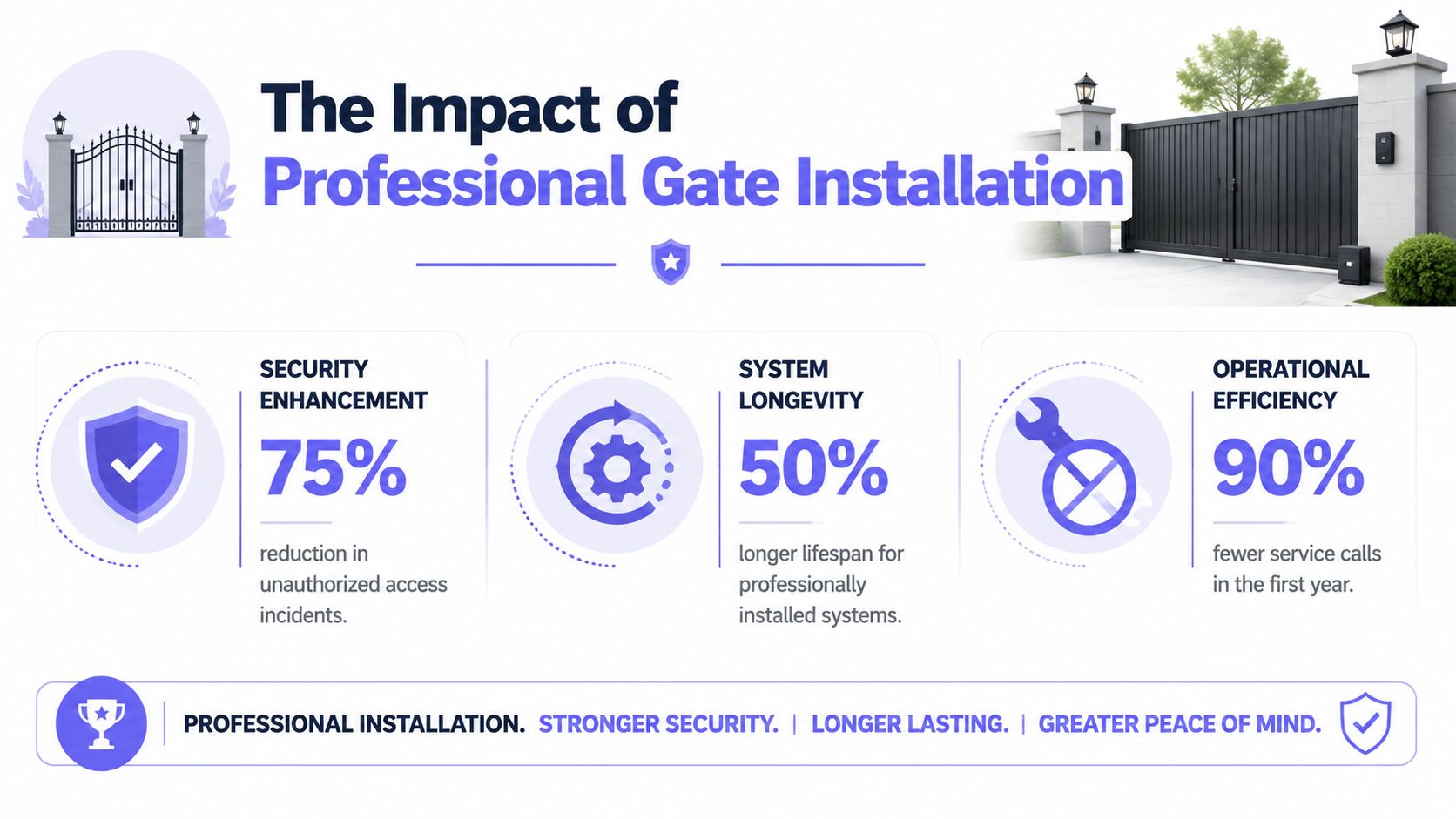
A gate that works poorly creates more than driver frustration. It affects resident trust, visitor flow, vendor access, and the property team's ability to control liability when credentials are shared too loosely.
The market reflects that shift. The commercial segment of the gate opener market was valued at USD 2.49 billion in 2023 and is projected to reach USD 4.31 billion by 2032, driven by rising security concerns at commercial properties that need stronger access control solutions, according to SNS Insider's gate opener market analysis.
That growth tells property managers something important. Commercial gates are no longer treated like isolated hardware. They're part of the site's security infrastructure, just like cameras, visitor screening, and building entry controls.
A gate system is part of property operations
Professional work matters because a commercial gate has to do several jobs at once:
- Control entry reliably: Residents, staff, vendors, and emergency responders all depend on predictable operation.
- Reduce avoidable exposure: Shared clickers and unmanaged PINs create access problems that are hard to track later.
- Protect curb appeal: A dragging slide gate or a sagging swing operator makes the property look neglected.
- Support future upgrades: A good install leaves room for better credentialing, cloud-based access control, and remote visitor management later.
Practical rule: If a property is already discussing lost remotes, code changes, or vendor access after hours, the issue isn't just the gate motor. The access workflow is failing.
Professional installation starts below grade
A lot of gate problems trace back to work nobody sees once the system is finished. The pad, conduit layout, drainage planning, and mounting geometry decide whether the operator stays aligned and serviceable.
That's why foundation work deserves the same scrutiny as the motor itself. Property teams comparing approaches can review DIY versus expert foundation work to see why base preparation often determines long-term performance.
The same thinking applies to access control planning. A property that wants cleaner credential management should evaluate the Nimbio gate control system early, while conduit runs, power, and operator interfaces are still being decided.
Before You Build Your Site Assessment and Operator Selection
Most installation mistakes happen before a crew unloads a single tool. The wrong operator usually comes from a weak site assessment, not from a bad day in the field.
The first step is documenting how the entrance works. That means measuring the gate, confirming power, noting slope and runoff, and identifying how many different user groups need access.
What to assess before equipment is ordered
A proper pre-install checklist should include the following:
Gate type and travel path
A slide gate needs room for full travel and clean track conditions. A swing gate needs clearance arcs, hinge integrity, and enough room so vehicles don't stop in the path of travel.Gate weight and structure
The operator has to match the actual gate, not the gate someone remembers from a spec sheet. Steel infill, wind load, and damaged framing all change the load.Power and low-voltage routing
Installers need to confirm where line voltage is available and where safety devices, loops, keypads, intercoms, or cloud-based access control hardware will land.Traffic pattern
A gated community has different peaks than a warehouse yard. A property manager should note resident rush hours, delivery windows, visitor surges, and whether the gate sits open during staffed periods.Credential plan
If the property will keep adding fobs and shared codes, the system will age badly from day one. It's smarter to decide early how residents, vendors, and guests will be managed.
For teams comparing local examples of integrated entry planning, access control for Cardiff properties is a useful reference on how gate automation and site security are often evaluated together.
Commercial Gate Operator Comparison
| Operator Type | Best For | Footprint | Typical Cost |
|---|---|---|---|
| Slide operator | Commercial sites with limited swing clearance, long perimeters, and heavier gates | Requires operator pad and gate run space along the fence line | Varies by gate size, site conditions, and controls |
| Swing operator | HOAs, offices, and lower-clearance entrances where a swinging leaf is practical | Needs clear arc space for each leaf and strong hinge-side structure | Varies by leaf size, mounting method, and safety devices |
| Barrier operator | Fast-moving vehicle control at parking lots, managed entries, and staffed checkpoints | Smaller operator footprint, but works best where a barrier arm suits the security goal | Varies by lane design, loop layout, and credential method |
How to avoid a duty cycle mismatch
Duty cycle is where many commercial jobs go wrong. An operator may be strong enough to move the gate, but still be the wrong machine for the number of cycles the property puts on it every day.
According to HySecurity's 2024 analysis of gate operator selection, 72% of commercial gate failures occur due to mismatched duty cycles, yet most installation guidance doesn't show buyers how to evaluate throughput without overbuying expensive industrial hardware.
That creates two common errors:
- Underspecifying the operator: The gate works at first, then overheats, slows down, or wears prematurely.
- Overspecifying without a reason: The property pays for industrial capacity it may never use, while still neglecting access control and monitoring.
Count actual use patterns, not guesses. A site with moderate daily traffic but heavy bursts at school drop-off, shift change, or delivery windows may need a different operator than the same daily volume spread evenly across the day.
A hardware-agnostic approach helps here. It gives the property more freedom to choose the right gate operator for throughput while still keeping options open for smartphone access, remote credentialing, and cloud-based management later.
The Blueprint for Success Permits Codes and Physical Installation
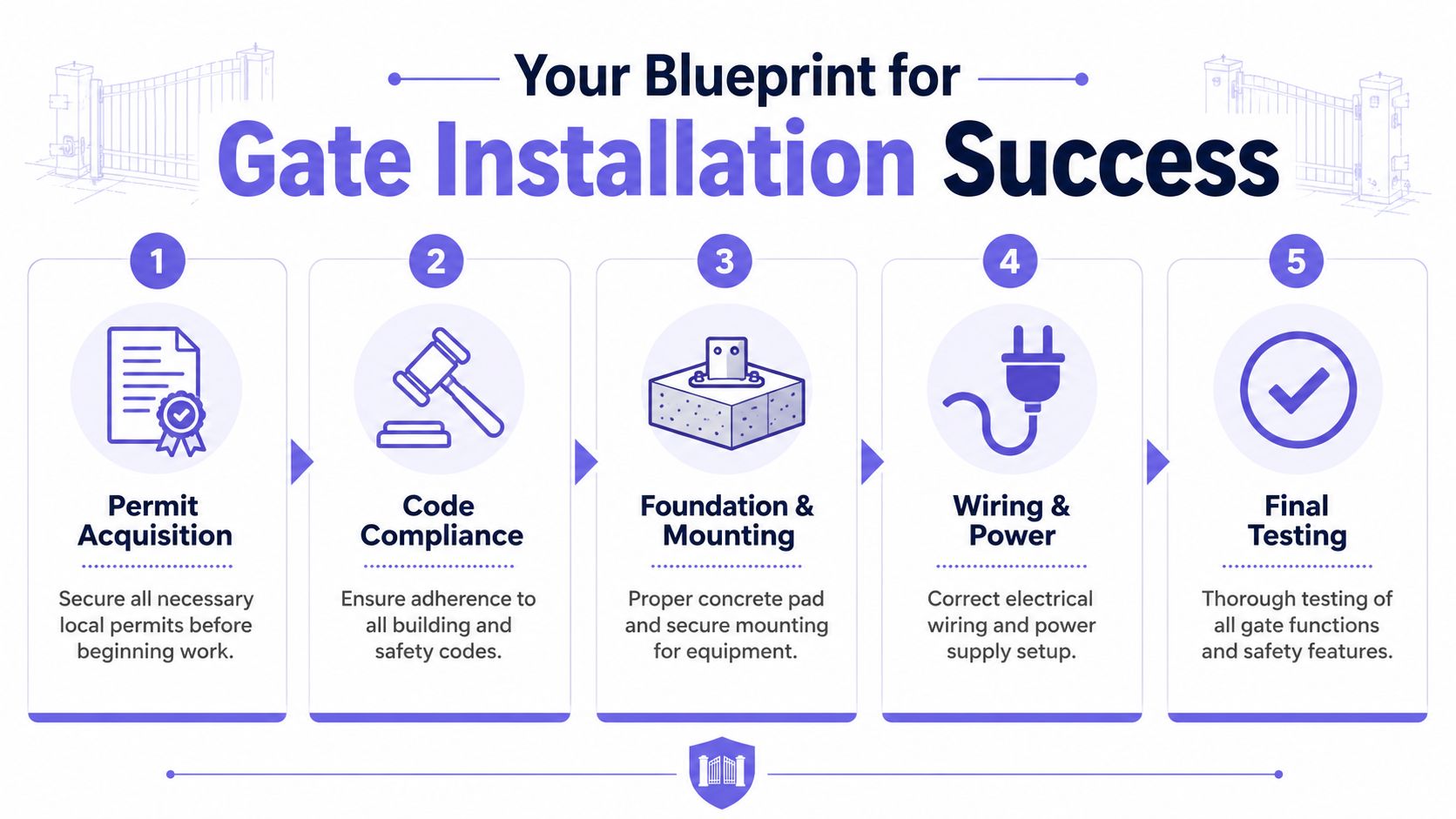
Permits, code compliance, and physical setup decide whether a commercial gate opener installation stays dependable or becomes a service problem. Good crews don't treat this phase as box-checking. They treat it as the part that protects safety, uptime, and warranty support.
Start with permits codes and site prep
Every jurisdiction handles permits differently, but the property manager should expect questions about electrical work, trenching, operator placement, and safety devices. If the site serves residents or the public, compliance expectations usually tighten.
UL 325 matters because it governs how automated gate operators and entrapment protection are handled. The installer should be ready to explain which safety devices are required for the chosen operator and how those devices will be tested before handoff.
Site prep is where professionalism becomes visible:
- Excavate correctly: For a commercial slide gate opener, the mounting pad must go to the frost line, typically 2ft x 2ft x 2ft, and be filled with level, adequately cured concrete so frost movement doesn't throw the operator out of alignment, as detailed in Elite Gates' slide gate installation guide.
- Set the operator precisely: The same guide notes that the unit should be aligned by marking the chassis holes, drilling, and securing with bolts so the gate clears the cover by no more than 2mm while still traveling smoothly.
- Plan service access: A technician should be able to open the cabinet, inspect wiring, and replace parts without dismantling surrounding site work.
Installation details that separate a solid job from a callback
Some failure points repeat constantly because crews rush the mounting phase. Brackets get attached to the wrong part of the gate, chain alignment is eyeballed, and limits are set loosely just to get the site moving.
One major example is actuator mounting. A leading cause of early mechanical failure is improper mounting to gate pickets instead of structural members. Attaching the bracket correctly to the gate's frame can reduce these failure rates by over 65%, according to Apollo's 120-degree gate operator installation resource.
Other details matter just as much:
- Chain tensioning on slide gates: Elite Gates advises stretching a string from the idler pulleys to the rear of the chassis to set chain height and protrusion depth before final chain connection.
- Bracket geometry on swing systems: Apollo notes the bracket centerline should sit 0.5 inches above the pivot arm top for proper load handling.
- Close limit setup: Apollo also warns that failing to set the close limit so the actuator arms lock over center, past 90°, can leave the gate insecure.
- Open limit adjustment: Where the operator and site require it, targeting 120° and using magnet collars so the close LED illuminates at the stop position helps confirm accurate limit setup.
A property manager doesn't need to perform these steps personally. But the manager should expect the installer to explain them clearly and document what was done.
A neat cabinet doesn't prove a good install. Correct mounting points, correct geometry, and repeatable limit settings do.
For teams reviewing operator compatibility and modern retrofit considerations, the Nimbio commercial gate operator guide is a practical reference point during planning and supervision.
Final testing is not a formality
Testing should happen with real site conditions in mind. That means vehicles approaching at normal speed, residents using their actual credentials, and gates cycling enough times to expose binding, nuisance reversals, or inconsistent closing behavior.
A solid commissioning checklist includes:
- Safety verification: Photo-eyes, edges, loops, and reversal logic should all be tested.
- Mechanical review: The gate should track cleanly, stop consistently, and avoid striking hard limits.
- Power-loss planning: Manual release and backup behavior should be demonstrated to site staff.
- Credential handoff: The manager should leave with an access plan, not just a key to the operator cabinet.
Beyond the Motor Integrating Safety and Smart Access
A gate operator alone doesn't create a secure entrance. The full system includes entrapment protection, vehicle detection, visitor handling, and a credential method that fits how the property operates.
Safety devices belong in the original scope
Photo-eyes, safety edges, and exit loops shouldn't be treated as add-ons that get debated after the motor is chosen. They need to be specified with the operator so wiring, conduit, and logic all work together.
The strongest installs also separate safety from convenience. A keypad, app trigger, or radio control may command the gate, but safety devices must still stop or reverse movement when needed.
That distinction matters for liability. If the gate is automated, the property needs documented testing and a clear handoff so staff know what's installed, what it does, and what requires service when conditions change.
Why the digital layer matters
A surprising number of properties modernize the motor but keep outdated access habits. They still rely on old remotes, fixed PINs, or entry methods that can't be revoked cleanly when a tenant moves out or a vendor contract changes.
Cellular access solves a practical infrastructure problem first. Cellular-based gate access systems operate on reliable 4G LTE networks, ensuring they function even in rural areas or during local internet outages, which gives them a clear advantage over Wi-Fi-dependent systems, according to this overview of 4G LTE gate access reliability.
That changes what a property manager can control day to day:
- Remote visitor management: Staff can issue, revoke, or schedule access without meeting someone at the gate.
- Cleaner credential administration: Digital access is easier to track than shared clickers or a code passed around by text.
- Hardware preservation: A retrofit approach can modernize the access layer without forcing a full replacement of compatible gate equipment.
- Better resident experience: Smartphone access reduces friction for gated communities and managed commercial sites.
For drivers who want less friction at the entrance, Apple CarPlay gate control shows how vehicle-friendly access is becoming part of the smart community standard.
Shared PINs feel convenient until a property has to answer who still has them. Auditability matters more than convenience that can't be managed.
Budgeting Your Project and Vetting Your Installer
Most boards and property teams ask the same question first. What will this cost, and what's included?
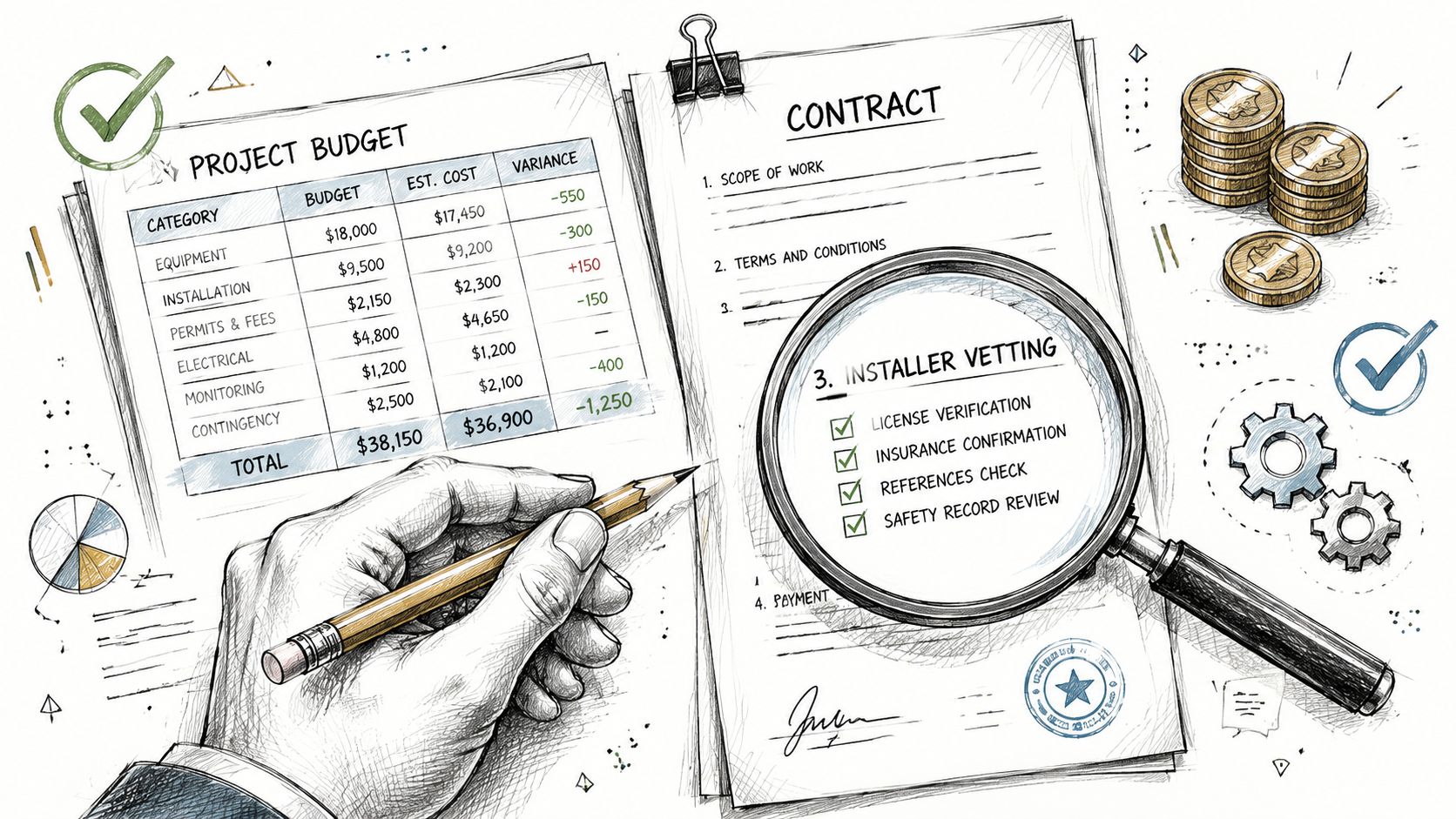
The useful answer is that pricing depends on the operator, gate condition, safety devices, trenching, electrical work, and the access method chosen at the end. The less useful answer is a low quote that ignores the digital layer and leaves the property paying for change orders later.
What affects project cost
Commercial gate opener installation typically costs between $3,000 and $10,000 per gate, with extra fees for connectivity, according to Gate Sentry's gate access control cost overview. That's why a cellular retrofit can be attractive when the gate hardware is still serviceable but the access method is outdated.
Budget discussions should separate these line items:
- Operator and mechanical work: Includes the motor, mounting hardware, fabrication, and gate corrections.
- Electrical and trenching: Often overlooked in early quotes, especially on long drive runs.
- Safety devices: Required devices shouldn't be treated as optional upgrades.
- Access control: Keypads, intercoms, cellular controllers, credential software, and visitor workflows all belong here.
- Ongoing support: Maintenance, credential administration, and future changes all carry operational cost.
Questions that expose weak installers fast
A strong installer should answer direct questions without hiding behind jargon. If the answers are vague, the quote usually is too.
Use this short vetting list:
- Ask how they size the operator: They should talk about gate type, structure, and throughput, not just horsepower.
- Ask what code compliance includes: The answer should mention safety devices, testing, and documentation.
- Ask who handles access control integration: Mechanical and digital scopes can't be treated as separate afterthoughts.
- Ask what stays if the property upgrades later: Good planning preserves existing assets where possible.
- Ask for a commissioning process: The installer should describe final testing, staff training, and turnover clearly.
A polished proposal isn't enough. The installer should be able to explain how the gate will work on a busy Monday morning, during a power issue, and after a tenant turnover.
The Future of Commercial Access Is Smart and Secure
The best commercial gate opener installation does two things well. It creates a mechanically sound entrance, and it gives the property a cleaner way to manage access over time.
That's the difference between a gate that opens and a gate system that supports operations. Boards care about liability, managers care about daily control, and residents care about reliability. A future-proof installation has to satisfy all three.
Mechanical reliability is only half the job
The physical side still matters. Pads have to be stable, operators must match the site, and safety devices have to be installed and tested correctly.
But mechanical quality alone won't solve the bigger access problem if the property still depends on remotes that can't be tracked, codes that circulate forever, or systems that fail when local internet service drops.
What future proofing really looks like
A future-ready entrance usually has these traits:
- A properly selected gate operator that fits the actual use pattern.
- A compliant safety package with documented testing.
- An access method that can be managed remotely when residents move, staff changes, or vendors need temporary entry.
- A retrofit mindset that protects working hardware instead of replacing it unnecessarily.
- Cloud-based access control that gives the property an audit trail and simpler administration.
That's where the industry is headed. Smart communities, managed commercial sites, and modern HOA security programs need access systems that are easier to administer, easier to update, and easier to trust.
For properties that want to modernize gate access without replacing working equipment, Nimbio offers a practical path. Its cellular, hardware-agnostic retrofit approach adds smartphone control, remote visitor management, and cleaner credential administration to existing electronic gates, which makes it a strong fit for property managers, HOAs, and installers looking for a more secure access model.