
Solutions for Gated Communities & Multifamily
Cellular Gate Entry for Apartments, Multifamily & Gated Communities
Nimbio retrofits your existing gate operators into app-controlled smart access over cellular LTE — eliminating shared keypad codes, costly fob replacements, and fragile touchscreen intercoms. Flat-rate pricing per home, unlimited residents, lifetime hardware warranty for the life of the subscription.
What problems does Nimbio solve for property managers?
Nimbio eliminates the recurring operational friction property managers face at gated communities and multifamily properties: shared keypad codes that can’t be selectively revoked, the cost and delay of physical fob replacement, and manual move-in/move-out access turnover. Each is replaced by individual digital keys that are issued and revoked in seconds from the Community Manager portal. This is gated community access control delivered over cellular LTE — the same individual-digital-key model property managers look for in apartment access control and residential gate access control systems, with no landline, no property Wi-Fi, and no wired directory hardware to maintain. Nimbio’s cellular gate entry platform processes 620,000+ gate openings every month — 7,000,000+ a year — across apartment communities, HOAs, and gated neighborhoods nationwide.
Shared keypad codes create liability
When a resident moves out, a shared 4-digit code cannot be selectively revoked — it has to be changed community-wide. Nimbio issues individual digital keys per resident that expire instantly on move-out.
- ✓One-click key revocation from the dashboard
- ✓Full audit trail with timestamps per entry
Physical fob replacement is expensive and slow
Ordering, shipping, and tracking physical key fobs is an ongoing cost center. Lost fobs require deactivating and re-issuing — manual, time-consuming work. Nimbio replaces fobs with permanent smartphone digital keys.
- ✓No hardware to ship, track, or inventory
- ✓Digital keys issued in seconds from any browser
Move-in / move-out turnover is a manual headache
Coordinating gate access during resident turnover — issuing to new residents, revoking from former ones — is manual friction. Nimbio’s dashboard handles it in seconds, with no on-site presence required.
- ✓Bulk issue / revoke by home or unit group
- ✓Manage from community.nimbio.com — no IT needed
The Community Manager portal — Feature Fact Sheet
- ✓Community Manager portal — manage from the Admin tab in the Nimbio app, or from any web browser
- ✓Home-grouped key management — group all access points by unit/home for one-click turnover
- ✓24/7 access logs — every entry timestamped and attributed to a specific resident or guest key
- ✓Real-Time Gate Status — monitor live gate operation status from the dashboard (requires installation of gate sense lines to the Nimbio controller)
- ✓Instant digital key revocation — deactivate any resident or guest key in real time from anywhere
- ✓Unlimited residents per home — flat-rate billing means adding household members costs nothing extra
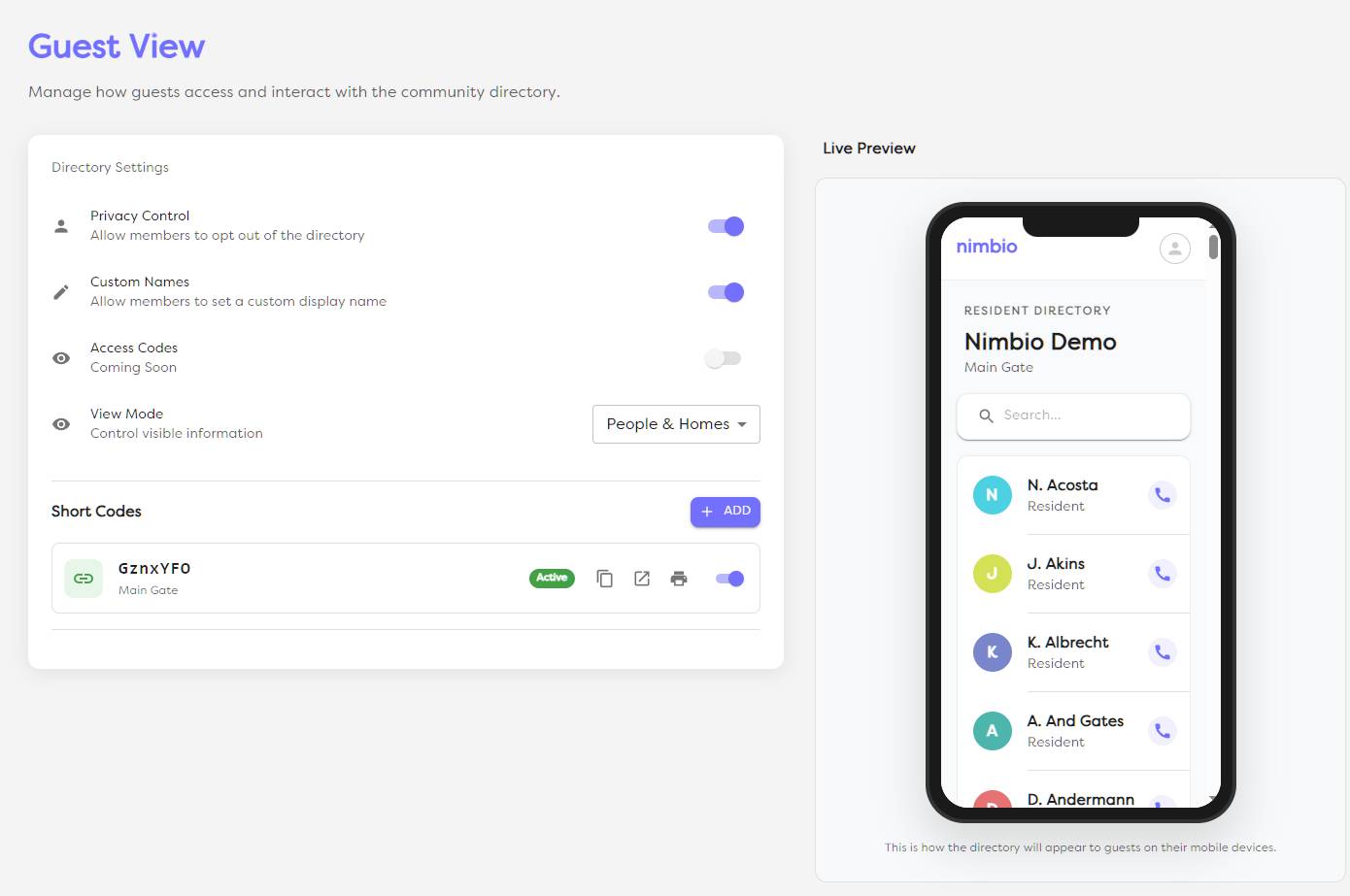
- ✓GuestView directory administration — configure layout (People only, Homes only, or Both), manage Short Codes linked to physical QR signs, and view paginated Access Code audit logs showing Opened, Invalid, Expired, and Disabled status per entry
- ✓Cellular LTE — no Wi-Fi dependency — gate access works even when property internet is down
- ✓Legacy hardware stays — existing clickers, fobs, and keypads continue to work in parallel

What is GuestView and how does it work without a touchscreen intercom?
GuestView is Nimbio’s visitor management system, adding visitor video verification at the gate without a fragile touchscreen callbox of its own. Visitors scan a weatherproof QR plaque or tap an NFC panel at the gate to access a digital directory and select who they’re visiting. The resident gets a text message with a link — tapping it starts a video call using the visitor’s own camera, not external gate hardware, one-way by default with two-way available if the resident turns on their own camera — or the visitor can enter a pre-approved Access Code instead.
How does GuestView hold up to vandalism and weather?
Because GuestView uses the visitor’s smartphone as the camera, the physical gate hardware is limited to a QR plaque and NFC panel — zero glass screens.
- ✓No glass screen to smash
- ✓Freeze-resistant — no LCD touchscreen to crack
- ✓No external camera hardware to install or maintain
- ✓No software updates to push to a gate-mounted panel
- ✓Lower up-front cost than a touchscreen intercom system
GuestView Fact Sheet
- ✓Visual Verification — secure video call (one-way by default, two-way optional); resident sees and hears the visitor on their smartphone without any external gate camera hardware required
- ✓QR plaque + NFC panel — dual-mode entry point; no directory keypad needed
- ✓Works without a Nimbio app — visitors use any smartphone camera; no app install required
- ✓Pre-approved Access Codes — issue access codes to frequent visitors (dog walkers, housekeepers, service workers) for keypad-free entry without a video call
- ✓Resident taps to grant access — one tap on the open button in the video call triggers the gate relay
- ✓Access Code audit log — paginated log of every Access Code attempt showing Opened, Invalid, Expired, and Disabled status per entry
- ✓All visits logged — video call entries and Access Code uses appear in the 24/7 access log with timestamp
Resident self-service and visitor access
Residents manage their own presence in the GuestView directory and control exactly who can enter — without calling the property manager.
Privacy & directory control
- ✓Resident Privacy — residents can customize their display name to something generic like “Apt 5B” or completely opt out of the public directory so their name never appears to visitors
- ✓Access codes — generate and revoke access codes for dog walkers, housekeepers, or service workers directly from the Nimbio app
- ✓Remote video answer — answer a GuestView call and tap to open the gate from any location; no need to be home
- ✓Family Keys — issue always-on digital keys to household members; each key is individually revocable
How does Nimbio price access control for residential communities?
For residential communities, Nimbio uses predictable, flat-rate billing per home with unlimited residents and keys per home. Pricing is based on the number of homes, not the number of residents.
What is included in the flat-rate residential plan?
- ✓Unlimited resident digital keys per home
- ✓Unlimited Family Keys (always-on access for household members)
- ✓Doorbell Keys for guests and caregivers, GuestView for delivery services
- ✓GuestView visitor video directory with Access Code audit logs
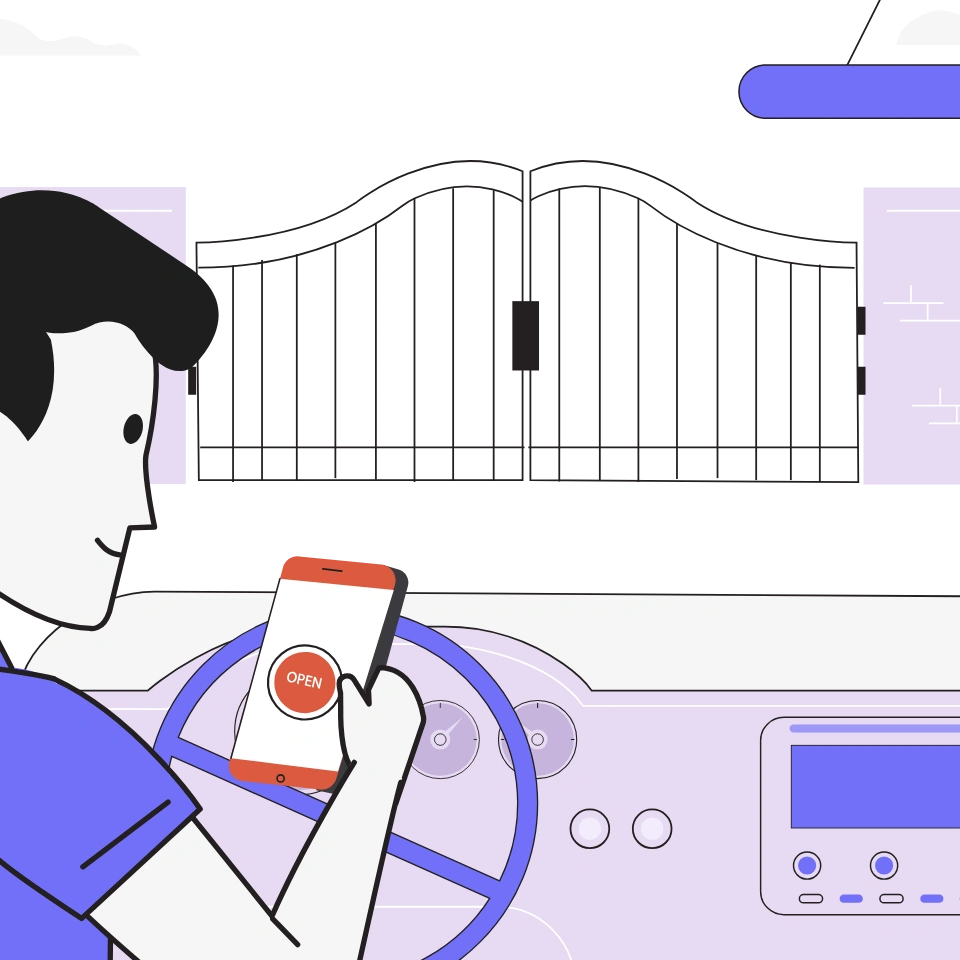
- ✓Apple CarPlay & Android Auto gate opening
- ✓24/7 access logs and cloud dashboard (community.nimbio.com)
- ✓Cellular LTE connectivity — pre-installed multi-carrier SIM included
- ✓Lifetime hardware warranty — if your controller ever stops working for any reason, Nimbio provides a prompt replacement for the life of your subscription
How do gate access providers for apartments and gated communities compare?
Gate access providers for apartments and gated communities offer one of three kinds of system: physical fobs with a shared keypad code, a touchscreen video intercom at the gate, or a cellular system that residents open from a phone app. Compare them on five points: whether one resident’s access can be revoked without changing a code for everyone, what the gate hardware costs up front, whether the gate depends on property Wi-Fi, how visitors are verified, and whether billing is per home or per device. Nimbio is the cellular kind. It retrofits the existing gate operator for a one-time $299 hardware cost, gives each resident an individual digital key that a manager can revoke instantly, connects over cellular LTE with no property Wi-Fi, adds visitor video verification through GuestView, and bills residential communities a flat rate per home with unlimited residents.
Nimbio vs. Traditional Gate Access for Gated Communities
| Feature | Nimbio | Physical fobs + keypad | Touchscreen intercom |
|---|---|---|---|
| Instant key revocation | Yes | No (must collect fob) | Partial |
| No shared codes | Yes | No | No |
| Visitor video verification | Yes (GuestView) | No | Yes (fragile hardware) |
| Vandal-resistant entry point | Yes (QR/NFC plaque) | Partial | No (glass screen) |
| No Wi-Fi required | Yes (cellular LTE) | Yes | Usually no |
| Low up-front hardware cost | Yes ($299) | Low (fobs ongoing) | No ($800–$7,000+) |
| Billing per home (not per user) | Yes | N/A | No (per device) |
Instant key revocation
No shared codes
Visitor video verification
Vandal-resistant entry point
No Wi-Fi required
Low up-front hardware cost
Billing per home (not per user)
How does Nimbio install at a gated community?
Nimbio wires in parallel to your existing gate operator — no rip-and-replace. The installer connects the controller to the operator’s dry-contact input, pairs the device over Bluetooth in ~60 seconds, and the pre-installed LTE SIM connects automatically to the strongest carrier tower.
Wire in parallel
Connect to existing gate operator’s dry-contact input. Existing clickers and keypads keep working.
Provision via Bluetooth
Installer app pairs the controller in ~60 seconds. The pre-installed multi-carrier SIM auto-connects to the strongest LTE tower.
Issue keys from dashboard
From the Admin tab in the Nimbio app, or by logging into community.nimbio.com, group homes by unit and issue digital keys to residents. Revoke instantly on move-out.
We recommend having a licensed professional gate or low-voltage technician install your Nimbio device. Our support team can also work directly with property owners or their personnel if they prefer to install it themselves. For commercial, HOA, or multifamily properties, confirm compliance with local regulations governing gate access.
Frequently asked questions — multifamily gate access
What is gated community access control?
Gated community access control is the system that manages who can open a community’s vehicle gates and shared entrances — traditionally shared keypad codes, physical fobs, and wired directory intercoms. Modern apartment access control replaces those shared credentials with individual digital keys: residents open the gate from a smartphone app, managers issue and revoke access from a web dashboard, and every entry is logged with a timestamp. Nimbio delivers this as a cellular system — the controller wires to your existing gate operator and connects over multi-carrier LTE, so community access control keeps working without property Wi-Fi or a phone line.
Does Nimbio work with my existing gate opener brand?
Yes. Nimbio connects to the dry-contact relay input on virtually all electric gate operators — LiftMaster, FAAC, Linear, Apollo, Ghost Controls, Elite, and others. If your gate has a 6.5V–24V power source and an electric motor, Nimbio is compatible.
What happens if the cellular signal at our gate is weak?
Nimbio uses a pre-installed multi-carrier SIM that dynamically connects to the strongest available tower across AT&T, Verizon, and T-Mobile. The SIM works internationally too — international customers should contact us to confirm which networks are supported in their region. In fringe areas, NEMA weatherproof enclosures with external antenna mounts can boost signal further.
Can residents still use their existing gate remote or fob?
Yes. Nimbio wires in parallel, so existing clickers, fobs, and keypads continue to operate your gate alongside the Nimbio system. You can migrate residents to digital keys at your own pace — there is no forced cutover.
Is Nimbio gate access secure for multifamily communities?
Nimbio uses SSL/TLS encryption over cellular LTE, hosted on enterprise-grade cloud infrastructure. Because access runs over cellular rather than the property’s local Wi-Fi, it is not exposed to network sniffing and man-in-the-middle attacks that Wi-Fi-based systems face. Each digital key is individually tied to the resident’s phone number — unshared and revocable.
How does GuestView handle resident privacy?
Residents have full control. They can set a custom display name (such as a unit number or alias) so their personal name never appears in the directory, or opt out entirely so they do not appear to visitors at all. The property manager controls the directory layout — People only, Homes only, or both.
How many gates can one Nimbio subscription cover?
Each Nimbio controller handles one gate or door relay. A community with a front gate, back gate, and pool gate would use three controllers. Each additional controller is added as a line item on your single existing subscription — not a separate subscription — and for a shared gate that line item is part of your quote.
Does Nimbio work for single-family homes as well as multifamily communities?
Yes. Nimbio runs on the same cellular platform whether it’s protecting a single gate at a private ranch or a full multifamily community with dozens of homes. Property managers and HOAs with a mixed portfolio — single-family properties alongside multifamily or gated communities — manage every property from the same Community Manager portal, with no separate systems to learn. See the Single Family, Ranches & Estates solution page for details specific to individual properties.
Why replace a landline-based gate phone or callbox?
Traditional gate callboxes and gate phones typically depend on a copper telephone landline (POTS), and many carriers are phasing out copper landline service, making it increasingly expensive and hard to maintain. Nimbio’s cellular LTE controller needs no landline and no on-site wiring dependency — it connects directly over a pre-installed multi-carrier SIM, so gate access stays online independent of the copper phone network’s future. If you are considering removing or replacing a callbox, first confirm compliance with local regulations governing gate access.
What is apartment access control?
Apartment access control is how a multifamily property manages entry to its vehicle gates, amenity doors, and shared entrances for residents, staff, and visitors. Legacy setups rely on shared credentials — keypad codes, fobs, wired intercoms — that can’t tell people apart or be revoked individually. Modern apartment access control gives each resident their own digital key on their smartphone, gives management a web dashboard to issue and revoke access per unit, and logs every entry. Nimbio delivers this by retrofitting the property’s existing gate operators and door hardware with cellular LTE controllers, so the system runs without property Wi-Fi and existing fobs keep working during the transition.
Can we change “Resident” and “Home” to match how our community talks about itself?
Yes. From Community Manager Settings, you can pick the terms that fit your property — Owner, Tenant, or a custom word for people, and Unit, Suite, or a custom word for their spaces — with your own icon for each. The app, the Community Manager portal, and the public GuestView directory all follow your choice. Communities that don’t customize anything keep seeing “Resident” and “Home” exactly as before.
Still comparing systems for your community? Our guide on how to choose a cellular gate access system walks through the evaluation criteria — connectivity, pricing model, security, and installation — category by category. Running an HOA or self-managed neighborhood instead? See gated community access control for HOAs.
See Nimbio at your community
Tell us about your property and we’ll map the right retrofit. We offer predictable, flat-rate billing per home for residential properties — unlimited users and keys per home.
Talk to Sales