

A gate reader can look modern while the system behind it still relies on a shared PIN, an unrevoked fob, or an unprotected connection to an old controller. That's why choosing a wireless access control card reader for a property isn't only a question of radio range or whether residents can tap a card. The decision affects credential security, gate reliability, visitor handling, audit records, and what happens when connectivity fails.
For property managers, HOA board members, and installers, the practical question is this: does the reader form part of a supervised, cryptographically protected access-control system, or is it just a convenient way to pass a credential number to a controller?
Table of Contents
- What a Wireless Access Control Card Reader Actually Is
- How Wireless Protocols and Architectures Affect Security
- Wireless Versus Wired Access Control for Gates and Locks
- How to Choose a Wireless Access Control Card Reader
- Installation and Integration Considerations for Gate Systems
- Security Best Practices and Troubleshooting Wireless Readers
- Real-World Use Cases for HOAs, Property Managers, and Integrators
- How to Evaluate Wireless Access Control Card Readers Like a Professional
What a Wireless Access Control Card Reader Actually Is
At a gated community entrance, a resident presents a card, fob, or phone, the reader receives the credential, and the gate operator decides whether to open. That visible interaction makes the reader appear self-contained. In reality, it's one endpoint in a longer chain that includes the credential, reader, controller, communications path, management software, and operating procedures.
A wireless access control card reader may use NFC, Bluetooth, Wi-Fi, or another wireless connection. The radio determines how devices communicate, but it doesn't by itself determine whether authentication is strong. A reader that accepts a static identifier can remain weak even when its wireless connection is encrypted.
Modern access control has moved from simple credential presentation toward cryptographic authentication and risk-based assurance. For a view of the vendors in this market, see this access-control market leaders assessment.
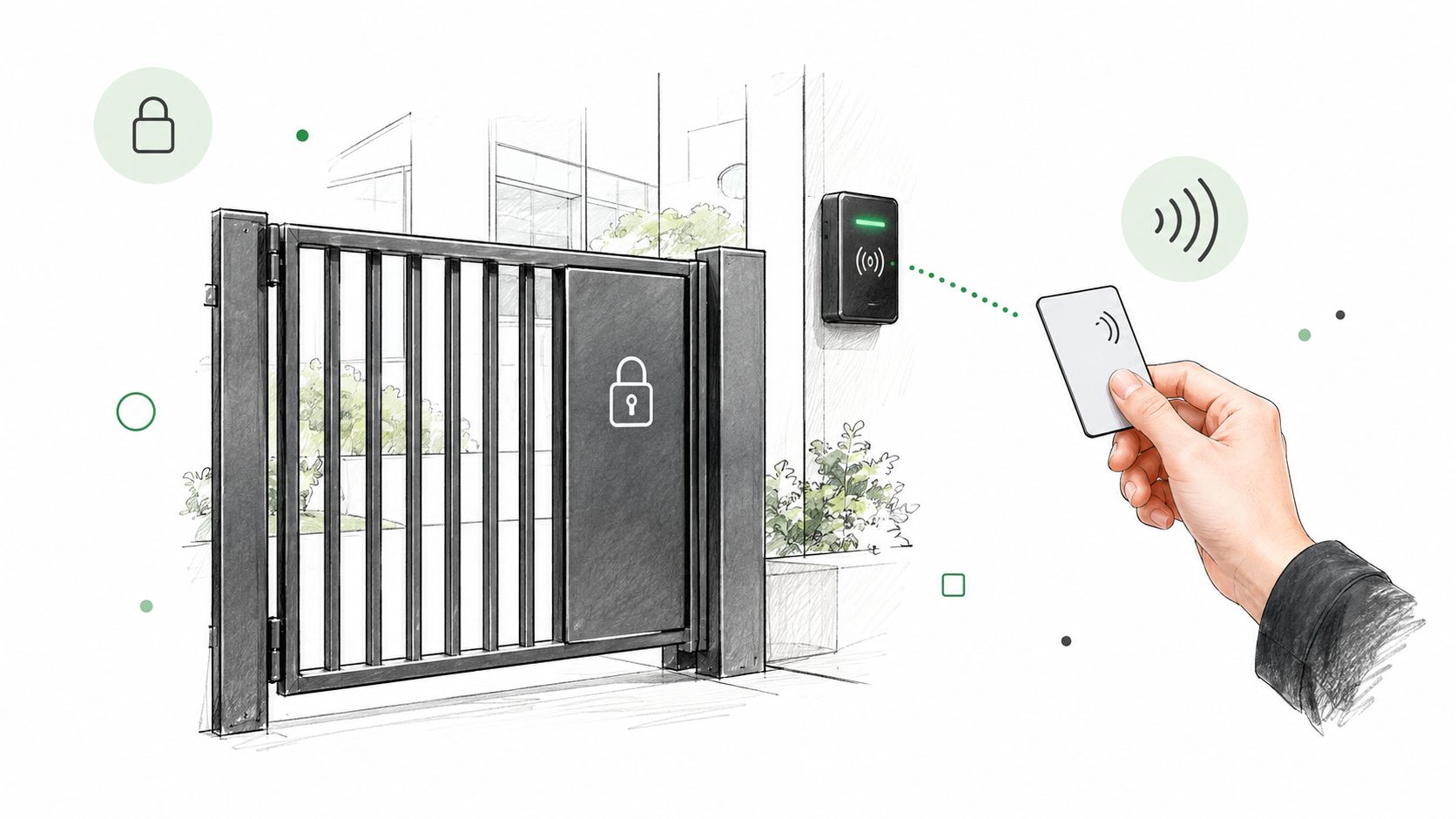
That shift explains why a current installation needs more than an attractive reader enclosure. Credentials should be issued to known users, revoked when access ends, replaced when lost, and recorded in an auditable system. Readers should authenticate credentials cryptographically where the selected assurance level requires it, while the controller and its communications path need their own protection.
Readers who need a broader foundation can consult this practical access control systems guide. The useful takeaway is simple: connectivity is only one property of a secure reader. Credential lifecycle, controller compatibility, communication protection, and site conditions matter just as much.
How Wireless Protocols and Architectures Affect Security
Wireless technologies solve different problems, so they shouldn't be treated as interchangeable labels. ISO/IEC 14443 contactless smart-card readers operate at 13.56 MHz and support Type A and Type B technologies, with communication distances of up to approximately 10 cm, as described in this NXP NFC technical overview. Electromagnetic induction between the reader and card creates the short presentation range, which suits a deliberate tap and reduces accidental reads compared with longer-range radio.
That short distance helps with user behavior, but it doesn't automatically prove identity. Type A and Type B differ in modulation, coding, and protocol procedures. A reader designed for one technology won't necessarily work with every contactless credential, even when both products are marketed as NFC-compatible.
Proximity is not the same as intent
NIST warns that a nearby attacker can establish a connection with a wireless authenticator, or proxy an authentication challenge, and collect the resulting response without the legitimate user deliberately participating. This risk matters at vehicle gates, shared entrances, and busy doors, where a passive credential could be challenged without the holder noticing.
Higher-assurance deployments should add an explicit action, such as pressing a reader button, confirming on a device, or providing another factor. NIST's guidance on wireless authenticators is available in its authentication requirements.
A useful comparison is:
- Short-range contactless: Deliberate presentation is clear, but the card technology, antenna orientation, and mounting surface must match.
- Bluetooth proximity: Convenient for phones and hands-free workflows, but proximity alone shouldn't prove user intent.
- Wi-Fi-connected readers: Useful for networked buildings, though configuration, encryption, and network availability become part of the access decision.
- Cellular control paths: Helpful where no gate Wi-Fi exists, but the system still needs credential governance, protected communications, and a defined offline procedure.
Interoperability affects daily reliability
Metal door frames, conductive surfaces, poor antenna alignment, and unsuitable mounting materials can reduce coupling and create inconsistent reads. A site acceptance test should check successful presentations at the intended distance and under the environmental conditions expected at the property.
For the broader connection between a gate controller and remote access service, this Wi-Fi vs LTE gate security comparison helps separate the local credential event from the backhaul connection. The important question isn't which radio sounds newer. It's whether each link authenticates the right device, protects its messages, and fails in a predictable way.
Wireless Versus Wired Access Control for Gates and Locks
A wired reader usually offers a stable physical path between the reader and controller. It can simplify supervision and fault isolation, especially when the installer can inspect the cable route and the controller reports device problems. The trade-off appears at an existing gate, where trenching, conduit, pavement, landscaping, and long cable runs can make a new installation disruptive.
A wireless architecture can reduce the need for new cabling and make retrofit work less invasive. It also introduces more dependencies. The installer must document the wireless technology, authentication method, encryption, power source, signal conditions, network behavior, and fallback process. NIST guidance requires organizations to establish connection and configuration requirements, authorize wireless access before deployment, and protect it through authentication and encryption in its wireless access-control guidance.
The main trade-offs
| Architecture | Where it works well | Where it creates concern |
|---|---|---|
| Wired reader and controller | Stable local communication and clear physical routing | Installation can be disruptive at existing gates |
| Wireless reader | Retrofit flexibility and fewer new cables | Radio conditions, power, and configuration require testing |
| Hybrid system | Retains proven hardware while adding modern remote access | More components must be documented and maintained |
Wired doesn't mean secure by default. An unprotected reader-to-panel protocol can expose credential data even when the reader itself uses a modern card technology. OSDP, defined by IEC 60839-11-5, supports two-way communication over a common two-wire RS-485 multidrop connection. Its Secure Channel feature provides encrypted and authenticated communication between configured readers and controllers, as documented in this Zephyr OSDP reference.
A practical middle path often preserves the gate operator and local entry methods while adding a cellular controller for remote administration. That approach avoids replacing hardware that still operates reliably, but it doesn't excuse weak credential management or undocumented fallback behavior. The property still needs a clear record of who can open the gate, how access is revoked, and what happens during a communications outage.
Practical rule: Choose the architecture that can be maintained and audited by the people responsible for the property, not the architecture with the most impressive connectivity label.
How to Choose a Wireless Access Control Card Reader
A site survey should begin with the existing system, not with a product brochure. The reader, credential, controller, gate operator, power supply, and management platform need to work as one chain. A technically capable reader can still create an expensive problem if it accepts the wrong card technology or cannot communicate securely with the installed panel.
Start with compatibility
Confirm the credential type before approving hardware. ISO/IEC 14443 Type A and Type B are not interchangeable by assumption, and the reader's antenna must suit the mounting location. Check the controller interface, reader power requirements, enclosure rating, mounting surface, and whether the gate operator expects a relay input, a reader protocol, or a separate access-control panel.
The next questions should be written into the vendor evaluation:
- Credential lifecycle: Can administrators issue, revoke, replace, and audit credentials without relying on shared codes?
- Authentication: Does the system use cryptographic challenge-response instead of accepting a visible identifier as proof?
- Communication security: Does the reader support protected communication with the controller?
- Power behavior: What happens when the primary supply fails, and is the selected battery or solar arrangement documented by the manufacturer?
- Legacy support: Can existing clickers, fobs, keypads, or cards remain available during migration?
- Management access: Which staff members can change wireless settings, issue credentials, or alter door and gate behavior?
Verify OSDP rather than trusting the label
OSDP supports reader supervision and two-way communication, but a product supporting OSDP isn't automatically operating with Secure Channel enabled. The access-control panel, reader, and commissioning settings must align. The installer should verify that both ends support Secure Channel and record whether secure communication is enabled and enforced.
For a structured buying process, this guide to comparing cellular gate access systems can help property teams evaluate retrofit options alongside reader replacements. The correct decision may be a new reader, a controller upgrade, or a hybrid design that keeps reliable legacy entry methods while adding remote credentials.
Range should be tested at the actual mounting position, not accepted from a catalog. Readers should be checked with the credentials residents, contractors, and visitors will use. A reader that works on a workbench but fails beside a metal gate post isn't ready for handover.
Installation and Integration Considerations for Gate Systems
Most wireless reader failures appear during commissioning, not during product selection. The reader may have adequate signal, yet the controller may use the wrong interface, the Secure Channel key may not match, or administrators may lack a documented process for revoking a lost credential.
The installation team should first map the existing path from credential to gate movement. That map should identify the reader, local bus or wireless link, controller, gate operator input, remote management service, power source, and event log. Any wiring or safety work must follow the specific manufacturer manual. Gate operators differ, and generic instructions can create unsafe movement or damage equipment.
Record the configuration
OSDP Secure Channel uses a protected session between the reader and controller. In the documented Genetec implementation, the devices mutually authenticate and create an encrypted session using a shared AES-128 key, as described in this Genetec OSDP Secure Channel reference. The installer should confirm that the panel and reader use the intended key and that the system isn't falling back to an unsecured mode.
A documented Axis configuration shows why this record matters. The system can generate the Secure Channel key from a main encryption key or allow an administrator to enter a separate key manually. Secure Channel must be enabled in the system configuration, and the referenced Axis reader can enforce it through a device setting. The relevant Axis configuration documentation should be checked for the exact model and procedure.
Commissioning records should include:
- Device identity: Reader, controller, and gate operator models.
- Credential method: Card, fob, mobile credential, keypad, or mixed mode.
- Security settings: Authentication mode, Secure Channel status, and key-management responsibility.
- Failure behavior: Local operation, event logging, and administrator action when connectivity is unavailable.
- Maintenance ownership: Firmware review, credential revocation, battery checks, and future configuration changes.
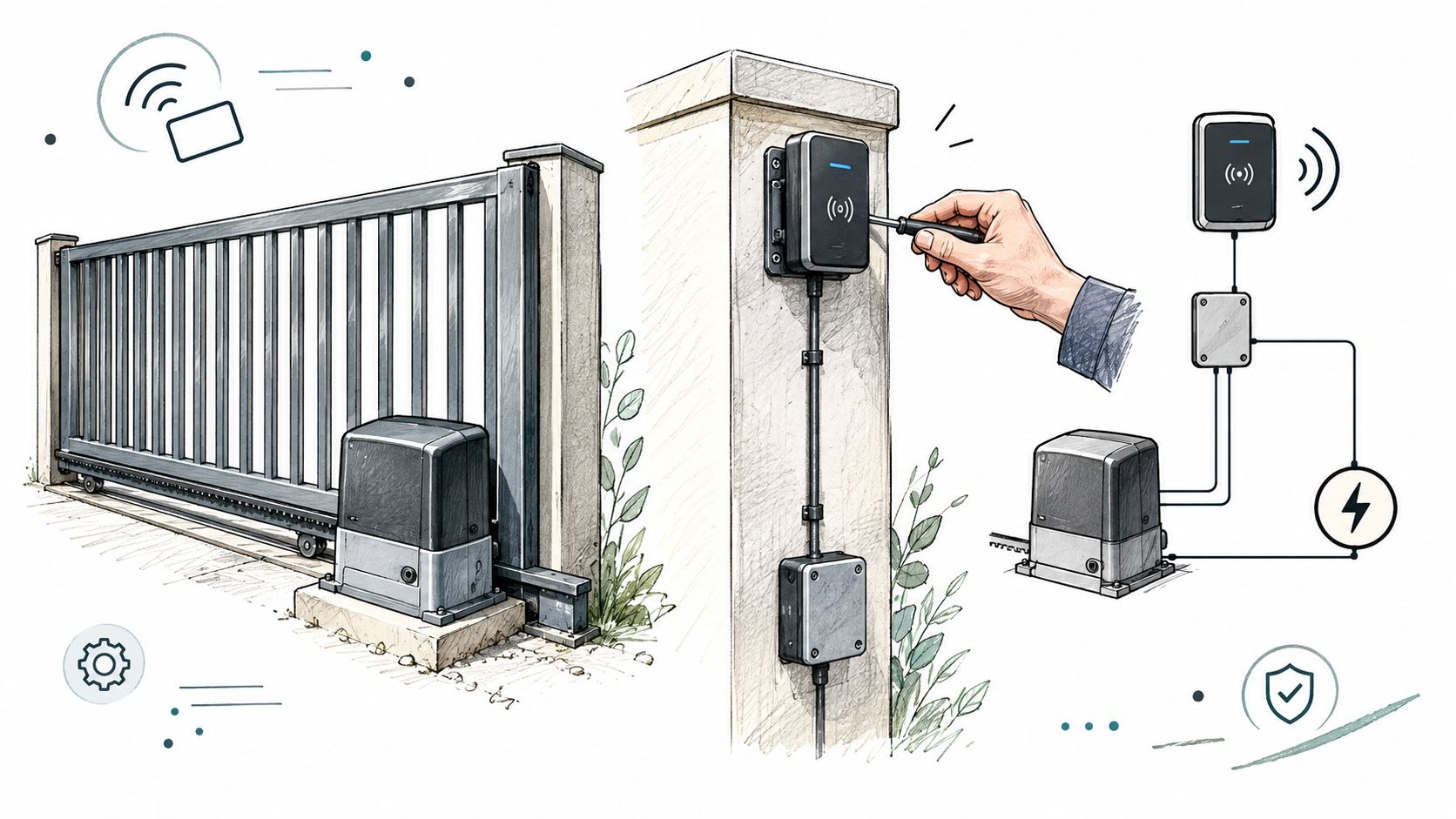
Mobile and cloud administration can simplify credential issuance, revocation, visitor handling, and event review, but it doesn't remove the need for local operating procedures. Residents without smartphones, delivery personnel, contractors, and people with a dead phone still need an approved access method. The property should test those paths before handover and document who can approve temporary access.
Security Best Practices and Troubleshooting Wireless Readers
Encryption is necessary, but it isn't the whole security program. A reader can encrypt its connection while a former resident's credential remains active, an administrator leaves a default setting in place, or a lost phone continues to authorize entry.
NIST's physical-access guidance describes PIV authentication mechanisms that include biometrics and cryptographic challenge-response using the card's mandatory asymmetric authentication keys. In the current version, stand-alone visual authentication and the symmetric card-authentication-key mechanism are deprecated, and the Cardholder Unique Identifier (CHUID) authentication mechanism is no longer allowed. The guidance is set out in the PIV physical-access authentication framework.
Troubleshoot the complete chain
When a credential stops working, signal strength is only one possibility. Check the identity and status of the credential, reader compatibility, power, controller events, local communications, and remote management path. A reader that sees a card but sends no accepted transaction may be working correctly while the controller rejects the credential.
A disciplined check looks for:
- Revocation delay: Confirm whether a lost or expired credential is removed at the reader and controller, not merely marked inactive in an administrative screen.
- Secure Channel status: Verify that the feature is enabled on both ends and, where supported, enforced at the reader.
- Event visibility: Determine which events remain available locally when the remote connection is unavailable.
- Firmware ownership: Assign responsibility for updates, testing, and rollback decisions.
- Fallback access: Test approved cards, fobs, keypads, visitor procedures, and manual site operations.
A secure reader that nobody can revoke, monitor, or maintain becomes an operational weakness.
For higher-risk doors or facilities, the workflow may need an explicit user action or an additional authentication factor. At a vehicle gate, the right balance may differ from a restricted interior room, but the assurance level should be documented rather than assumed.
OSDP can supervise reader status and carry protected credential data between reader and controller, yet the remote management path and credential service remain separate security boundaries. The system should therefore be reviewed as a chain of credential, reader, local bus, controller, and remote administration, with a named person responsible for each part.
Real-World Use Cases for HOAs, Property Managers, and Integrators
An HOA board often wants to replace a shared gate PIN because nobody can tell who still knows it. A better design assigns credentials to people or households, sets an expiration date where appropriate, and gives an administrator a clear revocation process. Existing fobs and keypads may remain useful for residents, contractors, or emergency procedures.
A property manager faces a different daily problem. A delivery driver or prospective resident may be waiting at the entrance while staff are away from the property. Remote visitor handling can help, especially when the workflow includes identity verification rather than a blind remote entry grant. The property still needs a record of who approved entry and a procedure for visitors who can't use a mobile credential.
Integrators usually inherit equipment that still opens the gate reliably. Replacing the operator, readers, credentials, and control panel at once can increase disruption and create a large commissioning burden. A cellular add-on controller can be a practical retrofit path when the property needs remote credential management but wants to keep the existing gate operator and local entry methods.
A hypothetical retrofit
Consider a hypothetical gated community with an existing operator, clickers, fobs, and keypad. The integrator could retain those methods, add a cellular controller, issue digital keys to approved users, and define an expiration process for contractors. Visitors could be handled remotely, while residents without smartphones would continue using the approved physical methods.
That hybrid approach avoids assuming that mobile access solves every access problem. A phone can be lost, uncharged, unavailable to a visitor, or outside cellular service. The property should test the fallback path and decide who can authorize temporary access before the new system goes live.
For communities assessing a broader HOA gate access system, the important criteria remain operational: credential ownership, revocation, visitor verification, event records, and compatibility with the gate hardware already in place. The most suitable system is the one staff can operate consistently after installation day.
How to Evaluate Wireless Access Control Card Readers Like a Professional
A professional evaluation treats the wireless access control card reader as one node in a supervised and auditable system. Radio type matters, but it comes after the questions that determine whether access can be trusted and maintained.
Before approval, the property manager or integrator should be able to answer:
- How is the credential authenticated? Static identifiers and shared PINs offer less assurance than cryptographic challenge-response.
- How quickly can access be revoked? The process should cover lost cards, departed residents, expired contractors, and compromised mobile devices.
- Is the reader supervised? OSDP can provide two-way reader communication and Secure Channel protection when the panel and reader are configured to use it.
- What happens during an outage? The system should define local behavior, logging, visitor handling, and approved fallback credentials.
- Can the hardware stay in service? A retrofit may be more practical than replacing a reliable gate operator, provided the complete security chain is documented.
- Who maintains it? Firmware, keys, credentials, power, configuration, and incident response need named owners.
The strongest vendor documentation explains commissioning, security settings, credential lifecycle, maintenance, and failure behavior in terms an installer can verify. Marketing language about wireless convenience doesn't answer those questions.
A property should approve a reader after testing the actual credential types, mounting location, communications path, administrative workflow, and fallback procedure. Trust comes from documented settings and repeatable maintenance, not from the words Bluetooth, NFC, Wi-Fi, or cellular printed on a product page.
Nimbio offers a cellular add-on controller and smartphone app for electric gates, with no Wi-Fi required at the gate, while existing clickers, fobs, and keypads continue working alongside the app. Property managers can issue and revoke digital keys, set expiration dates, and let visitors in remotely with video verification, so visit Nimbio to evaluate whether a cellular retrofit fits the property's access-control plans.


