Keys get lost. Shared gate codes spread far beyond the tenant or employee who was supposed to have them. Old fobs keep working long after someone moves out or changes jobs. That's usually the moment property managers start looking seriously at electronic access control systems.
The good news is that modern access control doesn't always require tearing out everything already installed. In many properties, the smarter path is to keep the existing operator, lock, or entry hardware that still works and upgrade the control layer around it. That changes how credentials are issued, revoked, tracked, and managed day to day.
Table of Contents
- What Are Electronic Access Control Systems?
- The Core Components of an Access Control System
- Comparing Deployment Models On-Premise vs. Cloud vs. Cellular Retrofit
- How to Choose the Right System for Your Property Type
- Key Considerations for Security and Compliance
- Evaluating Installation, Maintenance, and ROI
What Are Electronic Access Control Systems?
Electronic access control systems manage who can enter, where they can go, and when they can enter, without relying on physical keys alone. Instead of handing out metal keys or posting a keypad code that never changes, the property uses digital credentials such as cards, fobs, smartphones, or biometrics.
Why keys and shared codes stop working
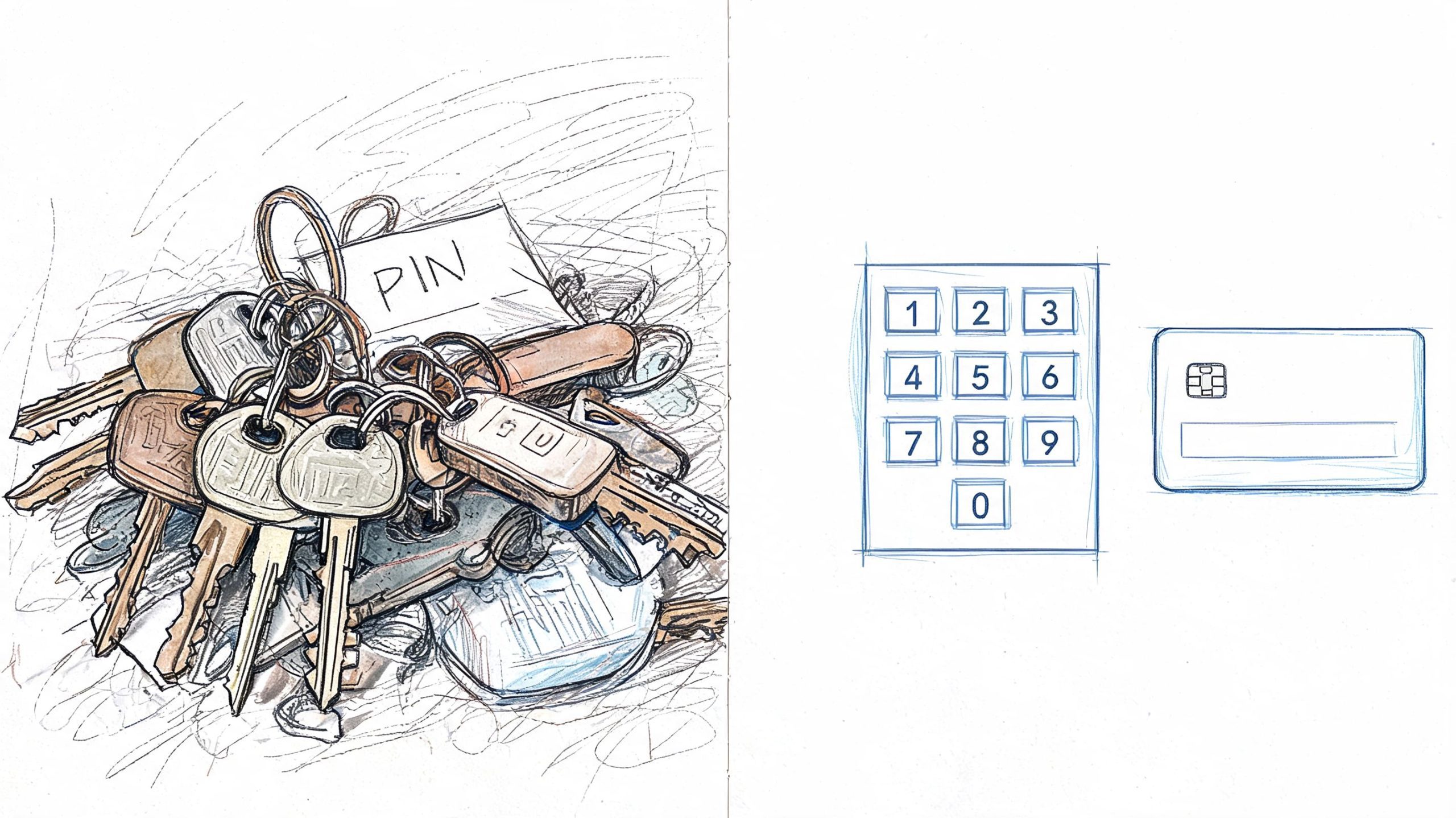
Mechanical keys create a simple problem with expensive consequences. Once a key is copied or a code is shared, control is gone. A manager can suspect misuse, but there's usually no event record to confirm who entered and when.
That's where electronic access control changes the job. Access can be assigned to a resident, employee, vendor, or temporary guest, then revoked without rekeying the property. Permissions can also match the site's operational requirements, such as front gate access for delivery windows or restricted maintenance room access for approved staff only.
Practical rule: If a property can't quickly disable access for one person without affecting everyone else, the system is already behind operational needs.
How the technology evolved
The industry didn't jump straight from keys to phone-based entry. The shift built over decades. The history of access control evolution notes that the transition from mechanical to electronic access control accelerated in the mid-20th century, with punch card systems in the 1960s and 1970s, RFID proximity cards in the 1980s, and IP-based systems by the early 2000s that enabled centralized management and helped pave the way for smartphone-based access.
For a property manager, that history matters because many sites still contain pieces from different generations. A gate operator may still be solid. The reader may be dated. The control method may depend on a telephone entry box, old fobs, or a keypad everyone shares. That mix is common, especially in HOAs, multifamily communities, and light commercial buildings.
Modern buyers usually want the same things:
- Faster credential changes: Add and remove users without collecting keys.
- Cleaner accountability: See who opened a gate or door and when.
- Less resident friction: Support convenient entry without training every user on a clunky process.
- Upgrade flexibility: Keep working hardware where possible instead of replacing everything.
For communities focused on securing gated communities with smartphone access, the biggest shift isn't just convenience. It's control. The manager no longer has to choose between ease of entry and a system that can be administered cleanly.
The Core Components of an Access Control System
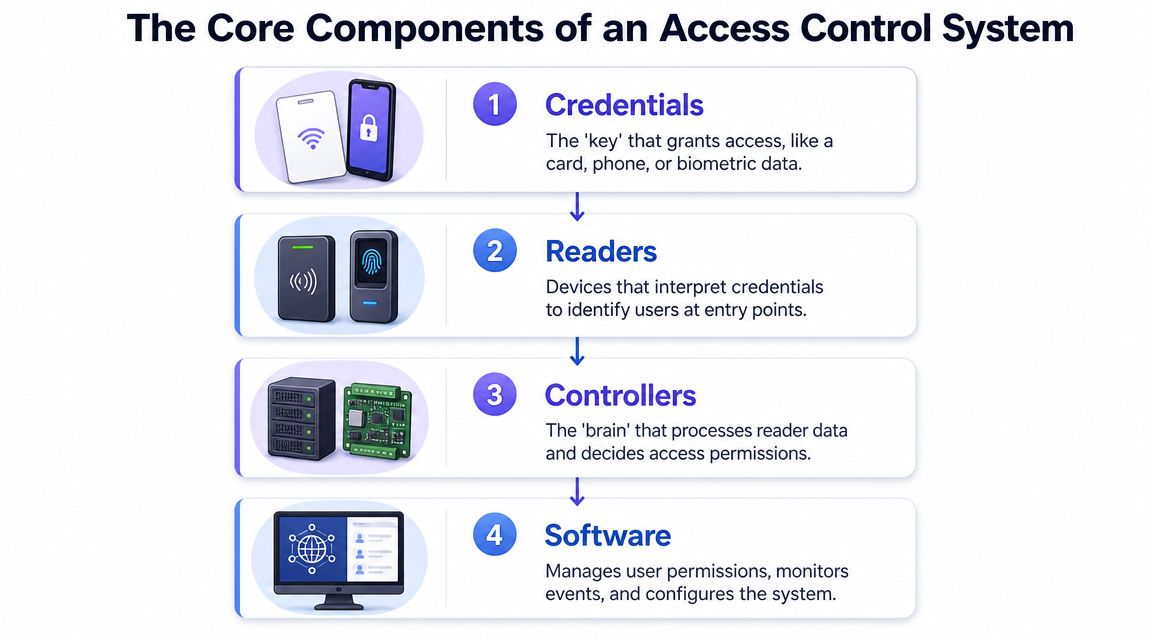
Every access system looks complicated until the parts are separated. In practice, most electronic access control systems rely on the same basic chain: a person presents a credential, a reader captures it, a controller makes the decision, and the door or gate hardware responds.
Credentials, readers, controllers, and locks
Think of the credential as the key. That could be a card, fob, PIN, mobile token, or biometric identifier. Each type changes the user experience and the risk profile. Cards and fobs are familiar, but they can be lost or handed around. PINs are cheap, but they get shared. Mobile credentials are easier to revoke remotely and fit how individuals already move through the day.
The reader is the checkpoint device. It receives the card tap, PIN entry, phone interaction, or biometric scan. The reader itself doesn't usually make the final decision. It passes the request along.
The controller or control panel is where the actual decision happens. According to Avigilon's overview of electronic access control, the control panel acts as the decision-making hub. When a credential is presented, the reader sends data to the panel, which checks its database. If authorized, the panel sends an electrical signal to the lock. The same source notes that modern systems can manage up to 100 readers per site controller and log over 5,000 access events for an audit trail.
Then there's the locking hardware, which does the physical work. On a pedestrian door, that may be a maglock, strike, or electrified lever. On a vehicle gate, it may be the gate operator or entry controller tied to it.
A simple breakdown looks like this:
| Component | What it does | Common weak point |
|---|---|---|
| Credential | Identifies the user | Lost cards, shared PINs |
| Reader | Captures the credential | Compatibility with old formats |
| Controller | Approves or denies access | Limited expansion on older systems |
| Lock or gate hardware | Opens or stays secure | Mechanical wear, wiring issues |
What property managers should ask vendors
A lot of buying mistakes happen because teams focus only on the credential. Essential questions belong deeper in the system.
- Ask about the controller first: Can it support current openings and future ones, or will expansion force replacement?
- Ask how events are logged: A system without usable logs creates headaches after an incident.
- Ask what stays in place: Existing readers, operators, and call boxes may still be serviceable.
- Ask how the upgrade is administered: If the office staff can't easily grant and revoke access, the system will drift into bad habits.
A property doesn't need the newest hardware everywhere. It needs a clean decision layer and a manageable credential strategy.
For sites planning upgrading to cellular-based gate access, the controller becomes the critical integration point. That's often where the best retrofit options make sense, because replacing the decision layer can modernize the system without throwing away hardware that still performs reliably.
Comparing Deployment Models On-Premise vs. Cloud vs. Cellular Retrofit
Deployment model is where many projects either stay practical or become expensive fast. The hardware may look similar at the gate or door, but the management model behind it changes installation complexity, remote access, support burden, and how dependent the property becomes on local network conditions.
Where on-premise systems fit
An on-premise system keeps the software and control environment hosted locally. Some properties prefer that because everything stays onsite and the team has direct control over the system environment.
That approach can work well where the property already has dependable IT support, strict internal control requirements, or a broader building system tied into local infrastructure. The trade-off is maintenance. When software, server hardware, or onsite networking becomes the property's responsibility, small issues tend to become service calls.
On-premise also tends to be less forgiving in mixed-age properties. If the building has old readers, inconsistent wiring, or no clean path to expand the network, installing and supporting the system can become more work than expected.
Where cloud systems fit
A cloud-based system shifts administration away from onsite servers and into a remote management platform. For many property managers, that immediately improves day-to-day operations. User changes can happen from anywhere. Multi-site portfolios become easier to oversee. Event visibility usually improves.
Cloud systems make the most sense when the site has stable internet service and the owner wants simpler administration rather than local IT ownership. The main caution is obvious. If connectivity at the property is weak, inconsistent, or dependent on shared building infrastructure, access management can inherit that instability.
That's why managers considering a remote-first model often start by reviewing options for upgrading to cellular-based gate systems. It addresses a common problem with traditional cloud setups. The property may want remote control, but it may not want gate access tied to unreliable WiFi or a network closet nobody really manages.
Why cellular retrofit deserves a hard look
A cellular retrofit sits in a very practical middle ground. It keeps compatible existing hardware in place, adds a modern control layer, and uses its own cellular connection rather than depending on the property's WiFi or local network.
That matters in older gated communities, commercial lots, and remote entry points. These sites often have working operators and wiring but poor networking conditions. A full rip-and-replace can be hard to justify when the primary weakness is the credential and management layer, not the physical gate itself.
One option in this category is Nimbio, which retrofits electronic gates, call boxes, and some entry systems with smartphone-based control through cellular-connected hardware while preserving existing remotes and keypads.
Here's the side-by-side view property managers usually need:
| Feature | On-Premise System | Cloud-Based System | Cellular Retrofit (e.g., Nimbio) |
|---|---|---|---|
| Upfront disruption | Often higher | Moderate to high, depends on infrastructure | Often lower when existing hardware stays |
| Local server dependence | Yes | No | No |
| Reliance on property WiFi/network | Often yes | Usually yes | No, uses cellular connection |
| Multi-site administration | Possible, but more involved | Strong fit | Strong fit |
| Best fit | IT-supported facilities | Network-ready properties | Existing gates and doors needing modernization without full replacement |
The wrong comparison is old system versus brand-new system. The right comparison is whether the property's current hardware still has useful life and only the control layer needs to change.
How to Choose the Right System for Your Property Type
The right answer depends less on brand and more on how the property operates every day. A gated HOA, a downtown office, and a yard with delivery trucks don't fail in the same ways. The access system has to match the actual flow of residents, staff, visitors, and vehicles.
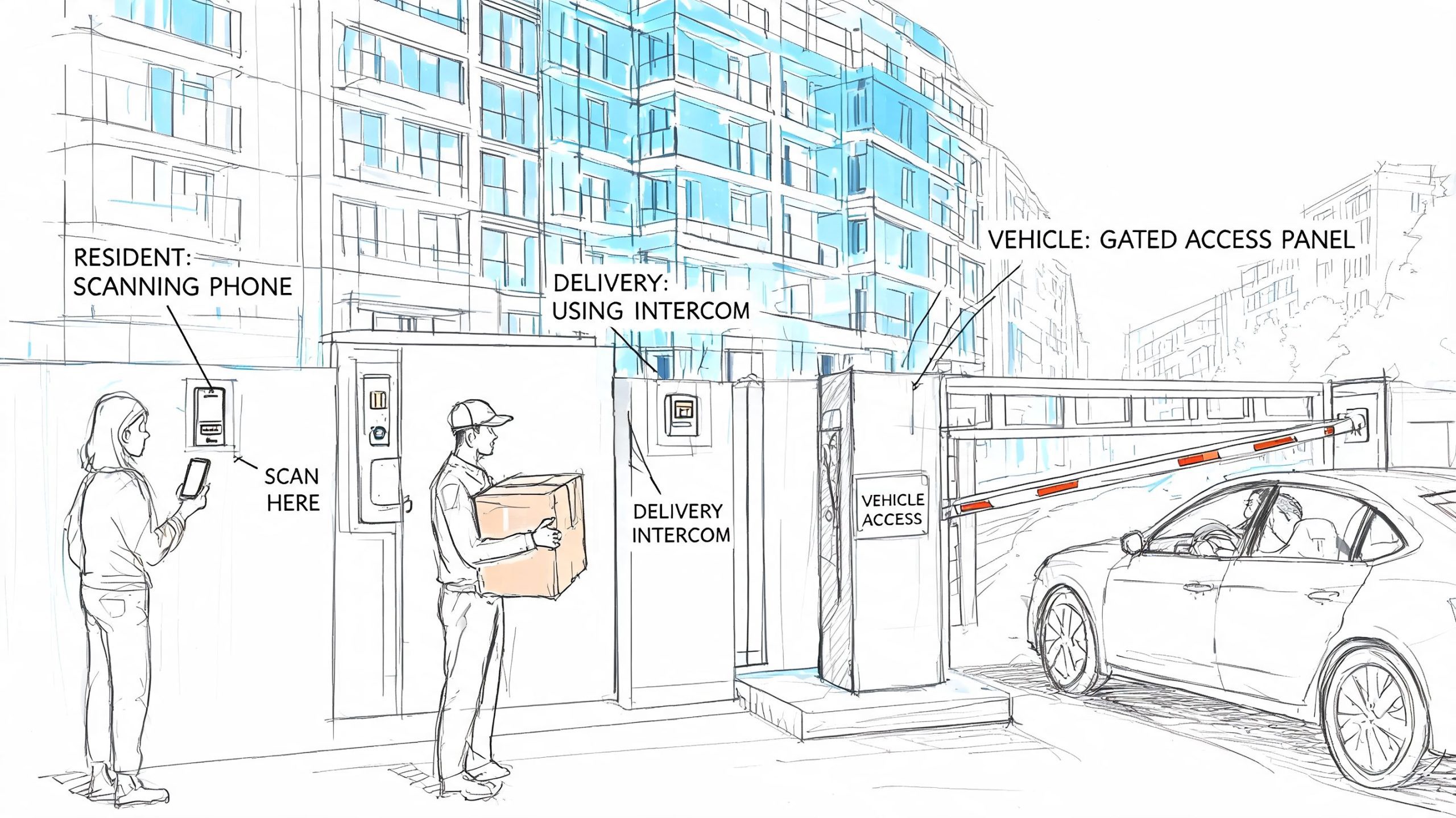
The market is moving in that direction. The physical security and access control outlook projects the global physical security market will reach $292.4 billion by 2025, with the access control market projected to grow from $10.4 billion in 2024 to $15.2 billion by 2029. The same source says over 70% of organizations using access control report fewer than five major security incidents per year. Those numbers are projections and reported outcomes, but the operating takeaway is simple. Managers increasingly expect systems that are easier to administer and better at controlling risk.
Residential gated communities and multifamily
In residential properties, convenience errors become security problems fast. Residents share codes with guests, delivery drivers, dog walkers, contractors, and former roommates. Once that starts, nobody knows who still has valid access.
The better fit usually includes:
- Resident-friendly credentials: Smartphone access tends to reduce dependence on shared PINs and worn-out remotes.
- Simple guest handling: Temporary visitor access should be easy to issue and easy to expire.
- Compatibility with gate operators: LiftMaster, Viking, FAAC, Nice, DoorKing, and similar hardware often stays in service longer than the original access method.
- Fast turnover control: Move-ins and move-outs shouldn't create a scramble for remotes and codes.
Managers overseeing active residential communities should pay close attention to onboarding friction. If adding a new resident takes too many manual steps, staff will fall back on shortcuts.
Commercial properties
Commercial buildings usually care most about control, schedules, and accountability. The front entry may be simple. The more pressing requirement often involves layered permissions across suites, server rooms, storage, back entrances, and after-hours access points.
A stronger commercial setup should support:
| Need | Why it matters |
|---|---|
| Granular permissions | Different staff need different door schedules |
| Reliable event history | Incidents require traceable logs |
| Remote admin access | Managers and vendors aren't always onsite |
| Integration flexibility | Future tie-ins may include cameras, alarms, or time-based workflows |
For construction-adjacent commercial sites or temporary perimeter needs, broader physical security planning also matters. Teams evaluating site access and monitoring together may find these NZ construction security solutions useful as a reference point for how access control and site surveillance can support each other in higher-risk environments.
Logistics and industrial sites
Industrial and logistics sites punish weak systems. Hardware sits outdoors. Access points stay busy. Drivers, vendors, and shift workers arrive outside normal office hours. Some locations are partially unmanned.
What works here isn't always fancy. It's usually durable, simple to audit, and easy to manage remotely.
- Choose weather-ready hardware: Readers and enclosures need to survive dust, heat, rain, and vibration.
- Think in vehicle workflows: Truck gates, yard entrances, and loading areas have different timing and safety needs than pedestrian doors.
- Plan for remote management: Unmanned sites can't depend on someone being onsite to reset credentials or open gates manually.
- Keep fallback methods controlled: Backup access is necessary, but it shouldn't become an unmanaged side door.
If the property has frequent turnover, regular visitors, or multiple entry types, shared codes will create more administration, not less.
Key Considerations for Security and Compliance
A door that opens conveniently but communicates insecurely isn't a modern system. It's just a newer-looking weak point. Security decisions in access control start with the credential, but they don't end there. They extend into encryption, communication protocols, event logging, privacy handling, and how the system is maintained over time.
Encryption and protocol choices matter
Some legacy installations still rely on older communication methods that were built for a different threat environment. They may still function, but function alone isn't enough when credentials can be intercepted, replayed, or poorly protected between components.
The specification details on secure access communications note that modern systems use AES 128-bit encryption and support communication standards such as RS-485 and TCP/IP. The same source also notes that credential readers are evolving away from older, unencrypted Wiegand approaches toward secure mobile credentials using Bluetooth Low Energy.
For buyers, that creates a very practical checklist:
- Check the credential path: It's not enough for the app or card to look modern if the backend communication is weak.
- Review protocol compatibility: Retrofitting older hardware often means translating between legacy devices and newer secure methods.
- Avoid security by obscurity: A proprietary setup that nobody can clearly explain is hard to trust and harder to support.
Logs, privacy, and future-proofing
A good event log protects both security and operations. When a resident disputes entry, an employee claims a door malfunctioned, or a vendor arrives after hours, the system should show what happened clearly enough to support a real decision.
Compliance pressure varies by property type, but a few habits help almost everywhere:
- Retain meaningful access records: Logs should be easy to review and export when needed.
- Limit unnecessary data collection: Collect only what the site needs to operate securely.
- Separate user roles: The person who can open doors shouldn't automatically have full administrative rights.
- Choose systems that can evolve: Software and firmware updates reduce the chance that a property gets trapped on an aging security model.
Secure access isn't just about stopping intruders. It's also about proving what happened afterward.
A future-proof system doesn't require replacing hardware every time credential standards improve. It requires a platform that can adapt through updates, supported integrations, and a clean migration path away from outdated protocols.
Evaluating Installation, Maintenance, and ROI
Most disappointment in access projects comes from underestimating total ownership cost. Buyers focus on the quote for readers, controllers, and software, then get hit by labor, rewiring, trenching, downtime, and the administrative burden that continues after installation.
Where projects get expensive
A full replacement can make sense when hardware is failing across the board or the site layout has changed so much that the old system can't be salvaged. But many properties don't start there. They start with a working gate or door operator connected to outdated credentials and hard-to-manage access rules.
That's why installation scope should be broken into separate questions:
| Cost driver | Full replacement | Retrofit approach |
|---|---|---|
| Existing wiring | May be replaced or reworked | Often reused where compatible |
| Property disruption | Usually higher | Usually lower |
| Time to usable system | Longer if multiple components change | Faster when core hardware stays |
| Training burden | Higher if workflow changes completely | Lower if the operational shift is targeted |
When a property also needs broader cyber risk review around internal systems, access control should be treated as part of the environment, not as an isolated device purchase. Security teams that need that perspective may benefit from guidance on how to protect client environments with internal pentesting, especially when access systems touch shared networks, admin workstations, or other internal infrastructure.
What lowers long-term cost
The lowest quote doesn't always produce the lowest operating cost. Long-term value usually comes from reducing site visits, reducing staff work, and reducing the need to replace credentials or hardware prematurely.
The strongest maintenance advantages typically include:
- Remote administration: Staff can grant and revoke access without traveling to the property.
- Over-the-air updates: Firmware improvements can be pushed without dispatching a technician for every change.
- Preserved infrastructure: Keeping a functioning operator, call box, or locking assembly avoids unnecessary replacement.
- Cleaner user lifecycle management: Faster offboarding reduces the risk of former users keeping access.
How to think about ROI
Return on investment in access control is partly operational and partly defensive. Some savings are easy to see. Rekeying drops. Manual code management drops. Staff spend less time coordinating remotes, chasing vendors, and handling after-hours access calls.
Other returns show up in more subtle ways:
- Fewer unmanaged credentials
- Better visibility into who accessed the site
- Less dependence on a single staff member who “knows how the gate works”
- Stronger appeal to tenants, residents, and owners who expect phone-based convenience
The best ROI decisions usually come from asking one blunt question. Is the property paying to replace hardware that's worn out, or paying to replace hardware that still works because the management layer is obsolete? Those are very different projects.
Properties that need remote, trackable access without a full rip-and-replace can review Nimbio as one practical retrofit option. It adds smartphone-based control to compatible gates and entry systems through cellular-connected hardware, which can help managers modernize access while keeping existing infrastructure in place where it still makes sense.
For a full rundown of the app and platform capabilities, see the Nimbio features overview.