
A gate upgrade usually looks finished the day the installer leaves. The app opens, the relay clicks, and the property manager checks the project off the list.
Then the critical test starts. Rain hits, a carrier signal fluctuates, a resident's credential is revoked, a delivery driver calls in, and the old gate operator has to cooperate with a new cloud-based access control layer. That's where system commissioning separates a clean installation from a reliable security system.
Most commissioning guidance was built around HVAC, power, and other mechanical systems. That leaves a gap for today's smartphone-controlled gates, connected entry points, and mixed-vendor access environments. That gap matters because 90% of new projects now integrate smart access tech, while traditional commissioning still doesn't fully address interoperable digital access layers, as discussed by HFM Magazine on technology system commissioning.
Table of Contents
- Beyond the Install What System Commissioning Means for Security Tech
- The Six Phases of a Flawless Commissioning Process
- Roles and Responsibilities Who Does What
- Access Control Commissioning A Practical Checklist
- Troubleshooting Common Commissioning Issues
- The Future is Remote Commissioning with OTA and Cellular Systems
- Conclusion From Plan to Performance
Beyond the Install What System Commissioning Means for Security Tech
A security installer can mount hardware correctly and still hand over a system that fails under normal property conditions. That happens when nobody verifies how the gate operator, controller, app permissions, call workflow, and fail-safe behavior perform together.
That full verification process is system commissioning. In security tech, it means checking that the system was designed correctly, installed correctly, configured correctly, and tested under real operating conditions before residents depend on it.
For a property manager, the benefit is simple. Fewer lockouts, fewer vendor disputes, better auditability, and far less guesswork when something goes wrong.
Practical rule: Installation proves components exist. Commissioning proves the whole entry system works.
Traditional commissioning language doesn't cover enough ground for modern cloud-based access control. Mechanical and electrical checklists are useful, but they don't answer the questions that matter in an HOA or gated community:
- Credential control: Does a revoked mobile credential stop working everywhere it should?
- Visitor flow: Does remote visitor management work consistently during busy entry periods?
- Interoperability: Does the smart controller behave properly with the existing operator, loop detector, safety device, and door strike logic?
- Resilience: What happens when local internet drops, power cycles, or the app user loses signal?
A complete approach to system commissioning for access control has to cover both worlds. It has to inspect the physical layer and verify the digital layer.
That means looking at:
- The hardware path, including relay wiring, enclosure protection, operator inputs, sensors, and lock behavior.
- The communications path, including cellular connectivity, controller status reporting, credential sync, and remote commands.
- The operational path, including resident access, guest access, admin permissions, event logs, and failure response.
Property managers often inherit systems assembled by multiple trades. The gate contractor handles the operator. A low-voltage team handles wiring. A software vendor configures credentials. Nobody owns the final outcome unless commissioning ties those parts together.
That's why this topic deserves its own framework for security technology. For smart communities, system commissioning isn't a final checkbox. It's the process that turns access control from a set of installed parts into a dependable operating system for the property.
The Six Phases of a Flawless Commissioning Process
A reliable access system doesn't come from a single startup visit. It comes from a sequence of checks, each with a different purpose.
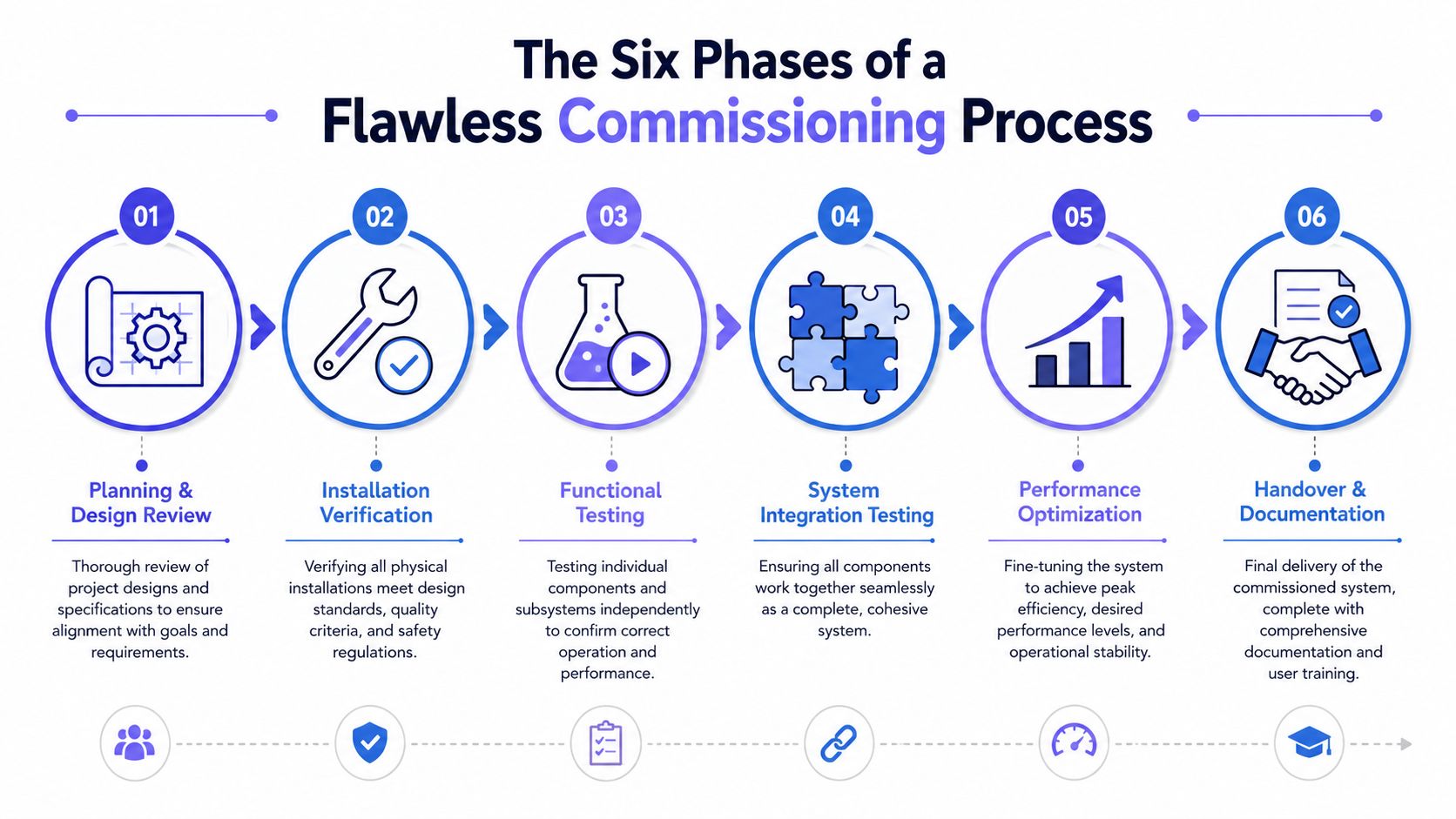
Planning starts with the owner requirements
The first phase is Planning, during which the owner or property manager defines what success looks like in writing.
For access control, that document should function like an Owner's Project Requirements record, even on smaller projects. It should spell out who needs access, when they need it, what happens after hours, how visitors are approved, how the community handles vendors, and what the expected response is during outages.
A strong planning phase answers questions such as:
- Resident access: Smartphone only, mixed credentials, or preserved remotes and keypads.
- Management control: Who can grant, revoke, and schedule credentials.
- Visitor handling: Directory flow, delivery access, and one-time permissions.
- Operational resilience: What the property expects during internet loss, power loss, or controller reboot.
- Audit needs: Which events must be visible in logs for HOA security and incident review.
The second phase is Pre-Commissioning. This is the inspection stage before live testing starts.
At this point, teams verify device locations, wiring paths, enclosure integrity, relay assignments, power supplies, surge protection, labeling, and compatibility with the existing gate operator or lock hardware. Many failures blamed on software are field installation issues that should've been caught here.
Installation and functional testing come before trust
The third phase is Commissioning in the narrow sense. During this phase, individual devices and functions get tested one by one.
Examples include opening the gate from the app, checking door held-open events, verifying call routing, confirming status feedback, and testing local task execution at the controller. Modern access control devices should support local task management when network connections are lost and allow secure reconfiguration without physical visits, as described by Nedap Security on access control device performance.
The fourth phase is Validation. During this phase, many projects go too light.
Validation means the system has to behave correctly as a complete system, not just as isolated parts. Formal commissioning practice uses a validation hierarchy culminating in Integrated Systems Testing, which verifies operation across failure modes such as power failure, and that approach is described in the data center commissioning specifications covering IST and code-aligned validation.
For a gate or building entry system, that means testing combinations such as:
- Power event: How the operator, controller, and lock state respond during loss and restoration.
- Credential event: Whether a newly issued or revoked credential updates as intended.
- Safety event: Whether loops, photo eyes, and entrapment protections override access commands correctly.
- Communications event: Whether cloud actions and local behavior stay aligned when conditions change.
Systems pass in the field when the failure modes are tested on purpose, not when they're left to happen later.
Validation handover and post occupancy close the loop
The fifth phase, Handover, provides operators and managers with the practical information they need to run the system without calling the installer for every change.
Handover should include:
- As-configured documentation: Inputs, outputs, schedules, and access groups.
- Admin training: Adding users, revoking credentials, reviewing logs, and handling guest access.
- Escalation paths: Who handles operator issues, credential issues, and communications issues.
- Warranty and support rules: What service requires the installer, the manufacturer, or the platform provider.
The sixth phase is Post-Commissioning. This is the discipline that keeps a good installation from drifting into a problem account.
A gate can work perfectly at turnover and still degrade after changes in carrier conditions, resident turnover, software updates, or undocumented modifications. Post-occupancy review catches those issues early and confirms the property is still operating according to the original requirements.
The biggest mistake is treating system commissioning like a ceremony at the end. In practice, it's a control process that starts before equipment is mounted and continues until the property team can operate the system confidently under normal and abnormal conditions.
Roles and Responsibilities Who Does What
Commissioning falls apart when everyone assumes someone else checked the critical item. A good project names responsibilities before testing begins.
The easiest way to prevent the usual blame cycle is to assign one primary responsibility to each role and then document who supplies evidence, who witnesses tests, and who signs off.
The owner defines success
The property owner, HOA board, or manager owns the requirements. That includes access policy, resident convenience expectations, visitor workflows, audit needs, and acceptable downtime.
If the owner doesn't define those standards early, installers will fill the gaps with assumptions. That's how communities end up with entry systems that technically work but don't fit actual operations.
The installer proves the field work
The installer or integrator owns the physical and configuration execution. That means mounting devices correctly, terminating wiring properly, integrating with the gate operator or lock hardware, and loading the agreed system settings.
Commissioning specifications also require contractor-side verification of physical details such as wiring, support components, and drive rotation in line with manufacturer written recommendations, with factory-authorized service representatives involved during startup and testing, as outlined in BCxA guidance on specification-specific commissioning requirements.
For connected properties, the installer also needs to confirm that remote integrations are realistic, not just promised on paper. If the property wants visitor workflows tied into a gate access API, that dependency should be tested as part of commissioning, not postponed until after move-in.
The commissioning agent verifies performance
The commissioning agent owns verification. This role doesn't replace the installer. It checks whether the delivered system matches the owner's requirements and whether test evidence is credible.
That role is especially valuable on mixed-vendor projects because it reduces bias. The installer wants the system accepted. The manufacturer wants its device set up correctly. The owner wants outcomes. The commissioning function ties those interests together.
| Role | Primary Responsibility |
|---|---|
| Property owner or manager | Define operating requirements, approval rules, and acceptance criteria |
| Security installer or integrator | Install, configure, label, and correct field deficiencies |
| Commissioning agent | Review documentation, witness tests, validate performance, and record exceptions |
| Manufacturer or factory-authorized representative | Support startup, confirm manufacturer procedures, and resolve product-specific issues |
A few practical lines prevent confusion:
- Owners approve workflows. They shouldn't be writing technical test scripts.
- Installers execute corrective work. They shouldn't be self-certifying disputed results.
- Commissioning agents document exceptions. They shouldn't redesign the project midstream.
- Manufacturers confirm product behavior. They shouldn't be treated as substitutes for site acceptance testing.
The cleanest commissioning projects are the ones where every failed test already has an owner before the test starts.
Access Control Commissioning A Practical Checklist
A property manager doesn't need a stack of generic forms. The team needs a field checklist that reflects how modern access systems fail.
The list below focuses on electronic gates, door controllers, mobile credentials, remote visitor management, and mixed legacy hardware. It's built for day-of-turnover use and for later verification when a site starts showing intermittent issues.
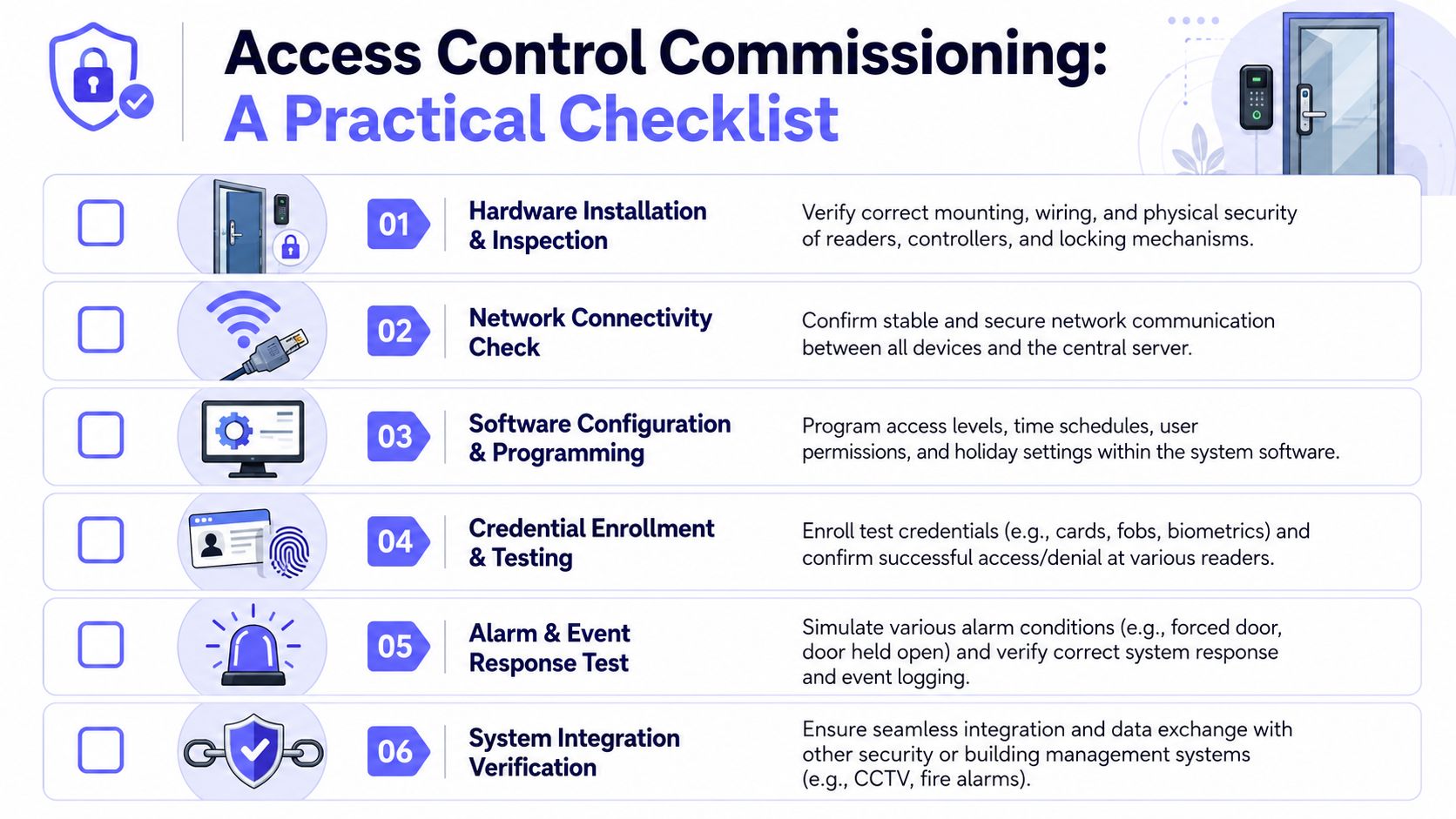
Field checks before power up
Before any functional test, verify the physical layer.
- Controller mounting: Confirm the controller enclosure is secure, dry, accessible for service, and protected from obvious impact and tampering risks.
- Wiring termination: Check relay outputs, input wiring, power connections, grounding method, and labeling against the approved wiring plan.
- Operator interface: Verify the gate operator receives the correct command type and that hold-open, free-exit, and safety inputs aren't cross-wired.
- Safety devices: Inspect loop detectors, photo eyes, and entrapment protections for alignment, cleanliness, and correct override behavior.
- Legacy compatibility: If this is a retrofit, confirm the new controller works cleanly with the existing board before any cosmetic closeout.
If the site uses an add-on retrofit approach, involve a technician familiar with low voltage installation so the access layer and the operator controls are treated as one system, not as separate scopes.
Live system tests that actually matter
Once the installation passes inspection, move to real operational tests.
Credential and admin checks
- Add a test user.
- Confirm that access works only during the assigned schedule.
- Revoke that user.
- Confirm the revoked user no longer opens the entry point.
- Review the event log to verify the system records the action accurately.
Communications and resilience checks
- Cellular continuity: Confirm the controller stays connected through the mobile network and reports status consistently.
- Internet outage behavior: Simulate loss of local internet and confirm the system still performs as designed if it relies on cellular independence.
- Remote command test: Issue open commands from the app and verify gate response, event logging, and state reporting.
- Delayed sync review: Check whether any permission or event updates queue and then clear properly after a temporary disruption.
Visitor workflow checks
- Directory accuracy: Call the correct resident or manager entry point from the visitor interface.
- Approval path: Confirm the recipient can identify the visitor and grant or deny access from the approved workflow.
- Time-bound access: Test temporary visitor access and verify expiration works correctly.
- Audit trail: Make sure the resulting actions appear in logs in a way the property team can interpret.
Field note: If the test script doesn't include revoked credentials, power cycling, and a visitor workflow, it's not a serious access control commissioning test.
Documentation that prevents repeat problems
The last part of the checklist is paperwork. It matters because undocumented systems become expensive systems.
Document at least these items before acceptance:
- Device inventory: Controller model, operator model, lock hardware, reader type, and firmware version where applicable.
- Final configuration: Access groups, schedules, holiday rules, door or gate timing values, and notification settings.
- Test evidence: Pass or fail record for each functional test, plus notes on corrective action.
- Support map: Which party handles app issues, hardware faults, operator service, and administrative training.
- Change log: Anything installed differently from the original plan.
A short, disciplined commissioning record saves hours later. It gives the manager proof of what was accepted, gives the installer a baseline for service calls, and gives the next technician a fighting chance.
Troubleshooting Common Commissioning Issues
Even a strong commissioning plan will uncover problems. That isn't failure. That's the process doing its job before residents discover the issue first.
This matters even more on existing properties. Retro-commissioning is skipped by 70% of commercial facilities due to unclear protocols, even though it's critical for correcting out-of-sequence operations and sustaining performance, according to the USGBC resource on retro-commissioning practice.
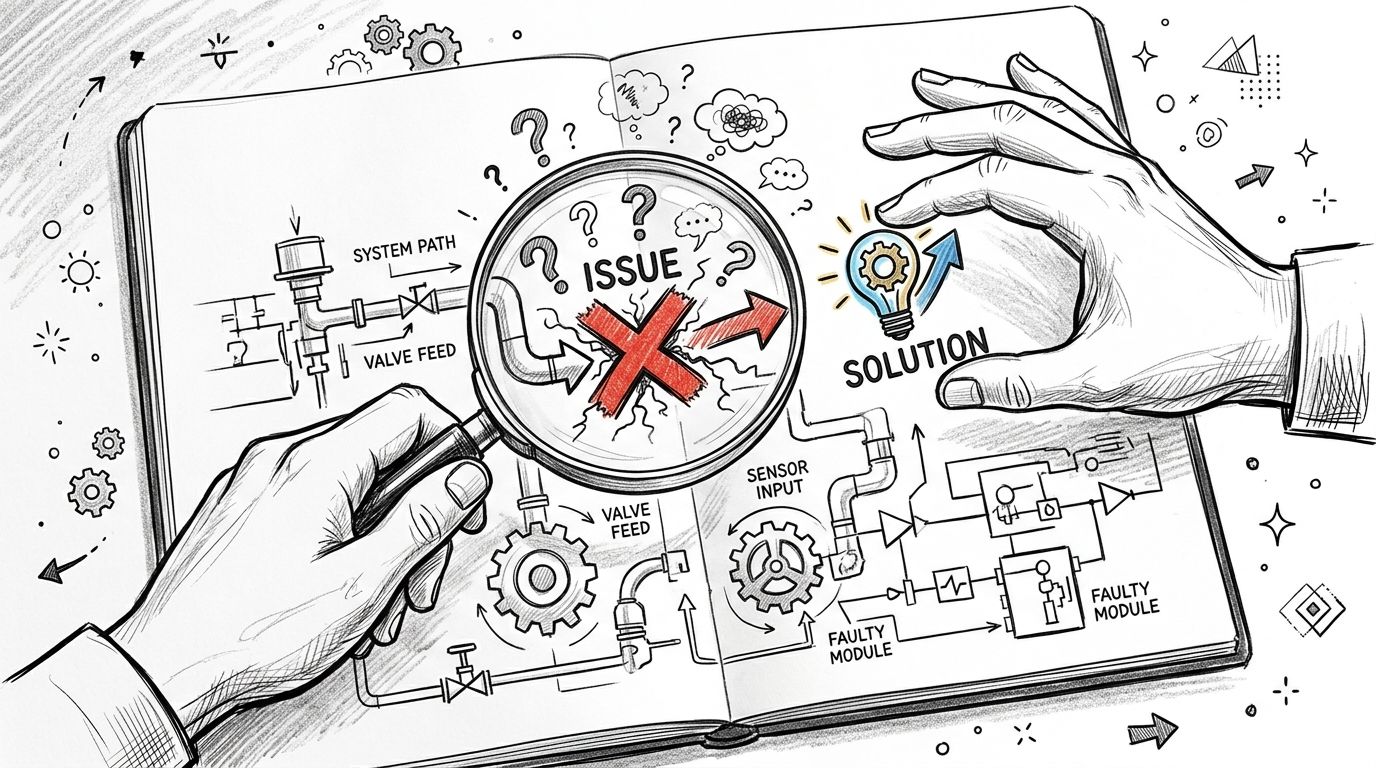
When the gate works sometimes
Problem: The gate opens reliably for some users, then misses commands at random.
Likely cause: This is usually a mix of field conditions, not one dramatic failure. Common culprits include weak signal placement, unstable power at the controller, sensor interference, or operator input logic that doesn't match the access device.
Solution: Start with a strict sequence. Verify power quality, inspect sensor alignment, review event timing, then test command execution from the controller outward. A structured diagnostic method like this guide to root cause analysis engineering is useful when multiple small issues create one visible symptom.
When logs and credentials don't line up
Problem: A resident says access was denied even though the admin believes the credential was active. The log doesn't clearly settle the dispute.
Likely cause: The access schedule may be wrong, the user may belong to the wrong group, or the property may have changed permissions without documenting the change. On older retrofits, parallel credential methods sometimes create confusion because one path was updated and another wasn't.
Solution: Check the user record, access group, schedule window, and event sequence together. Then test with a fresh credential under observation. Properties get into trouble when they troubleshoot from memory instead of from a recorded configuration.
When legacy hardware resists the new platform
Problem: The new smart access layer works, but the old gate board behaves unpredictably, especially during edge cases.
Likely cause: Legacy controllers often have undocumented quirks, odd timing tolerances, or prior modifications from previous service calls. That's the downside of retrofitting without a commissioning framework.
Solution: Don't default to full replacement on day one. A hardware-agnostic retrofit strategy is often the better path, but only if the team maps existing inputs, verifies relay behavior, and tests every override condition. Cellular-based architectures also remove an entire class of local Wi-Fi instability from the troubleshooting tree, which simplifies diagnosis on remote properties and gated communities.
Most persistent access problems aren't mysterious. They come from skipped verification, undocumented changes, or assumptions about old hardware that nobody tested.
The Future is Remote Commissioning with OTA and Cellular Systems
Commissioning used to mean more site visits, more ladders, and more time waiting at the gate. That model is changing.
A modern access platform can now support configuration, testing, diagnostics, and updates without sending a technician back for every adjustment. That's especially important for dispersed portfolios, unmanned sites, and properties where access windows are hard to coordinate.
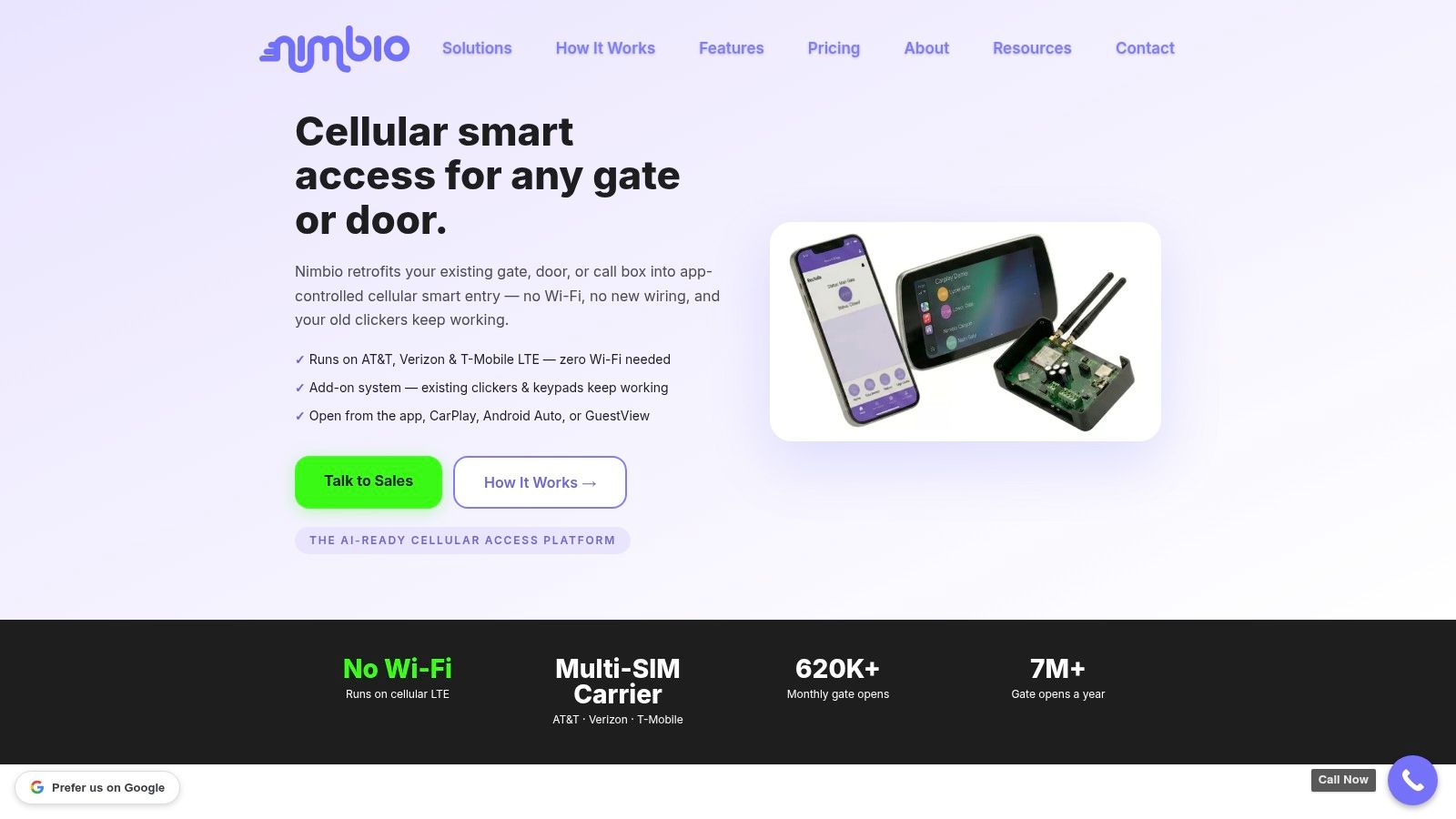
Why cellular changes the commissioning model
Cellular-based gate access control systems communicate through 4G and 5G mobile networks independently of local internet connections, which helps them continue operating during internet outages, as explained in SpiderDoor's overview of cellular gate access control.
That independence changes commissioning in practical ways:
- Fewer local network variables: The installer doesn't need to depend on property Wi-Fi quality.
- Cleaner outage testing: Teams can separate local internet problems from controller problems.
- Better fit for remote sites: Storage properties, secondary entrances, and unmanned gates become easier to validate.
- More predictable support: Troubleshooting starts from a known communications path.
Properties evaluating this model can review how cellular gate openers work to understand why independent connectivity has become so important for modern access management.
What remote commissioning does better
Remote commissioning is valuable when the platform supports secure reconfiguration and over-the-air updates. The best use cases are not flashy. They're operational.
Examples include:
- Policy adjustments: Update schedules, user groups, or visitor rules without dispatching a truck.
- Corrective changes: Resolve configuration errors discovered during validation without waiting for another site visit.
- Firmware maintenance: Keep the controller current after turnover instead of freezing the installation in place.
- Ongoing verification: Review status and logs after occupancy to catch drift before it becomes a resident complaint.
For property managers, that means better control over convenience and security. For installers, it means tighter service operations and fewer unnecessary callbacks. For residents, it means the system stays current without repeated disruption at the gate.
Remote commissioning won't replace physical inspection. It also shouldn't. But for cloud-based access control, OTA tools and cellular connectivity are becoming the practical standard for keeping systems commissioned long after day one.
Conclusion From Plan to Performance
A modern gate or building entry system isn't finished when the hardware is mounted. It's finished when the system performs correctly under normal use, exception conditions, and administrative change.
That's why system commissioning matters. It protects security, supports resident convenience, and gives property managers a documented basis for acceptance instead of vague assurances from multiple vendors.
The stakes are only getting higher. The global Electronic Access Control Systems Market is projected to grow at a 11.21% CAGR from 2025 to 2032, reaching nearly USD 107.82 Billion, according to Maximize Market Research's electronic access control systems market outlook. As adoption expands, getting installations right the first time becomes more important, not less.
Property teams should expect more than a successful install. They should demand a commissioning process that proves the system is ready for real life.
Property managers, HOA boards, and installers looking for a more resilient way to modernize gate and entry access can explore Nimbio. Its cellular, hardware-agnostic platform is built for retrofits, remote credential management, and dependable operation without relying on local Wi-Fi.


