

A lot of property managers only think about an access control audit after something awkward happens. A gate opens for someone who shouldn't have access, a former vendor still gets in, or an HOA board member asks a simple question that turns into a hard one. Who had access, through which credential, and what record proves it?
That question gets even harder in properties running a hybrid setup. The front gate may have a modern smartphone entry option, but the side pedestrian door still uses a keypad, the pool gate still has old clickers in circulation, and nobody is fully sure which legacy credentials are still active. In real communities, that's the norm, not the exception.
An audit is how a property team turns that uncertainty into a documented answer. It's also how managers show residents, boards, insurers, and installers that HOA security isn't being handled by guesswork.
Table of Contents
- Why a Regular Access Control Audit is Non-Negotiable
- Laying the Groundwork for Your Audit
- Collecting Evidence and Reviewing Credentials
- Verifying Physical and Digital Controls On-Site
- Turning Audit Findings into Actionable Fixes
- How Modern Systems Simplify Access Control Audits
- Creating Your Long-Term Audit and Compliance Plan
Why a Regular Access Control Audit is Non-Negotiable
A property can't defend what it can't reconstruct. When a resident reports unauthorized entry or a board asks for proof that old credentials were revoked, the true test isn't whether the gate looked secure. The test is whether the property team can produce a clear record.
That's why a regular access control audit isn't just an IT exercise. For multifamily sites, HOAs, gated communities, and commercial properties, it's part of basic operational control. It protects resident confidence, supports due diligence, and helps preserve property value by showing that entry systems are managed, not merely installed.
The urgency is growing as access control deployments expand. One market estimate projects the global access control market at USD 4.09 billion in 2026 and USD 5.94 billion by 2031, with a 7.72% CAGR, while North America held 38.30% of the market in 2025 and the Middle East is projected to grow at 9.22% CAGR through 2031 according to Mordor Intelligence's access control market analysis. For property teams, more deployments mean more identities, more devices, more logs, and more exceptions to verify.
An audit also catches a simple truth that many communities miss. Most failures aren't dramatic break-ins. They're governance failures, such as stale permissions, over-provisioned access, and old credentials that nobody retired when a resident moved out or a contractor finished work.
Practical rule: If a property team can't show who approved access, when it was used, and when it was revoked, the control isn't strong enough yet.
A useful property-focused definition is straightforward. An access control audit is a documented review of who can enter, how they enter, whether approvals make sense, whether activity is logged, and whether physical gates, doors, and schedules match the system record.
For a smart community, that review should include both digital and physical controls:
- Resident credentials: Mobile app access, remotes, fobs, keypads, and temporary visitor permissions.
- Common-area entry points: Main gates, pedestrian doors, pool access, clubhouse doors, package rooms, and utility spaces.
- Administrative controls: Who can grant access, who can revoke it, and who can override schedules or hold-open settings.
- Evidence quality: Whether logs are centralized, readable, and usable in a board review or compliance discussion.
Laying the Groundwork for Your Audit
Most bad audits start too late. The team jumps straight into logs, finds conflicting records, and then realizes nobody agreed on scope, owners, or what “complete” evidence even means.
A strong process starts earlier. LogicFortress recommends an evidence-driven workflow that begins by establishing scope and objectives, inventorying identities and privileged accounts, reviewing request and approval workflows, testing authentication and authorization controls, examining logs and account lifecycle events, and then producing a remediation plan with assigned owners and deadlines in its guidance on access control audit and compliance considerations.
Start with scope before touching logs
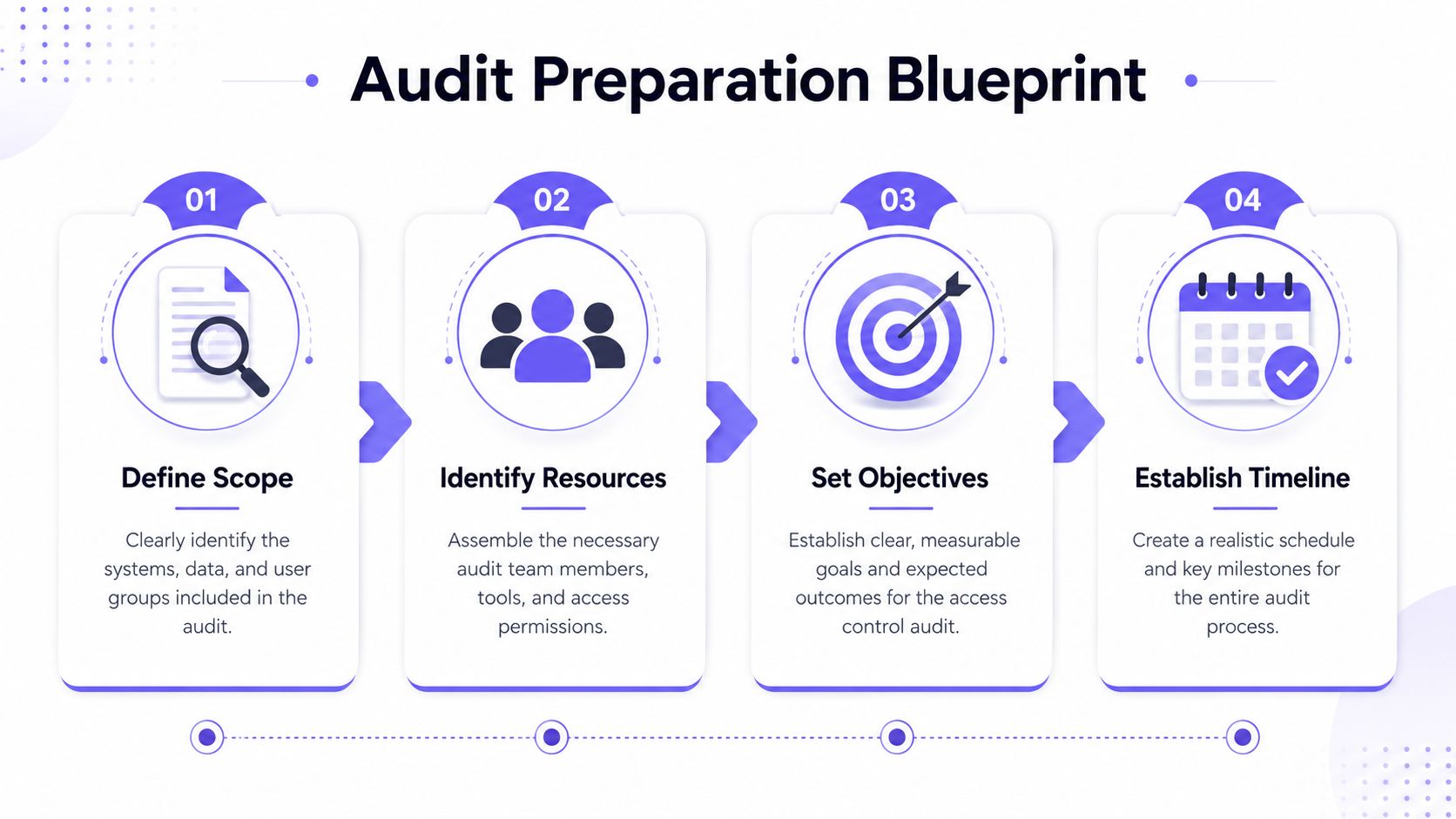
A property audit goes sideways when the team says “all access points” but means different things by that phrase. One person includes the front gate and lobby door. Another assumes pool access, delivery doors, maintenance closets, and vendor credentials are included too.
The scope document should answer four questions:
- Which entry points count: Main vehicular gates, walk gates, garage doors, building entrances, amenities, and back-of-house spaces.
- Which credential types count: Smartphone credentials, clickers, fobs, keypad PINs, physical keys, and scheduled visitor access.
- Which users count: Residents, staff, board members, vendors, delivery services, groundskeepers, cleaners, and former users pending review.
- Which systems count: Gate operator interfaces, call boxes, cloud-based access control platforms, spreadsheets, and any offline records staff still rely on.
Teams that want a broader framework can compare their prep against this practical guide to security audits, especially when digital and operational controls overlap.
Build the inventory that auditors actually need
Most properties already have a list of doors and gates. That isn't enough. The useful inventory maps each opening to the hardware, software, credential type, and responsible party.
A working inventory should include:
- Access point name and location: “North resident gate,” “pool pedestrian gate,” or “trash enclosure service gate.”
- Controlling hardware: Gate operator, door controller, keypad, receiver, call box, or cellular add-on.
- Credential method: Mobile app, remote, keypad code, fob, physical key, or staff override.
- Current admin owner: The person or vendor who can change permissions.
- Log source: Dashboard, call box history, local device memory, paper log, or no reliable source.
If a gate exists in the field but not in the inventory, it usually also sits outside the approval process.
Set the working rules before the audit starts
The cleanest audits assign responsibility upfront. Property managers, HOA board liaisons, installers, and security staff don't need the same access, but they do need the same playbook.
Use a short planning checklist:
- Name one audit lead who owns the schedule and final report.
- Confirm read access to every dashboard, control panel, and vendor portal before review begins.
- Freeze major changes during the audit window unless there's an emergency.
- Define evidence standards so screenshots, exported logs, and approval records are collected the same way.
- Set a deadline for remediation tracking before findings are presented to the board.
That preparation sounds administrative because it is. It also prevents the most common property-management problem in audits, which is discovering that access data exists but nobody can assemble it into one defensible record.
Collecting Evidence and Reviewing Credentials
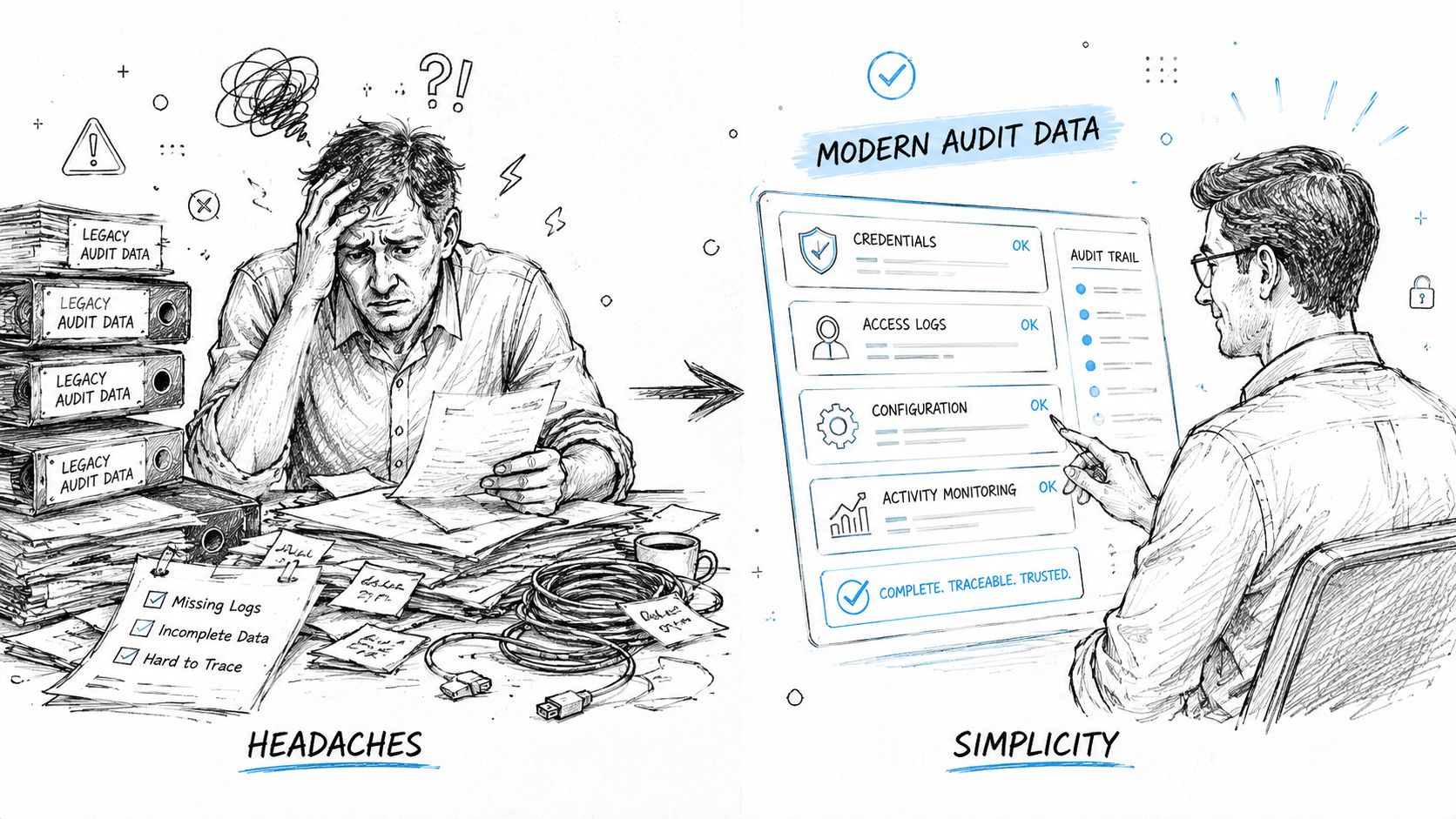
Hybrid systems typically reveal their vulnerabilities. On paper, a property may look controlled. In practice, the evidence may be split across an app dashboard, a keypad with limited memory, a box of remotes, and a maintenance spreadsheet that hasn't been updated since the last manager left.
Why legacy evidence breaks the audit trail
Legacy systems create work because they fragment the story. A remote clicker may still open a gate, but there may be no user-level event record. A shared keypad PIN may be known by current residents, former residents, vendors, and a board member who gave it out “just in case.”
That's why industry guidance stresses continuous monitoring and periodic access reviews to catch over-provisioning, privilege creep, and stale access rights after job changes or departures. It also warns that controls without logging aren't auditable at all, as noted in NordLayer's guidance on access control best practices and implementation.
A practical comparison makes the difference clear:
| Audit task | Legacy setup | Modern centralized setup |
|---|---|---|
| Identify active users | Often manual and incomplete | Usually visible by account or credential |
| Reconstruct an event | Requires multiple records | Can be checked in one timeline |
| Revoke access | May require device-by-device changes | Usually handled from one admin view |
| Review stale permissions | Hard to detect | Easier to filter by user history |
| Produce board-ready evidence | Often patchy | Easier to export and present |
What to review in a cloud-based access control system
A good cloud-based access control platform gives the audit team one place to test assumptions. It doesn't eliminate every risk, but it removes a lot of detective work.
Review the credential set in this order:
- Former residents and former staff: Verify that moved-out residents, terminated vendors, and inactive employees no longer have valid access.
- Shared credentials: Look for generic visitor codes, office-issued remotes, or common PINs that can't be tied to a person.
- Excessive permissions: Check whether leasing staff, maintenance vendors, or board members can open more gates and doors than their role requires.
- Approval history: Confirm there's a clear path showing who granted access and why.
- Temporary access: Review whether contractor or delivery permissions expire when they should.
The fastest way to spot weak access governance is to search for credentials that nobody wants to claim ownership of.
A modern dashboard also changes how quickly a property team can answer resident complaints. Instead of chasing a vendor, then a gate installer, then a paper log, staff can review recent events, user histories, and permission changes from one source of truth.
That's where remote visitor management matters too. When visitor access credentials are issued and controlled remotely, the team can tie temporary entry to a person, a time window, and an approval action instead of relying on an untracked side-channel arrangement.
Verifying Physical and Digital Controls On-Site
A screen review never finishes the job. The software may show a revoked credential, but the real test is whether the gate still opens when someone tries it.
Walk the property like a skeptic
A useful on-site audit follows the path an actual user would take. Start at the main entrance during normal traffic. Then test after-hours conditions, service entrances, amenity access, and any spot where staff have created workarounds.
The checklist should include both system behavior and field behavior:
- Revoked access test: Confirm a disabled resident or vendor credential no longer opens the gate.
- Scheduled access test: Check whether grounds care or pool-service windows open on time and close on time.
- Hold-open review: Verify that hold-open periods for deliveries, move-ins, or events don't run longer than intended.
- Fallback behavior: Confirm what happens during a local network outage, power issue, or controller fault.
- Tailgating pressure points: Identify gates or doors where convenience settings may be undermining policy.
The on-site pass matters because a property can be “correct” in software and still be wrong at the entry point. Relay wiring, operator settings, old receivers, and forgotten override modes can keep a legacy path alive long after an admin thinks it's been retired.
A useful technical point often gets overlooked. Nedap notes that the door controller is the most critical device in an access control system because it bridges the reader and software, and it must keep managing tasks locally even if network connections are lost, according to its explanation of why access control devices are critical to system performance.
Where hybrid systems usually fail
Hybrid environments are where property audits get messy. One gate may be smartphone-enabled, but older remotes and keypad entry still operate in parallel. That creates blind spots because the property can see some events but not all of them.
Cyolo highlights that existing guidance rarely explains how to audit hybrid systems such as older remotes paired with newer smartphone retrofits that lack centralized logs, leaving property managers unable to verify whether shared PINs or duplicated remotes still bypass modern controls in its discussion of overlooked areas in security audits.
That problem shows up in very ordinary ways:
- An old receiver is still active even after the property started issuing mobile credentials.
- A shared 4-digit PIN remains in use because residents find it convenient.
- Duplicated remotes circulate with no clean user assignment.
- A gate operator responds to both old and new commands but only one path creates a usable log.
Property teams dealing with mixed hardware should also think beyond software settings and review broader facility workflows. This overview of optimizing physical security is useful for aligning access points, staffing, and site procedures.
For communities modernizing existing entry points, understanding how cellular gate openers work helps clarify a key audit advantage. A retrofit can add trackable, remotely managed access without forcing a full gate replacement, which is often the practical constraint in HOA and multifamily projects.
Hybrid access isn't automatically unsafe. Hybrid access without a complete audit trail is where the risk starts.
Turning Audit Findings into Actionable Fixes
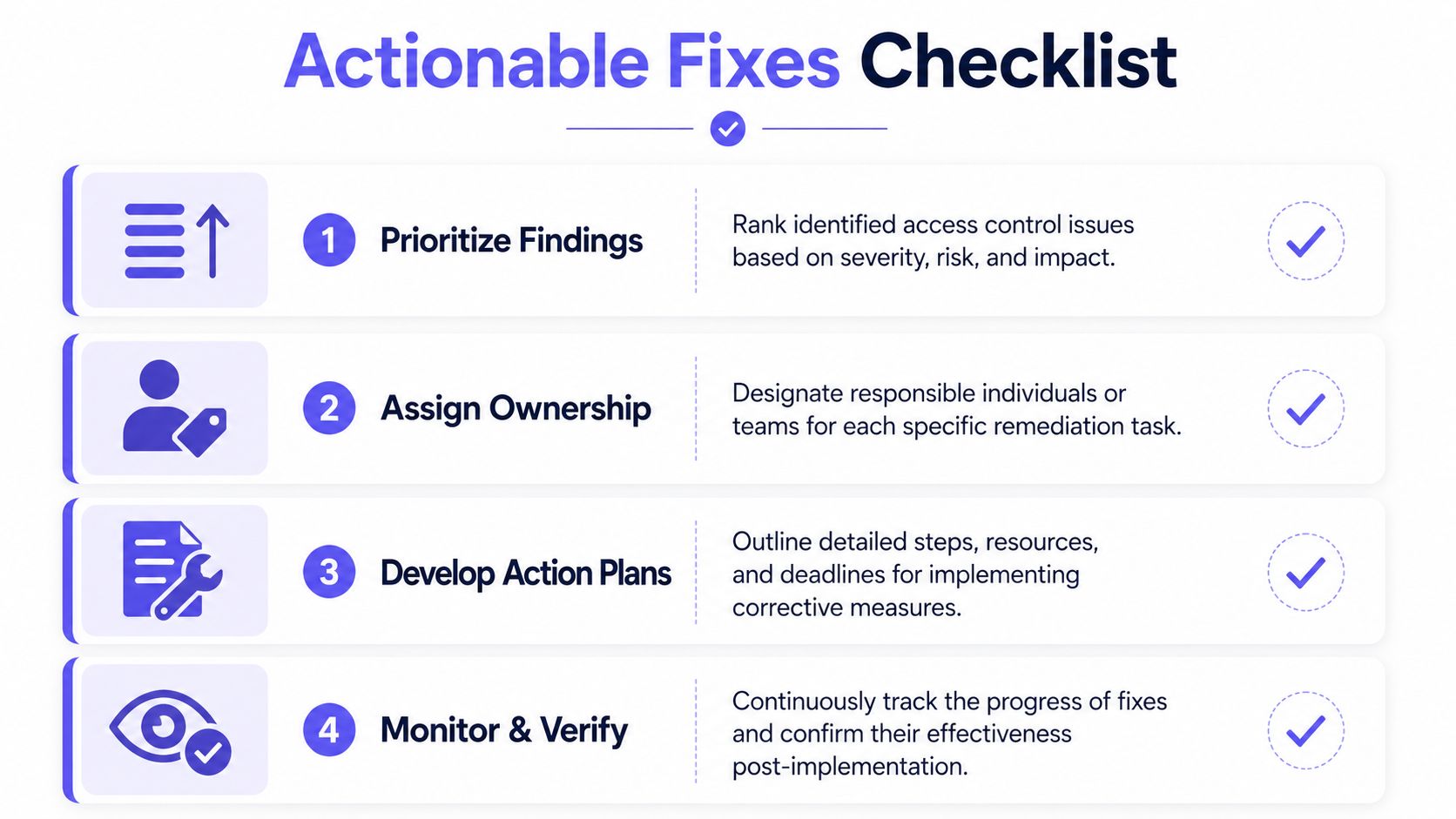
An audit has no value if the final output is a long list that nobody owns. Property teams need a way to rank findings, assign responsibility, and show the board what must be fixed now versus what should be cleaned up next.
Prioritize by operational risk
The simplest workable model is impact versus likelihood. Not every finding deserves the same urgency.
A practical matrix looks like this:
| Finding type | Likelihood | Impact | Priority |
|---|---|---|---|
| Revoked credential still opens a gate | High | High | Immediate |
| Shared vendor PIN used across multiple areas | High | Medium to high | Immediate |
| Old user group names in dashboard | Low | Low | Routine cleanup |
| Missing approval note for one temporary visitor | Medium | Low | Review soon |
| Legacy remote inventory doesn't match records | Medium to high | High | Immediate |
Use plain-language categories in the report:
- Critical: Any condition that allows unauthorized entry or blocks reliable investigation.
- High: Controls that technically work but leave major accountability gaps.
- Moderate: Process weaknesses that can grow into larger failures if ignored.
- Low: Administrative cleanup that improves clarity and future audit speed.
The remediation plan should always include an owner and a due date. Logic without ownership becomes backlog.
Use a report format boards can act on
HOA boards and non-technical stakeholders don't want raw event exports. They want a clean summary of risks, decisions, and budget implications.
A board-ready report usually works best with five parts:
Executive summary
A short statement of overall control health, major risks, and immediate decisions needed.Scope and systems reviewed
Which gates, doors, amenities, hardware, credential types, and admins were included.Findings by priority
Each issue listed with plain-English impact.Corrective actions
The exact fix, assigned owner, and target date.Evidence appendix
Screenshots, logs, test notes, and approval records.
A concise recommendation format helps:
- Issue: Shared keypad PIN still active at pool gate.
- Risk: Entry can't be attributed to an individual user.
- Action: Retire shared PIN and issue named credentials.
- Owner: Property manager with installer support.
- Deadline: Set by board-approved remediation schedule.
Board note: A good report doesn't just describe what failed. It shows what decision is needed, who will carry it out, and how the property will verify the fix.
Documentation matters after the meeting too. A structured property management compliance guide helps teams keep remediation records organized when they need to show repeatable controls, not one-time cleanup.
How Modern Systems Simplify Access Control Audits
Traditional property audits are slow because the system design fights the audit. Logs live in different places, permissions aren't tied to clean identities, and local hardware may depend on infrastructure that isn't stable enough to preserve a clean record.
Auditability starts with reliable logging
Modern access control systems need to automatically capture and store log data so teams can analyze patterns and produce reports about security lapses, workflow bottlenecks, and user concerns, as described in Mammoth Security's article on access control features.
For gated properties, connectivity design matters as much as software design. SpiderDoor notes that cellular-based gate access control systems operate independently of local internet connections, which helps maintain reliable operation in places with poor Wi-Fi or local network interruptions, according to its explanation of cellular gate access control.
That matters directly to audit quality. If the entry system depends on a flaky local network, event capture gets inconsistent. If the access layer has independent connectivity, the property team has a better chance of preserving a complete timeline.
Retrofits reduce audit friction
Modern retrofit platforms offer substantial utility. Instead of replacing every gate operator and entry device at once, a hardware-agnostic approach can add centralized control to existing infrastructure.
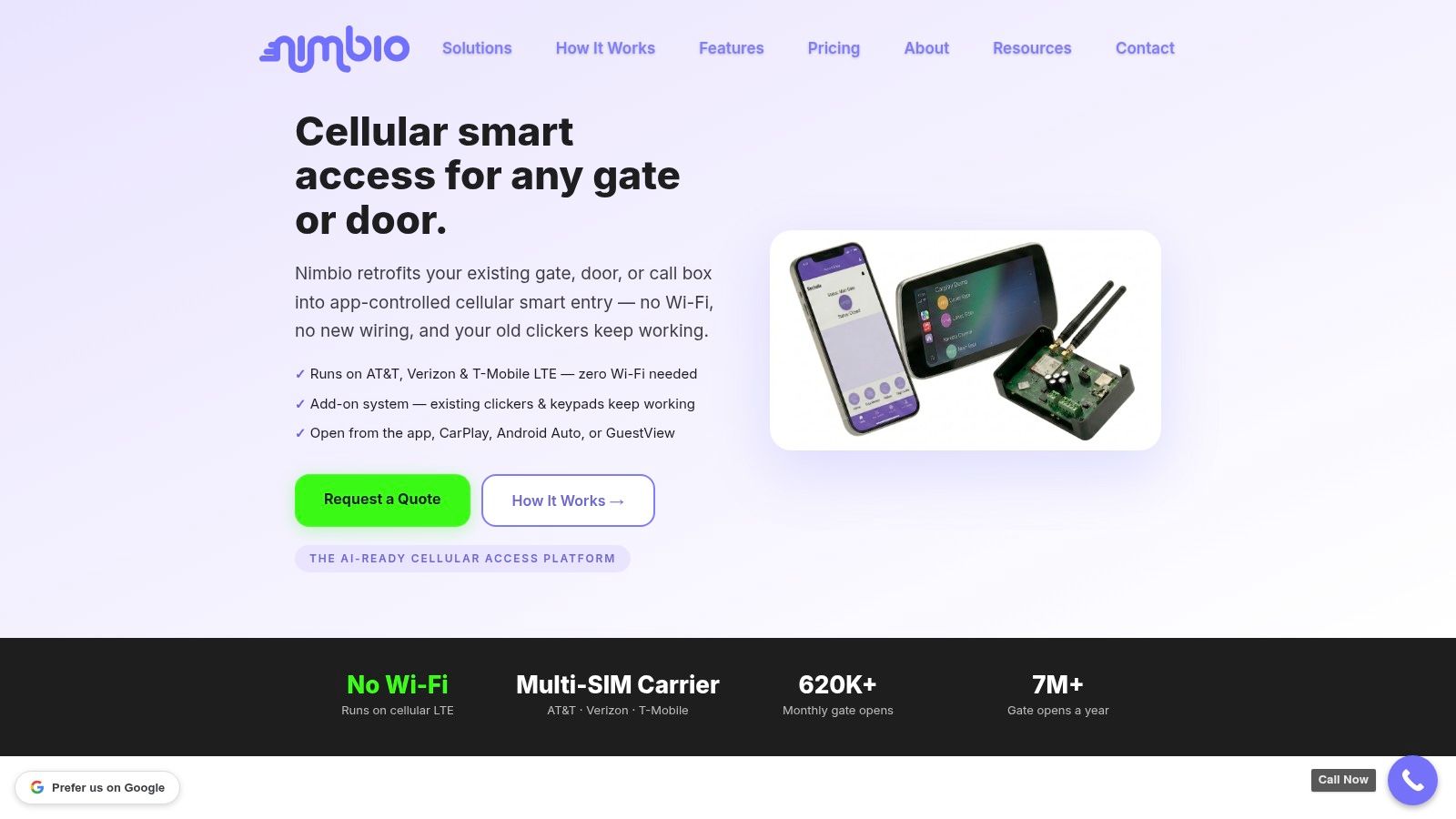
One example is Nimbio, which retrofits existing electronic gates and entries with cellular smartphone-based control, remote visitor management, and trackable logs while preserving the underlying gate hardware. For properties stuck between aging remotes and a full rip-and-replace project, that kind of approach reduces the audit burden because permissions, visitor access, and event history become easier to manage centrally.
The most useful audit features aren't flashy:
- Remote credential revocation when a resident moves out or a vendor's work ends
- Real-time event visibility for faster incident reconstruction
- Visitor access controls tied to a time window instead of a shared code
- Hardware preservation so communities can modernize without replacing every operator
Teams evaluating these tools should focus less on convenience language and more on administrative proof. This access control dashboard guide is a good example of what to look for in a management view that supports audit work, not just day-to-day opening and closing.
Creating Your Long-Term Audit and Compliance Plan
A property that treats audits as a one-time cleanup project will keep rediscovering the same problems. Residents move, vendors change, boards rotate, and permissions drift unless someone checks them on a schedule.
Set a cadence that matches property risk
Fortinet recommends a tiered schedule of annual audits for critical systems, quarterly reviews for high-risk areas, and monthly automated scans, while also verifying RBAC and MFA as part of the audit process in its guidance on security audits.
For property operations, that translates well:
- Annual full review: Entire property, all access points, all credential types, and all admins.
- Quarterly targeted review: Main gates, staff permissions, vendor access, and amenities with frequent turnover.
- Monthly check: Exceptions, stale users, temporary credentials, and unusual event patterns.
The right cadence depends on turnover, amenity use, contractor volume, and how many legacy paths still exist. A quiet single-gate community doesn't need the same review rhythm as a multifamily site with multiple entrances, pools, package rooms, and frequent service traffic.
A broader governance framework can help boards understand why this discipline matters. For teams that need that lens, this overview of COSO internal controls and compliance is a useful reference point.
Treat audits as part of property operations
The strongest communities don't separate access control from daily management. They connect move-ins, move-outs, vendor approvals, schedule changes, incident response, and board reporting into one routine.
That means:
- New access gets approved through a documented process
- Old access gets removed promptly
- Exceptions are temporary and reviewable
- Logs are retained in a form staff can effectively use
- Every audit ends with tracked remediation, not just discussion
A disciplined access control audit process does more than reduce risk. It shows residents and boards that the property team knows who can enter, why they can enter, and how that decision is documented. In a hybrid environment, that's the difference between apparent security and provable control.
If a property is trying to modernize gates or building entry without replacing existing hardware, Nimbio is worth evaluating. Its cellular retrofit approach, smartphone-based credentials, remote visitor controls, and centralized event logging align well with the audit requirements that usually create the most work for HOA boards, property managers, and installers.


