

A property manager usually notices the same pattern before an intercom upgrade becomes urgent. Residents complain about missed visitors, vendors share gate codes too freely, old call boxes fail at the worst time, and every move-in or move-out creates another scramble for credentials.
That's when a building intercom system stops being a maintenance line item and becomes an operations problem. The right upgrade doesn't just open doors. It reduces friction for residents, gives staff cleaner control over access, and helps a property move away from untrackable fobs, clickers, and shared PINs.
Most properties don't need a full teardown to get there. In many cases, the better path is a modern retrofit that keeps the existing gate operator, electric strike, or entry hardware in place while adding cloud-based access control, remote management, and smartphone-based entry.
Table of Contents
- The Evolution of Building Access Control
- Understanding Core Types of Intercom Systems
- Key Components of a Modern Intercom
- Planning and Site Assessment for a System Upgrade
- Installation vs Modern Retrofit Integration
- Evaluating Costs Security and Vendor Selection
- Conclusion Your Next Steps to Smarter Building Access
The Evolution of Building Access Control
Older access setups were built for a different operating reality. A front door buzzer, a telephone entry panel, a stack of physical keys, and a few remotes could work well enough when staff handled everything manually and resident expectations were lower.
That model breaks down fast in modern multifamily and HOA environments. Lost fobs need replacing. Shared entry codes spread beyond the people who should have them. Telephone-based entry systems feel dated, and many legacy components are hard to service because replacement parts are inconsistent or no longer standard.
The biggest issue isn't usually the door station itself. It's the management burden created by systems that weren't designed for remote visitor management, audit trails, or mobile credentials.
What changed in practice
A modern building intercom system is no longer just a speaker at the entrance. It's part of a broader access stack that can connect gate operators, electronic locks, resident credentials, visitor approvals, and admin permissions into one workflow.
For property teams, that changes daily operations in a few practical ways:
- Resident onboarding gets cleaner: Staff can issue and revoke digital access without chasing physical devices.
- Visitor handling gets faster: Residents can approve entry remotely instead of relying on a lobby phone or front desk handoff.
- Access records get more useful: Managers can review who had access and when, instead of guessing which shared code was used.
- Hardware life gets extended: Existing gates and controlled doors can often stay in service while the control layer gets upgraded.
Practical rule: If the physical gate or lock still functions well, replacing the control logic often creates more value than replacing the entire entrance.
What no longer works well
Legacy systems still have a place in some small or low-change environments. But they struggle when a property has frequent deliveries, vendor access, resident turnover, or multiple entry points.
Three limitations come up repeatedly:
- Credentials are hard to control once fobs, clickers, and PINs start circulating.
- Remote administration is weak or nonexistent, which forces staff to be on site for simple changes.
- Connectivity is fragile when newer features depend on building Wi-Fi that wasn't designed for perimeter security devices.
That's why access control has shifted toward mobile-first, cloud-managed, and cellular-connected systems. The upgrade is less about replacing a buzzer and more about correcting the operating model behind it.
Understanding Core Types of Intercom Systems
Some intercom decisions go wrong because buyers compare feature lists without looking at the underlying connection method. For an occupied property, how a system communicates often matters as much as the camera, directory, or app.
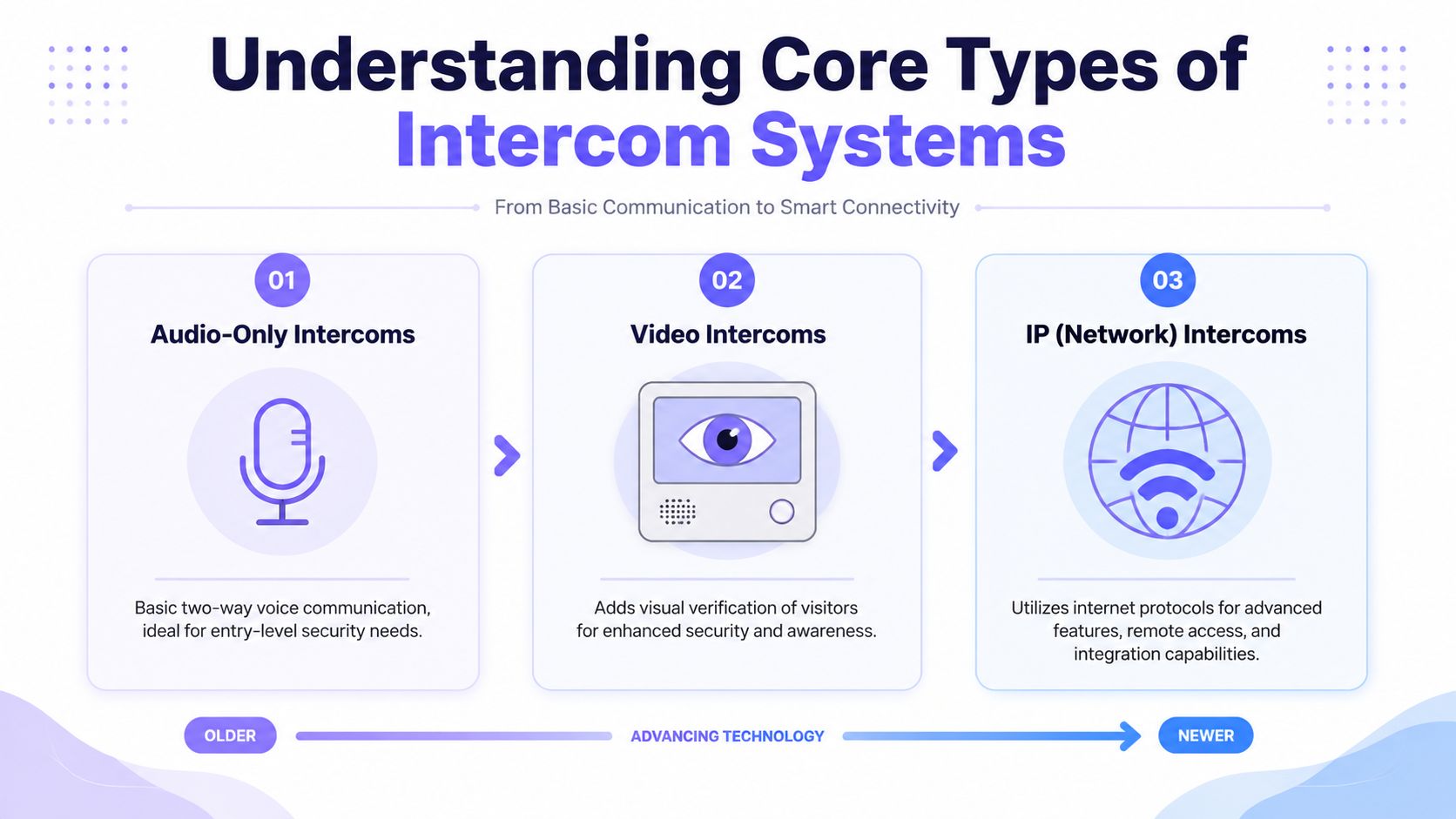
The main categories are easy to understand once they're lined up in order from oldest to newest.
Why legacy systems keep causing operational drag
Audio-only intercoms are the classic buzzer or telephone-entry format. A visitor presses a button or selects a unit, the resident answers by voice, and access is granted through a relay.
They're still workable for smaller properties with basic needs. The upside is simplicity. The downside is obvious. There's no visual verification, user experience is dated, and management tools are usually limited.
Video intercoms add a camera and display layer. That gives residents or staff a way to visually confirm who's requesting access, which is useful for multifamily entrances, package traffic, and communities where staff can't monitor every call.
Video helps, but it doesn't automatically solve administration. A property can still end up with a sleek front panel tied to cumbersome credential management behind the scenes.
A practical comparison of system types
IP intercoms move communication onto a network. They can support app-based answering, central dashboards, integrations, and richer configuration. In new construction with well-planned infrastructure, that can be a strong fit.
The problem shows up in retrofits. If the system depends on local networking that's inconsistent at the gate, in the garage, or at a detached pedestrian entrance, reliability becomes the weak point. Security devices shouldn't be competing with resident traffic or building Wi-Fi dead zones.
Cellular retrofit systems approach the upgrade from the opposite direction. Instead of rebuilding the whole entrance, they add a modern controller to the existing access point and use dedicated cellular connectivity rather than site Wi-Fi. That makes them especially practical for gates, older buildings, HOAs, and properties where trenching or rewiring would be disruptive.
A good retrofit platform is also hardware-agnostic. That matters because many communities already have serviceable operators, strikes, maglocks, or call boxes that don't need replacement.
For properties comparing secure building entry systems, this distinction is usually the turning point. The best option isn't always the newest-looking panel. It's the one that fits the site, keeps access reliable, and avoids unnecessary replacement work.
| Intercom System Comparison | |||
|---|---|---|---|
| System Type | Connectivity | Best For | Key Limitation |
| Audio-Only Intercoms | Hardwired or telephone-based | Small properties with simple entry needs | No visual verification and limited admin control |
| Video Intercoms | Hardwired or mixed network connection | Buildings that need visitor visibility | Better verification, but not always easier to manage |
| IP Intercoms | Ethernet or building network | New construction or major modernization | Performance can depend on local network quality |
| Cellular Retrofit Systems | Dedicated cellular connection | Existing properties upgrading without major replacement | Feature set depends on controller and software design |
A property doesn't get a better system just because the entrance station looks modern. It gets a better system when the entire access workflow becomes easier to control.
Key Components of a Modern Intercom
A modern intercom works best when the property team understands the basic architecture. That makes vendor conversations easier and prevents costly confusion about what needs to be replaced.
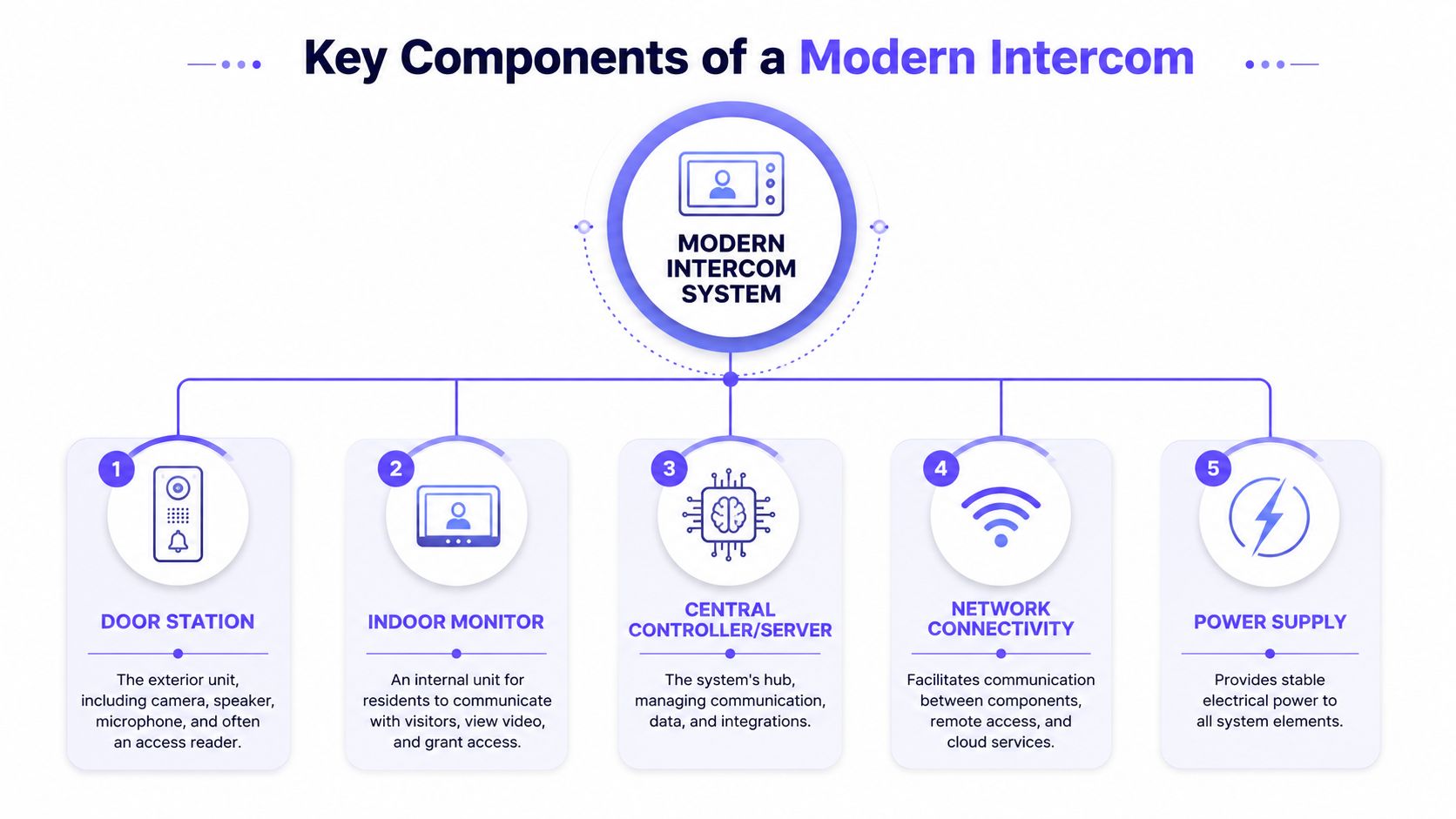
At a minimum, most systems revolve around five parts.
The parts that matter most on site
Door station
This is the exterior device visitors interact with. It may include a call button, directory, camera, speaker, microphone, and sometimes a reader for credentials.
Indoor monitor or answering endpoint
In older buildings, this was a wall unit or phone line. In newer setups, it can also be a mobile app or a web-based response flow, depending on the system design and local requirements.
Electronic lock or gate operator
This is the hardware that physically opens the door or opens the gate. Many upgrade projects keep this equipment in place if it's still functioning reliably.
Controller
This is the key decision point in a retrofit. The controller acts as the system's brain, receives approved commands, and triggers the operator or lock release.
Power and communication path
Every system needs stable power and a dependable way to move commands between users and the access point. If that path is weak, the rest of the feature set won't matter much.
How the modern signal flow works
The cleanest way to understand a modern building intercom system is to think of it as a chain of decisions.
- A visitor initiates a request at the entrance.
- The system routes that request to the resident or manager.
- The authorized user approves or denies access.
- The controller sends the release signal to the lock or gate operator.
- The event is logged for review.
That's why the controller deserves more scrutiny than many buyers give it. In a retrofit, the controller is what modernizes the existing opening hardware without requiring a full hardware overhaul.
When evaluating infrastructure, installers often need to verify cable condition, power availability, and pathway quality before connecting new components. For teams dealing with older buildings or mixed wiring conditions, this guide to data cabling in Brisbane is a useful reference on what to check before installation work begins.
Field note: If the lock, strike, or gate operator is healthy, the smartest upgrade often happens at the controller layer, not at the entrance hardware.
Planning and Site Assessment for a System Upgrade
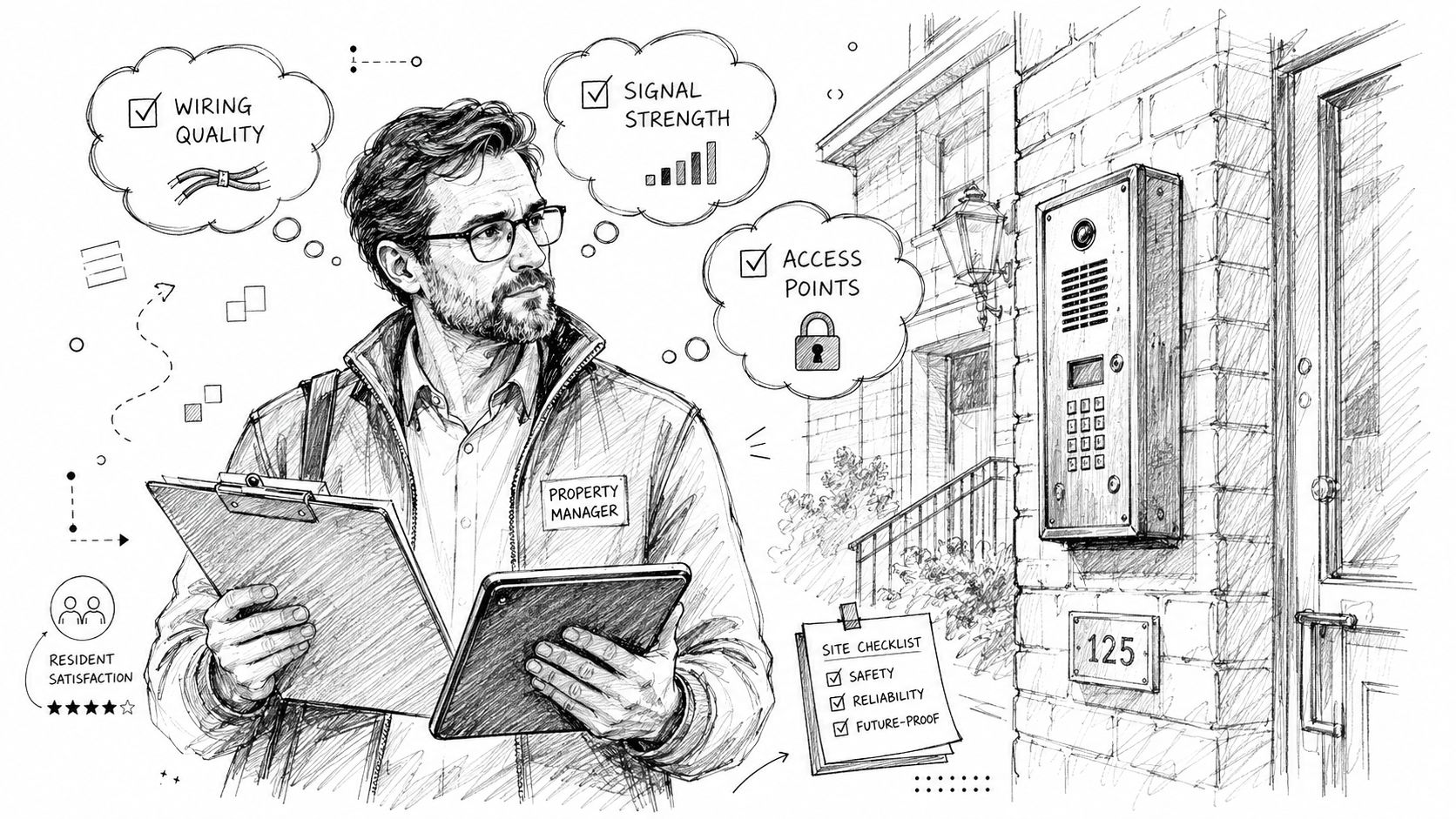
Most intercom upgrades succeed or fail before the first part is installed. A rushed site review leads to bad assumptions about wiring, power, signal reliability, and user flow.
A proper assessment should happen on site, not from photos alone.
What to inspect before requesting quotes
A strong walkthrough starts with the access map. That means documenting every controlled opening, not just the main front door.
Use this checklist:
- List every entry point: Include vehicle gates, pedestrian gates, lobby doors, side entrances, garage doors, and amenities with controlled access.
- Confirm what hardware already exists: Identify the gate operator, electric strike, magnetic lock, call box, keypad, reader, and any door closer or request-to-exit device.
- Check power at each opening: A controller install is easier when stable power already exists near the device location.
- Review current credentials: Note whether the property uses fobs, remotes, keypads, cards, phone entry, or a mix.
- Document resident workflow: Look at how guests, deliveries, contractors, and emergency vendors currently gain access.
- Inspect enclosure conditions: Heat, moisture, vandal exposure, and mounting limitations all affect equipment choices.
This is also the point where many managers discover they don't need a full replacement. If the operator and release hardware are in decent shape, the upgrade path may be more about control logic than physical reconstruction.
For teams considering retrofitting legacy gate operators, the practical question is simple. What can stay, and what needs modernization?
The connectivity decision that affects everything else
The most common planning mistake is treating Wi-Fi as “good enough” for perimeter access. It often isn't.
A gate or entry door sits in a harsh environment for wireless consistency. Distance from the building, masonry, metal enclosures, shared resident bandwidth, router resets, and unmanaged network changes can all create avoidable failures.
A dedicated cellular connection changes that conversation. It separates access control from the property's local internet conditions and reduces the number of variables staff must troubleshoot later.
A site assessment should answer these questions directly:
- Will this opening depend on the building's Wi-Fi?
- Who controls that network today?
- What happens to access if the router changes, the password changes, or coverage drops?
- Can staff manage credentials remotely without being tied to an on-site network issue?
If a resident can't get into the property because a consumer-grade network hiccuped, the system design was wrong from the start.
The best site plans are boring in the right way. They remove dependency, reduce moving parts, and make access predictable every day.
Installation vs Modern Retrofit Integration
Property teams often assume an upgrade means tearing out the old intercom, replacing the entrance station, replacing the controller, rewiring the opening, and retraining everyone at once. Sometimes that's necessary. Often it isn't.
The right decision depends on whether the existing field hardware is obsolete or just poorly managed.
When full replacement makes sense
A complete rip-and-replace project is justified when the existing system has reached the end of serviceability. That usually means failed core hardware, damaged infrastructure, severe incompatibility, or a property redesign that changes how entrances must operate.
A full replacement can also make sense in new construction or gut renovation where walls are open and network pathways are being built from scratch.
Still, that approach comes with trade-offs:
- More disruption: Occupied buildings feel every hour of downtime at primary entrances.
- More coordination: Residents, vendors, managers, and installers all need tighter communication.
- More variables: New hardware, new software, new mounting, and new wiring increase project complexity.
Why retrofit usually wins for occupied properties
A retrofit is different because it starts with preservation. If the gate operator, lock hardware, or entry mechanism still works, the upgrade focuses on adding a smarter control layer instead of rebuilding the whole opening.
That matters for practical reasons.
First, downtime is lower. Installers can often add a controller to the existing setup without forcing a long access outage.
Second, capital waste is lower. The property keeps using serviceable equipment instead of scrapping it just to get mobile access and cloud administration.
Third, training is simpler. Staff and residents can transition from remotes, fobs, and shared keypads to phone-based credentials and remote approvals without relearning an entirely new physical environment.
A good retrofit also avoids lock-in to one specific gate or door brand. Hardware-agnostic platforms are easier to deploy across mixed portfolios where one site may use LiftMaster, another DoorKing, and another FAAC or Viking equipment.
The operational advantage is what makes retrofit so attractive. Smartphone access, remote credential changes, visitor approval, hold-open scheduling, and audit logs can be layered onto a legacy opening with far less friction than most boards expect.
For teams evaluating current options, Nimbio's features are a useful benchmark for what modern controller-based access can add without replacing the gate itself.
Evaluating Costs Security and Vendor Selection
The cheapest quote often turns into the most expensive operating model. Intercom decisions should be based on total cost of ownership, not just the price of the entrance panel or controller.
That means looking at installation effort, ongoing administration, support quality, and how the system will age under real property conditions.
Look past the hardware quote
A stronger cost review asks what the property is buying over time.
Consider these categories:
- Installation scope: Will the job require trenching, rewiring, patching, or new enclosures?
- Operational overhead: How much staff time will onboarding, offboarding, and visitor access consume?
- Credential replacement burden: Physical devices create recurring friction when residents lose them or fail to return them.
- Software model: Cloud systems often involve ongoing service fees, so the value has to be clear in workflow savings and control.
- Future updates: Systems that receive over-the-air improvements are easier to keep current than systems that age in place.
Resident expectations should also factor into the decision. According to the 2025 Multifamily Amenities Report from NMHC, “smart access control” is now one of the top five tech amenities that residents are willing to pay a premium for, directly impacting property value and desirability.
That doesn't mean every property needs the most complex stack available. It means access control now affects leasing, satisfaction, and perceived building quality, not just security.
Questions worth asking every vendor
Not all vendors are selling the same thing, even when the front-end experience looks similar. A serious evaluation should include direct questions.
- Hardware compatibility: Can the system work with the property's existing gate operator or electronic lock?
- Connectivity model: Does it rely on local Wi-Fi, or does it use a dedicated communication path?
- Remote admin controls: Can managers grant, revoke, and schedule credentials without being on site?
- Visitor workflow: How do residents handle guests, contractors, and deliveries remotely?
- Security approach: How are credentials protected, and how is resident access data handled?
- Support structure: Who responds when the gate stops opening on a weekend?
- Update path: Can the system receive over-the-air firmware or software updates?
- Warranty terms: Is the hardware covered in a meaningful way, or only under narrow conditions?
For communities trying to replace key fobs for gated communities, these questions usually matter more than the appearance of the call box.
The best vendor isn't the one with the longest feature list. It's the one that can explain failure modes, support process, and retrofit compatibility without hand-waving.
Conclusion Your Next Steps to Smarter Building Access
A modern building intercom system should solve three problems at once. It should improve entry security, remove daily friction for residents, and reduce the workload on property staff.
That's why upgrade strategy matters as much as product selection. Legacy systems often fail because they depend on physical credentials, weak administrative tools, and infrastructure that no longer fits how properties operate. A smart retrofit changes that without forcing a needless rip-and-replace project.
For most occupied buildings, gated communities, and multifamily sites, the most practical path is clear:
- Keep working hardware where possible
- Modernize the control layer
- Avoid Wi-Fi dependency for critical entry points
- Give managers remote control over users and visitors
- Create a cleaner audit trail for access events
The result is a more manageable property. Residents get easier entry, vendors are easier to control, and administrators stop chasing fobs, remotes, and shared codes that no one can fully track.
A board or property manager preparing for an upgrade doesn't need to start with a catalog. It should start with a site assessment, a clear picture of current pain points, and a hard look at whether the existing gate or door hardware can be preserved.
That's usually the difference between an expensive replacement project and a disciplined modernization plan.
Nimbio helps properties modernize gates, call boxes, and building entry points through a cellular-based retrofit that avoids unnecessary replacement work. For teams ready to improve access control, Nimbio is a practical next step, and property managers can also contact Nimbio for a quote to review retrofit options for their site.


