What happens when a door recognizes a valid credential, but the person carrying it shouldn't enter, or someone inside needs to leave during an outage? Commercial building access control systems decide who may open which door or gate, at what times, and record access events. Readers and phone apps are the visible parts, but permissions, controllers, locking hardware, emergency operation, and maintenance responsibilities determine whether the system works for the property.
For a building owner, the buying decision starts with openings and people, not a product catalogue. A useful plan identifies who uses each entrance, who approves access, and what happens when equipment or communications fail.
Table of Contents
- What a Commercial Access Control System Includes
- Cloud, On-Premises and Cellular Models Compared
- How Credentials and Permissions Are Assigned
- Emergency Exits Must Stay Free to Open
- Securing the Controller and Who Owns the Risk
- Retrofit Checks and a Pre-Purchase Plan
What a Commercial Access Control System Includes
Think of a hotel: a guest carries a card, the door checks it, and the front desk can cancel its permission. A commercial access control system follows the same general pattern, although offices, warehouses, and shared properties need different access rules.
In a hypothetical office scenario, a tenant presents a fob at the lobby reader. The reader passes its information to a controller, which checks the credential and its permissions before sending a release signal to the electric lock. Management software holds the assigned rules, while an event log records the access decision.
The parts perform separate jobs. A reader doesn't physically hold a door closed, and a working lock doesn't establish who should receive permission.
Core components of a commercial access control system
| Component | What It Does | Commercial Example |
|---|---|---|
| Credential | Identifies the person through an assigned fob, card, phone key or PIN | Tenant fob for an office suite |
| Reader or keypad | Reads the credential or takes the code | Card reader beside a lobby door |
| Controller | Checks the credential and sends the release signal | Panel in a comms closet or gate operator box |
| Lock or operator | Holds the door or gate closed until released | Electric strike, magnetic lock or slide-gate operator |
| Management software | Assigns, changes and revokes access | Admin portal used by facilities staff |
| Event log | Provides a timestamped record of access events and changes | Report pulled after an incident |
A credential represents an assigned identity, but possession alone doesn't prove who's holding it. Shared PINs make that distinction particularly important: the system may recognize the code without distinguishing the people using it.
Likewise, an access-granted record isn't necessarily proof that someone physically passed through the opening. When that distinction matters, the proposal should explain what door monitoring or other evidence supports the record.
Practical rule: Inventory the whole opening, rather than treating the reader as the system.
Physical entry and network access also need separate policies. Splash Access's resource on captive portals for guest Wi-Fi is relevant to visitor network access, but permission to use Wi-Fi isn't permission to enter a restricted room.
Existing properties may already have usable locks, operators, keypads, and wiring. Planning commercial property access control therefore begins with identifying missing capabilities and unsuitable components. Facilities staff should walk every entry point and record which parts it already has.
Cloud, On-Premises and Cellular Models Compared
A building's access system has two separate choices: where its management software runs and how each opening communicates. The first is like choosing where the control desk sits, either online or inside the property. That choice is called cloud-managed or on-premises deployment. Cellular describes a connection method, not a separate place where software runs.
Cloud-managed systems host management software on the provider's servers. Administrators access it over the internet, while equipment at the property still needs power and a supported connection. On-premises systems keep management infrastructure inside the property. The organization or its service contractor then handles server upkeep, backups, and related support.
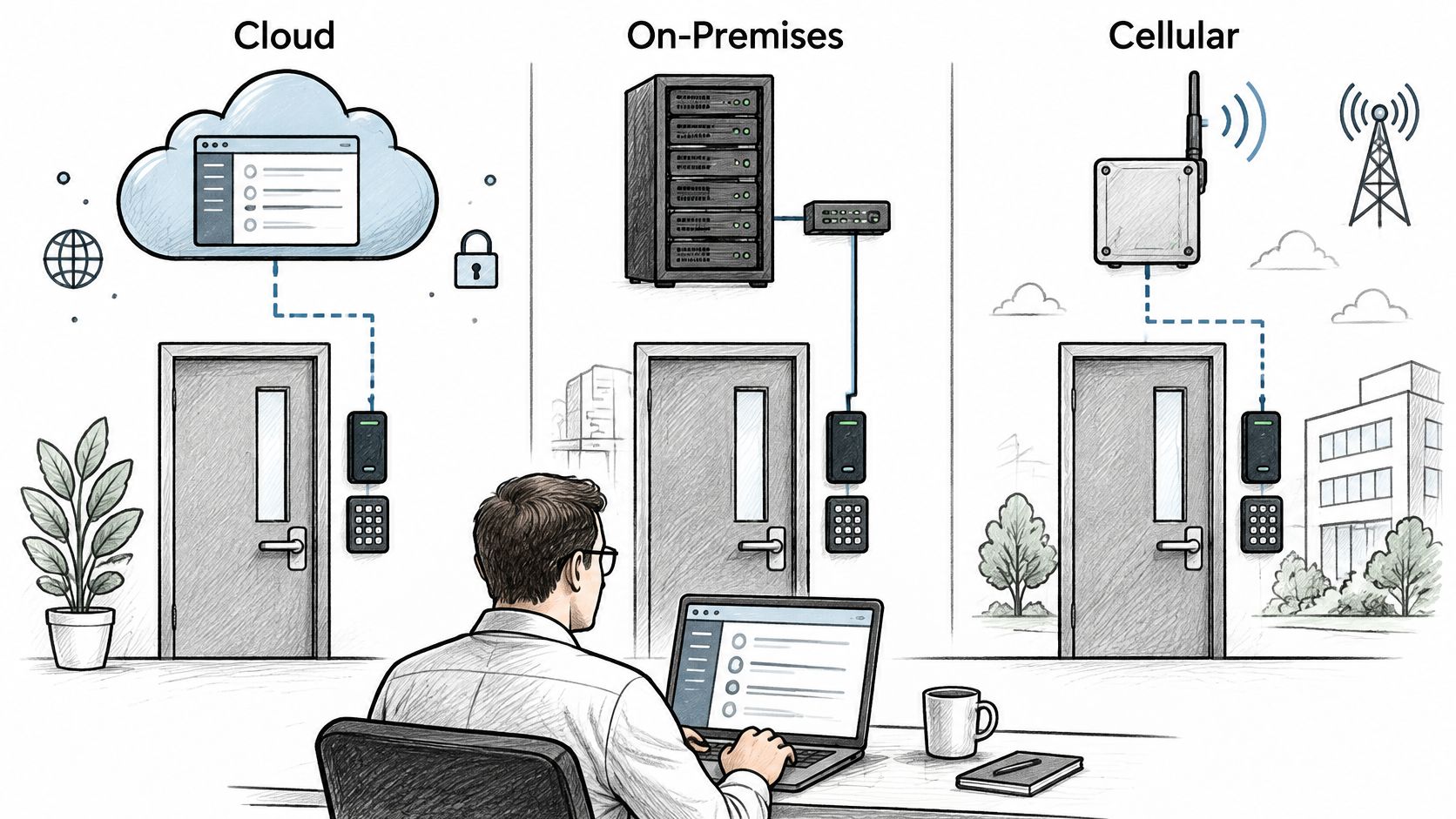
Deployment models compared for commercial buildings
| Model | Where the Software Runs | Network Needed | Typical Fit |
|---|---|---|---|
| Cloud-managed | Vendor servers, reached over the internet | Building connection or another supported connection for controllers | Multi-site portfolios with IT support |
| On-premises | Server or panel inside the building | Building network for networked components | Large campuses with in-house IT |
| Cellular add-on | Controller at the gate, with remote management through the supported service | Cellular data link; no Wi-Fi needed at the opening | Gates and doors with no network nearby |
| Hybrid | Local panels alongside remote management or wireless equipment | Wired connections at some openings and wireless connections at others | Buildings adding wireless capabilities to legacy doors |
A cellular add-on can connect an existing gate to remote management without bringing the building network to the opening. Nimbio's cellular controller connects to an existing electric gate operator. It can also be used with electric locks, requires no Wi-Fi at the opening, and does not require replacing the gate. Existing clickers, fobs, and keypads can continue working alongside the app. The guide to how cellular gate access works explains this retrofit approach.
The 2021 Wireless Access Control Report found that 37% of surveyed organizations used some wireless technology in their physical access control systems, up from 31% two years earlier. It also recorded 39% using traditional wired systems, 30% combining wired and wireless systems, and 8% using fully wireless systems. Wired installations remained the largest single configuration in the survey, so wireless adoption does not mean cabling has been broadly replaced.
Match the connection to the opening
In a hypothetical mixed-use property, the lobby has a serviceable wired reader, but the vehicle gate has no nearby building network. A hybrid plan could retain the lobby equipment and add cellular control at the gate, provided the existing operator is compatible.
The deployment label alone cannot tell you what happens during an outage. Ask how access decisions are made, whether administrators can still manage the system remotely, and how service is restored. Also confirm that the proposed connection and equipment fit each opening.
Where is the nearest usable network connection? Who will administer the system day to day?
How Credentials and Permissions Are Assigned
A staff badge is like an employee's name on a roster: it identifies an assigned record, but it doesn't grant permission to enter every room. Checking the credential is authentication; deciding whether it may be used at a particular opening is authorization.
NIST's access-control guidance separates policy, model, and mechanism. The policy states who may access a resource and under what conditions, the model translates that policy into rules, and the mechanism enforces those rules through the system's equipment and software.
In a hypothetical contractor assignment lasting two weeks, the policy permits access to the loading area while the work order remains active. A contractor role translates that decision into a loading-door group, working-hour schedule, and expiration date. The credential and controller enforce those settings without a hardware change.
Permissions matrix worksheet
| Setting | Question to Answer | Hypothetical Contractor Example |
|---|---|---|
| Role | Which job or group does the person belong to? | Outside contractor |
| Zones | Which doors or gate groups may they open? | Loading-door group |
| Time windows | When may each opening be used? | Work hours only |
| Expiration date | When does the key stop working? | Work order close date |
| Admin rights | Can they change other people's access? | None |
Facilities staff should complete the worksheet before issuing a credential. Starting with the role avoids granting broad access just because copying another person's account is convenient.
Zone assignments need particular care at shared properties. A contractor may need the vehicle entrance and loading door without needing access to tenant suites, equipment rooms, or every common entrance.
A person's right to enter and an administrator's right to change permissions are separate decisions.
Expiration also needs an owner. If a work order ends early, someone must communicate that change and remove access rather than relying on the original end date.
Test permission boundaries before handover
Acceptance testing should cover successful use and deliberate rejection:
- Permitted entry. Confirm that the assigned credential works at an approved opening during its permitted window.
- Outside-window denial. Confirm that the same credential is rejected when its schedule prohibits entry.
- Revocation. Remove the permission and verify the resulting behavior.
- Communications loss. Have the installer verify controller behavior under the manufacturer's documented test procedure.
These are acceptance requirements, not instructions to disconnect equipment. The installer should supply the applicable manual and conduct tests without compromising occupied-building safety.
A cloud administration portal also deserves security review beyond the door demonstration. ThreatExploit AI's cloud application penetration testing guide provides context for discussing application testing, but it doesn't establish that any particular access-control product has passed such testing.
Emergency Exits Must Stay Free to Open
An entrance can act like a checkpoint from outside while still allowing people to leave from inside. That distinction is emergency egress, and an electronically controlled opening must preserve it.
OSHA's exit-route guidance requires employees to be able to open an exit-route door from inside at all times without keys, tools, or special knowledge, and prohibits devices or alarms whose failure could restrict emergency use. A phone app or remote administrator therefore can't be the occupant's only means of leaving.
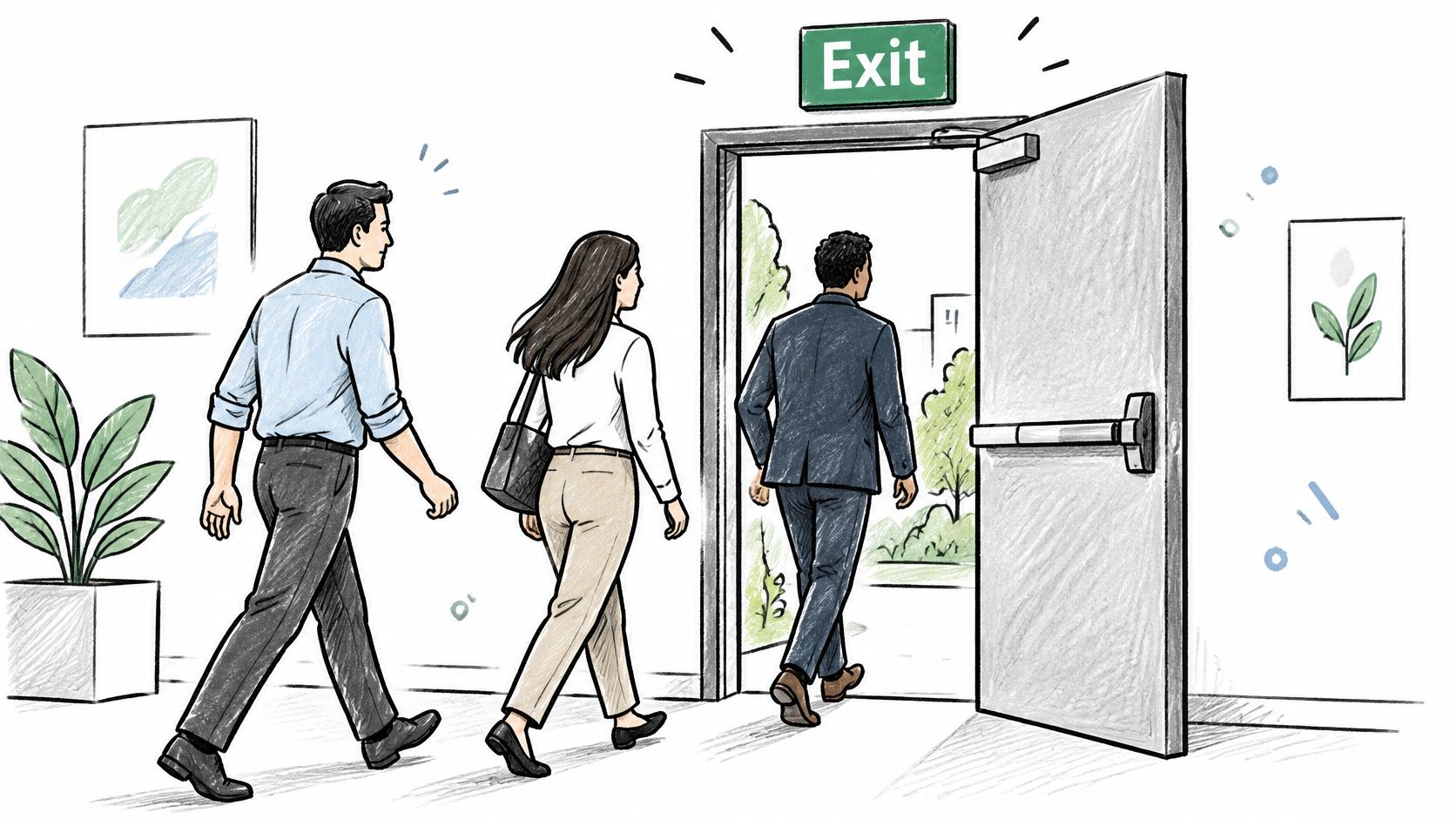
OSHA's construction egress regulation requires free and unobstructed egress in occupied buildings and structures within its scope, prohibits fastenings that prevent escape from inside with narrow institutional exceptions, and addresses visible exit marking. Applicability must be checked for the property and work involved rather than treating a construction regulation as the entire operating-building code.
Door geometry matters too: OSHA's exit safeguards guidance states that a door connecting a room to an exit route must swing in the direction of exit travel when the room is designed for more than 50 occupants or is a high-hazard area. Adding a reader doesn't correct an unsuitable door swing.
Review each exit before installation
The owner should arrange a documented review with qualified installers and the relevant fire or building authority:
- Identify the opening's role. List whether each door serves an exit route, ordinary entry, service access, or another function.
- Confirm interior release. Document the approved free-egress method from inside.
- Check occupancy and swing. Have the responsible professional verify the door against its use and applicable requirements.
- Agree on power-loss behavior. Confirm the appropriate fail-safe or fail-secure arrangement with the authority having jurisdiction.
- Verify alarm operation. Have qualified personnel test any required fire-alarm release using the approved system documentation.
- Set recurring checks. Record the inspection and release-test schedule required by the authority.
A lock that releases when power is removed is commonly described as fail-safe; one that remains secure on the controlled side is fail-secure. Neither term alone establishes whether the complete door permits compliant escape.
Life-safety boundary: Remote entry convenience must never become the only way out.
Local requirements vary. The owner should confirm the adopted fire and building requirements with the authority having jurisdiction, including alarm interfaces, signage, accessibility, and any special locking arrangements.
Securing the Controller and Who Owns the Risk
Replacing a key ring with a phone is like moving a paper register into an online account: administration changes, but mistakes don't disappear. The controller, credential database, administrator accounts, and mobile app all become parts of the attack surface. Smart access isn't secure by default.
In a hypothetical employee departure, a property issues mobile keys but never assigns responsibility for removing departing staff. The former employee retains permission because the process failed, even though the app operates as designed.
The ASSA ABLOY 2025 Wireless Access Control Report, surveying nearly 500 security, facilities, and IT professionals, found 45% uncertain about access control's role in cybersecurity, while 84% said compliance was under control, in progress, or irrelevant to their organization. That combination supports a practical question: who owns each control, rather than who believes the property is compliant?
Assign responsibility before connecting equipment
A starting allocation should be written into the operating plan:
- Facilities: Maintains door hardware and carries out approved daily credential changes.
- IT: Owns the approved network design, segmentation, and patch coordination.
- Security: Defines access policy, reviews exceptions, and investigates logs.
- Landlord or owner: Owns contracts, vendor access conditions, and unresolved responsibility gaps.
The NPSA's automatic access-control guidance warns that these systems can be attacked and advises against connecting them to other site networks. Any proposed connection deserves deliberate IT review, not an installer's assumption that an available network socket is suitable.
Vendor evaluations should request evidence of administrator multifactor authentication, role-based permissions, signed firmware updates, encryption, tamper alerts, failover behavior, and exportable logs. These are evaluation criteria, not capabilities that should be assumed from an app demonstration.
Define account recovery and evidence handling
The operating procedure should identify who revokes a lost phone's credential, who acts on employee termination, and who reviews contractor accounts. It should also explain how offline controllers receive changed permissions after communications return, without assuming revocation reaches disconnected equipment immediately.
For organizations within its scope, NIST SP 800-171 Revision 3 treats event selection as an organization-defined logging decision; it isn't a universal commercial-building compliance mandate. A property's audit policy should specify credential presentations, granted and denied access, administrator changes, and remote release commands where supported.
Security staff should own log review, with IT protecting records against unauthorized alteration and the owner approving retention and export arrangements. Who receives an alert when a key is revoked or an administrator signs in, and who acts on it?
Retrofit Checks and a Pre-Purchase Plan
Retrofit criteria checklist for commercial openings
| Criterion | Question to Answer | Why It Matters |
|---|---|---|
| Control signal compatibility | Does the new controller wire to the existing operator or lock? | Avoids replacing hardware that still works |
| Fail-safe or fail-secure | What state does each opening take on power loss? | Helps determine controlled-side security while preserving required egress |
| Emergency override | Who can release every door during an emergency, and how? | Keeps first responders and staff from waiting on a remote connection |
| Audit trail | Are entries, denials and admin changes logged with timestamps? | Supports investigations and identifies assigned credential use |
| Degraded-mode access | What still works if cellular or power drops? | Defines the fallback for tenants, vendors and deliveries |
| Maintenance owner | Who updates firmware, changes credentials and reviews logs? | Prevents a retrofit that no one maintains |
A retrofit is like adding a new control to an existing machine: matching the connection is only part of compatibility. The opening must also behave correctly during normal use, an emergency, and a failure. That broader fit is interoperability.
NFPA code-development material concerning NFPA 731 addresses integration with fire detection and suppression systems to release locked doors for emergency egress. Code-development material isn't itself a blanket installation requirement; the adopted local requirements and approved opening design govern the project.
A controller can't repair a binding gate, damaged door frame, unsuitable lock, or unreliable power supply. The installer should identify those limits before quoting the add-on, so reuse doesn't conceal necessary repair work.
Compare costs using the property's records
The financial worksheet should use invoices, service logs, and staff records rather than generic savings claims. Record time spent answering gate calls, admitting couriers, replacing lost fobs, and changing shared codes.
In a spreadsheet, separate installation, required repairs, ongoing service, connectivity, maintenance, training, and credential administration. Multiply recorded staff time by the property's actual labor cost, then compare proposals using the same scope and planning period.
Shared-code use and missing audit records deserve separate treatment. The owner can describe the operational problem without assigning an invented monetary value to an incident that hasn't occurred.
Preserve working access methods during migration until the replacement workflow has passed its acceptance tests.
Clickers and keypads should remain available where the approved transition plan retains them. Convenience access must remain separate from the documented emergency arrangements.
Write an outage decision tree
The decision tree should name an action owner for each condition:
- Power unavailable: Follow the approved emergency plan and have qualified personnel assess the documented backup arrangement. Gate movement and manual operation must follow the specific operator's manual.
- Power available, cellular unavailable: Use only fallback credentials or local controls confirmed to work in that condition. Assign responsibility for checking service restoration and outstanding permission changes.
- Controller unavailable: Escalate to the named service provider and use the approved alternative access process. Staff shouldn't improvise wiring changes or bypass protective devices.
- Manual gate access needed: Identify the trained, authorized person who can operate the manufacturer's manual release, where fitted. The operator model determines the procedure, so a qualified technician must supply and explain its manual before handover.
The cellular gate access system buyer's guide can support proposal comparison, but the installer still needs to provide wiring diagrams for the specific operator and a written acceptance test plan. Before any call box is removed, the owner should confirm applicable access requirements with fire and building officials.
For a site review, the owner should assemble opening photographs, operator model details, current access methods, and the completed worksheet. The first action in planning commercial building access control systems is to give every opening a named owner who can approve its requirements and accept the finished work.
Nimbio offers a cellular add-on controller and smartphone app for existing electric gates, with remote digital-key issuance, revocation, and expiration dates. Property owners considering this approach can visit Nimbio with their opening inventory to discuss whether a retrofit fits the property's access needs.