The budget review usually starts the same way. A facility manager or HOA board sees guard invoices, overtime gaps, keypad complaints, and a growing list of after-hours access issues. The question isn't whether security matters. It's whether the current setup is still the smartest way to protect the property.
That's where a modern commercial security service decision gets more interesting. Security is no longer just a person at a desk or a patrol car in the parking lot. It's a mix of staffing, entry control, monitoring, policy, and auditability.
The market shift reflects that change. The global commercial security market was valued at USD 219.92 billion in 2025 and is projected to reach USD 413.96 billion by 2031, growing at 11.12% CAGR, while access control is projected to be the fastest-growing security type at 11.36% CAGR according to Mordor Intelligence's commercial security market analysis. That matters because buyers are moving toward systems that control who gets in, when, and with a clear record.
For properties with gates, delivery traffic, vendors, and residents coming and going at odd hours, the decision starts at the perimeter. Teams already thinking about traffic flow may also benefit from understanding route optimization, because entry management and arrival timing often affect one another more than most sites expect.
For many properties, that shift leads directly to cellular-based access control that can manage doors and gates without depending on unreliable local Wi-Fi or manual handoffs.
Table of Contents
- Rethinking Your Commercial Security Needs
- The Four Pillars of Commercial Security Services
- How to Choose the Right Security Mix for Your Property
- Modernizing Access Control with Cellular Technology
- Your Roadmap to Implementing a New Security System
- Future-Proofing Your Commercial Property Security
Rethinking Your Commercial Security Needs
A lot of properties still buy security the old way. They add a guard when complaints rise, add cameras after an incident, and add a keypad because it's cheap and familiar. The result often looks busy but works poorly.
A better approach starts with the operating problem. Most sites don't need more visible security theater. They need tighter control over gates, doors, loading areas, visitor entry, and after-hours access.
Practical rule: If a property can't quickly answer who entered, when they entered, and who approved it, the security gap is usually in access management, not just headcount.
This is especially true for multifamily communities, mixed-use buildings, yard entrances, and light commercial properties. Their first risk point is often the perimeter, not the lobby.
Three common signs the current model needs a reset:
- Guard hours keep expanding: Coverage fills process gaps that should be handled by policy and technology.
- Credentials are weak: Shared PINs, old clickers, and copied fobs create access that no one can fully track.
- Managers lack visibility: Staff can't grant or revoke access quickly without being on site.
The strongest commercial security service plans now treat security as an operating system. Guarding may still have a role. But the foundation is increasingly identity, controlled entry, event logging, and remote management.
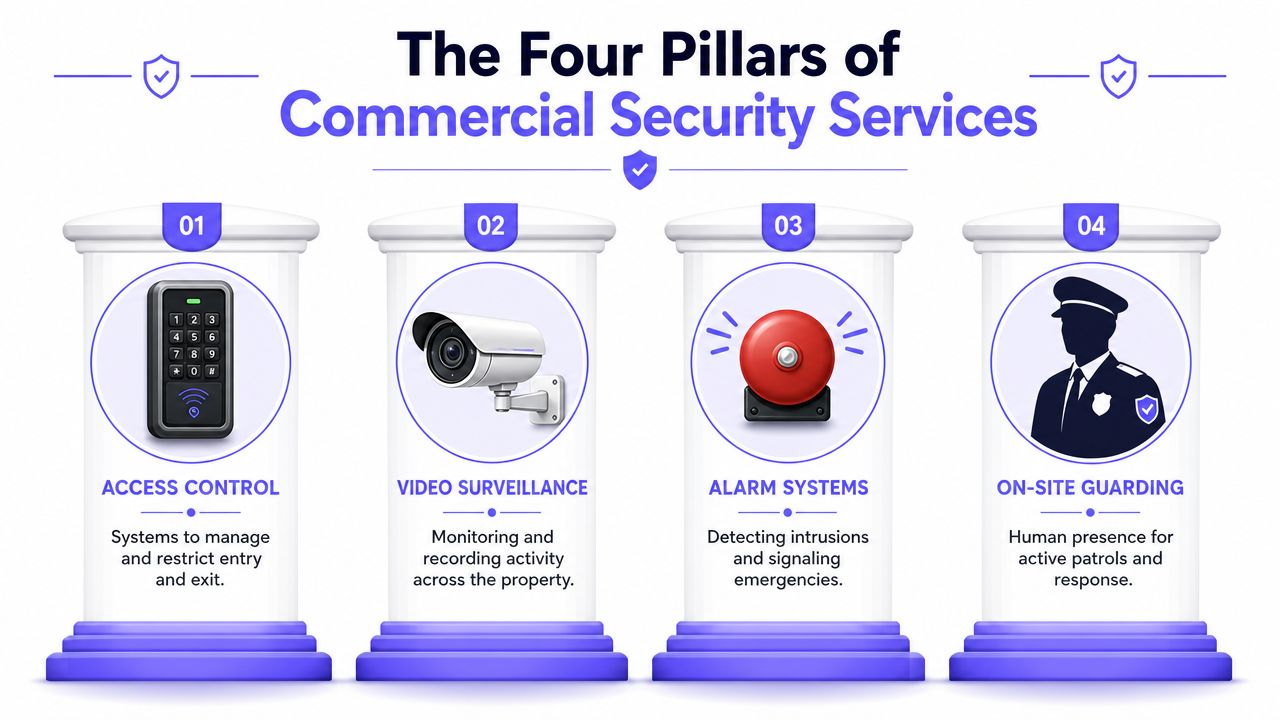
The Four Pillars of Commercial Security Services
Why the labor model is under pressure
Guard services are still a major part of the market, but they sit inside a mature labor model. The U.S. security services industry is projected at USD 50.4 billion in 2026 with a slow 0.3% CAGR, and the outsourced contract security workforce reached about 870,000 security guards in 2023, based on IBISWorld's U.S. security services market size data. That scale matters, but so does the slow growth. It suggests a large category that many operators already know well, not a category solving every new access problem efficiently.
For practical property operations, four pillars matter most.
Where each pillar fits
Manned guarding
This is the most visible security service. Guards work best where a property needs human judgment, visible authority, de-escalation, escort duties, incident response, or a staffed front gate with complex traffic patterns.
What works:
- Human intervention: A trained person can handle exceptions, disputes, and suspicious behavior.
- Visible deterrence: Occupants often feel more secure when someone is physically present.
- Flexible response: A guard can check a door, help a visitor, or respond to a resident complaint.
What doesn't:
- Routine access control by hand: Guards become expensive gate openers when the main task is approving known users.
- Inconsistent logging: Manual visitor notes and verbal handoffs often break the audit trail.
- Coverage gaps: Shift changes, call-outs, and varying performance create uneven execution.
Electronic access control
This pillar covers gates, doors, credentials, schedules, and permissions. For many properties, this pillar provides the strongest operational gains because it standardizes who can enter and when.
It's especially effective for:
- Gated communities
- Building entry doors
- Loading docks
- Vendor access windows
- Amenity areas and shared spaces
A good system improves control because managers can issue credentials remotely, revoke them fast, and review logs without visiting the site.
Remote video monitoring
Cameras are useful, but only when someone can act on the information or correlate it to an access event. Remote video monitoring works best as a verification layer tied to gates, doors, alarms, and notifications.
A camera without context often records a problem instead of preventing one.
Best use cases include perimeter review, after-hours incident verification, and checking whether a delivery driver, vendor, or visitor matches the access request.
Mobile patrols
Mobile patrols make sense where full-time staffing isn't justified but periodic physical checks still matter. They work well for wide sites, business parks, storage areas, and communities that need lock checks, alarm response, or a visible presence during specific windows.
Their advantage is coverage without constant on-site payroll. Their weakness is obvious. They aren't there all the time, so they can't manage every real-time access event.
Commercial Security Service Comparison
| Service Type | Primary Use Case | Typical Cost Model | Pros | Cons |
|---|---|---|---|---|
| Manned Guarding | Front desk, gate post, incident response, visitor screening | Ongoing labor-based contract | Human judgment, visible presence, flexible response | Expensive to scale, inconsistent manual logging, staffing dependence |
| Electronic Access Control | Managing doors, gates, credentials, schedules | Hardware plus software or subscription | Strong audit trail, remote administration, faster credential changes | Needs policy discipline, weak setups still fail if codes are shared |
| Remote Video Monitoring | Verifying events, reviewing perimeter activity, alert response | Equipment plus monitoring service | Extends visibility, supports investigations, improves verification | Less effective when isolated from access events |
| Mobile Patrols | Scheduled checks, alarm response, broad site coverage | Route-based service contract | Lower continuous labor burden, visible patrol presence | Not continuous, limited help for live entry approvals |
A strong commercial security service rarely relies on just one pillar. The right mix depends on whether the property's biggest problem is deterrence, entry control, response, or documentation.
How to Choose the Right Security Mix for Your Property
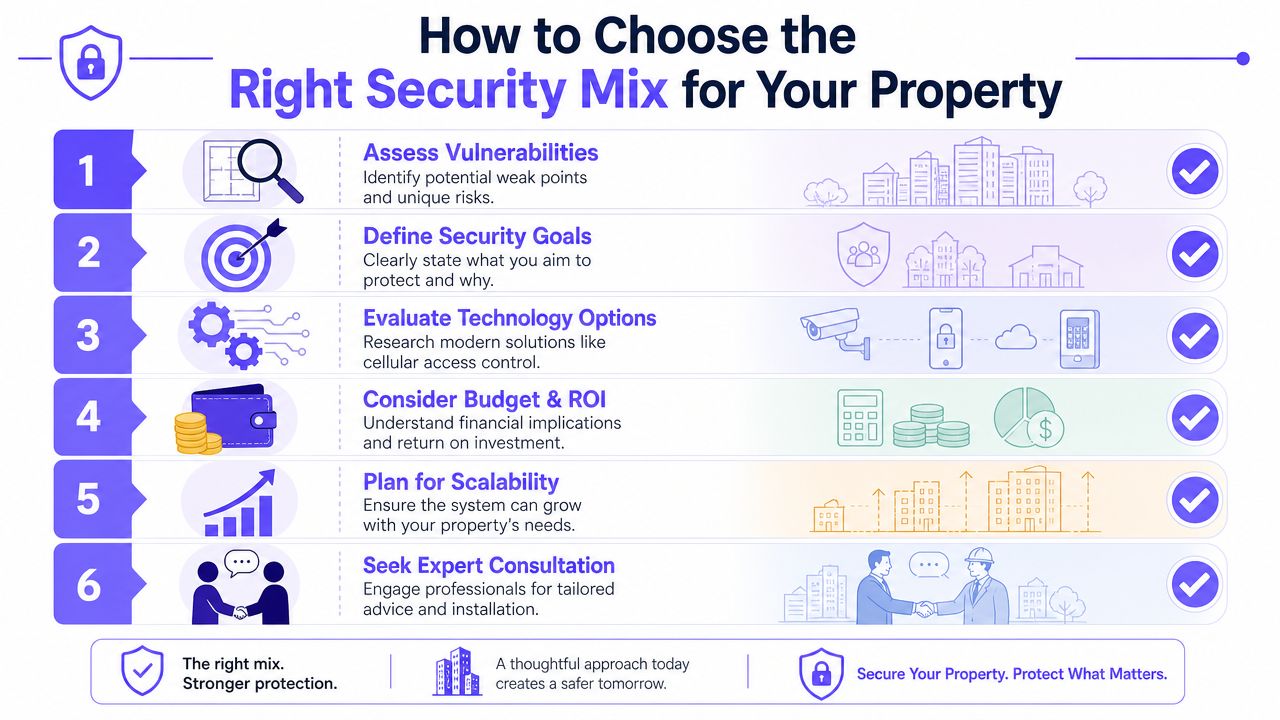
The best security plan starts with a simple truth. A property doesn't need the most security. It needs the right layers in the right places.
Authoritative guidance from the NSA's Commercial Solutions for Classified program emphasizes a layered system in which commercial components are combined into a solution that's more resilient and faster to field than relying on a single control, as described in the NSA CSfC overview. In commercial property terms, that means entry control, surveillance, alerts, and response should support each other.
Start with the weak points, not the product
A facility manager should review where access decisions are happening today. If the answer is “at the keypad” or “through whoever happens to be on duty,” the system is probably too loose.
A layered setup usually makes more sense when:
- The site has multiple entry types: Vehicle gates, pedestrian doors, service entrances, and amenity access shouldn't all run on the same weak process.
- The property has after-hours traffic: Vendors, residents, staff, and deliveries need different rules.
- The team manages remotely: Off-site administration requires logs, notifications, and reliable remote control.
Field note: The first upgrade shouldn't always be more hardware. It's often better credentialing, faster revocation, and cleaner approval workflows.
Questions that lead to a better security mix
Instead of asking, “Should the property hire more guards?” ask these:
Where is unauthorized access most likely to happen?
Start at the gate, side door, dock, and secondary entrances.Which entries need human judgment?
A luxury lobby may justify staffing. A routine community gate often doesn't.What needs a permanent record?
If management needs to review disputes, deliveries, vendor visits, or resident complaints, audit logs matter more than verbal reports.How fast must access be changed?
Temporary vendors, former employees, tenants who move out, and resident turnover all test how quickly credentials can be revoked.Can the system work if local internet is unreliable?
Perimeter devices fail more often when they depend on weak networking conditions.Will the system scale without replacing core hardware?
A smart community grows. The access system should grow with it.
Properties that ask these questions usually land on a blended model. They keep human staffing where discretion matters and shift routine perimeter control to software-driven tools.
Managers evaluating that shift can use this guide for property managers to compare how cloud-based access control changes administration, user permissions, and site oversight.
Modernizing Access Control with Cellular Technology
Many commercial security service guides still focus on interior cameras, alarm panels, and on-site officers. That leaves a gap at the perimeter. Neutral industry coverage has pointed out that many guides don't fully address how to manage gates and call boxes for deliveries, vendors, and visitors without relying on shared PINs or constant staff presence, as discussed in this commercial security guide on perimeter access gaps.
That gap matters because perimeter access is where old habits break down fastest. Shared four-digit codes spread. Clickers get handed around. Wi-Fi-connected devices at gates lose reliability. Managers end up approving entry through phone calls, texts, or ad hoc workarounds.
Why perimeter access is where old systems fail first
Perimeter hardware faces a harder operating environment than an interior office reader. Gates sit farther from the building network. Deliveries happen early or late. Visitors don't always know where to go. Staff isn't always at a desk when the call comes in.
Old systems typically create four recurring problems:
- Shared credentials: PINs and remotes are convenient, but they're hard to control once distributed.
- Slow revocation: Former vendors or residents may keep access longer than they should.
- Weak visibility: Managers often know a gate opened, but not who triggered it.
- Network fragility: Wi-Fi at the edge of a property is one of the least dependable places to put a critical access point.
What a modern access workflow should do
A modern setup should let managers and authorized users handle entry from a phone, apply schedules, issue temporary credentials, and review a clean event history. For sites with cameras, it should also support visual verification when a visitor requests entry. Teams that want to strengthen the monitoring side can review this guide to remote camera monitoring to think through camera access and off-site visibility as part of the same operational workflow.
The strongest perimeter systems usually share these traits:
- Cellular connectivity: The gate doesn't rely on local Wi-Fi that may drop at the edge of the property.
- Hardware-agnostic retrofit options: Existing gate operators and entry hardware can stay in place when the controller is upgraded.
- Remote visitor management: Staff or residents can grant entry without being physically present.
- Faster credential control: Digital permissions can be granted, scheduled, and revoked quickly.
- Event logs: Every access action creates a trail that can be reviewed later.
One practical example is Nimbio, which adds smartphone-based control to existing electronic gates, call boxes, and building entry systems through a cellular retrofit, preserving existing equipment while giving managers remote access, credential controls, and entry logs. For teams comparing connectivity models, Nimbio's cellular access insights explain why cellular architecture is often better suited to perimeter hardware than Wi-Fi-dependent setups.
Better access control doesn't just open the gate remotely. It reduces the number of unmanaged exceptions a property has to live with.
That's the key trade-off. A guard can approve entry one vehicle at a time. A well-designed access system can enforce policy all day, keep records automatically, and still leave room for human review where it's needed.
Your Roadmap to Implementing a New Security System
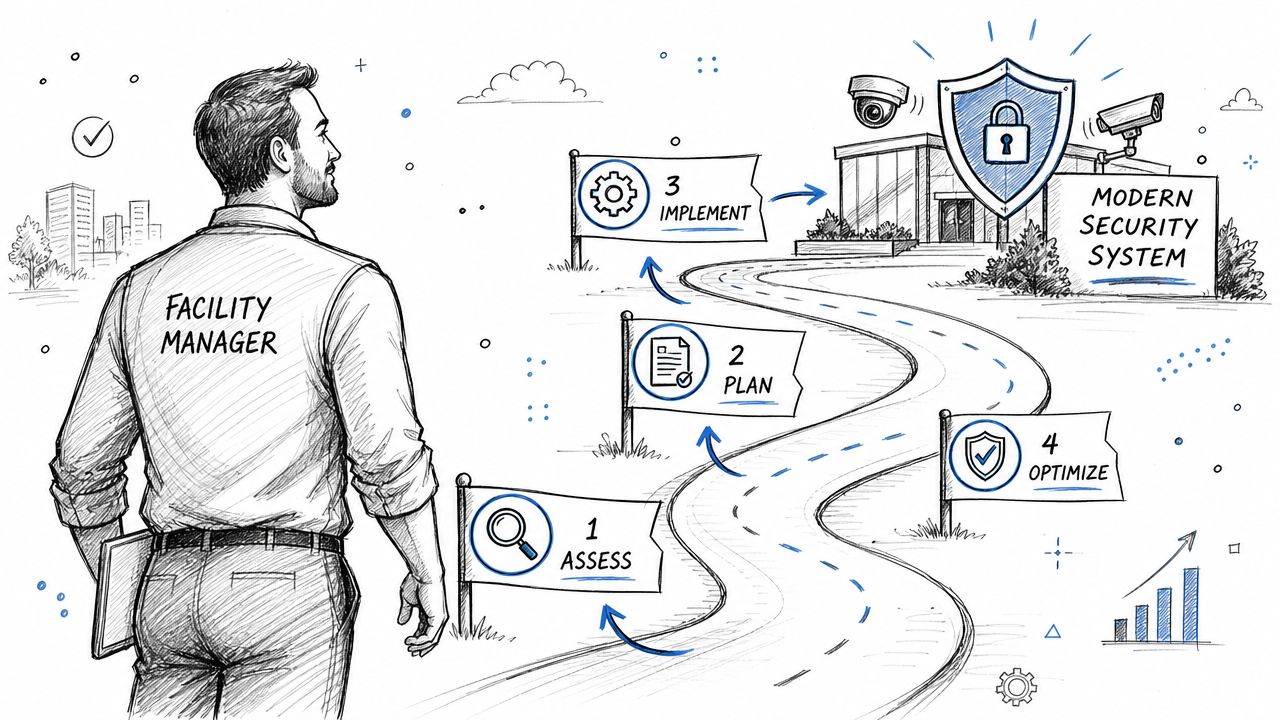
Security upgrades often stall because the project feels bigger than it is. In practice, most properties can modernize in phases if the team starts with the perimeter, the credential rules, and the admin workflow.
That timing matters because the broader market is moving toward unified systems. The commercial security system market is projected to grow at over 7% CAGR through 2032 according to GM Insights coverage of commercial security system growth, driven by demand for platforms that combine access control, video, and cloud management.
Step 1 through Step 2
Step 1: Audit the site
Map every controlled and uncontrolled entry point. Include vehicle gates, pedestrian gates, front doors, side doors, docks, garages, and amenity access.
Step 2: Define who needs access and when
Separate users into real operating groups.
- Residents or tenants: Ongoing credentials with predictable entry needs.
- Staff and managers: Broader permissions, but only for relevant doors and schedules.
- Vendors and contractors: Time-bound access with a clear start and end point.
- Visitors and deliveries: Temporary, approval-based entry.
A lot of security confusion disappears when the property stops treating every entrant the same way.
Step 3 through Step 4
Step 3: Choose technology that fits the existing property
Avoid systems that force a full hardware rip-and-replace if the current gate operator or door hardware still works. Retrofit-friendly platforms usually reduce disruption and make phased deployment easier.
Key selection criteria:
- Connectivity: Cellular is often more stable at the perimeter than site Wi-Fi.
- Administration: Managers should be able to grant and revoke access without being on site.
- Auditability: The platform should show who entered and what action was taken.
- Scalability: Adding more doors or gates shouldn't require starting over.
Step 4: Roll out in phases and train users
Start with the highest-friction entry point. That's often the main gate, call box, or primary building entrance. Then expand to secondary doors and service access.
Good rollout sequencing matters. Fix the entrance that creates the most exceptions first, then standardize the rest.
Training should stay simple:
- Show admins how to issue and revoke credentials
- Explain visitor entry workflows
- Set rules for temporary access
- Retire shared codes and unmanaged remotes
The biggest implementation mistake isn't technical. It's leaving old workarounds active after the new system goes live.
Future-Proofing Your Commercial Property Security
A future-proof commercial security service doesn't depend on one tactic. It combines the right amount of human response with systems that handle routine access cleanly and consistently.
That usually means shifting the conversation away from “guards versus technology.” The better question is which tasks require human judgment and which tasks should be automated, logged, and managed remotely. Properties that answer that objectively tend to make better security decisions and better budget decisions.
For gates, building entrances, and other perimeter control points, the winning traits are clear. The system should be remotely manageable, should keep a clear audit trail, and should scale without forcing a complete hardware replacement. It should also work reliably in the actual conditions of the property, not just in a product demo.
When those pieces are in place, security gets simpler to operate. Managers spend less time chasing exceptions. Residents and authorized users get a smoother experience. Boards and owners get better accountability.
If the property is rethinking guard spend, gate access, or after-hours entry control, Nimbio is worth a look as a practical option for modernizing existing gates and building access with cellular, smartphone-based control. For properties that need a cleaner perimeter workflow and stronger auditability, contacting the team can help clarify what should stay manual and what should move to remote access management.
For commercial properties weighing this decision, see the Nimbio guide for commercial properties.