Firmware updates modify the core hardware behavior of devices such as gate controllers, while software updates change the applications and interfaces used to manage them. In the field, the average installed IoT firmware version was 19.2 months old, and firmware updates were installed 18.6 months after release on average, compared with the faster rhythm typical for ordinary software updates (IEEE research).
A property manager can open the resident app, view the dashboard, and issue a digital credential without noticing that the gate controller still runs vulnerable embedded code. That gap creates a practical security problem: the visible software may work perfectly while the hardware controlling the entry point remains outdated.
For gated communities, multifamily buildings, HOAs, and commercial sites, a firmware update vs software update decision isn't just a technical distinction. It affects gate reliability, authentication, remote access, auditability, and the risk of taking an entry point offline.
Table of Contents
- Introduction – Why the Difference Matters for Your Property
- Defining Firmware and Software in Access Control
- Key Differences in Security and Performance
- Real-World Examples for Gate Systems and Entry Points
- The Critical Role of Over-the-Air Updates
- Best Practices for Property Managers and Installers
Introduction – Why the Difference Matters for Your Property
A resident reports that the app works, the cellular connection appears normal, and the property dashboard loads without trouble. Yet the gate operator behaves inconsistently, an old access path remains exposed, or an installer discovers that several controllers use different firmware versions.
That situation is common because software and firmware occupy different layers. A software update might improve the resident app, add a dashboard function, or correct a display issue. A firmware update changes how the controller communicates with the gate operator, reader, keypad, cloud service, or cellular module.
The UK National Cyber Security Centre guidance on keeping devices and software up to date recommends having processes in place to automate firmware updates.
What each update actually protects
A software update generally protects the application layer. It can improve:
- Resident access: App screens, credential controls, and visitor workflows.
- Administrator operations: Web dashboards, reporting, scheduling, and user management.
- Usability: Bug fixes, notifications, and interface changes.
A firmware update protects the device layer. It can affect:
- Gate control: Commands sent to the operator and the controller's response.
- Authentication: How the device validates cloud instructions or credentials.
- Hardware communication: Readers, relays, sensors, cellular modules, and safety inputs.
- Boot integrity: Whether the device starts only with trusted code.
Practical rule: If an update can change whether the controller starts, authenticates, communicates, or operates the gate, treat it as a firmware change, not a routine app patch.
The distinction matters for Nimbio-style cellular access systems, traditional keypads, call boxes, and retrofit controllers alike. A modern smartphone interface doesn't remove the need to maintain the embedded hardware underneath it.
Defining Firmware and Software in Access Control
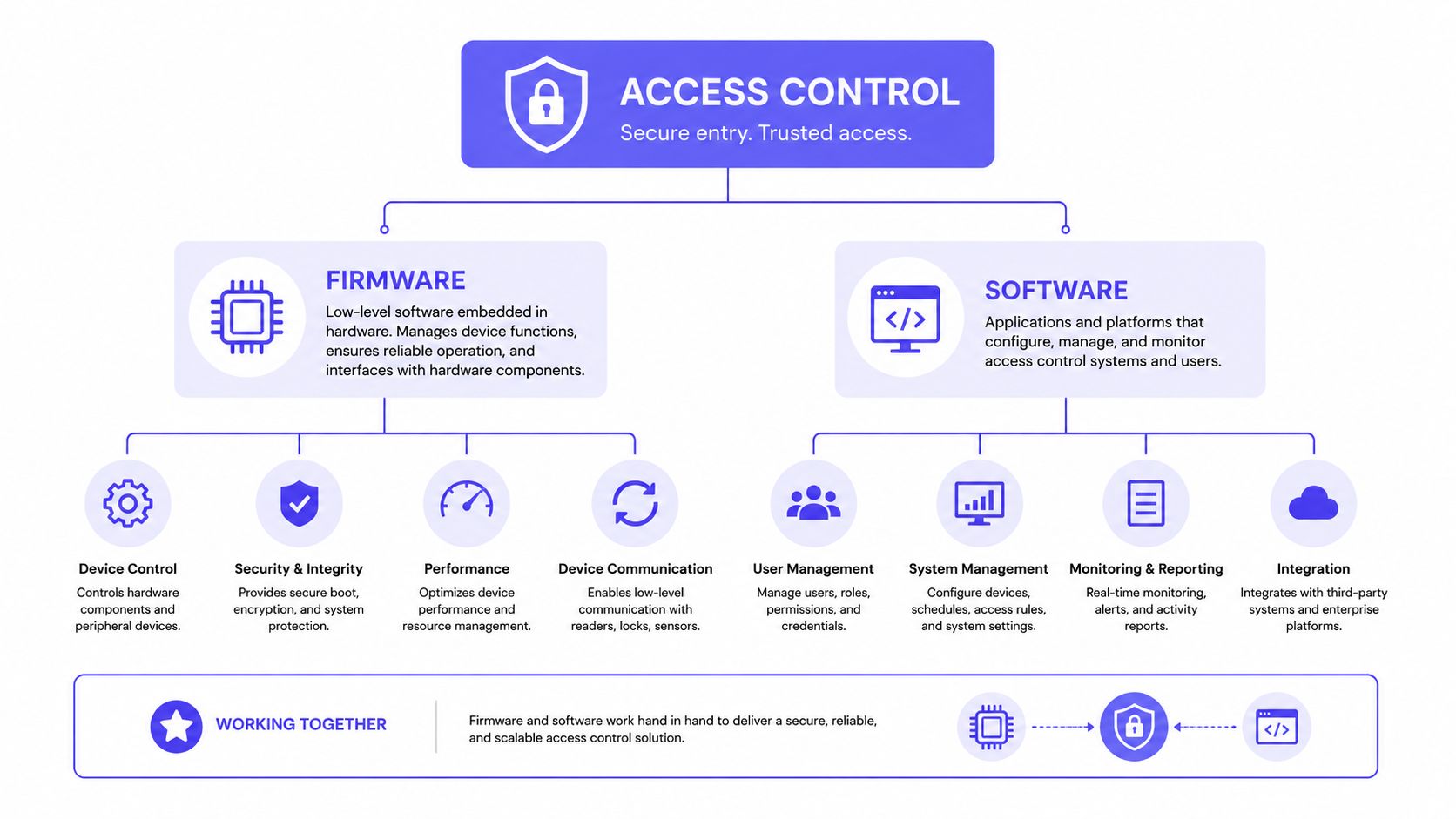
Firmware is embedded code stored on a device such as a gate controller, access reader, keypad, or cellular communication module. It manages low-level operations, including how the device starts, communicates with connected hardware, validates instructions, and responds to physical inputs.
Software usually runs above that layer. In property access control, it includes the resident mobile app, an administrator dashboard, cloud services, and operating-system components that present information or management controls.
The distinction is consistent with IBM's explanation of firmware and software: firmware operates closer to hardware and enables core device functionality, while software generally targets applications and operating-system behavior. Firmware updates are usually less frequent, but they can have greater consequences for start-up, hardware control, and compatibility.
A useful property technology analogy
Think of an access-control system as a building.
- Firmware is the foundation, wiring, and mechanical infrastructure. It determines whether the core system can operate and communicate.
- Software is the furniture, signage, and control panel. It changes how people interact with the underlying system.
- The cloud service is the management office. It coordinates credentials, events, schedules, and administrative actions.
- The gate operator is the physical mechanism. It moves the barrier, but it depends on the controller to receive and interpret commands correctly.
The analogy has limits, but it makes the operational risk clear. A new dashboard feature can't repair faulty controller logic, just as new furniture can't repair damaged wiring.
Why firmware changes require more care
Software updates often have established uninstall or rollback paths. Firmware updates can be more sensitive because the device depends on the code to boot and control hardware. If an update is interrupted or applied incorrectly, the controller may fail to start or need recovery by an installer.
That doesn't mean firmware should be avoided. It means the update process should include authenticated packages, version tracking, staged deployment, power protection, verification, and recovery planning.
Property teams evaluating a cellular retrofit should also understand how cellular gate access works, particularly where the controller sits between the existing gate hardware, the communications network, and the management software.
Key Differences in Security and Performance
A firmware update can change whether an access controller trusts commands, starts correctly, or communicates with connected hardware. A software update usually changes workflows, screens, reporting, or credential administration. The distinction affects how a property team schedules work, tests the result, and plans recovery.
| Area | Firmware update | Software update |
|---|---|---|
| Typical purpose | Authentication, secure boot, encryption handling, compatibility, and controller behavior | Visitor workflows, reporting, interface changes, and application defects |
| Operational risk | A failed installation can interrupt startup, gate control, or communications | User-facing faults are often easier to redeploy or roll back |
| Deployment approach | Staged, authenticated, verified, and monitored | More frequent releases with application testing and rollback |
| Useful measures | Install success, verification, reconnection, hardware behavior, and resource use | Error rates, user impact, deployment time, and rollback results |
| Property impact | May affect gates, readers, keypads, relays, and event capture | May affect how residents and managers issue or review access |
Security controls must work on the controller
Authenticated packages and approved boot paths help prevent a controller from running altered code. Secure boot, signature verification, and version controls matter because an access device may be exposed through both network traffic and physical access.
A dashboard can show a healthy system while a controller still carries an embedded weakness. Software updates can protect the application, improve session handling, and make credential administration safer. They cannot repair a defect inside the controller's firmware.
Treat firmware deployment as a field operation, not just a file transfer. Confirm power stability, record the installed version, verify the package before activation, and check that the controller reconnects after restarting. A failed unit at a remote entry point can create a service call, a resident access problem, or a security exception.
Performance includes reliability and resource use
The useful measurements are practical:
- Did the controller install the package successfully?
- Did it verify the package before activation?
- Did it restart and reconnect to the cloud?
- Did gate inputs, relays, readers, and event logging behave normally?
- Did the process use acceptable CPU, memory, flash storage, and energy?
A published OTA firmware evaluation reported secure updates at about 97% success versus roughly 85% for traditional updates, with CPU usage around 25% versus 15%. The comparison appears in the JETIR OTA firmware evaluation.
For a property portfolio, a success-rate gap of roughly twelve points is an operational planning issue. If the same update is sent across many controllers, the lower-performing method can leave a materially larger group requiring retries, technician visits, or temporary access procedures. Managers should therefore pilot the release on representative sites, measure completion and reconnection, and define a recovery path before wider deployment.
Security controls can improve update reliability while adding resource overhead. Test the complete controller workflow, including gate operation and event reporting, rather than checking only whether the package signature passes.
Real-World Examples for Gate Systems and Entry Points
A gate controller can look healthy from the outside while its embedded security needs attention. Residents may still open the gate, the management dashboard may still show events, and the property may continue operating normally until a firmware defect affects authentication or communication.
Consider a cellular gate controller that validates commands from a cloud service. A firmware release could change how that controller authenticates the service, validates signed instructions, or handles a communication request. That is a hardware-layer security change, even if residents continue using the same app.
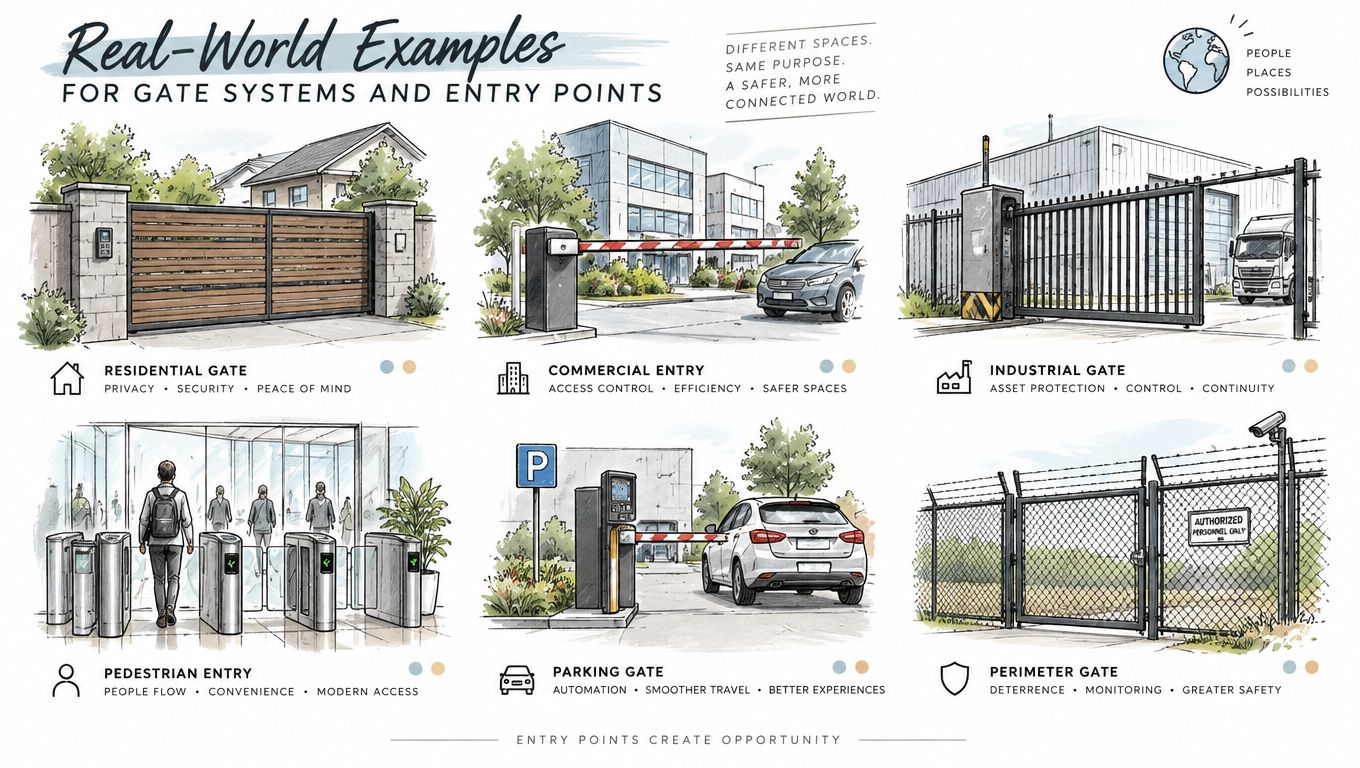
One system, two kinds of change
A practical access-control sequence might look like this:
- Firmware change: The controller receives an authenticated update that improves how it validates cloud commands and communicates with the cellular module.
- Hardware verification: The gate operator, safety loop, relay, and reader are tested after the controller restarts.
- Software change: The management platform adds a visitor workflow that lets a resident review a guest request before granting entry.
- Operational result: The controller remains secure and functional, while the resident gets a clearer way to manage visitors.
These changes work together, but they aren't interchangeable. The application can present a visitor request, yet the firmware must correctly execute the resulting access command.
What firmware enables
According to Lenovo's explanation of firmware updates, firmware controls low-level device operation and hardware communication. In access control, that can include the behavior of:
- Gate controllers and relays
- Readers and keypads
- Sensors and safety inputs
- Cellular communication modules
- Remote hold-open schedules
- Entry-event transmission and status reporting
If firmware doesn't support a function, a dashboard cannot create it through presentation alone. A software interface may offer a scheduling control, but the embedded controller must know how to apply that schedule safely.
What software improves
Software updates usually change the management experience. They might reorganize the administrator dashboard, improve credential workflows, add clearer notifications, or make visitor management easier for residents.
Nimbio's GuestView capability, for example, lets a visitor request entry through a web directory and a phone camera, allowing a resident to visually verify the person before granting access. The resident experience is software-driven, while the controller still needs reliable firmware to receive and execute the final entry command.
That separation helps property managers diagnose faults. If the app displays the right status but the gate doesn't respond, the issue may sit in the controller, relay, operator, or firmware rather than in the app itself.
The Critical Role of Over-the-Air Updates
A gate controller installed during commissioning may still run its original firmware years later. Reaching that device can require a site visit, a maintenance window, the correct package, and a recovery plan if the update interrupts operation. Across a property portfolio, that process becomes difficult to coordinate.
Over-the-air, or OTA, delivery changes the maintenance model. Firmware and software can travel through Wi-Fi or cellular networks, so technicians do not need physical access to every controller. The description of over-the-air updates explains this remote delivery method for embedded devices.
Firmware lag is a measurable field problem
IEEE researchers found that the average installed IoT firmware version was 19.2 months old as of April 2020, and updates were installed 18.6 months after release on average. Smart home devices averaged 77.0 months of firmware age, while access points averaged 11.0 months (IEEE research).
The sample is historical, so these figures do not describe every property portfolio. They do show the operational risk of relying on occasional site visits or memory. Embedded devices at gates, doors, and vehicle entrances can remain uninspected while known fixes accumulate.
Operational reality: A controller without remote update capability often stays on the version installed during commissioning, even after a safer release becomes available.
Cellular connectivity helps at entrances where Wi-Fi is weak, segmented, or unavailable. The access system can maintain its own communication path instead of depending on a resident network or a property-wide wireless signal. That matters for remote gates and retrofit projects where adding network infrastructure would cause extra downtime.
What automated OTA needs to do well
Automation requires more than sending a file and waiting for the controller to reconnect. A dependable process includes:
- Authenticated delivery: The device accepts only approved update packages.
- Version awareness: Staff can identify controllers that need attention.
- Staged deployment: A pilot device or low-impact gate receives the update before wider rollout.
- Post-update checks: The platform confirms reconnection, command response, and event reporting.
- Failure alerts: Staff learn when a device does not complete the process.
- Recovery controls: The controller can return to a known-good version where supported.
Property teams can review Nimbio's OTA update guide for gated communities when fitting remote maintenance into an HOA security process. Before deployment, confirm how updates affect gate timing, relay behavior, safety inputs, cellular reconnects, and scheduled access. A successful download is not enough if residents cannot open the gate or event records stop arriving.
Best Practices for Property Managers and Installers
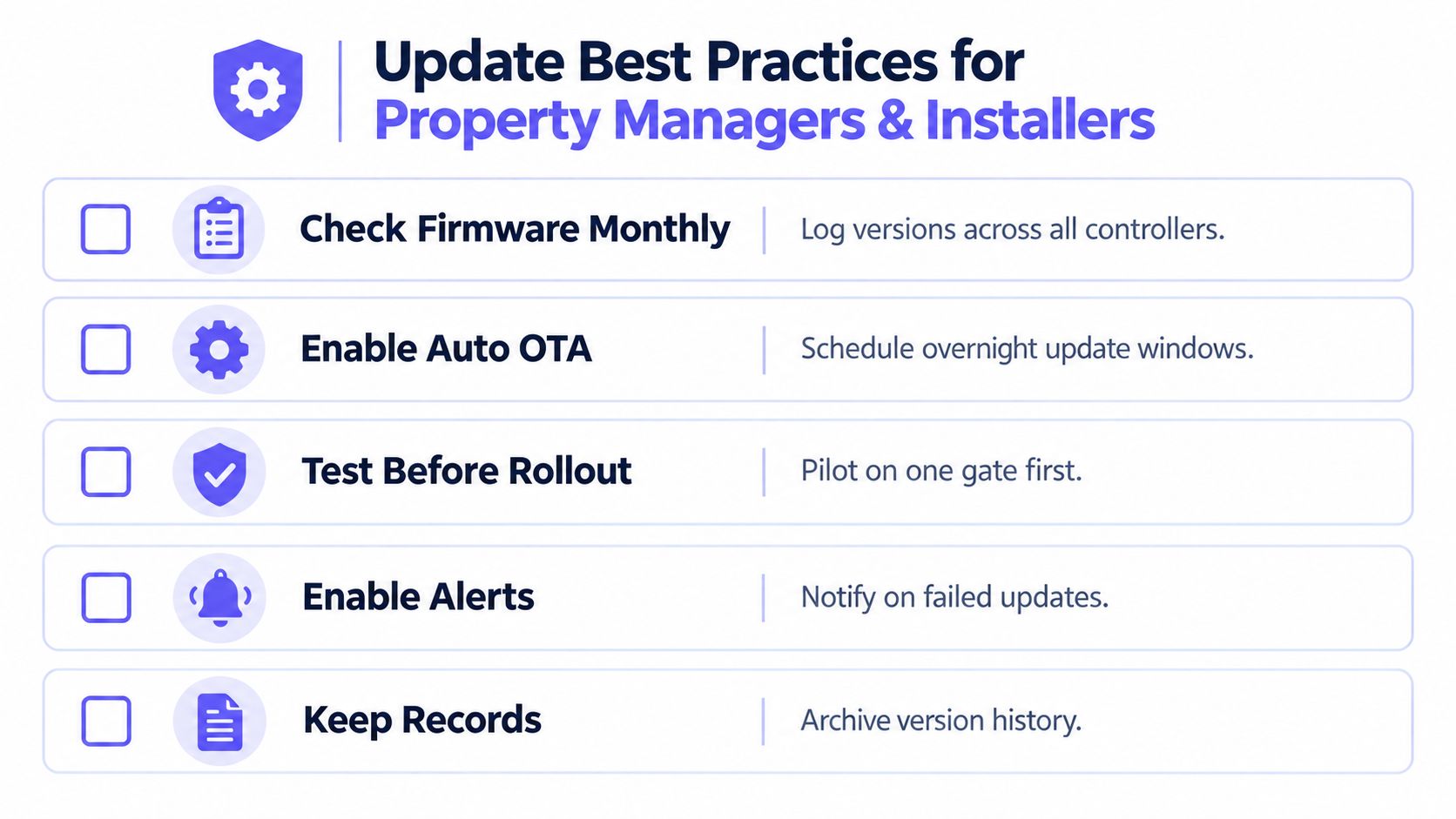
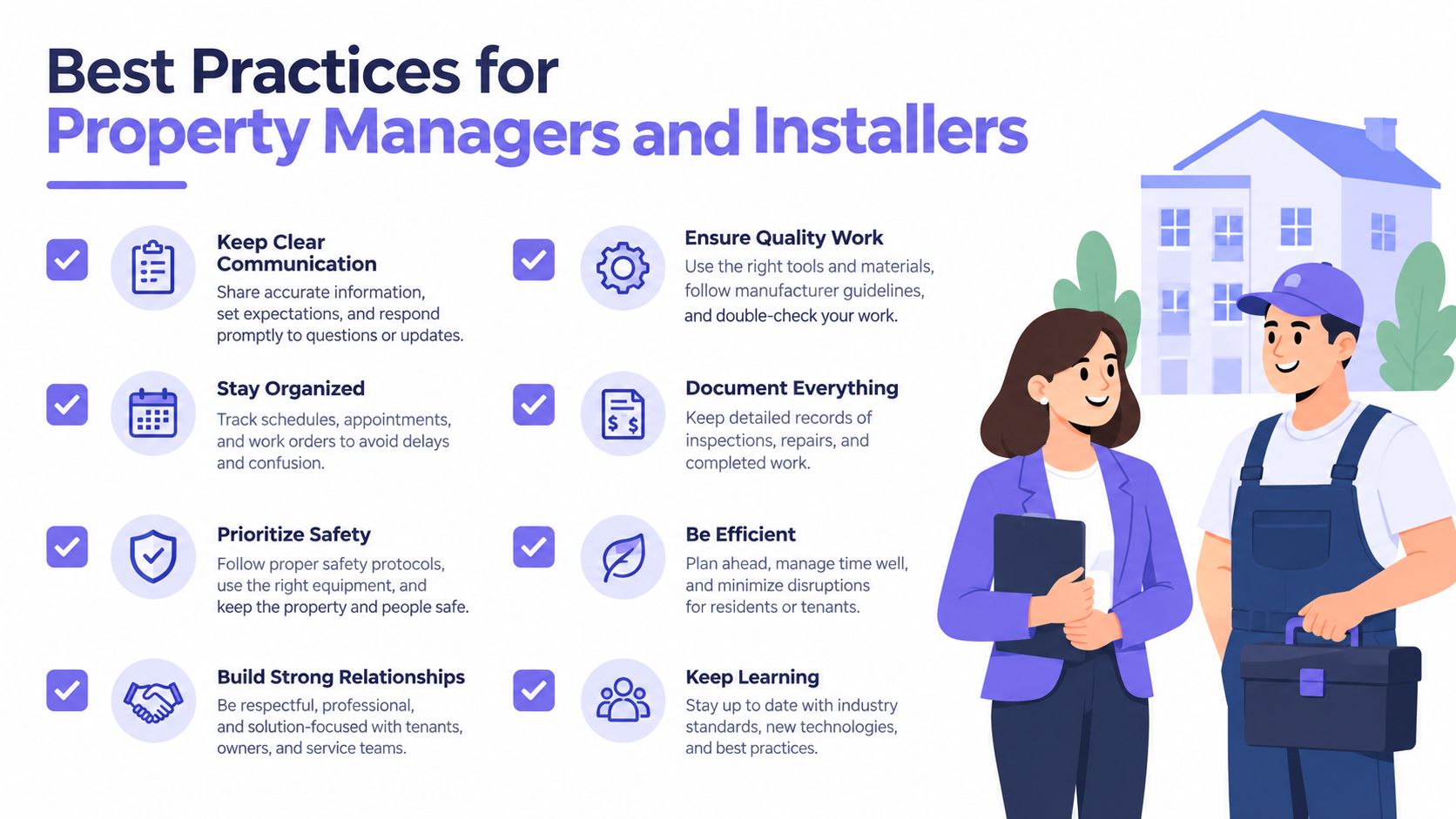
A gate can open normally while its controller, reader, or communication module runs outdated code. Build an update program around an accurate inventory. Record every controller, gate operator, reader, keypad, communication module, and management application, along with its current version, location, and responsible installer.
This record exposes a common field problem: staff update the visible management software while older embedded devices remain untracked. Use the maintenance guidance noted earlier to keep versions current and define who approves, tests, documents, and follows up on each release.
A practical maintenance routine
Record versions before changing anything. Capture firmware, application release, device identity, gate location, and installer details. Include hardware dependencies that could affect operation.
Separate test environments from live entrances. Use a spare controller, lab operator, or low-impact gate before changing the main resident entrance. Confirm normal entry, exit, credentials, and event reporting.
Schedule controlled maintenance windows. Coordinate the work with an HOA board approval cycle, resident notices, delivery schedules, and the installer's service calendar. Avoid move-ins, emergency access windows, and other high-use periods.
Confirm recovery behavior. Ask whether the system supports rollback, retry logic, safe boot, or local recovery if power or connectivity fails during installation. Document the recovery contact and access method before starting.
Verify the whole access path. Test the app, cloud command, cellular connection, relay, gate operator, safety sensors, hold-open schedule, and event log. A completed installation does not confirm that residents can enter or that records are arriving.
Enable alerts and preserve records. Failed updates need an actionable notification. Completed updates should remain traceable for audits, board reporting, and vendor support.
Questions for an access-control vendor
Before approving a platform, property managers and installers should ask:
- Are firmware packages authenticated before installation?
- Can updates use cellular connectivity when Wi-Fi isn't available?
- Can the vendor identify devices that missed an update?
- Does the system verify the controller after reboot?
- What happens if power or connectivity fails during installation?
- Can the team test a release on one gate first?
- Does the platform retain version and update history?
- Can existing operators, remotes, readers, and keypads remain in place?
The guidance on what to look for in a gate access system helps compare cellular connectivity, retrofit compatibility, credential management, and remote administration. Ask the vendor to map each update to the service schedule, approval process, and post-installation checks.
A solution such as Nimbio uses a cellular retrofit approach for electronic gates and building entries, supports remote credentials and visitor management, and provides OTA maintenance for connected hardware. Evaluate whether the controller, communication path, management software, and recovery process remain maintained as one operational system.
Nimbio provides cellular, smartphone-controlled access for electronic gates and building entries, with remote credentials, visitor management, entry logs, and OTA firmware maintenance without relying on Wi-Fi. Property managers, HOA boards, and installers can visit Nimbio to assess a retrofit approach that keeps existing gate hardware in service while simplifying update and access administration.