

A gate fails at the least convenient moment. The keypad stops accepting a shared code during a delivery window, a resident loses a clicker, or a property manager has to drive across town to remove access for a former tenant. The gate operator may still work perfectly, but the access layer has become difficult to control.
That distinction matters. Gate access control systems don't need to replace a functioning motor to modernize entry. A cellular-first retrofit can connect existing electronic gates to smartphone credentials, temporary visitor access, and remote audit logs without depending on the property's Wi-Fi or trenching new network cable.
The global category is substantial. One market report estimates the broader access control market at USD 10.76 billion in 2024, with a projection of USD 17.30 billion by 2030, representing an 8.4% CAGR from 2025 to 2030. The same source values access control gates at about USD 3.5 billion in 2023 and projects USD 6.8 billion by 2032, a 7.8% CAGR across that forecast period (DataIntelo's access control gates market report). For HOAs, multifamily owners, logistics operators, and installers, the practical question isn't whether the category is growing. It's which architecture will keep working when connectivity, staffing, and hardware conditions become inconvenient.
Table of Contents
- What Gate Access Control Looks Like in Practice
- Core Concepts Behind Gate Access Control Systems
- Types of Gate Access Control Systems Compared
- Key Features That Define Modern Gate Access Control
- Installation, Retrofits, and Integration Considerations
- Use Cases for HOAs, Homeowners, and Commercial Properties
- Common Misconceptions About Gate Access Control
- How to Choose the Right Gate Access Control Solution
What Gate Access Control Looks Like in Practice
The HOA board meeting starts with a familiar complaint. The entrance keypad still opens the gate, but everyone knows the same shared code, the callbox handset is unreliable, and residents keep reporting lost remotes. A board member proposes replacing the entire entrance system. Another asks whether a cellular retrofit can preserve the existing LiftMaster operator and shorten the disruption.
The debate isn't only about hardware.
- Cost: A full replacement can introduce new readers, controllers, wiring, and configuration work.
- Downtime: Residents still need access while equipment is being changed.
- Compatibility: The existing operator may be serviceable even though the credential system is obsolete.
- Administration: A manager needs to revoke access without collecting every fob or changing a code for the whole community.
The board chooses an add-on approach. Residents receive smartphone credentials through a residential gate access control system, while selected visitors receive temporary entry instructions. Existing remotes remain available during the transition, so the community doesn't have to force every resident onto one access method on the first day.
The morning after installation, the daily trade-offs become visible. A resident opens the gate from a phone instead of searching for a clicker. A delivery driver uses a temporary code while a brief power dip affects the property. The manager checks the access history from a phone rather than waiting for a resident to explain who entered.
The problems become administrative, not mysterious
The system doesn't eliminate every failure. A weak cellular signal, a failing operator, or a badly configured relay can still interrupt entry. What changes is the manager's ability to identify the failure and respond without issuing another universal code.
That same pattern appears in multifamily properties, gated neighborhoods, and commercial entrances. The right retrofit preserves working gate hardware, separates resident and visitor permissions, and records enough information to investigate disputes.
The rest of the decision comes down to the components behind that morning routine, the credential types they support, and how they behave during outages.
Core Concepts Behind Gate Access Control Systems
Gate access control is a chain of four functional steps:
- A credential is presented. The driver enters a PIN, uses an app, presents a card, scans a code, or requests entry through an intercom.
- A reader receives the credential. The reader captures the input and passes it to the access controller.
- The controller checks permission. It evaluates the credential against rules such as identity, time window, gate, and visitor status.
- The controller signals the operator and records the event. The operator moves the gate, while the network pathway sends the result to the management platform.
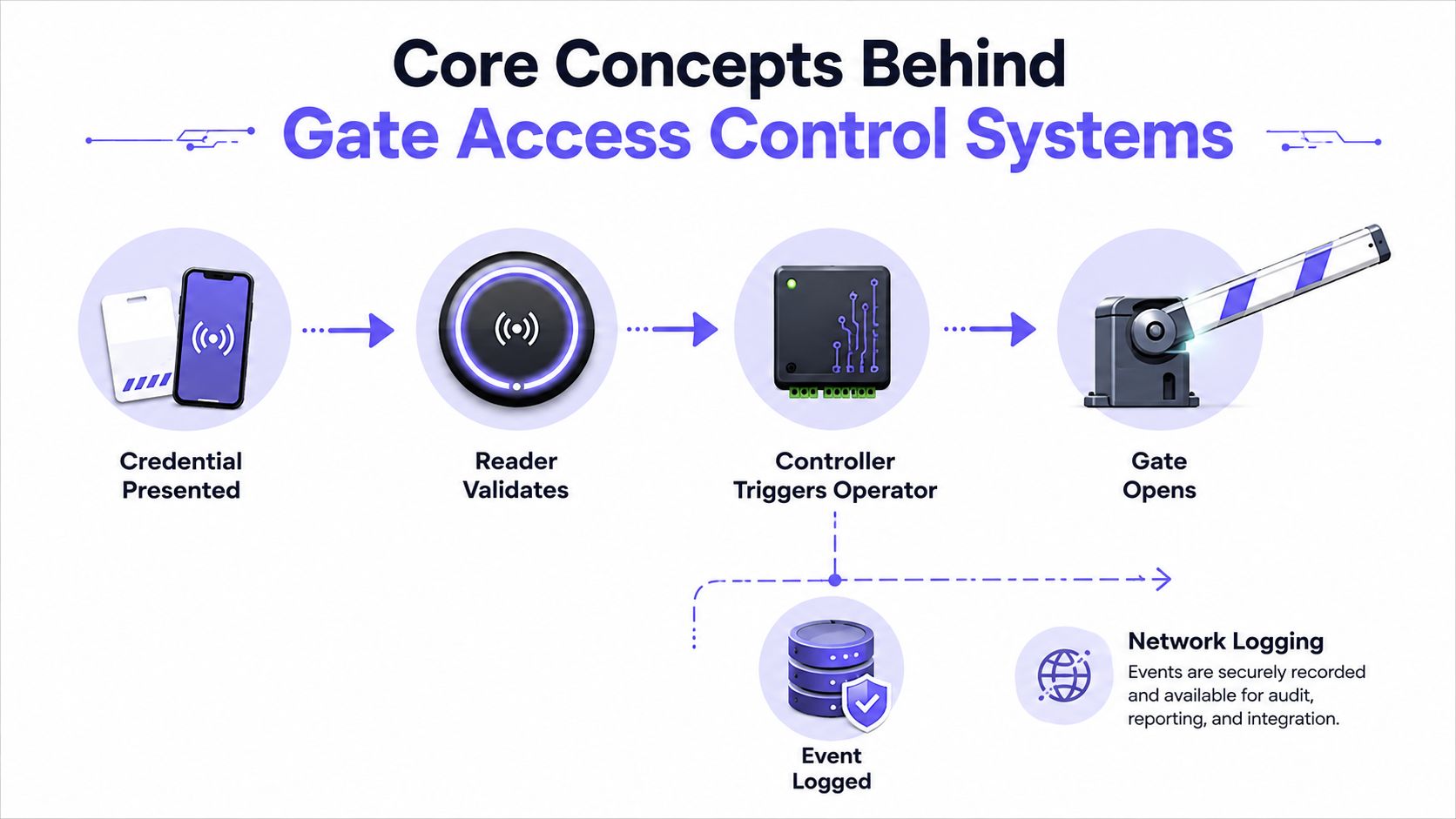
The operator is the motorized mechanism that physically opens and closes the gate. The controller is the decision-making hardware that tells the operator when an authorized event occurs. Confusing those parts causes poor retrofit decisions. A property can retain a working DoorKing, LiftMaster, or Viking operator while upgrading the credential and management layer around it.
Follow the failure path
When entry fails, the fault usually sits in one of three places:
- Credential: The PIN expired, the resident's mobile permission was revoked, or the card wasn't authorized for that gate.
- Radio or local pathway: Cellular signal, power, wiring, relay behavior, or the reader is unavailable.
- Cloud link: The controller can't reach the remote management service, so remote commands and reporting may be limited.
Resident credentials should be persistent and individually assigned. Visitor credentials should be temporary, limited by time or access point, and easy to revoke. Vendor credentials need enough duration to support scheduled work without becoming permanent community-wide access.
For readers that still use physical codes, property owners may also need a practical reference for changing legacy entry credentials. A guide to how to reset garage door codes can help explain the difference between changing a local keypad code and managing credentials through a centralized access platform.
A cellular retrofit deserves a clear explanation before approval. The guide to how cellular gate access works shows how a remote command can travel through a cellular connection to the controller, which then triggers the existing gate operator.
Types of Gate Access Control Systems Compared
No credential method solves every operating problem. A keypad reduces the need to distribute hardware, but a shared PIN is difficult to attribute. Cards and fobs create individual identities, but administrators must issue, replace, and collect physical credentials. Intercoms support human verification, while Wi-Fi and cellular describe the network path rather than the credential itself.
| System Type | Credential | Connectivity | Best For | Retrofit Friendly |
|---|---|---|---|---|
| Keypad | PIN | Local wired power, with optional network layer | Low-complexity residential entry | Usually, if the operator accepts the relay |
| Card or fob | RFID, magnetic stripe, or proximity credential | Local reader and controller | Communities needing physical credentials | Often, subject to reader and controller compatibility |
| Intercom | Voice or video request, sometimes paired with PIN | Telephone, wired network, or cellular path | Visitor verification and guard-assisted entry | Often, if the existing panel and operator can interface |
| Wi-Fi | App, code, or reader credential | Property internet and local wireless network | Gates near reliable network coverage | Sometimes, with network and signal limitations |
| Cellular | Smartphone credential, PIN, or temporary visitor code | Cellular network | Remote entrances, multifamily, commercial, and sprawling sites | Strong fit for many existing operators |
Where each system works and fails
Keypads remain practical at a standalone home or low-traffic driveway. They become harder to govern in a multifamily setting because residents share codes with vendors, guests, and former occupants.
Cards and fobs can be dependable at the gate, especially when the site needs a familiar physical credential. They also create administrative work and may lock a property into a particular reader technology. Magnetic stripe cards, for example, aren't automatically interchangeable with proximity systems.
Intercoms add a human approval step, but aging telephone infrastructure can become difficult to maintain. Video helps only when the camera, audio path, lighting, and remote answer workflow operate together.
Wi-Fi is convenient when the gate sits close to a stable property network. It remains dependent on that local internet connection, so a router or ISP failure can remove remote functionality.
Cellular systems avoid the need for internet service at the gate. One comparison states that cellular access can function during an internet or power outage, while Wi-Fi is dependent on local internet service and can become unusable when that connection fails (cellular versus Wi-Fi gate access comparison). Cellular coverage still needs testing, and power resilience still needs design.
A broader facility manager security systems guide can help teams compare physical access layers beyond the gate itself. For properties modernizing an existing operator, understanding how a GSM gate opener works clarifies why a cellular controller can be more retrofit-friendly than a new networked gate stack.
Key Features That Define Modern Gate Access Control
Modern gate access control earns trust through administrative detail, not a glossy app. A system should tell a manager what happened, identify the credential involved, show whether the request was granted or denied, and reveal whether a communication or controller failure affected the result.
NIST evaluation guidance treats denied requests, granted requests, and system failures as core access-control logging metrics (NIST access-control evaluation guidance). That gives property teams a useful test. If the dashboard records only successful openings, it can't reconstruct attempted misuse or distinguish a security event from an equipment outage.
The features managers actually use
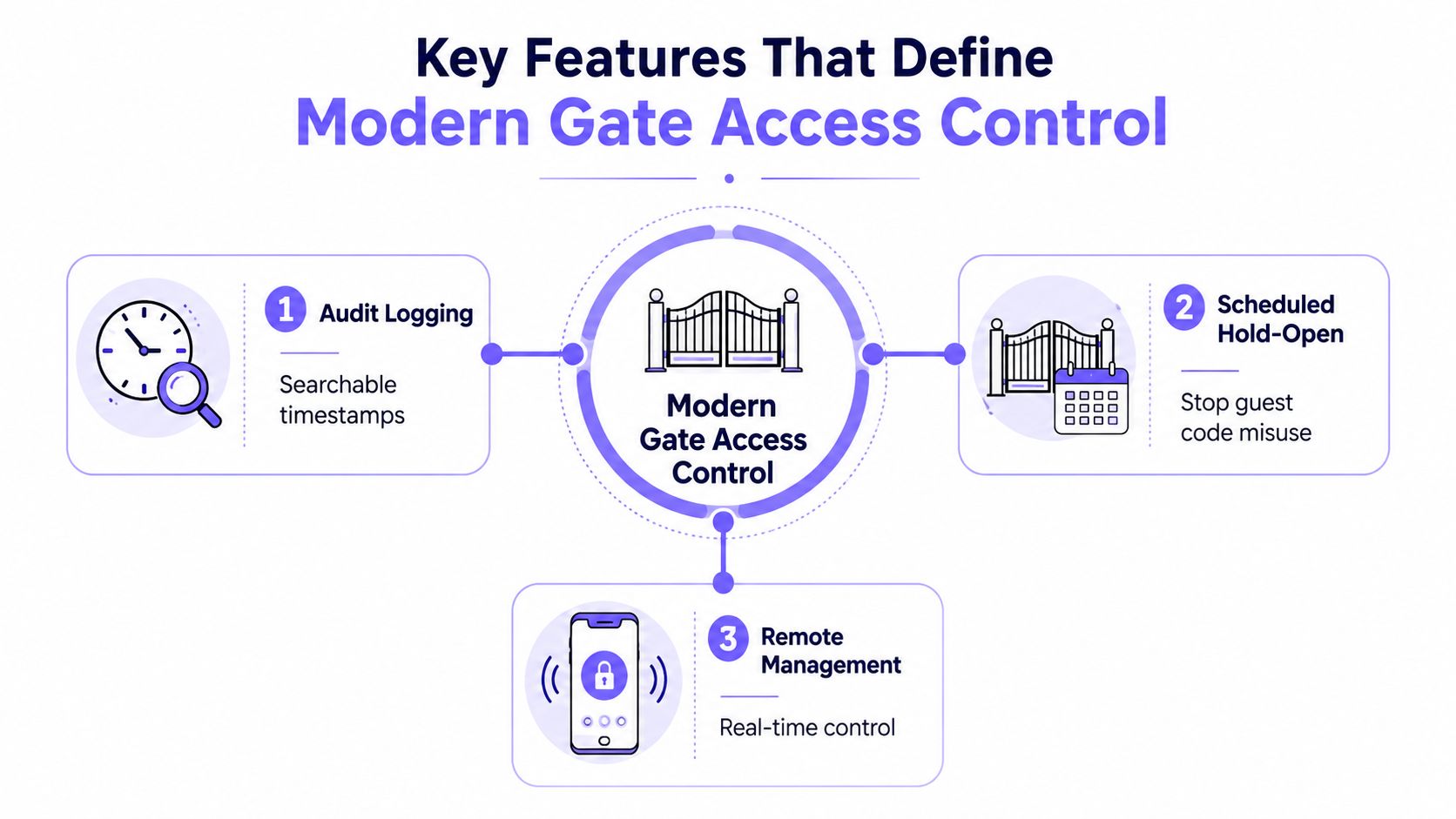
- Audit logging: Searchable timestamps should include granted events, denied attempts, controller faults, and remote opening commands. Logs should be exportable for board review or incident response.
- Scheduled hold-open: A gate can remain open during an approved move-in period, amenity event, or service window, then return to normal enforcement automatically. This limits the temptation to leave a guest code active indefinitely.
- Remote management: Administrators should add, suspend, revoke, and schedule credentials without visiting the gatehouse. Multi-admin permissions prevent one person's account from becoming the only path to control.
- Video verification: Pairing an opening request with video can help residents and staff verify who is waiting. The usefulness depends on camera placement, lighting, retention, and a dependable event association.
- Local resilience: A controller should explain what it stores locally when cellular service drops and how it synchronizes events after communication returns.
- Credential revocation: A lost fob, departing tenant, or canceled vendor visit should result in a clear status change, not a request to retrieve every physical token.
Features such as license plate recognition and tailgating detection require deeper integration than a marketing checkbox suggests. They depend on camera position, traffic flow, lighting, vehicle spacing, operator timing, and the system's ability to correlate detection with an actual gate cycle.
Practical rule: A gate system is only as auditable as its denied events, failure states, and administrative changes.
Installation, Retrofits, and Integration Considerations
A cellular-first retrofit typically adds a controller to the low-voltage side of an existing gate operator. The installer doesn't need to replace a functioning motor just because the keypad or remote-management method is outdated.
Compatibility still has to be verified before a quote is approved. The installer should inspect:
- Operator model: LiftMaster, DoorKing, Viking, FAAC, Nice, Mighty Mule, or another supported manufacturer.
- Power path: Available voltage, current capacity, grounding, and enclosure conditions.
- Trigger method: Dry contact, wet contact, or a manufacturer-specific input.
- Relay requirements: Whether the controller needs one relay for opening or additional relays for doors, pedestrian gates, or auxiliary functions.
- Existing wiring: Cable condition, conduit, distance, and exposure to weather or vehicle impact.
A retrofit can avoid trenching and new Ethernet runs, but it doesn't make unsafe gate construction acceptable. Automated vehicular gates are governed by ASTM F2200 for gate design and installation and UL 325 for gate operators. Guidance from the Door and Access Systems Manufacturers Association explains that access-control equipment must work with compliant operator hardware and compatible safety devices, because strong authentication can't remove crush or entrapment hazards (DASMA guidance on automated vehicular gates).
| Operator | Typical Wiring | Retrofit Fit | Notes |
|---|---|---|---|
| LiftMaster | Low-voltage trigger or accessory input | Often suitable | Confirm model-specific terminals and relay behavior |
| DoorKing | Operator or telephone-entry interface | Often suitable | Check input type and existing panel integration |
| Viking | Low-voltage control input | Often suitable | Verify voltage, relay, and safety-device compatibility |
| FAAC, Nice, or Mighty Mule | Model-dependent control terminals | Possible | Require an installer compatibility review |
The budget should separate the cellular controller, recurring service, optional video, enclosure or wiring work, and repairs discovered at the operator. A retrofit won't cure a gate that already has damaged loops, misaligned limits, degraded safety edges, or an unreliable motor.
Offline behavior deserves a written answer. Remote commands may be unavailable during a communication outage, but properly designed local credentials and cached decisions can keep authorized entry moving. The vendor should explain how events are stored, when they synchronize, and what residents see during maintenance.
Use Cases for HOAs, Homeowners, and Commercial Properties
The same cellular retrofit can serve different properties because the policy changes, not necessarily the gate hardware.
HOAs need governance
A multifamily or HOA manager may need separate rules for residents, board members, landscapers, cleaners, and emergency contractors. A vendor credential can be restricted to a work window, while a resident credential remains active until a lease or ownership status changes.
That structure reduces dependence on a universal code. It also gives a new manager a usable record during board turnover, when informal knowledge about who has access often disappears.
Visitor management requires more than issuing a code. Trend coverage describes pre-registration, temporary credentials, and digital visitor tracking as increasingly important parts of connected access control, while also identifying credential sprawl and cybersecurity as unresolved operational concerns (access-control trends for 2025).
Homeowners need simplicity
A single-family owner usually doesn't need a tenant directory or a guardhouse workflow. The useful configuration may be a private smartphone credential for household members, a temporary code for a dog walker, and a separate access rule for a contractor.
The replacement for a universal driveway PIN should be easy to revoke. A homeowner shouldn't have to reprogram every authorized person because one service provider no longer needs entry.
Commercial sites need throughput and accountability
A warehouse or distribution facility has a different pressure point. Shift changes, fleet arrivals, and delivery exceptions can create queues, so the site may need scheduled access groups, driver-specific permissions, and an interface that staff can manage without standing at the gate.
Compliance can also shape the design. CMMC Level 2 guidance calls for documenting physical access to sensitive areas, logging who entered and when, escorting or monitoring visitors, and maintaining tamper-resistant, reviewable audit records (CMMC visitor logging guidance). PCI visitor-log guidance calls for the visitor's name, the firm represented, and the onsite person authorizing access, with a minimum retention period of three months (PCI visitor log requirements).
Common Misconceptions About Gate Access Control
The most expensive gate failures often begin with a reasonable-sounding assumption.
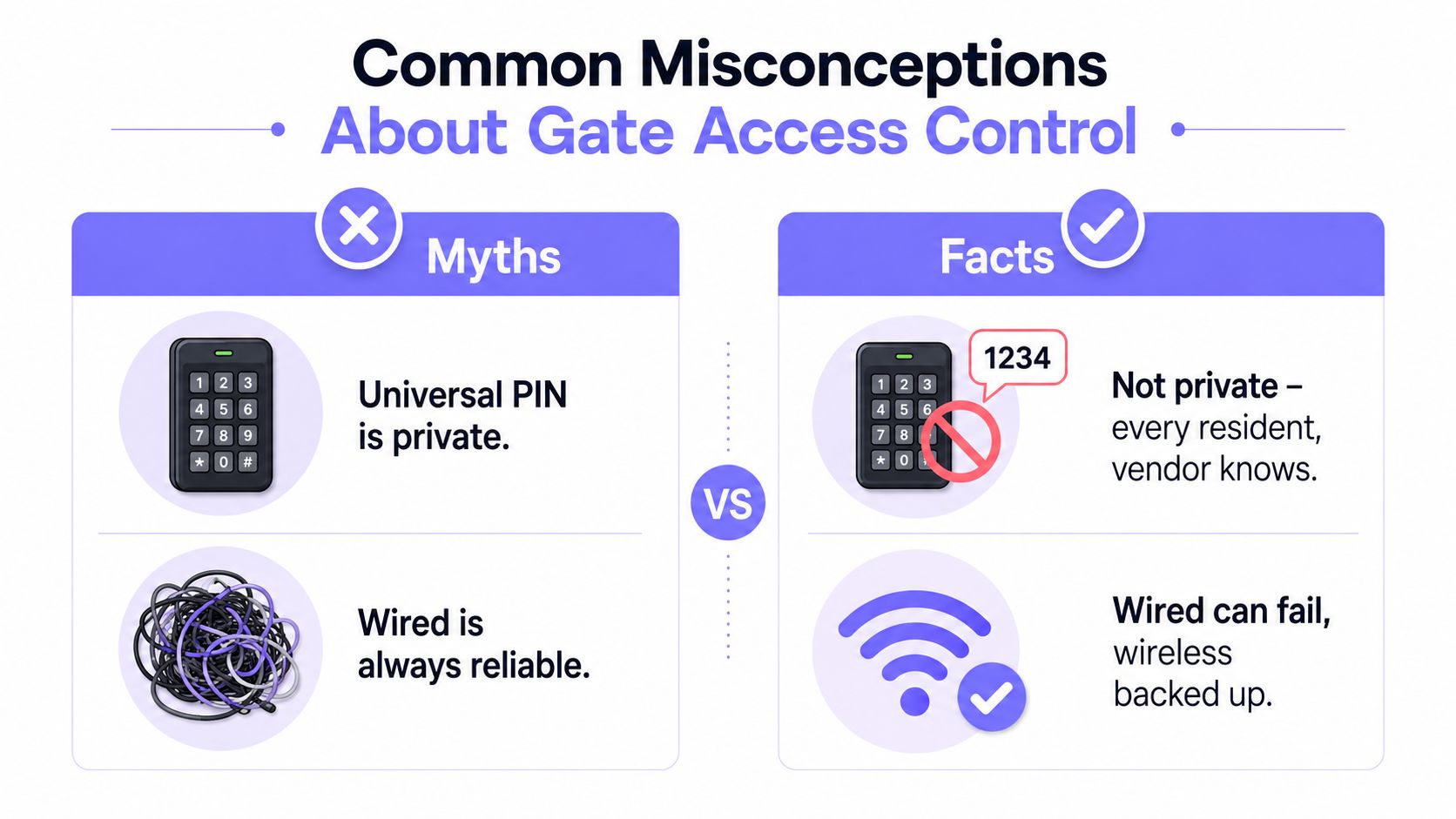
Myth: A universal PIN is private enough. It isn't. Residents share it with guests, vendors, and delivery drivers, and former users may retain it after their relationship with the property ends. The safer alternative is an individual credential or a temporary code with a defined expiration.
Myth: A wired keypad is automatically reliable. Wiring can protect a reader from wireless congestion, but it doesn't guarantee reliable power, memory retention, clean relay behavior, or an audit trail. A keypad that forgets settings after a power cycle can create an operational emergency rather than a security advantage.
Myth: Wi-Fi is always the modern choice. Wi-Fi works well where the gate has dependable network coverage and stable internet service. It becomes fragile when the entrance sits at the edge of the property, the access point is poorly positioned, or the ISP fails. Cellular avoids the property's router path, although signal strength and backup power still require testing.
Myth: Existing access hardware is automatically interchangeable. Card technologies, readers, Wiegand formats, relays, and operator inputs can vary by manufacturer. Mixing brands without checking interfaces creates lock-in and troubleshooting disputes.
Myth: Remotes cost nothing after installation. Batteries fail, remotes disappear, and residents often keep old credentials after moving. Physical devices need an inventory and revocation process.
Myth: A cloud dashboard guarantees control during every outage. A dashboard depends on a communication path. Buyers should ask what the gate does locally, which credentials are cached, and whether stored events synchronize after service returns.
How to Choose the Right Gate Access Control Solution
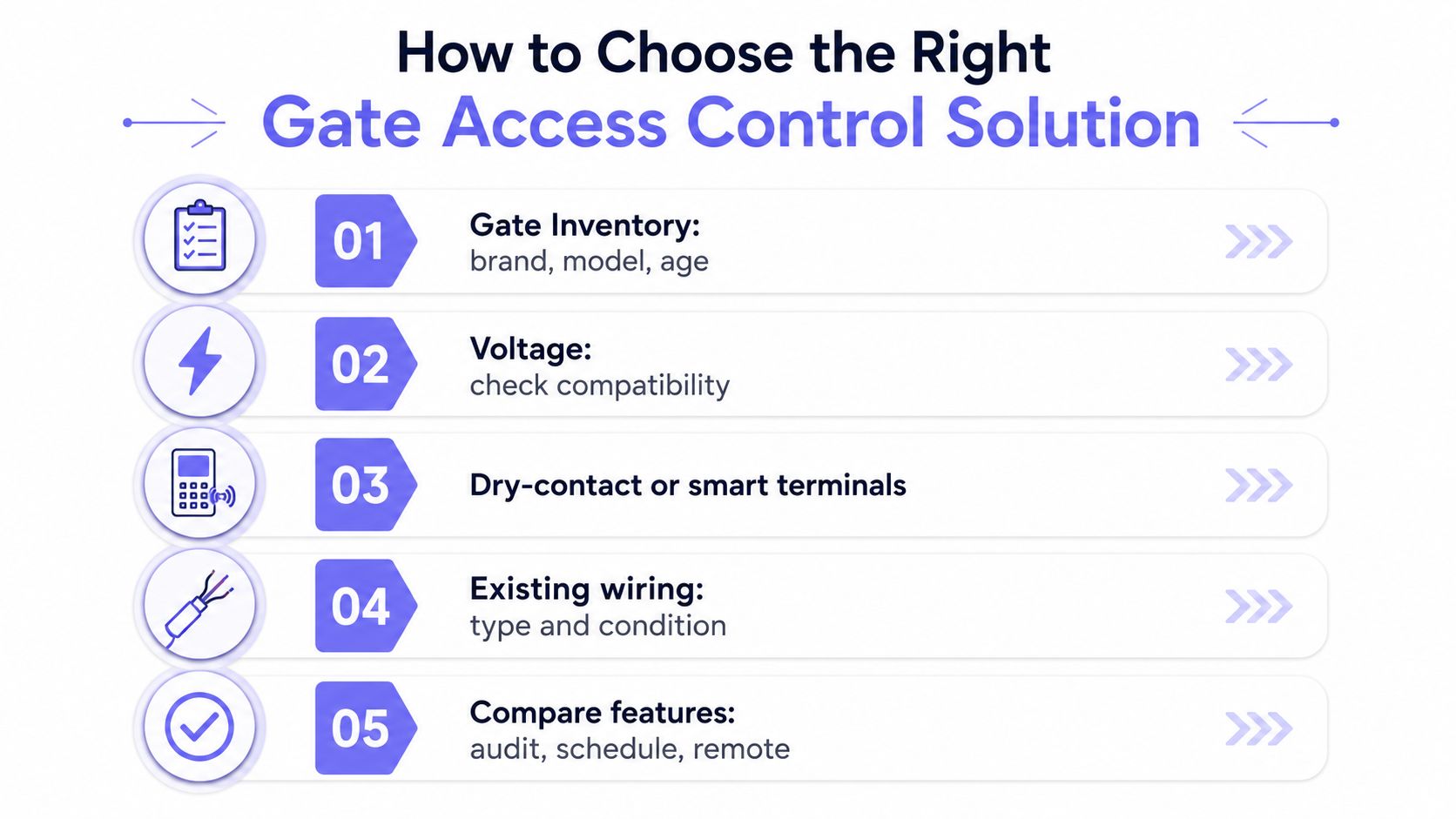
A purchase decision should begin at the gate, not in a product brochure. The property team should inventory every entrance and record the operator brand, model, age, available terminals, power conditions, and existing wiring.
The selection process can follow five practical steps:
- Document the operator. Photograph the label, control board, terminals, safety devices, and enclosure. Model compatibility is more useful than a generic promise that the system works with automatic gates.
- Define credential groups. Residents and staff may need persistent app-based access. Short-term guests and contractors may need cellular-delivered codes with limited validity.
- Test resilience. Ask what happens during cellular loss, local internet failure, power interruption, weak signal, and planned maintenance. A provider should describe local operation and event recovery in plain language.
- Review administration. Confirm how quickly managers can revoke credentials, whether permissions can be delegated, what each credential costs, and whether the carrier arrangement creates a contractual lock-in.
- Pilot one entrance. Test one gate with real residents, visitors, vendors, and failure conditions before expanding across the community.
Security and service questions belong in the quote
The technical review should include TLS 1.2 or stronger, rotating keys, and two-factor authentication for administrator accounts. The contract should also specify warranty coverage, firmware-update practices, support response, data export, and an exit process if service quality declines.
Nimbio offers a cellular retrofit and smartphone access platform that can connect with existing electronic gates and building-entry hardware, while allowing administrators to grant, revoke, and schedule digital credentials and review entry activity. Property teams evaluating gate access control systems can visit Nimbio to discuss a cellular-first retrofit for their existing operator, visitor workflow, and outage requirements.
Not sure which setup fits your property?
Nimbio covers gates and doors across property types. Explore all Nimbio solutions →


