

A resident reports that the main gate was left open overnight. The property manager needs to determine whether a resident opened it, a visitor used an active credential, a gate operator malfunctioned, or someone triggered a manual override. Without a reliable record, the board is left with assumptions instead of evidence.
Learning how to read event logs gives HOA boards, facility managers, and security installers a practical way to answer those questions. In a modern smart community, access records connect digital credentials, gate operators, call boxes, and building doors to a security timeline that people can review and act on.
Table of Contents
- The Role of Event Logs in Property Access Control
- Key Fields to Monitor in Entry Logs
- Filtering and Searching Access Logs Effectively
- Auditing Logs for Security Incidents
- Troubleshooting Common Gate and Entry Anomalies
- Best Practices for Log Retention and Management
The Role of Event Logs in Property Access Control
Traditional IT teams read event logs to understand what happened inside an operating system. Microsoft identifies Application, Security, and System as core Windows Event Viewer logs, and notes that these channels have existed since Windows NT 3.1 in its overview of Event Viewer. That history matters because event logging has always served a larger purpose than finding software errors.
A useful log helps reconstruct who did what, when, and how. NIST audit-trail guidance describes records that identify the time of an event, the user ID, the program or command involved, and the result. It also points to successful and failed logons, timestamps, devices, and actions after login as important parts of a system audit trail.
Physical access systems follow the same logic. A gate-entry event should help a manager identify the credential, location, access method, decision, and surrounding activity. A denied mobile credential followed by a forced-entry alert tells a different story from a granted entry followed by a gate-position fault.
From local records to cloud dashboards
Legacy access systems often keep records on a local controller, desktop, or proprietary server. That arrangement can make investigations slow, especially when the manager isn't on site or the equipment has been replaced, disconnected, or damaged.
A cloud-based access control dashboard gives authorized users a central view of entry activity. Cellular keyless entry systems add another practical advantage, they can communicate without depending on a property's Wi-Fi network, so a local wireless outage doesn't automatically erase visibility into access activity.
Practical rule: A gate log should answer the same basic questions as a security audit trail, who acted, what happened, where it happened, and when it happened.
For HOA security, that evidence supports resident complaints, vendor troubleshooting, credential reviews, insurance documentation, and incident reports. A platform such as Nimbio can record access activity from retrofitted electronic gates and building entry points while supporting remote visitor management and digital credential control. The important outcome isn't a longer list of events. It's a more defensible connection between an entry record and the physical condition of the property.
Key Fields to Monitor in Entry Logs
An access log becomes useful when each column maps clearly to a real-world action. Property managers shouldn't treat a dashboard row as an isolated status message. They should read it as a compact account of an interaction with a gate operator, door controller, call box, or visitor workflow.
OWASP recommends that application logs capture the “when, where, who and what” of each event, including timestamps, interaction identifiers, actions, objects, and outcomes. The same principle applies to physical access control.
| Log Field | Description | Security Value |
|---|---|---|
| Timestamp | The recorded date and time of the interaction | Establishes sequence and supports comparison with camera footage, resident reports, or maintenance activity |
| User or key ID | The resident account, administrator, visitor credential, or digital key involved | Connects the event to an accountable identity instead of a shared PIN |
| Entry method | The mechanism used, such as a mobile app, Bluetooth, remote visitor link, or administrative action | Shows whether the activity followed an expected access path |
| Location or device | The gate, door, call box, or controller that generated the record | Identifies the affected entry point and supports cross-site comparison |
| Final result | The system decision, such as granted, denied, or forced | Separates successful access from rejected attempts and physical exceptions |
| Interaction context | A visitor request, scheduled hold-open period, credential change, or manual override associated with the event | Helps explain why the system acted and whether the action was authorized |
Reading each field in context
Timestamp is the starting point, but it isn't the whole investigation. A manager should compare the event with the gate's open and closed status, work orders, scheduled access windows, and any available video.
User or key ID is more valuable than a generic “access granted” message. Individual digital credentials let an administrator revoke access when a resident moves out, a contractor's assignment ends, or a visitor link should no longer work.
Entry method reveals the path used. A mobile-app opening may fit a resident's normal behavior, while a remote visitor link should correspond to an expected guest interaction. A manual override deserves a separate review because it may involve staff, an installer, or an emergency procedure.
Final result tells the manager what the system decided, not necessarily what happened physically. A granted credential followed by a gate that never moves points toward an operator, wiring, or position problem. A denied credential followed by a forced-entry alert points toward a security incident.
For managers reviewing visitor activity, the GuestView Entry source label can help distinguish visitor-originated requests from other access methods. That distinction keeps a legitimate guest workflow separate from unexplained credential use.
Filtering and Searching Access Logs Effectively
Raw logs become difficult to interpret when a property has several entry points, frequent resident traffic, deliveries, vendors, and scheduled gate activity. One published study of monitored computers recorded 621,118 total events and 14,747,358 total words in log messages, illustrating why line-by-line review doesn't scale. The study is about computer logs, but the operational lesson applies directly to large communities, filtering is a prerequisite for useful analysis. This log analysis guide provides additional context on working with high-volume records.
A dashboard should help a manager reduce the search space before investigating details.
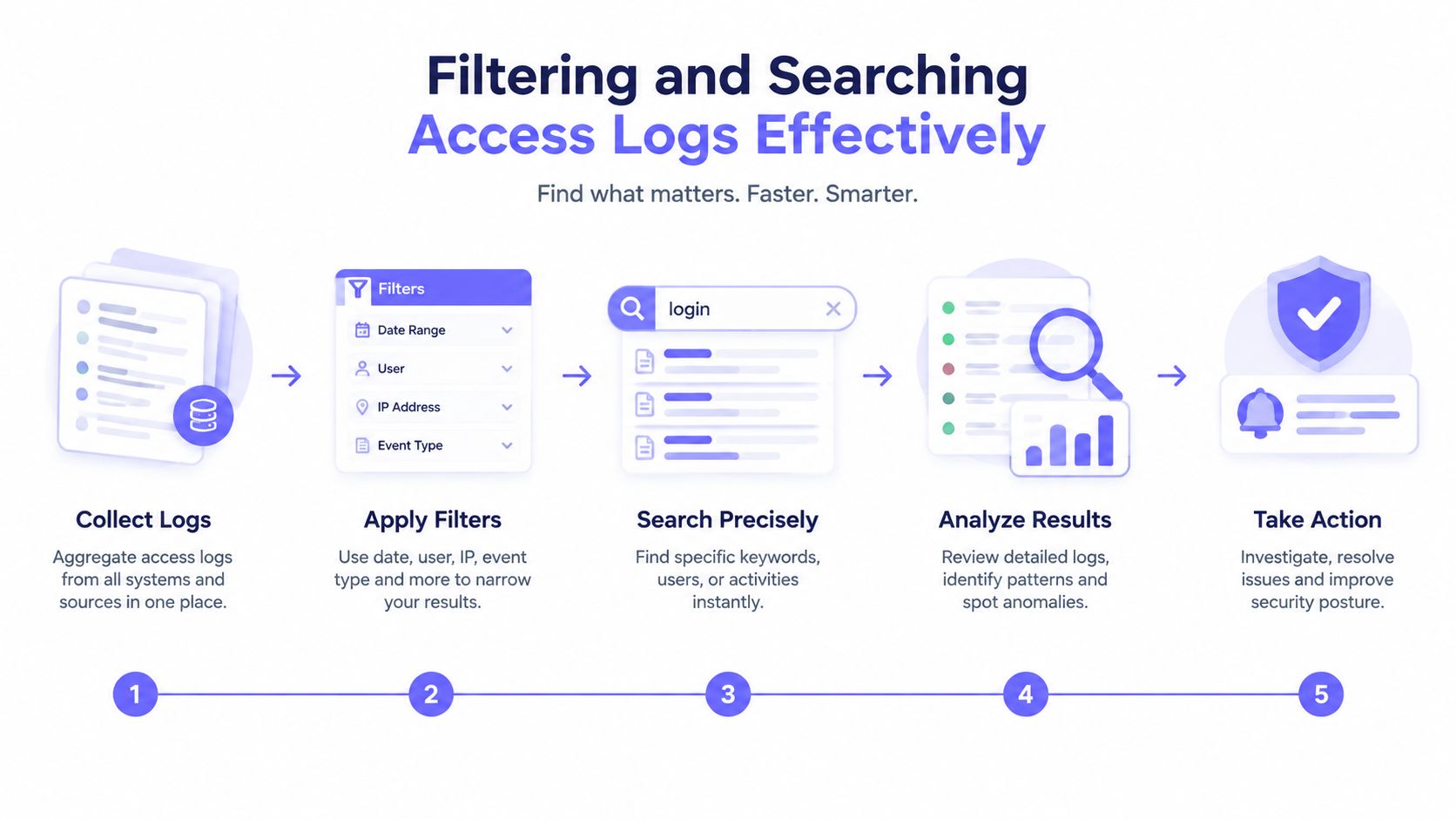
A focused review process
Start with the incident window. Review the last hour, the last 24 hours, or the last 7 days rather than opening the entire history. Time buckets make unusual spikes and repeated failures easier to see.
Choose the relevant entry point. Filter to the main vehicle gate, pedestrian entrance, pool gate, garage, or specific building door. A narrow source filter prevents unrelated resident activity from obscuring the event under review.
Select the identity or method. Search by user ID, key ID, visitor credential, mobile-app action, Bluetooth interaction, or remote visitor link. This can show whether one credential appears repeatedly across different locations.
Isolate failure outcomes. Review denied, forced, expired, or otherwise exceptional events separately from normal granted entries. A manager can then determine whether a credential problem is administrative or whether the pattern suggests attempted misuse.
Group before expanding. Sort by time, then group by account, host, entry point, or process equivalent. Government security guidance advises beginning with a narrow time window and relevant source because broad searches increase noise and analyst fatigue. The Massachusetts event-logging guidance also emphasizes centralized collection, secure storage, approved logging policy, and threat-focused detection.
Exclude expected activity without losing it
Expected traffic shouldn't be deleted from the audit trail. Scheduled hold-open periods for landscaping crews, a planned moving appointment, or an authorized delivery window should be labeled or documented so reviewers can distinguish routine activity from anomalies.
A manager may also export filtered results for a board packet, installer request, or incident file. Where an integration needs programmatic access to records, the gate access API can support real-time log queries and access-history workflows without requiring staff to scroll through a local controller interface.
Auditing Logs for Security Incidents
Security auditing begins when a manager stops asking whether an event is unusual and starts asking how the events connect. A single denied entry may be a resident using an expired credential. The same denial followed shortly by a forced-entry alert, a manual override, or repeated attempts at another entrance deserves a more careful response.
The review should preserve the original record and build a timeline from related sources. For Windows investigations, practitioners acquire source files, preserve them, parse copies without modifying originals, and correlate Security, System, Sysmon, and PowerShell records. The same discipline is appropriate for physical access data, preserve the source export, record who reviewed it, and avoid editing the only copy.

Patterns that deserve escalation
Tailgating may appear as one authorized opening followed by multiple people or vehicles entering. The log alone may not prove tailgating, but the timestamp gives the manager a precise point for reviewing camera footage or asking a security installer to inspect the entry layout.
Revoked credentials should not continue to produce successful access events. If a former resident, contractor, or vendor appears after revocation, the manager should check whether the wrong key remained active, another shared credential was used, or the record identifies a different access method.
Repeated denied attempts can indicate a forgotten credential, a configuration issue, or deliberate probing. The identity, entry point, timing, and outcome should be reviewed together rather than treated as independent alerts.
Manual overrides require accountability. The record should identify the administrator, installer, or operational process that initiated the action, especially if the gate was left open outside a documented maintenance window.
Evidence standard: A suspicious event becomes more actionable when the access record, physical alert, camera timestamp, and credential status support the same sequence.
A strong incident file should contain the original export, the filtered working view, a timeline, relevant credential changes, and notes from the property manager or installer. Guidance on audit trail requirements can help teams think through the evidence fields and review controls that make records defensible.
For an HOA board or facility manager, a Nimbio access control audit can provide a focused way to examine credential activity, entry history, and control gaps. The system's cellular connection also reduces dependence on a property's Wi-Fi infrastructure during an investigation. That doesn't eliminate the need for camera evidence or physical inspection, but it gives the review a dependable digital starting point.
Troubleshooting Common Gate and Entry Anomalies
Not every access anomaly is an attack. A gate operator can fail after the credential has been accepted, a controller can lose connectivity, or a magnetic lock can remain secure even though the access platform recorded a valid request. The fastest diagnosis comes from separating the authorization result from the physical result.
Consider a resident who reports that the gate didn't open. The log shows a granted mobile credential, followed by no gate-position change. That sequence points away from an account problem and toward the relay, wiring, operator, obstruction sensor, or gate mechanism.
Match the log signature to the fault
| Observed log pattern | Likely investigation path |
|---|---|
| Credential denied, no operator action | Check credential status, schedule, user assignment, and access policy |
| Credential granted, gate remains closed | Inspect relay output, wiring, gate operator, safety sensors, and mechanical movement |
| Repeated offline events, followed by delayed activity | Check cellular signal, controller power, and network availability |
| Manual override recorded during a service visit | Compare the event with the installer work order and approved maintenance window |
| Gate opens, but no expected close or position event follows | Inspect gate sensors, operator configuration, and hold-open scheduling |
The distinction between a connectivity issue and a hardware issue matters. A cellular controller can show when communication was lost and when it returned, helping an installer determine whether the access command reached the equipment. A Wi-Fi-dependent system may make that diagnosis harder when the same local network outage affects both the access device and the manager's ability to inspect it.
Give installers useful evidence
A maintenance request should include the exact timestamp, entry point, user or key ID, result, communication status, and any related forced-open or position alert. Screenshots can help, but a CSV export preserves a searchable record that a low-voltage dealer or gate technician can compare with controller diagnostics.
Property managers should also identify the equipment involved, whether it is a LiftMaster, Viking, FAAC, Nice, DoorKing, Mighty Mule, or another operator. Hardware-agnostic retrofit technology can preserve an existing gate while adding modern credential and log visibility, so the first remedy doesn't always require replacing a functioning gate system.
Remote troubleshooting works best when the log and the physical inspection agree. If the record says the command was granted but the operator never received it, the installer can focus on the controller-to-operator path. If the command reached the operator and the gate still failed, the inspection should move toward power, sensors, obstruction detection, or mechanical components.
Best Practices for Log Retention and Management
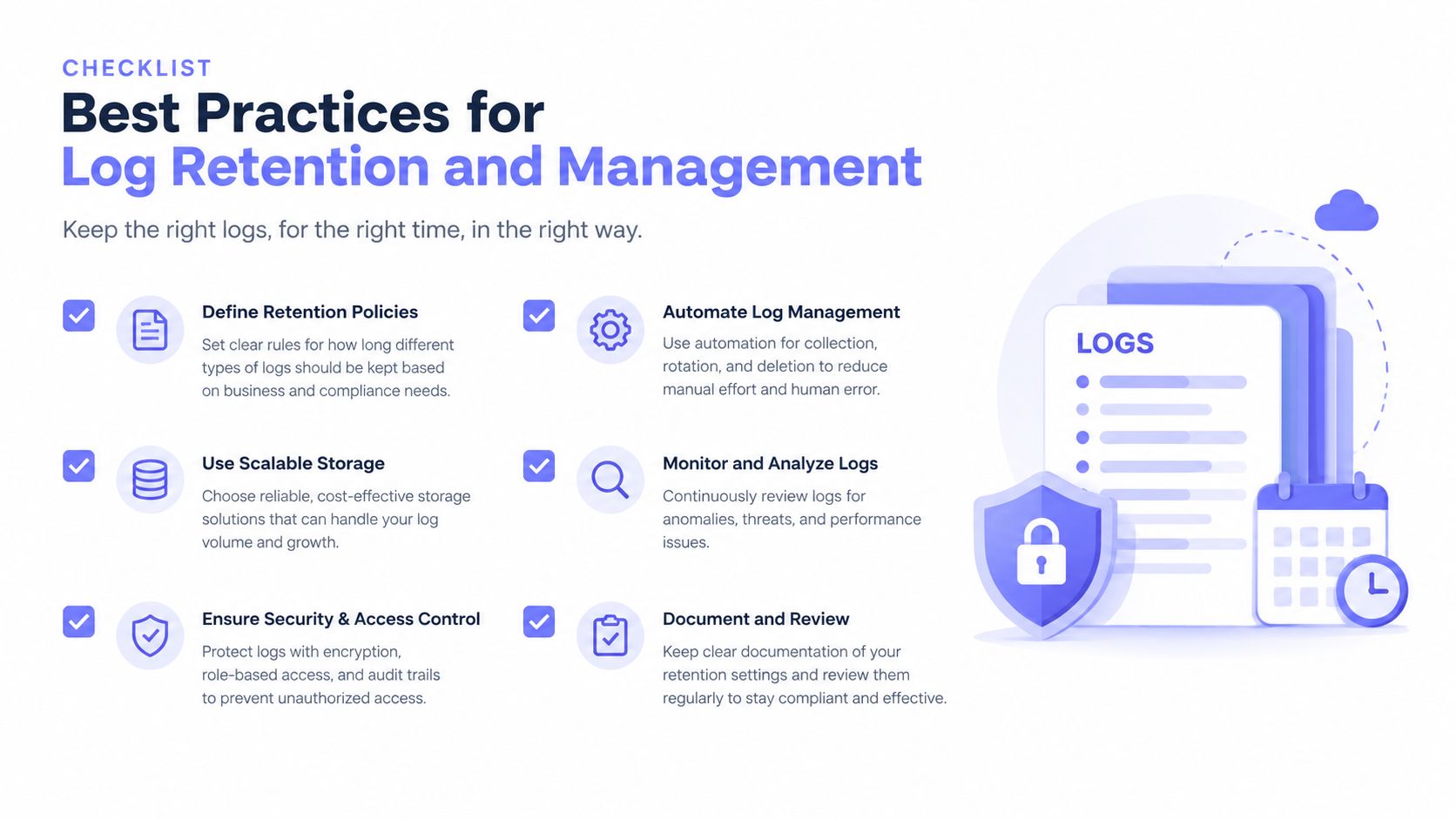
A property can't investigate an event that has already been overwritten, discarded, or stored only on equipment nobody can access. Retention therefore belongs in the HOA's security policy, not just in an installer handoff document.
Windows Event Log files can be configured from 1 MB to 2 TB, in 1 KB increments, and the local administrator default is 1 MB when no setting is configured, according to the cited Windows log-management reference. The configured maximum controls how much history remains before older records are rotated out or discarded. A small local cap can erase the evidence needed to review a delayed complaint.
Microsoft audit-policy guidance cited in the same reference recommends setting the Application, Security, and System logs to 4,194,240 KB each, equal to 4 GB per log. The Security log deserves particular attention because it commonly contains authentication, privilege, and policy activity.
Linux environments have their own storage mechanics. systemd-journald limits persistent storage by filesystem capacity, with a default policy of 10% of the underlying filesystem and a soft cap of 4 GiB. On a 20 GiB partition, that can mean about 2 GiB, while a 50 GiB partition can reach the 4 GiB soft cap. These figures are documented in the cited journal-size guidance, and they illustrate why the command used to read logs isn't the same as a retention policy.
Build a practical retention policy
- Define ownership: State who can view, export, preserve, and delete access records.
- Protect integrity: Keep source exports immutable and document any filtering or transformation.
- Centralize review: Give authorized managers a consistent dashboard instead of relying on one local controller.
- Separate routine from exceptional activity: Label scheduled access without removing it from the audit trail.
- Test retrieval: Confirm that staff can locate records for a gate, credential, and time window before an incident occurs.
- Coordinate with insurance and legal requirements: Retain records according to the community's policies and applicable obligations.
Legacy on-premise systems can be workable for small deployments, but they place storage, power, connectivity, and access responsibility on the property. A cloud-based, hardware-agnostic access platform offers a more maintainable path for communities that need remote visitor management, credential revocation, scheduled access, and searchable audit history without replacing every gate or depending on Wi-Fi drops.
Nimbio connects existing gates and building entry systems to cellular access control, with smartphone credentials, remote visitor management, and searchable entry logs that help managers investigate incidents and troubleshoot equipment. Visit Nimbio to review a retrofit approach for the property's gates, doors, and community access workflow.


