

A property manager usually notices gate maintenance only when the gate stops working at the worst possible time. Morning entry backs up, residents start calling, delivery vehicles wait at the curb, and a security gap opens the moment the entrance can't close or credential correctly.
That's why a preventative maintenance inspection for electronic gates can't stop at hinges, rollers, and motor housings. Modern properties also rely on cloud-based access control, mobile credentials, remote visitor management, and controller connectivity. If the mechanical side is healthy but the access layer is unstable, the property still has a reliability problem.
Table of Contents
- Why Proactive Gate Maintenance Is Non-Negotiable
- Pre-Inspection Planning and Safety Protocols
- The Comprehensive Gate Inspection Checklist
- Integrating Smart Access Control Into Your PMI
- Common Gate Faults and Practical Fixes
- Scheduling, Reporting, and Long-Term Strategy
Why Proactive Gate Maintenance Is Non-Negotiable
A gate that fails during peak traffic doesn't create just one problem. It creates three at once. Access slows down, perimeter control weakens, and the property team gets pushed into reactive decision-making.
That reactive pattern is common, even in organizations that say they have a preventive program. Preventive maintenance inspections are the most widely adopted maintenance strategy globally, with 87% of facilities implementing them, yet 59% of those facilities spend less than half of their total maintenance time on preventive activities rather than reactive repairs, according to maintenance statistics compiled here.
That gap matters in gated communities and commercial sites. A PM schedule on paper doesn't protect an HOA entrance if the operator still gets serviced only after residents start reporting failures.
What neglect usually looks like on a gate system
Small issues tend to show up first:
- Rough travel: The gate starts moving unevenly because rollers, hinges, or tracks are wearing.
- Intermittent access complaints: Residents report that mobile credentials, call boxes, or remotes work sometimes, not always.
- False reversals: Safety devices trip because alignment is off, wiring is loose, or the gate is binding mechanically.
- Operator strain: Motors run hotter and longer when hardware drags or balance is poor.
None of those symptoms should be treated as isolated annoyances. They're early warnings.
Practical rule: If a gate starts sounding different, moving differently, or logging unusual access complaints, maintenance is already due.
Why a proper PMI changes the economics
A preventative maintenance inspection shifts the team from emergency repair mode to controlled service windows. That means checking wear parts before failure, confirming safety devices before a liability event, and reviewing access behavior before a resident complaint turns into a security issue.
It also means using system data better. A modern smart community entrance can reveal patterns that older gate setups couldn't. Entry logs, hold-open schedules, and credential activity won't replace a wrench and meter, but they do help narrow down where a technician should look first.
For property managers, that's the true value. Maintenance stops being a vague operating expense and becomes part of HOA security, resident satisfaction, and long-term asset protection.
Pre-Inspection Planning and Safety Protocols
A solid inspection starts before the gate is touched. Most field mistakes happen in the setup phase, not during the actual component check.

Start with planning, not tools
The cleanest inspections are scheduled during low-traffic periods. That gives the technician room to cycle the gate, power it down safely, and inspect without residents or vendors trying to force access through the work zone.
Before arrival, gather:
- The gate operator manual
- Previous inspection reports
- The site access plan
- The current resident communication notice
- Any open service history for repeat faults
Previous reports matter more than many managers realize. They show whether the same hinge, loop, photo eye, or controller input keeps causing trouble.
A strong PMI process also needs structure. A preventative maintenance methodology for asset criticality and CMMS-based SOPs recommends starting with a five-phase asset criticality audit and then building SOPs and digital checklists that are managed through a CMMS. That approach works well for gates because recurring tasks are easy to miss when they live only in a technician's memory.
Lockout and site control come first
No inspection should begin while the operator is still available for normal use.
Use a simple sequence:
- Disable normal operation: Shut down the operator according to the manufacturer's procedure.
- Lock out the power source: Prevent accidental energizing while the gate is being handled.
- Control the area: Set cones, barriers, and highly visible service signage at both sides of the entry.
- Sweep the path: Remove stones, branches, trash, or vehicles that can interfere with travel or hide hazards.
A gate entrance is both a machine zone and a traffic zone. Treat it like both.
Confirm who is responsible for what
On mixed systems, confusion slows the job. One vendor may handle the gate operator, another the access control layer, and a third the electrical feed.
A property manager should define responsibility before the inspection starts:
| Area | Responsible party | Why it matters |
|---|---|---|
| Gate operator and moving hardware | Gate technician or installer | Covers motion, wear, and mechanical safety |
| Credential and controller review | Access control admin or integrator | Covers users, logs, and system settings |
| Site power and breakers | Qualified electrical support | Covers feeder issues and unsafe energization |
| Resident communication | Property management | Prevents unauthorized bypass attempts |
Bring the right documentation into the field
Paper notes get lost. Screenshots without context don't help later. Every inspection should have a checklist that captures:
- Observed issue
- Asset location
- Severity
- Immediate correction
- Recommended follow-up
- Photo evidence where useful
That record becomes the baseline for the next visit. Without it, teams repeat the same troubleshooting instead of improving reliability.
The Comprehensive Gate Inspection Checklist
A field-ready preventative maintenance inspection should be direct enough to use at the gate, not vague enough to sit in a policy binder. The goal is to confirm the health of the moving structure, the operator hardware, the power and control path, and the built-in safety devices.
This visual summarizes the inspection flow.
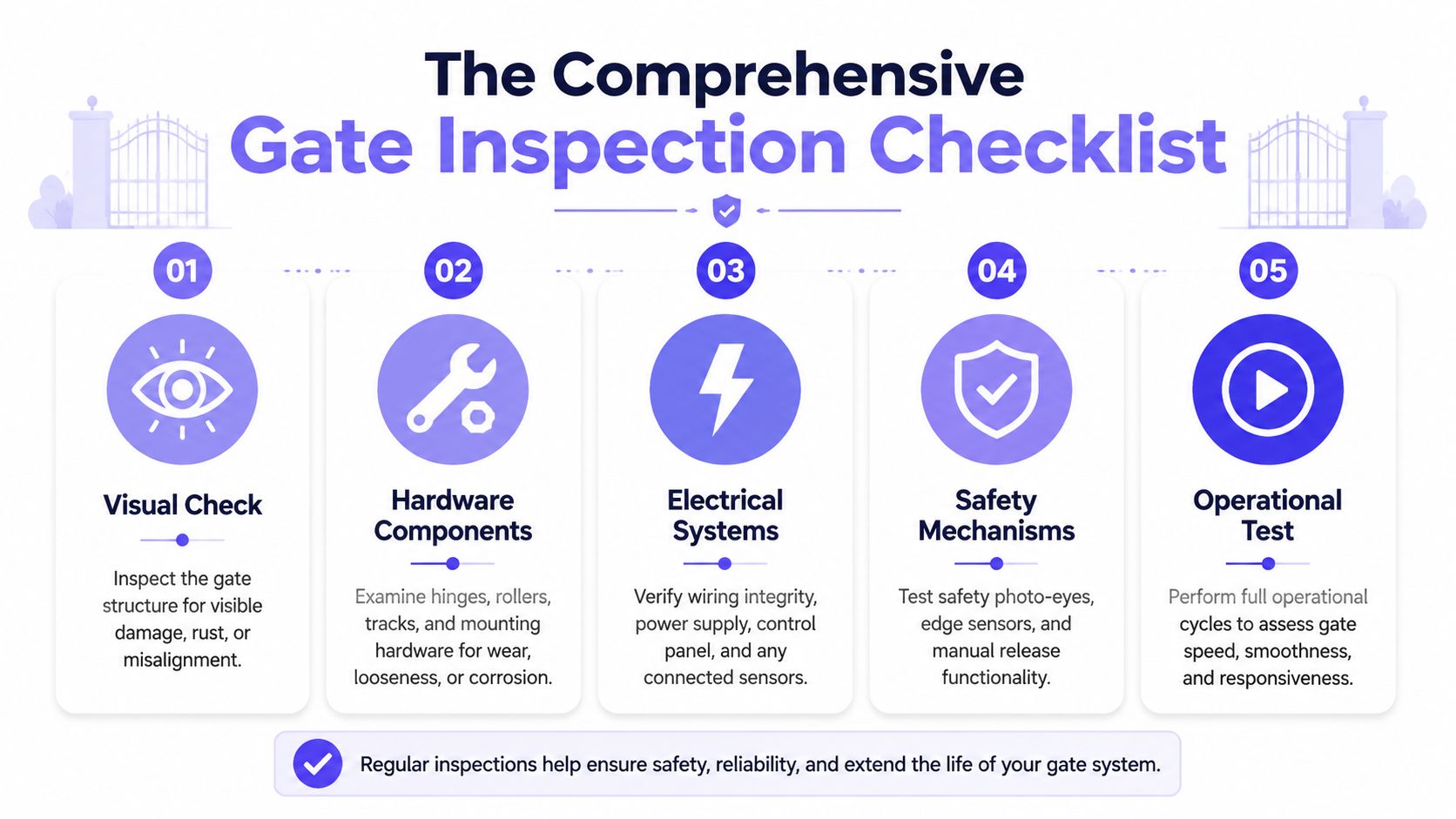
Well-run PMI programs don't just feel more organized. They can drive measurable uptime gains. CMMS-based automation and asset tracking benchmarks show a 25% reduction in overall equipment downtime when schedules are automated and assets are tracked.
Mechanical Components
Many gate failures begin with underlying mechanical issues. A digital controller can't compensate for binding rollers, cracked welds, or a sagging leaf.
- Gate frame condition: Inspect for bent members, impact damage, rust, cracked welds, and signs of sagging.
- Hinges or rollers: Look for flat spots, looseness, corrosion, seized movement, or misalignment.
- Track and guide hardware: Clear debris, inspect for wear, and confirm the gate rides smoothly without rubbing or jumping.
- Chain or drive mechanism: Check tension, sprocket wear, mounting integrity, and abnormal noise during travel.
- Mounting bolts and brackets: Tighten loose hardware and inspect for elongation, metal fatigue, or shifting.
- Manual release assembly: Confirm it engages and disengages correctly, then restore it fully to operating position.
- Lubrication points: Service only the points specified by the manufacturer. Over-lubrication attracts dirt and can create its own problems.
A quick operational cycle should follow the visual check. Watch the entire travel path, not just the operator. Jerking, hesitation, or tilt usually points to a mechanical fault before it becomes an electrical one.
Electrical Systems
Once the moving hardware is confirmed, inspect the power and control side. Electrical issues often present as “random” faults when the underlying cause is a loose termination, moisture intrusion, or a failing accessory.
- Incoming power: Verify the breaker position, disconnect status, and visible condition of feed components.
- Control cabinet interior: Look for moisture, insect activity, corrosion, overheated components, or loose terminal connections.
- Wiring harnesses: Inspect for frays, cracked insulation, pinch points, and unsecured cable runs.
- Grounding and bonding: Confirm connections are intact and haven't been compromised by corrosion or improper repairs.
- Battery backup: Check physical condition, terminal cleanliness, and whether the unit supports controlled operation during outage conditions.
- Loop detectors and inputs: Verify proper response from vehicle detection and accessory inputs.
- Operator board indicators: Review fault lights or status indicators before resetting anything.
When a gate has recurring reversals or inconsistent starts, the electrical inspection should include the device chain, not just the operator board. Many callbacks come from accessory faults that were never isolated properly.
For properties dealing with stubborn sensor behavior, this essential guide for gate access issues is useful because it breaks down one of the most common failure points in the field.
Safety Features
Safety devices deserve their own inspection step. They shouldn't be treated like one more checkbox after the gate already “seems to work.”
Test each feature deliberately:
- Photo eyes: Clean the lenses, confirm alignment, verify mounting stability, and test interruption during close travel.
- Edge sensors: Check mounting condition, cable routing, and response when pressure is applied.
- Reverse mechanism: Verify the gate reverses appropriately when a valid obstruction condition is introduced.
- Manual stop controls: Confirm emergency stop or local stop inputs function correctly where installed.
- Warning devices: Check lights, alarms, and signage for visibility and function.
- Entrapment zones: Inspect pinch points, exposed rollers, and areas where a person or vehicle could be caught.
If a safety device works only after “a little adjustment,” it isn't reliable enough yet.
A final operational test should include multiple open and close cycles under normal command conditions. Watch speed, listen for grinding or motor strain, and confirm the gate returns to a consistent closed position.
Integrating Smart Access Control Into Your PMI
Most gate maintenance guides stop at the operator cabinet. That leaves out the access layer that residents use every day.

A modern inspection should treat access control as part of the same system. Gates don't fail only when motors burn out. They also fail when credentials don't sync, visitor access rules are outdated, logs aren't reviewed, or connectivity is unstable.
One overlooked issue is that gate maintenance still has to stay mechanical. College facility guidance on automated gate maintenance points to biweekly mechanical inspections for automated gates, and the same source notes that 60-70% of gate failures stem from mechanical wear, not software. The practical takeaway is simple. Smart access doesn't replace PMI. It helps technicians target it better.
What to add to a smart access inspection
For a gate with mobile entry, remote visitor controls, or cloud-based access control, check the digital side as methodically as the hardware.
Focus on:
- Controller communication status: Confirm the access controller is online and reporting normally.
- Credential behavior: Test resident access, admin access, and visitor flows from the actual user side.
- Entry logs: Review recent events for failed attempts, repeated retries, unusual after-hours activity, or patterns tied to one gate.
- Hold-open schedules: Confirm automation windows still match property operations and haven't been left in an unsafe state.
- User management hygiene: Remove stale credentials and verify revocation procedures work as expected.
A property doesn't need Wi-Fi at the gate for reliable smart entry. In fact, cellular-based controllers often simplify troubleshooting because they avoid local network instability. That's especially useful at remote entrances, detached gate islands, and older communities where network quality changes from building to building.
Cellular checks that belong in the field workflow
When the system uses cellular communication, the PMI should include hardware-specific checks.
A guide to cellular gate access control notes that preventative maintenance inspections for electronic gate operators should include checking 4G/5G cellular signal strength and antenna integrity quarterly. That's practical field advice, not just a connectivity preference.
Use this sequence:
- Inspect antenna mounting
- Check for cable damage or loose terminations
- Verify controller signal status
- Confirm recent event reporting appears normal
- Test a live open command from a mobile device
For teams comparing integration options across legacy properties, Mena's Key access control insights are worth reviewing because they frame access control as a system integration task, not just a hardware swap.
How smart data improves the mechanical schedule
Digital logs are most useful when they influence physical maintenance. If one gate shows unusual retries, longer open periods, or spikes in certain access events, that's a reason to inspect the operator, safety devices, and travel path sooner.
That same logic matters when planning upgrades. A good system should support retrofitting legacy gate operators instead of forcing a full gate replacement just to modernize access. For property managers, that preserves capital while improving visibility, remote credential control, and visitor management.
The best smart access setup doesn't add complexity to maintenance. It gives the technician a better first clue.
Common Gate Faults and Practical Fixes
Inspections find problems. Good maintenance programs also define what happens next.
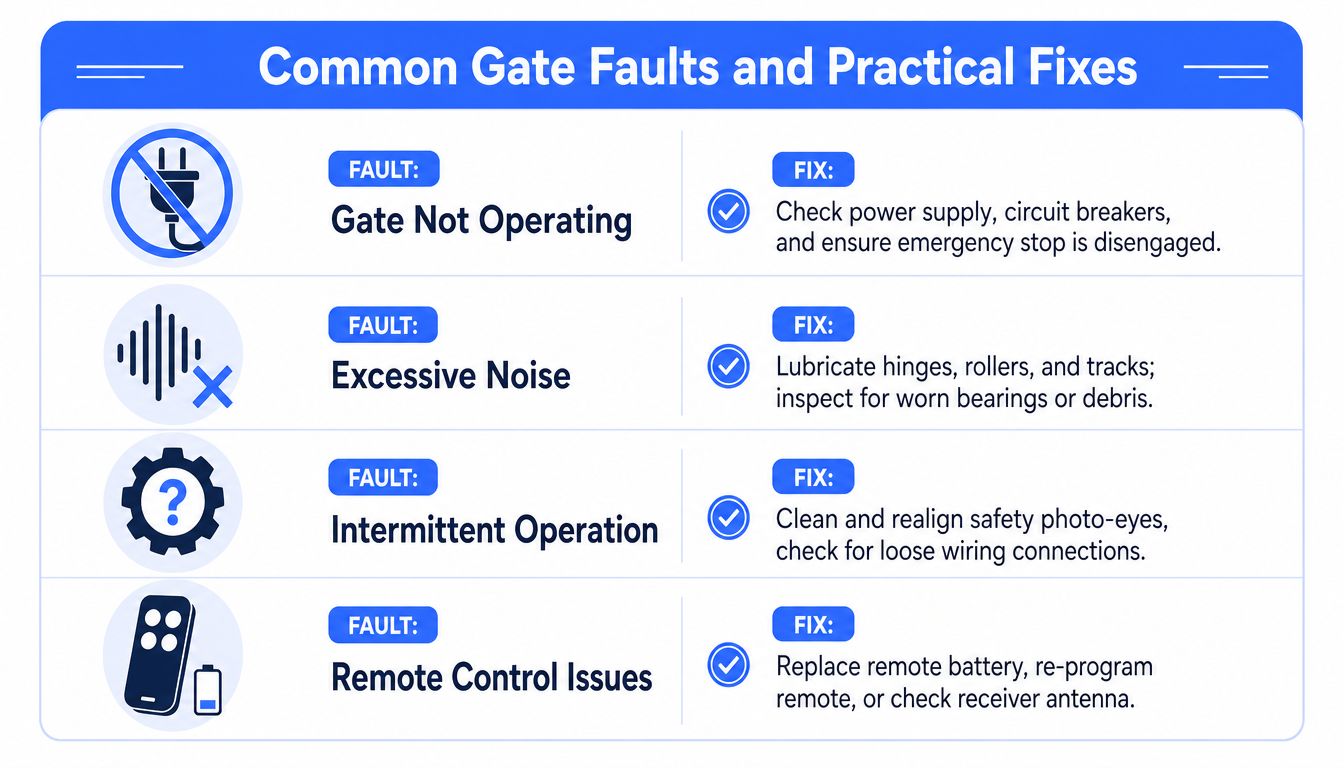
The fastest way to waste labor is to keep servicing the same gate on a rigid calendar while ignoring how that gate is used. Analysis of failed preventative maintenance programs found that 45% fail because of rigid fixed-interval schedules, and that integrating digital entry logs can reduce unnecessary inspections by 30% while catching 90% more degradation signs early. For busy entrances and lightly used side gates, one schedule rarely fits both.
Quick-reference troubleshooting table
| Problem or symptom | Likely cause | Practical fix |
|---|---|---|
| Gate won't operate | Power loss, tripped breaker, disengaged stop circuit, operator fault | Check supply power, breaker status, stop input, and board indicators before resetting |
| Gate is noisy | Dry rollers, worn hinges, debris in track, chain wear | Clean the path, lubricate approved points, inspect bearings and chain condition |
| Gate moves slowly | Mechanical drag, low voltage condition, failing capacitor or motor strain | Check free movement by hand where safe, inspect power condition, test operator components |
| Gate reverses unexpectedly | Misaligned photo eyes, edge sensor fault, binding travel | Clean and align sensors, inspect cables, then check gate travel for resistance |
| Intermittent access response | Loose wiring, accessory issue, unstable controller communication | Tighten terminations, isolate accessories, confirm controller status and event reporting |
| Remote or app complaints | Credential issue, antenna problem, outdated user permissions | Test a known-good user, inspect antenna and controller connectivity, review permissions |
Fault patterns worth escalating immediately
Some issues shouldn't be treated as routine maintenance.
Escalate when the team finds:
- Cracked welds or bent structural members
- Repeated entrapment device faults
- Burnt wiring or heat-damaged terminals
- A gate that cannot be operated smoothly by the intended mechanism
- Repeated complaints concentrated at one time of day or one user type
Those patterns usually point to a larger system issue. The fix may be mechanical, electrical, or operational, but it needs root-cause attention.
What property managers can handle versus what should go out
A property team can usually manage light cleaning, report collection, resident communications, and verification that the gate area remains clear.
A qualified technician should handle:
- Operator board diagnosis
- Safety device testing beyond simple visual checks
- Electrical cabinet work
- Structural or welding repairs
- Controller and integration troubleshooting when access events don't match field behavior
A useful report doesn't just say “gate malfunction.” It says what failed, what was tested, what was corrected, and what still needs authorization.
Scheduling, Reporting, and Long-Term Strategy
A single inspection helps. A repeatable program protects the property.
The strongest gate maintenance plans separate tasks by risk, usage, and system type. Mechanical checks need regular attention on a recurring schedule. Safety testing must stay consistent. Access control reviews should happen often enough to catch stale credentials, odd access patterns, and communication issues before residents notice them.
Build a schedule that reflects real gate use
A front entrance with constant resident traffic shouldn't be treated like a rarely used service gate.
A practical schedule usually includes:
- Biweekly mechanical inspections for automated gates: This supports routine review of wear-prone moving parts, as noted earlier.
- Quarterly connectivity review for cellular-based systems: Signal strength, antenna condition, and controller reporting should be verified on a recurring basis.
- Semiannual security review for mobile access workflows: Lost-device deactivation, credential revocation, and account security settings should be tested regularly. A mobile access security overview specifically recommends verifying deactivation procedures, strong encryption, multi-factor authentication, and quick credential revocation every six months.
- Event-driven adjustments: If logs or service history show abnormal activity, move the inspection forward instead of waiting for the next calendar date.
Reporting is what turns maintenance into strategy
Without records, every contractor starts from zero.
Each maintenance report should capture:
- Date, time, and technician
- Gate and controller identification
- Mechanical findings
- Electrical findings
- Safety test results
- Access control findings
- Immediate repairs completed
- Deferred items and approval needs
A CMMS is ideal, but a disciplined digital report can still work if the team uses it every time. The key is consistency.
Long-term value comes from trend tracking
Good records help managers spot the gates that consume too many callbacks, the entrances that need heavier-duty hardware, and the communities where access rules have outgrown the current setup.
That's also where connected infrastructure becomes useful beyond the gate itself. A property that needs broader automation or integration may eventually want a gate access API so entry events, credentials, and property systems can work together more cleanly.
The end goal isn't just a gate that opens. It's a gate system that stays safe, predictable, and manageable for the long run.
If a property is modernizing gate access and wants a cleaner way to manage smartphone entry, remote visitor approvals, and credential control without depending on local Wi-Fi, Nimbio offers a cellular, hardware-agnostic retrofit approach that works with existing gate operators. It's a practical fit for HOAs, property managers, and installers who want stronger auditability, easier remote management, and fewer access headaches without replacing the entire gate system.


