The call starts the same way on a lot of properties. A resident says the gate is slow, a delivery driver can't get through, or the access door has been sticking for weeks, and the maintenance team is left trying to sort out whether it's a motor issue, a control issue, or a power problem. A preventive maintenance schedule turns that chaos into a managed routine, especially for gates, access controllers, call boxes, and smart community entry systems that need more than a monthly glance.
For HOA boards, property managers, security installers, and gated community residents, the question isn't whether maintenance matters. It's whether the site is still running on memory and callbacks, or on a system that tracks critical assets, sets the right cadence, and keeps access hardware available when people need it.
Table of Contents
- Why Gates and Entry Systems Need a Real Maintenance Program
- Building the Asset Inventory and Criticality Map
- Designing Inspection Checklists by Hardware Type
- Sample Monthly, Quarterly, and Annual Schedule
- Roles, Responsibilities, and Automation with Mobile-Controlled Entry
- Recordkeeping, KPIs, and Audit-Ready Logs
- Rebalancing the Schedule After Change and Disruption
Why Gates and Entry Systems Need a Real Maintenance Program
A gate operator doesn't fail because someone forgot to print a checklist. It fails because moving parts wear, batteries weaken, corrosion creeps into cabinets, sensors drift out of alignment, and connectivity drops at the worst possible time.
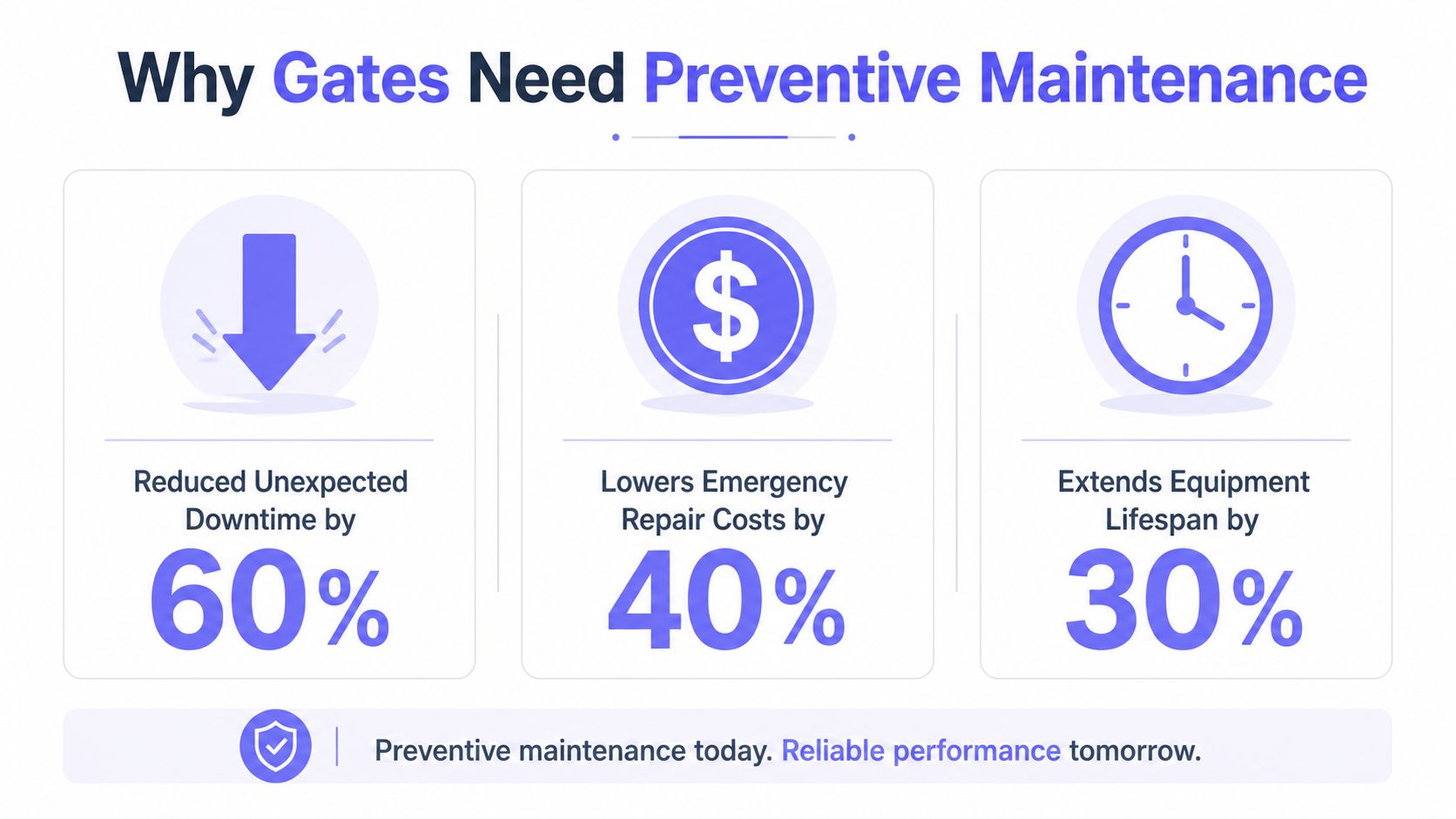
That's why preventive maintenance has always been a cost-control system, not a housekeeping chore. Industry guidance citing a U.S. Department of Energy benchmark says preventive maintenance programs can cut costs by 12% to 18% versus reactive-only maintenance and reduce unplanned downtime by 25% to 50%, which is exactly the kind of advantage property teams need when resident access and site security both depend on uptime. The same benchmark logic shows up in modern KPI targets, where 90% or better PM compliance is the standard and overdue PM work should stay below 10% of open PM work orders (Maptrack preventive maintenance guidance).
Practical rule: if the gate is critical to daily entry, maintenance should be planned before it becomes visible.
Static monthly checklists help, but they don't solve the operating problem. A community entrance gate that sees heavy traffic, weather exposure, and repeated cycles needs a tighter, measured program than a back-service door that barely moves, and a cellular controller changes the picture further because the team can review status and access activity without waiting for a truck roll.
A commercial site with mixed hardware often needs outside help when electrical symptoms show up, especially when the issue sits at the boundary between gate controls and building power. A useful reference point for that kind of crossover work is commercial electrical repair, since access problems frequently overlap with breakers, wiring, grounding, or control power rather than the gate itself.
The practical takeaway is simple. Scheduled maintenance turns gate and entry hardware into a managed asset, not a recurring interruption.
Building the Asset Inventory and Criticality Map
A preventive maintenance schedule is only as good as the asset list behind it. If the team doesn't know every gate, operator, controller, intercom, and power device on site, the schedule will miss the parts that decide whether the entrance works.
Start with every asset, not just the obvious ones
The inventory should cover more than the gate leaf. It needs operators, controllers, call boxes, keypads, safety sensors, power supplies, batteries, network gear, conduit, and communication hardware, plus the location of each unit and its make or model. That structure matches the standard workflow used in maintenance planning, which starts by listing every asset and then ranking it by importance before setting intervals (Limble schedule guidance).
A clean inventory usually includes:
- Asset type and location: gate, cabinet, pole, cabinet room, or perimeter entrance.
- Manufacturer data: OEM manual, model number, and wiring notes.
- Maintenance history: recurring faults, parts replaced, and repeat callbacks.
- Recoverability: how quickly the site can restore access if the part fails.
A site can only schedule what it can name.
Rank criticality before assigning frequency
Criticality is where a lot of PM programs get stronger. A main entrance gate that handles resident traffic, visitors, and emergency access should sit in a different tier from a low-use side entry, because the consequence of failure is not the same.
The ranking should reflect three factors:
- Failure consequence, including security exposure and resident disruption.
- Failure likelihood, including age, duty cycle, and environment.
- Recoverability, meaning how quickly replacement or bypass can restore service.
That same logic aligns with the way maintenance teams are taught to prioritize assets by safety, compliance, downtime impact, and failure frequency before deciding what gets the tightest schedule (MaintainX maintenance trends).
For a practical working map:
- Critical assets: main gate operators, primary access controllers, and any device that blocks emergency or resident entry.
- Semi-critical assets: secondary gates, intercoms, and accessories that affect convenience or backup access.
- Lower-risk assets: infrequently used doors or hardware with alternate entry paths.
For teams that already manage a broader asset base, the same discipline used to manage IT assets for compliance can help keep gate systems organized too, especially when device records, firmware history, and vendor documentation live in the same place. A useful example is manage IT assets for compliance, because the documentation mindset is nearly identical.
The payoff is straightforward. Once assets are ranked, PM intervals stop being generic and start matching actual risk.
Designing Inspection Checklists by Hardware Type
The best checklists are specific enough that a technician knows what success looks like. “Check safety features” doesn't tell anyone whether the photo eye is misaligned, the relay is weak, or the battery backup is fading.
Gate operator and motor checks
Gate operator work should focus on movement, resistance, and control response. On a slide gate, that means lubrication, chain or drive tension, limit-switch function, photo-eye alignment, battery condition, and any noise or hesitation during travel.
A technician can use a simple cadence:
- Weekly visual checks: look for debris, worn rollers, loose hardware, rust, and cabinet damage.
- Monthly function checks: verify smooth open and close movement, test photo-eye reversal, and confirm the gate doesn't bind.
- Quarterly calibration: review limits, sensor response, and battery backup behavior.
- Annual replacement review: identify wear parts that are nearing end of service.
The most useful standard is outcome-based. For example, the checklist should verify that the gate reverses promptly when a photo eye is blocked, not just that the sensor exists.
Access controller and keypad or cellular unit checks
The controller deserves its own checklist because it fails differently from the gate body. Firmware version, signal strength, relay function, credential database integrity, and weather seals all matter, especially on cellular retrofits that rely on stable remote communication.
A good technician list should include:
- Firmware and configuration review: confirm the controller is current and settings haven't drifted.
- Credential audit: check whether inactive credentials still exist.
- Signal and event review: verify the unit is communicating and logging as expected.
- Seal and enclosure inspection: look for water intrusion, cracked gaskets, or corrosion.
For a practical hardware reference on slide systems, teams can also find the right slide gate roller when wear on the travel hardware is part of the recurring problem.
Entry infrastructure and ground equipment
The structure around the gate matters as much as the operator. Hinges, posts, ground loops, vehicle sensors, conduit integrity, and mounting points all create failure points that can masquerade as “gate problems.”
A useful checklist assigns timing by function:
- Visual checks weekly for physical damage or obvious interference.
- Function tests monthly for sensors, loops, and vehicle detection.
- Calibration quarterly where alignment or sensitivity drift is possible.
- Component replacement annually where wear or weather exposure is predictable.
Best practice: write the task around the failure you want to prevent, not the part you want to look at.
That makes the checklist easier to use, easier to audit, and far more useful when different vendors touch the same site.
Sample Monthly, Quarterly, and Annual Schedule
A working preventive maintenance schedule should read like an operating calendar, not a theory paper. The point is to match task frequency to wear patterns, then adjust it for site conditions, usage, and failure history.
| Cadence | Gate Operator & Hardware | Access Controller & Entry System | Records & Compliance |
|---|---|---|---|
| Weekly | Visual inspection of rollers, hinges, debris, and obvious obstruction | Check for cabinet damage, loose mounting, or abnormal lights | Log exceptions, photos, and open defects |
| Monthly | Test open and close cycle, photo-eye reversal, chain or drive tension, and lubrication points | Confirm credential function, relay response, and status communication | Close work orders, note overdue items, and flag repeat issues |
| Quarterly | Review limits, battery backup, sensor alignment, and wear trends | Review firmware, signal quality, event logs, and enclosure condition | Compare PM completion against target and revise the next cycle |
| Semi-annual | Inspect exposed hardware for corrosion, drainage issues, and gate travel wear | Validate backup power and configuration backups | Reconcile parts used with failure patterns |
| Annual | Full load test, deeper wear-part review, and lightning or surge protection inspection where applicable | Full credential review, controller health check, and system audit | Archive records, review MTBF trends, and reset the annual plan |
Quarterly timing makes sense because seasonal conditions change the stress on entry systems. Weather, peak usage, and exposure can push a gate from stable to unreliable long before an annual review would catch it, which is why adaptive maintenance guidance increasingly favors seasonal and usage-aware scheduling over static dates.
The practical method is to start with OEM guidance, then tune intervals using actual operating data. If the gate runs harder than expected, tighten the cadence. If the site has low traffic and clean failure history, some annual tasks can stay annual instead of becoming monthly habits that waste labor.
How to interpret the calendar on a real site
- Coastal environments need closer corrosion checks.
- High-traffic communities need shorter intervals on movement-related parts.
- Low-duty sites can often extend non-critical items without increasing risk.
- Sites with recurring faults should move those tasks closer to observed failure patterns.
The point isn't to make every site identical. It's to make the schedule reflect how the hardware lives.
Roles, Responsibilities, and Automation with Mobile-Controlled Entry
A PM program fails fast when everyone assumes someone else owns the task list. Property managers, vendors, and residents all touch the process, but they don't own the same part of it.
Who owns what
The cleanest division of labor is simple.
- Property manager: owns the calendar, vendor coordination, and work-order follow-up.
- Maintenance technician or security integrator: owns execution, findings, and parts replacement.
- HOA board or asset owner: owns budget approval and KPI review.
- Residents and tenants: report anomalies, access issues, and recurring behavior problems.
That structure keeps the program from becoming a hallway conversation. It also makes it easier to decide when a gate issue belongs to the technician, the vendor, or the board.
How cellular access changes the workload
Cellular, app-based controllers remove some of the old administrative drag from access control. With a cloud-based controller, the team can review entry logs, revoke credentials, and schedule hold-open windows without printing notices or walking the site for simple status checks.
That matters because a lot of “is the gate working?” calls never require a physical visit. When the controller is reachable over cellular, the manager can confirm state, review events, and plan a service window before dispatching anyone.
A mobile-controlled system can also help with temporary access during maintenance. Hold-open schedules can cover delivery windows or contractor access, while digital credential revocation handles departed residents or expired vendors without a manual key swap. Nimbio is one option in that category, since it retrofits existing electronic gates with a cellular controller and app-based access control.
For a more detailed product overview, the team can review how cellular gate openers work and see how remote management changes the way access maintenance is scheduled.
Remote visibility doesn't replace maintenance. It removes unnecessary truck rolls and makes the remaining ones better timed.
The win is operational. When the access system generates status, event history, and credential changes automatically, the PM schedule gets less dependent on scattered notes and more dependent on actual usage.
Recordkeeping, KPIs, and Audit-Ready Logs
Maintenance without records is just activity. For gate and entry systems, the record has to prove who touched the asset, what was found, and whether the issue came back.
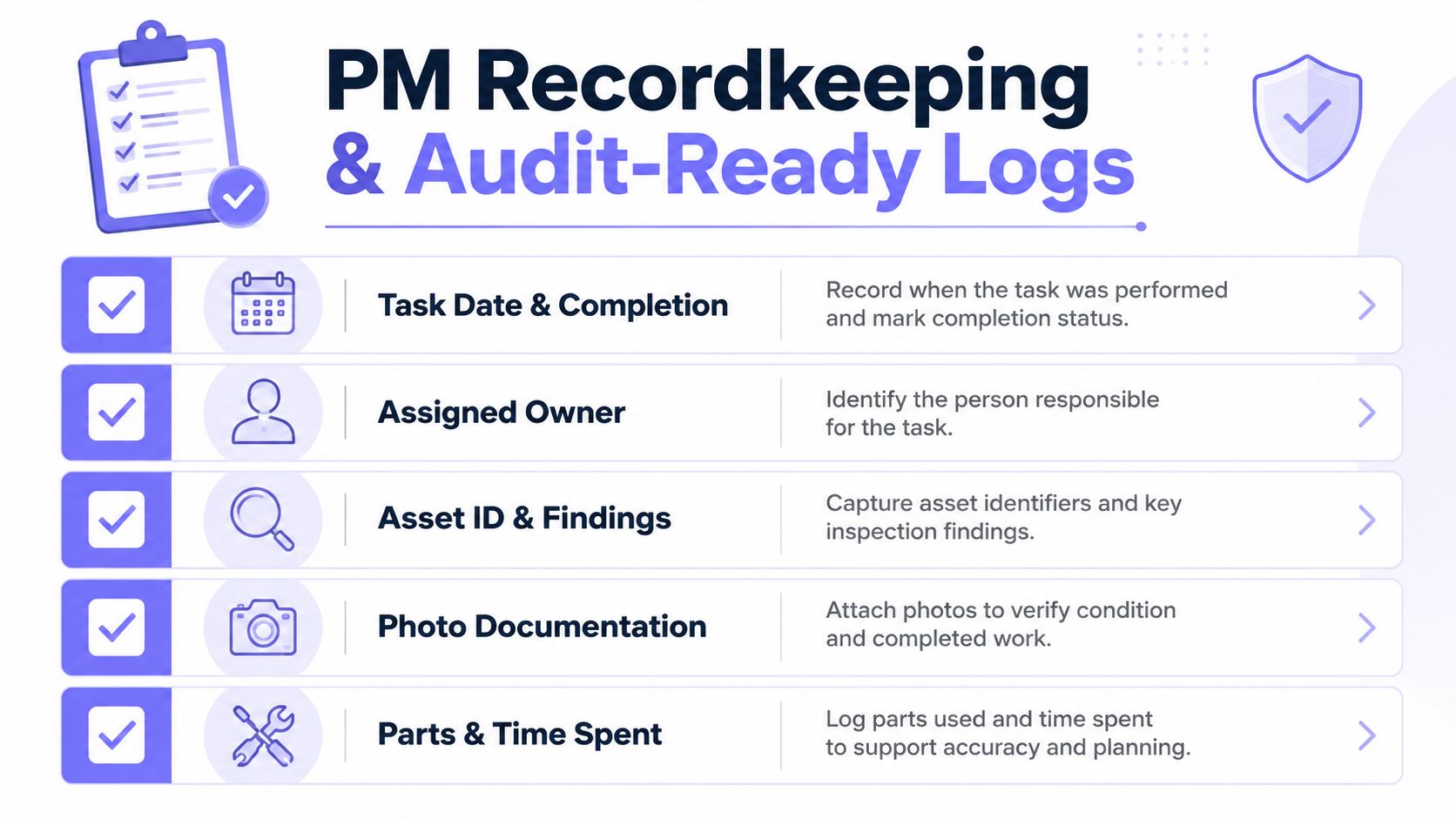
What every task log should include
A usable log is short, but it has to be complete.
- Task date and completion status: shows whether the work happened on time.
- Assigned owner: identifies who handled the task.
- Asset ID and findings: ties the work to the correct gate or controller.
- Photo documentation: helps verify damage, alignment, and installed parts.
- Parts and time spent: supports warranty, budgeting, and trend review.
That structure also makes audit work easier when HOA bylaws, insurer requirements, or warranty claims come into play. The more consistently the team logs each visit, the easier it becomes to spot repeat failures and justify replacements.
The KPIs that actually matter
For gate and entry hardware, four measures are worth tracking consistently:
- PM completion rate
- Mean time between failures
- Average response time on emergency calls
- Unplanned work as a share of total maintenance hours
The numbers only matter if the definitions stay consistent month to month. A team that changes how it counts completed work or emergency response will never know whether the program is improving or just being measured differently.
The strongest digital systems also help on the access side. A cellular controller timestamps credential grants, revocations, and open events, so the access log and the PM log reinforce each other instead of sitting in separate spreadsheets. For a closer look at that audit mindset, Nimbio property security guide is a useful reference point for teams building cleaner access records.
Audit-ready means the site can explain what happened without reconstructing the whole week from memory.
That's what good recordkeeping does. It turns maintenance into evidence.
Rebalancing the Schedule After Change and Disruption
The hardest PM problem isn't building the first schedule. It's keeping that schedule honest when the site changes.
Reset the cadence when the site changes
A good reset process starts with four moves.
- Reassess criticality against current usage.
- Review the last 90 days of failures and near-misses.
- Recalculate intervals at roughly 70% to 80% of observed MTBF for assets that are drifting.
- Rebalance PM demand against available technician hours so reactive capacity stays intact.
That last step matters more than many teams admit. If PM consumes too much labor, the site still needs room for breakdowns, and overbuilding the schedule can crowd out the repairs it was meant to prevent.
Common triggers that justify a reset
- A new property gets added to the portfolio.
- A guard service is replaced with app-based access.
- A storm, freeze, or other weather event changes hardware behavior.
- An HOA turnover changes who approves work and how fast budgets move.
Those events change both the risk profile and the labor available to manage it. A site that was stable last quarter can become fragile after a staff change, a utilization jump, or a run of weather-related failures.
When compliance slips
If compliance falls below target, the fix is usually operational before it's technical. The schedule may be too dense, the work orders may be too vague, or the site may be asking technicians to cover too much ground without enough capacity.
A tight quarterly review keeps that from drifting too far. It also gives property teams a place to separate real asset problems from scheduling problems.
Short FAQ
How often should the program be formally reviewed?
Quarterly works well for most sites, with a more immediate review after major disruption or repeated failures.
What if overdue PM keeps stacking up?
Shrink low-value tasks first, protect the critical assets, and rebuild the cadence around actual failure risk instead of habit.
Does more PM always mean better reliability?
No. Over-maintenance can crowd out repairs and waste labor, which is why the schedule has to match both criticality and available hours.
The best maintenance programs stay flexible without getting sloppy. They're measured, adjusted, and tied to the realities of the site instead of locked to a calendar that no longer fits.
If the current gate and entry workflow still depends on callbacks, paper logs, and ad hoc access changes, Nimbio can help move the site toward a cleaner operating model with cellular control, app-based credentials, and remote visibility. Visit Nimbio to see how a retrofitted access system can support better PM planning, tighter audit trails, and fewer unnecessary site visits.