

A gate that still depends on a shared PIN, a drawer of unassigned fobs, or a property-wide Wi-Fi network creates daily work for managers and uncertainty for residents. Lost clickers need replacing, former residents may retain credentials, and a visitor's entry can be difficult to verify after the fact.
Modern access control systems solve more than the opening mechanism. They connect identity, credentials, gate operators, visitor workflows, and audit logs so property managers and HOA boards can control entry without replacing every working component. For many communities, a cellular retrofit provides that modernization without depending on local Wi-Fi or forcing a complete gate replacement.
Table of Contents
- What Access Control Systems Actually Do for Communities
- How Cellular Hardware Powers Modern Gate Entry
- Key Fobs vs Mobile Credentials Choosing the Right Access Method
- The Hidden Cybersecurity Risks in Legacy Controllers
- Retrofitting Existing Gates with Cellular Solutions
- Integrating Visitor Management with Physical Access
- The Future of Secure Gated Communities
What Access Control Systems Actually Do for Communities
At a gated community, the problem often starts with a simple request. A resident reports a lost fob, a contractor needs access for the afternoon, or a former tenant's four-digit code must be removed immediately. If the property uses shared credentials, the manager may have no reliable way to identify who entered or determine whether the credential is still circulating.
An access control system changes that operating model. It associates a person, resident record, visitor, or contractor with a defined credential and a set of permissions. The system can then decide whether access should be granted, when it should expire, and what activity should appear in the audit trail.
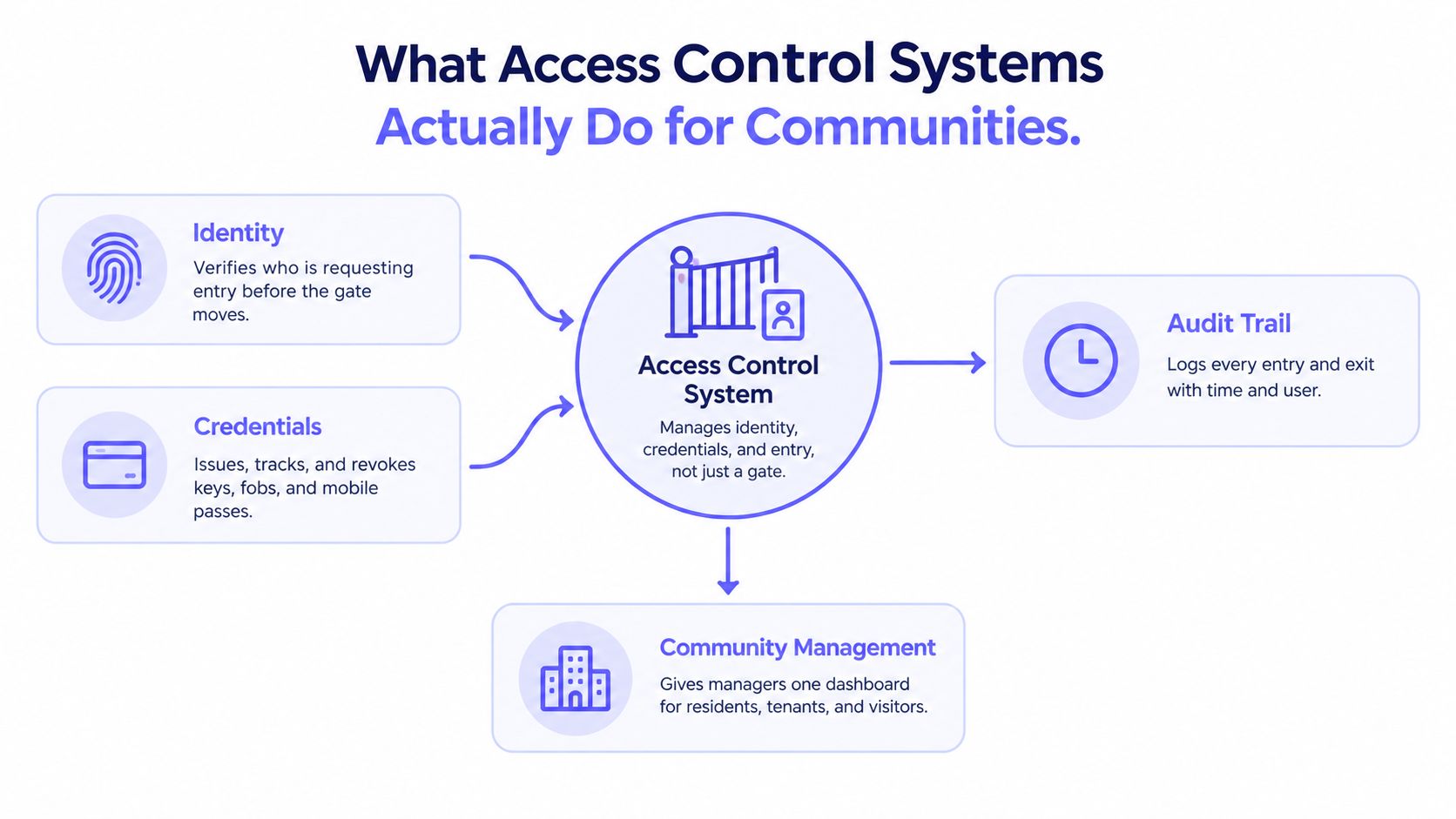
The four operational layers
A practical system brings four functions together:
- Identity: Establishes which resident, employee, visitor, or contractor is requesting entry.
- Credentials: Issues and revokes mobile passes, cards, fobs, remotes, or other access methods.
- Management: Gives property staff a central place to schedule permissions and handle exceptions.
- Audit trail: Records entry and exit activity so an incident can be reviewed rather than guessed at.
That structure matters because a gate is only the physical endpoint. The useful intelligence sits in the management layer, where an administrator can grant access to a new resident, revoke a departed tenant's permission, or issue a temporary pass to a delivery service.
Shared PINs are convenient at first, but they don't identify individual users and are difficult to control once distributed. A mobile credential or individually assigned access method creates a cleaner relationship between the person and the permission.
For broader context, the guide to access control systems for event venues shows how the same principles apply where organizers must manage different user groups, entry points, and temporary permissions. Residential communities have different workflows, but the underlying requirement is similar: the system should control more than the barrier itself.
The strongest design also separates everyday convenience from administrative authority. Residents can request or approve access from a phone, while managers retain control over credential status, schedules, and records. That division reduces manual intervention without turning the gate into an uncontrolled self-service device.
How Cellular Hardware Powers Modern Gate Entry
A cellular gate system keeps the access point off the property's local Wi-Fi. The usual setup includes a controller, an LTE modem, a SIM, an active data plan, power, and a relay tied into the existing gate operator or call box. The controller receives an approved request from the mobile platform and sends the right electrical signal to the gate hardware.
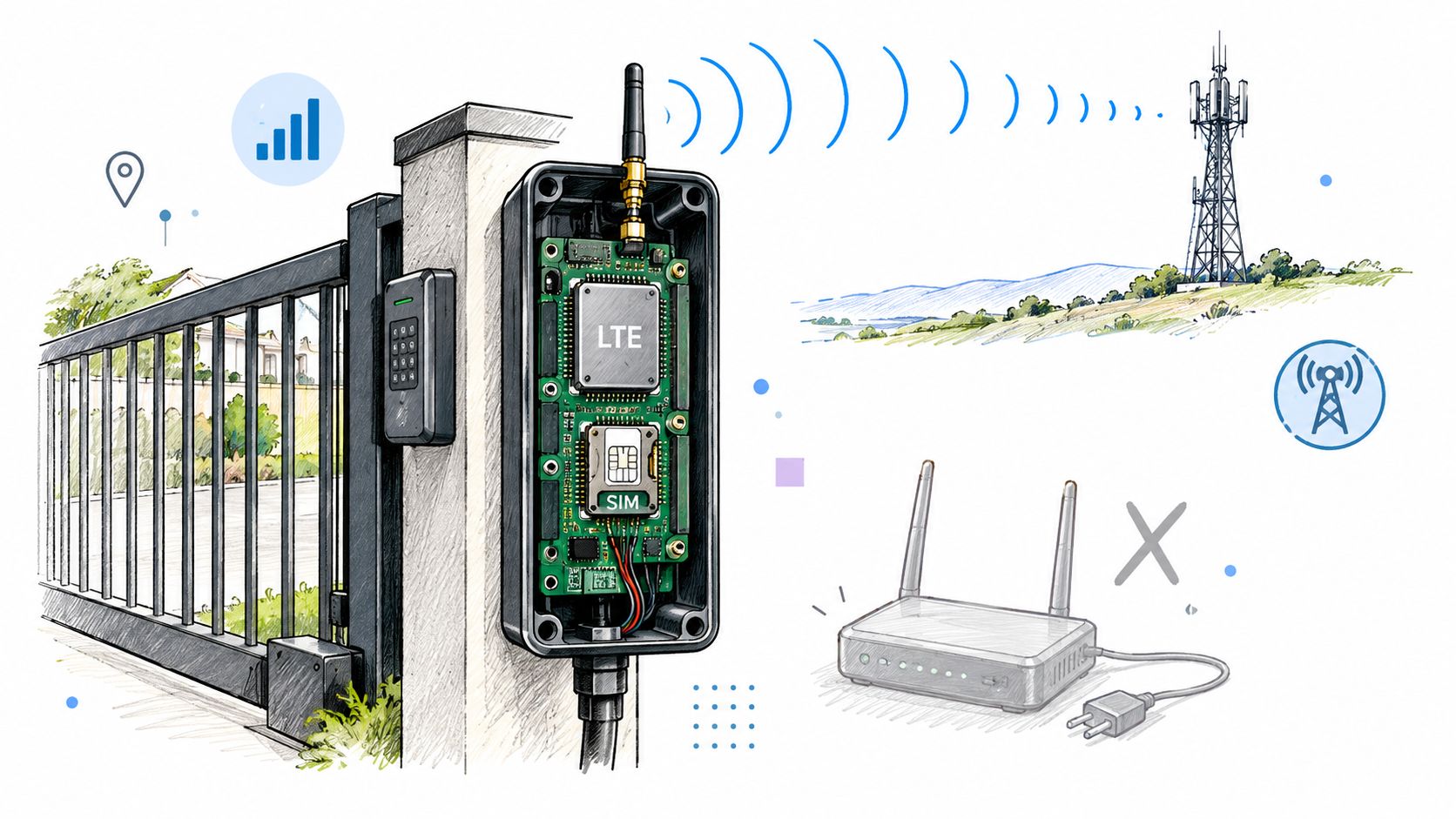
A retrofit usually starts with the hardware already on site. If the gate motor, strike, or call box still functions, the cellular controller can sit beside it and take over the signaling side without forcing a full replacement. That matters on older properties, where trenching for Ethernet or replacing a serviceable operator can turn a control upgrade into a major capital job.
How the signal reaches the gate
A typical request follows a simple path.
- A resident or approved visitor sends an entry request from a smartphone credential or other authorized workflow.
- The platform checks the user, time window, visitor status, and any configured rules.
- The cellular controller receives the command over LTE, so the gate does not need to join the property router.
- The relay fires the operator, buzzer, or call box input.
- The event is written to the management platform for later review.
That sequence is useful at a remote driveway, a detached parking area, or an older gatehouse where network cabling would mean trenching. It also avoids a common failure point in Wi-Fi-dependent installs, where a router reboot, signal change, or building network policy blocks entry at the worst time.
Cellular does not remove the need for stable power, usable signal, and a secure enclosure. It does remove the gate from the property's internal wireless dependency, which usually makes commissioning and troubleshooting faster.
Installers should treat the controller as operational infrastructure, not as a consumer accessory. The enclosure needs protection, the relay behavior needs to be confirmed, the power supply needs to be verified, and the connection to the gate operator needs to be documented.
For a clearer technical overview, how cellular gate openers work shows how the smartphone request, cellular controller, and gate mechanism fit together. The practical advantage is retrofit flexibility. The system can work with existing equipment instead of forcing the entire access point to be rebuilt.
Key Fobs vs Mobile Credentials Choosing the Right Access Method
Key fobs and clickers remain familiar because they work without asking residents to open an app or manage a phone battery. They can also be practical for users who prefer a physical credential. Their weakness appears during administration, especially when a community needs to identify individual users, revoke access quickly, or provide short-term permissions.
A keypad has a different problem. A shared code is easy to communicate, but it offers little accountability when many people know it. Changing the code can also create friction for every resident, vendor, and service provider who uses the entrance.
Mobile credentials move the control point into software. A manager can associate access with an individual smartphone, set a permission window, and issue temporary entry without handing over a physical object. The trade-off is that residents need a compatible phone and must follow the app's permission and notification workflow.
Access Credential Comparison
| Feature | Key Fobs / Keypads | Mobile Cloud-Based |
|---|---|---|
| User identification | Fobs can be assigned individually, while shared keypads identify no specific user | Credentials can be assigned to individual residents, staff, or visitors |
| Revocation | A lost fob must be identified and disabled; shared codes usually need to be changed for everyone | Permissions can be revoked through the management platform |
| Temporary access | Usually requires handing over a fob or sharing a code | Digital passes can be scheduled for visitors, vendors, or contractors |
| Auditability | Individual fobs may create records, but shared codes do not provide reliable attribution | Entry events can be associated with the credential and user |
| Resident experience | Familiar and simple, with no phone interaction at the gate | Convenient for smartphone users, but depends on phone access and app use |
| Infrastructure | Requires readers, keypads, remotes, or compatible receivers | Requires a controller, communications service, and software platform |
| Best fit | Communities prioritizing familiar physical credentials or offline simplicity | Properties needing remote administration, visitor workflows, and detailed permissions |
The right choice isn't always “mobile for everyone.” A community may retain existing remotes for continuity while adding smartphone credentials for residents, guests, and administrators. That hybrid approach can reduce disruption during a retrofit.
For communities evaluating how to replace key fobs for gated communities, the practical question is whether the new system can preserve necessary legacy access while improving control. A phased deployment often works better than forcing every user to change on the same day.
Practical rule: Choose the credential model around the property's actual workflows, not around the most impressive reader or app feature.
The Hidden Cybersecurity Risks in Legacy Controllers
A legacy gate controller can open every time and still create a security exposure. Once it connects to a management platform, it influences entry to buildings, parking areas, gates, and restricted facilities. Its cybersecurity controls deserve the same scrutiny as any other connected property infrastructure.
A 2026 survey of 561 physical security and cybersecurity professionals found that 32% said their current access control controllers lacked cybersecurity features, compared with 21% in 2025, according to the Mercury controller security report. The survey also found that 74% considered coordination between IT and security more complex, while 86% reported active efforts to keep up with cybersecurity and data protection requirements.
For property managers, the practical risk is the gap between reliable operation and adequate protection. A working relay proves that the gate can receive an open command. It does not show whether communications are protected, credentials are controlled, records are usable, or software can be updated without replacing the hardware.

Start the review with the controller's connection to its management platform. Confirm how that link is protected and whether the system can identify individual users rather than depend on shared codes. Check whether firmware and software updates can be applied through the existing installation, or whether an outdated board would require a disruptive replacement.
The audit trail also matters. Administrators need retained entry events that can support an investigation when activity looks unusual. The controller should coexist with installed readers, keypads, remotes, and operator inputs, since removing functional gate equipment may add cost without addressing the underlying risk. Assign ownership as well: someone must receive alerts, manage permissions, and respond when the controller or communications service needs attention.
A separate 2026 survey of the same professional population found that 78% considered the access control controller important or critical to their physical access control strategy, up from 72% in 2025. It also found that 82% considered backward and forward compatibility important for future planning, as reported in the controller compatibility and cybersecurity analysis.
That compatibility concern defines the retrofit gap. Cellular hardware can address remote administration and communications weaknesses while preserving a working operator and much of the existing gate infrastructure. Cloud connectivity by itself is not a security plan. The controller, communications path, credentials, update method, and installed hardware must be assessed together.
Retrofitting Existing Gates with Cellular Solutions
A retrofit succeeds when the new controller behaves like a compatible extension of the existing gate system. It doesn't need to replace a functional operator, motor, loop detector, keypad, or remote receiver if the electrical interface and operating sequence support the integration.
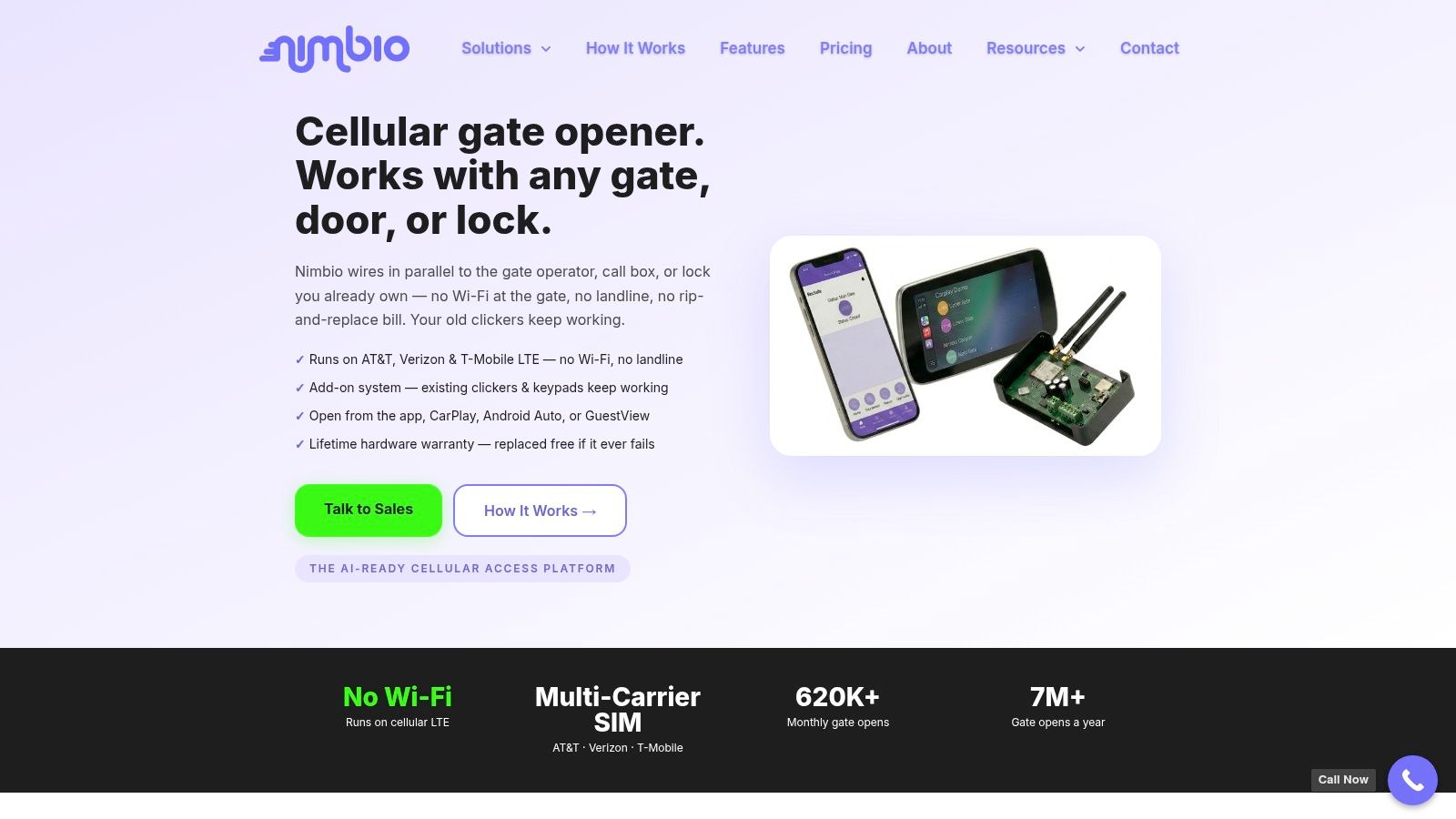
A cellular retrofit controller can wire in parallel with an existing electronic gate, buzzer, or call box and operate without local Wi-Fi, according to the cellular retrofit hardware overview. That makes the approach useful for communities that want smartphone credentials but don't want to remove working equipment or extend a property network to the entrance.
The pre-installation checklist
Professional installers should verify the following before selecting or mounting a controller:
- Gate operator model: Confirm the installed equipment, such as a LiftMaster, Viking, DoorKing, FAAC, Nice, or Mighty Mule operator, and review its control inputs.
- Relay input method: Determine whether the operator expects a dry contact, a specific voltage, a pulse, or another trigger method.
- Wiring path: Inspect the available terminals and confirm that a parallel connection won't interfere with the existing keypad, receiver, safety circuit, or call box.
- Power availability: Verify the voltage, current capacity, grounding, and enclosure conditions at the gate.
- Cellular signal quality: Test the mobile signal at the actual mounting location, not only at the nearby building.
- Enclosure space: Check whether the controller, antenna, power components, and wiring can be protected from weather and unauthorized tampering.
- Operating behavior: Confirm how the gate handles open, close, hold-open, obstruction, and emergency conditions.
Compatibility isn't automatic. The gate installation guide from Home Pro's Remodeling & Repairs provides useful background on gate structure and installation considerations, but electronic access integration still requires an operator-specific wiring assessment.
The controller should be installed so the existing access methods can remain available when the project calls for a gradual transition. That may mean preserving a keypad for residents, retaining a remote receiver, and adding a cellular relay for smartphone users and visitors.
Commissioning and troubleshooting
After wiring, the installer should test more than a successful opening command. Each user type should be checked, including a resident, a temporary visitor, an expired credential, and an administrator revoking access during an active permission period.
The test should also cover network-independent operation, relay timing, gate status feedback where available, and behavior after power or cellular service interruption. Documentation should identify the operator model, terminals used, power source, antenna placement, and service contact.
For a common setup problem, installers can use the guide on why the gate app won't finish setup to separate account configuration issues from wiring, power, or signal problems. Clear commissioning records make future service much faster than relying on memory or unlabeled conductors.
Integrating Visitor Management with Physical Access
A resident returning home, a delivery driver at the gate, and a contractor arriving for scheduled work should not receive the same access treatment. Residents may need ongoing permission. Guests may need one entry window, while deliveries and contractors may require narrower rules that expire automatically.
Visitor management becomes more useful when it can trigger the physical access event directly. A resident can send a digital invitation, approve or deny a request as it arrives, select a visitor category, limit entry, and review entry and exit activity in an audit log. The gate still needs a controller and relay, but a cellular retrofit can connect those functions without replacing the entire gate operator. That closes a common retrofit gap: modern permissions and visitor records can sit alongside existing motors, keypads, and receivers.
The practical value of a connected visitor workflow
ASIS research involving more than 1,000 security professionals found that 42% of organizations had integrated access control with visitor management, as reported in the ASIS access control benchmarks.
Those figures do not prove that integration alone produces every improvement. They do point to a practical operating advantage. Staff can review identity, visitor permissions, and gate activity in one process instead of reconciling separate logs, texts, and spreadsheets.
A workable community setup should support:
- Digital invitations: Residents send guests time-limited access.
- Live approval: A resident or manager approves or denies an entry request.
- Visitor categories: Contractors, deliveries, guests, and service providers follow different rules.
- Entry limits: Temporary credentials can be restricted by time, number of uses, or property policy.
- Visual verification: A one-way video call lets a resident see the person requesting entry before granting access.
The same ASIS research found that 71% of organizations experienced no more than five serious access-control or unauthorized physical-access incidents per year. For property managers, that reinforces a broader testing standard. Judge the system by how well it handles identity, authorization, expiration, and audit records, not only by whether the gate motor opens.
The Future of Secure Gated Communities
Access control has moved from mechanical keys toward cards, fobs, mobile credentials, and cloud-managed permissions. RFID and proximity cards still represented 38.7% of global market share in 2025, while cloud-based systems reached 34.8%, according to the access control systems market analysis. The coexistence matters because communities rarely replace every credential and controller at once.
Older proximity technology remains active in the field. An industry trend report cited in the same market analysis found that 125-kHz low-frequency proximity cards were still used by 63% of organizations, showing why modern deployments need a migration path rather than an assumption that legacy hardware will disappear.
Connected infrastructure is becoming the operating model
The broader market reflects that shift. One estimate values the global access control market at USD 11.62 billion in 2025 and projects USD 26.22 billion by 2034, implying a 9.46% compound annual growth rate over that forecast period, according to Fortune Business Insights' access control market outlook. Another estimate places the 2025 market at USD 11.3 billion and projects USD 19.9 billion by 2034, illustrating that research firms use different market definitions while still pointing to sustained expansion.
North America remains the leading regional market in multiple estimates, including a 36.95% share in 2025 in one analysis and more than 38% in another source linked from the same outlook. Commercial buildings, multifamily properties, industrial sites, public facilities, and smart communities all contribute to that demand for remote administration, auditability, and integration.
For property managers and HOA boards, the strategic decision is not just whether to buy a mobile app. It is whether the existing gate architecture can support secure credentials, reliable communications, visitor workflows, and ongoing controller management.
A cellular retrofit is often the practical path when the gate operator still works but the access process does not. It preserves useful hardware, reduces dependence on local Wi-Fi, and gives administrators a way to move from shared codes and untracked clickers toward individual smartphone credentials and remote oversight.
Nimbio provides cellular keyless entry for electronic gates and building access, with smartphone credentials, remote visitor management, and retrofit compatibility that can preserve existing gate hardware without relying on Wi-Fi. Property managers, HOA boards, and security integrators can visit Nimbio to evaluate a cellular access control approach for their community or installation.


