

Tuesday evening exposes weak apartment building access control systems faster than any vendor demo. A gate arm sticks open while a resident follows another car through, a delivery driver props a secured door, and the leasing office takes a call from unit 47 because a fob suddenly stopped working.
The property may have an intercom, keypads, card readers, and electronic locks, yet residents still experience uncertainty and delays. That gap between what operators believe they manage and what residents encounter daily is the core access-control problem.
Modern systems restrict entry to authorized residents, staff, and visitors through keys, fobs, cards, PINs, QR codes, or mobile credentials. Apartment access control is commonly defined as managing those permissions across residential entry points, not only locking a front door.
Table of Contents
- Why Apartment Building Access Control Demands a New Approach
- Credential Types That Power Modern Building Entry
- Retrofit First Versus Full Replacement
- Evaluating Features That Actually Matter to Property Managers
- Cost, ROI, and the True Price of Doing Nothing
- Compliance, Privacy, and Cybersecurity Essentials
- Your Apartment Building Access Control Decision Checklist
Why Apartment Building Access Control Demands a New Approach
Apartment building access control systems have evolved alongside communications technology. The first callbox often cited in the historical timeline appeared in Berlin in 1881, keypad-based systems emerged in the 1960s, and cloud-based smartphone access arrived in the 2020s. The history of access control explains why many communities still operate a mixture of intercoms, remotes, card readers, keys, and mobile layers.
That mixture isn't automatically a failure. It reflects decades of incremental upgrades. The problem starts when each layer has separate credentials, separate administration, and no shared record of who entered.
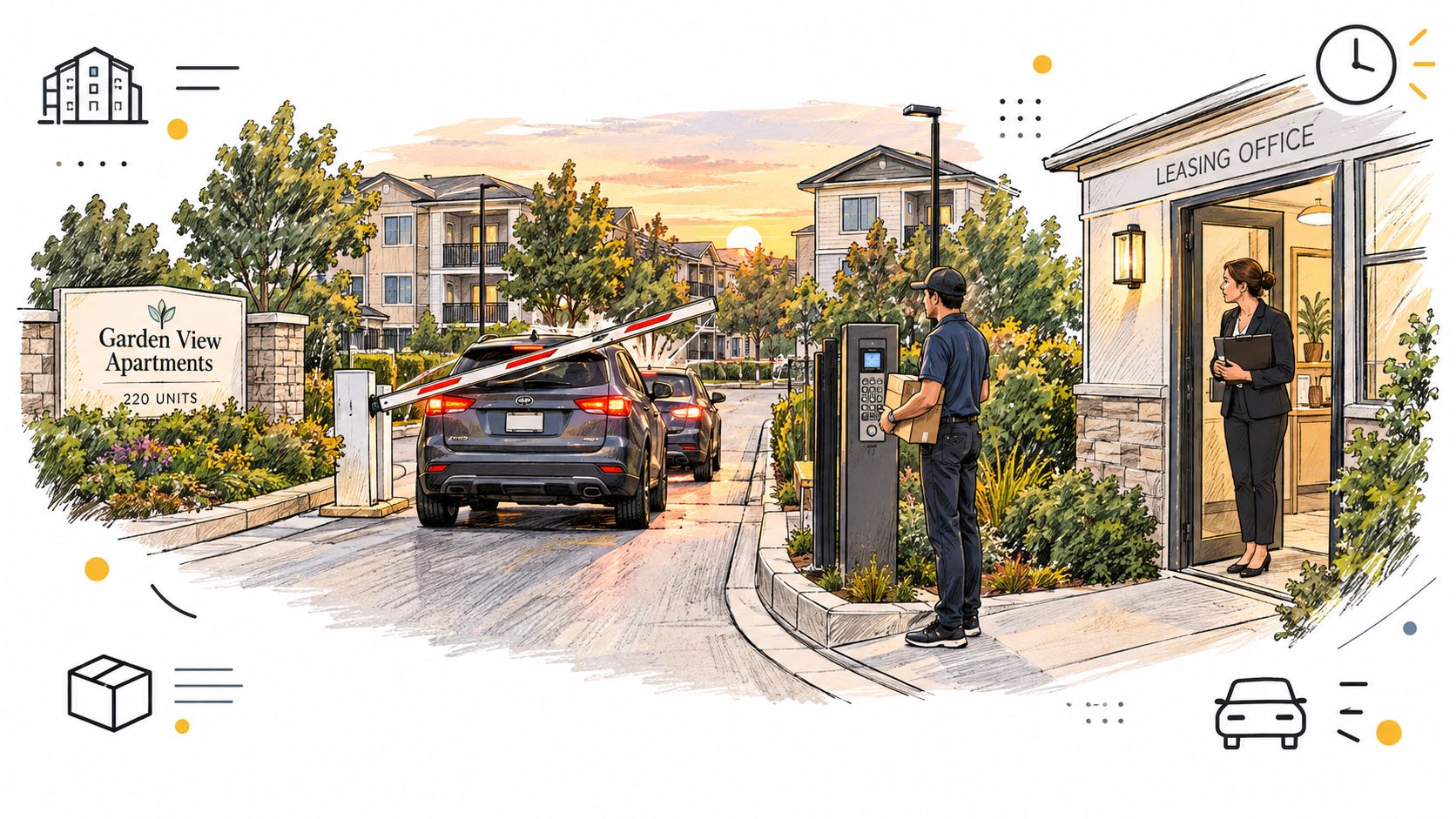
A metal key can be copied. A fixed PIN can be shared. A fob can be handed to a former resident or left in an open drawer. A standalone intercom can screen a visitor at the front entrance while providing no useful answer about a propped side door or an open garage.
Operator adoption is widespread. One industry survey reported that 70% of multifamily companies had an access control system at least one property, 70% had smart door locks at least one property, and 92% had an intercom or callbox at least one property. The multifamily access-control survey reports these operator-side figures.
Practical rule: A property doesn't need the newest device at every opening. It needs one coherent permission model across the openings that matter most.
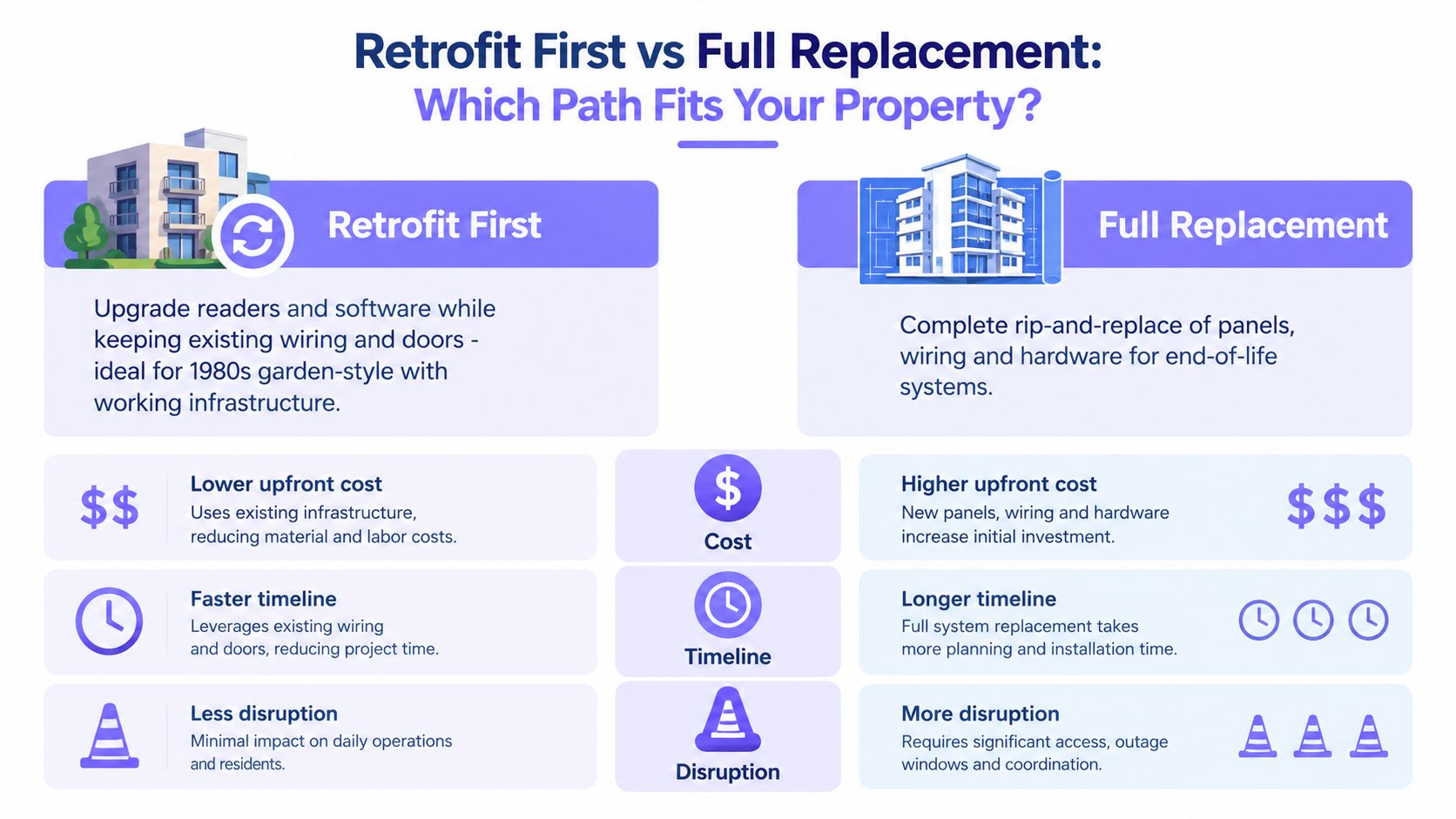
The retrofit-first answer is usually stronger than a teardown. Sound doors, gates, strikes, and gate operators can remain in place while a managed access layer adds cellular connectivity, digital credentials, remote administration, and event visibility. Replacement makes sense when the physical equipment has reached end of life or the property is being repositioned, not just because a newer reader exists.
Credential Types That Power Modern Building Entry
Residents judge an access system at the garage gate, package room, and side entrance, not in a property manager's technology inventory. Assign each credential to the openings where it limits friction and creates a reliable record of who entered.
Physical fobs and prox cards
Fobs and prox cards remain dependable at busy amenity doors, elevators, and package rooms. A resident taps without opening an app, and staff can issue credentials through established property workflows. They also work for residents who do not want to rely on a phone.
The operating burden appears after issuance. Staff must revoke lost fobs quickly, replace unreturned credentials, and challenge shared cards that weaken accountability. Physical stock adds another item to track during move-ins and move-outs.
PIN keypads
Service gates and contractor entrances are natural keypad locations. A maintenance vendor can receive a code without collecting a physical card, which keeps short-term access simple for the property team.
Identity remains the weak point. A shared PIN rarely identifies the person using it, and a former vendor may retain access until the property changes the code. Residents must remember the number, while outdoor keypads must withstand weather and visible key wear. Use individual codes where the system supports them, and set an expiration process for every temporary code.
QR codes for guests and vendors
Time-limited QR credentials suit deliveries, property tours, visitors, and recurring contractors. They give access for a defined purpose instead of creating another permanent credential in the resident record.
The policy matters as much as the code. Set an expiration time, record each use, and give staff a fast revocation path. A forwarded QR code becomes a control failure when the system cannot show who used it or cancel it promptly.
Bluetooth mobile credentials
A resident's phone dies at the garage gate at 11 p.m. That failure is uncommon, but the lockout is immediate. Before launching Bluetooth credentials, document fallback access for dead batteries, lost phones, app errors, and residents who cannot use the mobile workflow.
Mobile credentials otherwise fit residents who already use smartphones for leasing, package updates, payments, and property communication. They can cover building entrances, garages, amenity spaces, and selected interior doors. The manager's job is to pair convenience with a recovery process, not assume every resident will keep the app ready.
Video intercoms with directory calling
Main entrances and car park entrances need visitor screening, which is where video intercoms earn their place. The 2024 HCA Design Guidelines identify video intercom links from those entrances to each apartment, along with consistent reader placement and a standard access method throughout the building.
Treat the intercom as one part of visitor administration. Residents need a dependable way to identify callers, and managers need records, permissions, and revocation controls. An intercom cannot compensate for unclear rules at side doors, garages, or service entrances.
Cellular retrofit controllers
Cellular controllers connect existing gates or electronic doors to managed smartphone credentials without relying on resident Wi-Fi. For properties planning to replace key fobs for gated communities, Nimbio offers one example of a cellular retrofit approach that keeps compatible gate infrastructure in service while adding app access and remote credential management.
Teams managing IoT devices for landlords should include access controllers in the same device inventory as cameras, intercoms, sensors, and other connected equipment. Track ownership, connectivity, software status, and administrator access from the start.
| Credential | Best Use Case | Main Limitation |
|---|---|---|
| Fob or prox card | Amenities, elevators, package rooms | Lost, shared, or unreturned credentials |
| PIN keypad | Service entries and selected gates | Shared codes provide weak identity assurance |
| QR code | Guests, deliveries, and vendors | Codes need expiration and revocation rules |
| Bluetooth mobile credential | Resident entry and common areas | App fatigue and phone availability |
| Video intercom | Main entrances and visitor screening | Requires resident participation and clear policy |
| Cellular controller | Retrofit gates and electronic doors | Needs cellular service and compatible hardware |
A practical deployment usually combines two or three methods. Residents may use mobile access, vendors may receive time-bound QR credentials, and a video intercom may handle visitors at the primary entrance. The property should standardize permissions and fallback rules across all three.
Retrofit First Versus Full Replacement
A 1980s garden-style property with a functioning telephone entry system presents a straightforward retrofit decision. A cellular controller can connect to the existing gate motor and call panel, adding remote permissions and mobile access while the property keeps serviceable wiring and hardware.
A full replacement changes the project entirely. The owner may need new entry panels, wiring runs, power supplies, programming, resident onboarding, and a cutover plan that affects every household.
Three property scenarios
Mid-rise with fob-only amenities: Mobile credentials can modernize access to a fitness room, lounge, or package room without replacing every exterior opening. The manager must decide whether residents keep fobs during transition, because parallel credentials preserve service but create more complicated records.
Luxury high-rise considering facial recognition: A face-first system may support a premium repositioning strategy, but it introduces enrollment, privacy, consent, lighting, accessibility, and fallback questions. A high-end feature isn't a substitute for dependable elevator, garage, and service-entry operations.
End-of-life system: Replacement wins when the gate operator, panel, wiring, or power supply is unreliable. Adding software to failing hardware only moves the failure point and can leave residents with a more expensive version of the same outage.
A retrofit generally reduces disruption and preserves capital already invested in doors and gates. Full replacement can create a cleaner architecture and stronger vendor standardization, but it also concentrates risk in one major cutover.
Managers should ask who owns credentials, event logs, configuration data, and hardware compatibility if the vendor changes. The best retrofit plan, including retrofitting legacy gate operators, leaves a clear path for future replacement rather than locking the property into an opaque dependency.
Evaluating Features That Actually Matter to Property Managers
Feature sheets reward long lists. Operating teams need fewer exceptions.
A property manager should score each candidate against real events: a move-in outside office hours, a skipped resident whose access must be revoked, a dispute requiring an entry record, and a courier needing temporary access.
A practical scoring matrix
| Feature | Small (<50 Units) | Mid (50–200) | Large (200+) | Resident Impact |
|---|---|---|---|---|
| Mobile credentials | Useful at primary entry | Strong fit for residents and staff | Essential for scalable administration | Fewer physical credentials |
| Remote management | Important for lean staffing | Must support move-ins and vendors | Required across sites and roles | Faster access changes |
| Audit trails | Valuable for disputes | Needed for incident review | Must support searches and permissions | More accountable entry |
| Self-service | Helpful for guests | Important for lockouts and visitors | Reduces office interruptions | Less waiting for assistance |
| Multi-site scaling | Usually optional | Useful for shared teams | Core portfolio requirement | Consistent experience |
| Video intercom integration | Useful at main entry | Strong visitor benefit | Important for complex buildings | Better visitor screening |
| Resident app quality | Must be simple | Affects adoption | Determines portfolio consistency | Easier daily entry |
Cloud-based access control should log the decision metadata, including the user, timestamp, location, and outcome. Independent multifamily guidance also describes a broader property timeline that can include door taps, fob issuance, physical key checkout, and visitor entry. Access-control audit trail guidance shows why a log matters beyond security. It helps staff resolve disputes without relying on memory.
A vendor's answer to a few questions exposes weak systems quickly:
- Revocation: Can staff remove a resident's access immediately, and does that action appear in the audit record?
- Visitor control: Can guest and vendor credentials expire automatically?
- Connectivity: Does the system continue working when property Wi-Fi drops?
- Integration: Can it connect to existing doors, gates, intercoms, elevators, and garage equipment?
- Ownership: Can the property export its users, logs, and configuration if the contract ends?
- Support: Who responds to a failed gate outside office hours?
Managers comparing cellular options should use a detailed guide to what to look for in a gate access system. The evaluation should prioritize operational answers over polished demonstrations.
Cost, ROI, and the True Price of Doing Nothing
Access control budgets vary with building size, entry count, existing hardware, wiring condition, installation complexity, and subscription design. A retrofit that reuses a sound gate operator won't carry the same project burden as a replacement across every door.
The most useful budget separates four line items:
- Hardware: Controllers, readers, locks, intercoms, power supplies, and related equipment.
- Installation: Wiring, configuration, testing, and resident onboarding.
- Subscription: Software, cellular service, credential management, and support.
- Ongoing service: Batteries, repairs, firmware, inspections, and replacement planning.
The market also includes broad year-one cost variation. One 2026 industry source places cloud-based access-control costs at about $3,100 for small buildings and $34,000 for larger ones, while emphasizing that a phased approach matters when a property contains multiple entry types. The multifamily mobile-access discussion supports evaluating retrofit scope before approving a portfolio-wide replacement.
Where the return actually appears
The return rarely comes from a single dramatic event. It accumulates through fewer rekeying tasks, fewer after-hours lockouts, less time tracing disputed entry, fewer false dispatches, and cleaner move-in and move-out workflows.
A simple payback model should compare the recurring project cost with documented internal effort:
- Record monthly staff time spent on keys, fobs, lockouts, and access disputes.
- Add replacement hardware, rekeying, emergency calls, and avoidable vendor visits.
- Estimate the effect of faster revocation and scheduled digital credentials.
- Compare that operational cost with the proposed subscription and service plan.
A $20 monthly credential can eliminate a specific recurring key-management task, but the business case should use the property's own workload rather than a generic promise. The break-even point depends on entry count, staffing, resident turnover, hardware condition, and the number of managed credentials.
Doing nothing also has a cost. Tailgating, untracked shared keys, stale permissions, and staff time spent chasing access failures create a steady operational tax, even when no major incident occurs.
Compliance, Privacy, and Cybersecurity Essentials
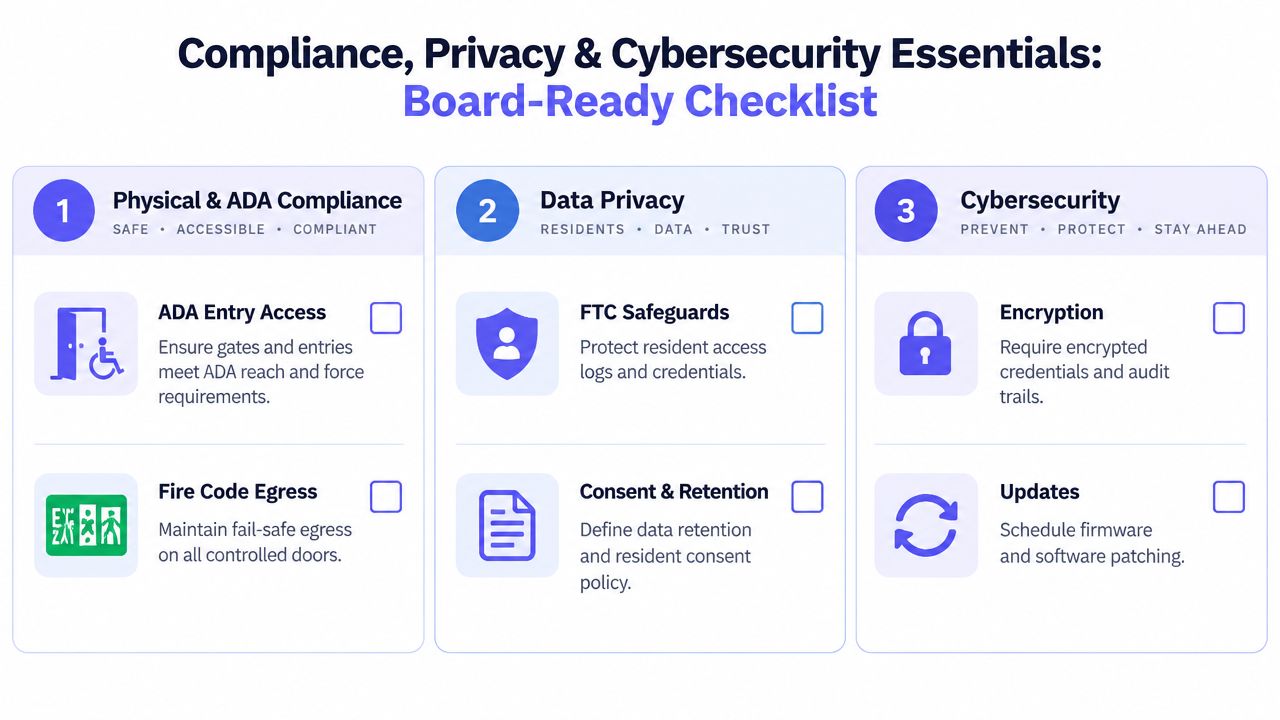
Residents judge security by what happens at the gate, not by the features listed in a proposal. A retrofit is compliant only when it protects physical safety, respects resident privacy, and remains secure after installation. Assign an owner to each control before approving the project.
Physical and accessibility controls
Property manager: Test gates, doors, readers, and intercoms with residents who have different mobility needs. Check reach, operating force, visibility, and the consistency of the access method. The HCA guidance places readers at 900–1100 mm AFFL and at least 500 mm from an internal corner. The HCA Design Guidelines provide the cited placement details.
Building engineer: Verify that controlled doors preserve safe fire-code egress. Access security cannot leave residents trapped during a power outage, fire alarm, network failure, or controller fault. Document the mechanical override and test it under realistic failure conditions.
Privacy and resident data
Management and counsel: List every data type the system collects, including access logs, visitor records, audio, video, and biometric information. Recording-consent and biometric rules vary by jurisdiction, so obtain legal review before enabling enrollment or recording.
Board and manager: Set a written retention schedule and delete data when its operational purpose ends. Indefinitely storing intercom audio or visitor video creates exposure that a property may struggle to justify.
Include the FTC Safeguards Rule in vendor review when resident information falls within its scope. Require documented protections for credentials, logs, administrator accounts, and connected systems. Ask who can access each dataset and how that access is audited.
Cybersecurity hygiene
IT or integrator: Require encrypted credential handling, MFA for management dashboards, timely firmware updates, and network separation from resident Wi-Fi. NIST's building-automation cybersecurity guidance recommends immediate hardening actions for resource-constrained operators because connected access devices form part of the wider building-automation attack surface.
Vendor manager: Send a security questionnaire before signing. Ask about breach notification, support access, patch cadence, subcontractors, data ownership, and offboarding. Require a clear process for removing vendor access when the contract ends.
Shared administrator accounts, stale permissions, and unbounded recordings become liability during an investigation.
A property facing unusual privacy concerns can consult specialists in counter surveillance services London for context on physical monitoring risks. Access-control compliance still requires local legal and technical review.
Your Apartment Building Access Control Decision Checklist
A sound project starts with the property, not the vendor catalog. The following sequence keeps apartment building access control systems tied to resident experience and measurable operating needs.
1. Audit the existing opening
Map every gate, entrance, garage, elevator, amenity door, package room, storage room, and unit-entry connection. Record the hardware condition, wiring, power, connectivity, current credential, failure history, and who administers each opening.
Interview the people who handle failures. Leasing staff, maintenance teams, security installers, delivery personnel, and residents often describe different versions of the same access problem.
2. Define the credential policy
Choose the default resident credential, then define exceptions for guests, vendors, staff, emergencies, and residents who can't use a smartphone.
A single credential type simplifies training and the resident experience, but it can reduce flexibility. Parallel credentials preserve service during transition, yet they complicate logs, revocation, and support.
3. Shortlist and pilot
Shortlist two or three systems and pilot them at one entry point. Include a gate or door that creates real operational friction, not a convenient demonstration opening.
Test:
- Resident entry: Normal use during busy periods and poor property Wi-Fi conditions.
- Visitor access: Remote approval, directory calling, and expiration.
- Staff workflow: Move-in, move-out, revocation, and emergency access.
- Failure handling: Power interruption, device loss, cellular outage, and manual override.
- Reporting: Searchable logs that staff can interpret without vendor assistance.
4. Set success measures
Track failed entry rates, support requests, credential-revocation time, lockout handling, and management time saved. The pilot should produce evidence about the property's actual workflow, not just a positive installation day.
5. Scale by door priority
Start with the openings that create the greatest resident pain or security exposure. Perimeter gates, primary building entries, package rooms, and high-traffic amenities often deserve earlier attention than low-use service doors.
Review the pilot before expanding. If the system requires too many workarounds, the property should change the design or vendor before those exceptions spread across the portfolio.
6. Protect the exit
The contract should define data ownership, hardware compatibility, support responsibilities, export options, and removal procedures. A modern access layer is valuable only when the property can operate it, audit it, and replace parts of it without losing control.
Nimbio offers cellular, smartphone-based access for existing electronic gates, call boxes, and building entry points, with remote credential management and entry logs that support a phased retrofit strategy. Property managers and HOA boards can review the Nimbio platform and decide whether its cellular approach fits the community's hardware, connectivity, and visitor-management needs.


