No single universal gate remote opens every gate. Most residential and commercial operators transmit somewhere between roughly 300 and 868 MHz, older crystal-controlled installations sit around 15 to 50 MHz, and two remotes tuned to the same frequency can still fail because the receiver expects a different code family.
That is the part the usual advice skips. The standard guidance is to buy the widest-band handset you can find, hold it against the old remote, press both buttons, and wait for the light. It works often enough to sound like a rule. It fails on exactly the properties that matter most: mixed fleets, inherited hardware, and any site where someone has to control who is holding a working transmitter.
A gate remote control universal in the useful sense is a transmitter that can be configured to match several receiver types. Whether it opens your gate depends on three layers: the radio signal, the code or protocol the receiver will accept, and the credentials and safety hardware sitting behind the receiver. Those layers come in that order, and a universal remote stops being the right tool when the problem moves past the first one.
Table of Contents
- Whether One Universal Remote Works on Your Gate
- How Frequency, Coding and Protocol Decide Compatibility
- Confirm the Operator Model Before You Order
- Programming Remotes Without Losing Track of Access
- Safety Rules a Universal Remote Cannot Replace
- Retrofit Controllers as an Alternative to Universal Remotes
Whether One Universal Remote Works on Your Gate
No manufacturer sells a handset that opens everything. A universal remote is a transmitter with a wider tuning and copying range than an original one. It works when the receiver accepts the exact signal it sends, and it does nothing at all when the receiver is looking for something else.
The signal families below cover nearly everything a household or facility manager will meet in the field. Sort your hardware into one row before spending money.
Gate remote signal types and what they mean for a universal remote
| Signal type | Typical frequency range | Code behavior | Meaning for a universal remote |
|---|---|---|---|
| Fixed code | Roughly 300–868 MHz | Same code on every press; often copyable | A matching frequency may work if the receiver accepts that code family |
| Rolling code | Roughly 300–868 MHz | New code on every press; receiver tracks a counter | Needs brand-specific learning; a matching frequency alone isn't enough |
| Crystal-controlled (older) | Roughly 15–50 MHz | Fixed code sent on each press, nothing rolls | Outside the common range; check the operator label before ordering |
Button count and shell shape tell you almost nothing. A four-button handset and a two-button handset can carry identical firmware, and two visually identical remotes can support different code families. What matters is whether the transmitter recognizes the encoding, not whether it can reach the band.
Practical rule: the operator model, not the remote's button layout, is the fact that decides the purchase.
Scale explains why this keeps catching buyers out. The global electric gate openers market was valued at USD 1,677.82 million in 2024, according to Credence Research, which describes an installed base built across several decades and several radio generations. No universal product has been validated against all of it.
Read the model number from the label inside the operator housing, or from the installation paperwork, and match it to a signal family first. If a controller upgrade is on the table at the same time, what to look for in a gate access system covers the questions worth asking before any hardware arrives on site.
How Frequency, Coding and Protocol Decide Compatibility
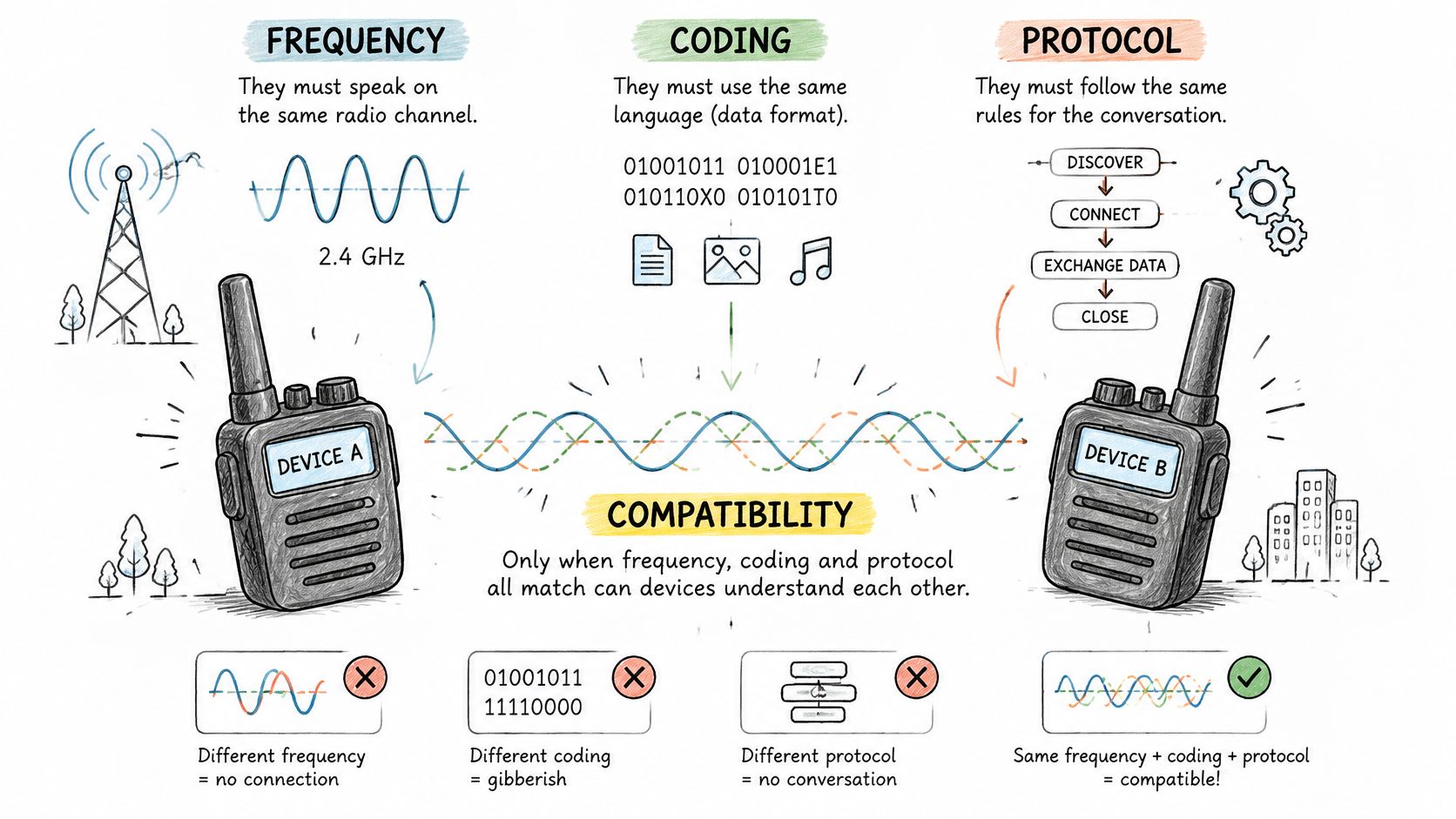
Two transmitters can both sit at 433.92 MHz and still be incompatible, because frequency is only the carrier. The 1Control guide to fixed and rolling codes lays out the split plainly: encoding, protocol and security architecture can differ even when the carrier matches. Gate systems commonly use fixed or rolling codes across roughly 300–868 MHz, while older installations may use crystal-controlled frequencies from approximately 15–50 MHz.
Frequency is the road a signal travels on. Protocol is the language spoken on it. The illustration below separates the two, showing radios that share a band and still have to agree on the message.
What the receiver checks before it moves the gate
The receiver runs a short checklist on every press. First, is this a code value it recognizes? Second, does it fall inside the counter window it expects? Third, was this transmitter ever enrolled or authorized here?
In a rolling-code system, transmitter and receiver hold a synchronized counter and a shared secret key. Each press produces a new code, and the receiver accepts only codes inside the expected window. Recording a press and replaying it generally fails because the code has already been consumed. That is a security gain and a copying obstacle in the same mechanism.
Radio adds its own noise on top of the coding question. License-exempt bands are shared with other equipment, so a handset that copies cleanly on a workbench can still miss presses at a gate on a crowded street. Range problems are often the receiving antenna, not the transmitter: a coiled or metal-shielded antenna wire collapses usable distance.
A remote that copies the signal is not the same thing as a credential the controller has enrolled. Those are different states, and only the second one survives a lost handset and a suspicious resident.
Say a property manager buys a 433.92 MHz universal remote for a gate whose receiver uses a rolling-code family. The remote transmits on the right frequency and nothing happens, because the receiver wants a code from a transmitter it has been taught. It stays dead until the brand's learning procedure is run at the operator.
Confirm the Operator Model Before You Order
Six checks settle most of these cases, and they take less time than a return shipment. Work them in order.
- Find the make and model on the operator label. It sits inside the cover or in the installation file. Without it, nobody can match a remote reliably, and any match is a guess.
- Record the carrier frequency if it's printed on the existing handset or in the manual. Trust the manufacturer's manual over a marketplace listing, which frequently quotes the wrong band.
- Decide whether the receiver uses fixed or rolling code, and write down any code family the manual names.
- Check whether the receiver needs enrollment, and whether the manufacturer publishes a learning procedure for it.
- Confirm an original remote still exists. Copying one is not the same as adding an authorized user at the controller, and that difference matters later.
- Call a qualified technician when the model can't be identified. Guessing at a blinking indicator or an error code wastes money and can leave a gate in a half-configured state.
One operator manual makes the radio limits explicit: the SOMMER short manual for the twist M-S3 warns that radio systems aren't protected from interference from other devices using the same range. That's the manufacturer telling you the link can drop through no fault of the remote.
As a hypothetical, a homeowner with an unmarked operator has only an old handset with a telescopic metal antenna. A technician reads the label, confirms from the manual that the system is an older crystal-controlled type, and orders a matching controller rather than a generic 433.92 MHz remote that would never reach the receiver.
If the operator turns out to be one where replacement handsets are no longer available, the Nimbio supported devices list is a quick check on whether a specific operator can be retrofitted instead. Sensor and reversal testing belong to the operator and its safety devices, and no remote purchase removes that obligation.
Programming Remotes Without Losing Track of Access
The hidden problem isn't programming. It's that a working handset keeps access alive long after the person holding it has left.
Programming itself differs by brand, so the manufacturer's manual for your operator is the only reliable procedure. The general shape is consistent: put the receiver into learning mode as the manual describes, press the new remote's button, confirm the gate responds, then write down which handset belongs to whom. Skipping the last step is how properties end up with a drawer of unidentified transmitters.
The governance question comes first. Ask who is allowed to authorize a new remote, and you'll usually find the answer is "whoever has the ladder and the code."
A replacement handset restores physical access. It rarely brings an audit trail, an expiration date, or fast revocation. Those aren't remote-control features at all; they belong to the controller and the credential system behind it.
Take a hypothetical 30-unit building where each unit received one remote at handover. Five years of turnover later, nobody can say which handsets are still in circulation, which tenants kept them, and which contractors were given one. Replacing every remote is expensive, and it still doesn't tell the board who opened the gate last Tuesday.
Keep a register with four fields, and update it the day anything changes:
- Remote label or serial, so a found handset can be traced to a holder rather than a guess.
- Holder name and unit, including contractors and regular visitors.
- Date issued, which is what makes an expiry policy possible later.
- Date removed, recorded when a tenant leaves or a handset is reported lost.
Properties that need expiration and attribution should treat the handset as one lane and the controller as another. A physical remote is fine as a backup. It's a poor substitute for a record.
Safety Rules a Universal Remote Cannot Replace
A universal remote sends open, close or stop. That's the whole of its job. Entrapment protection lives in the operator, its sensors and its control logic, and no transmitter changes what those are required to do.
Under ANSI/CAN/UL 325, each entrapment zone needs at least two independent entrapment-protection means, and the operator must be configured so it won't run until the required devices are installed and enabled, as DASMA's operator electronics data sheet sets out. The rules then vary by gate type.
Entrapment protection rules by gate type
| Gate type | Protection rule | Note |
|---|---|---|
| Horizontal slide gate | Two independent protection methods in each direction where entrapment zones exist | Applies to both opening and closing directions |
| Swing gate | Two protection methods where an entrapment zone exists; one device may suffice in a direction with no entrapment zone | Identify which direction has the zone |
| Barrier arm | Protection generally not required if the arm isn't intended to move closer than 16 inches to a rigid object | Pinch points and the actual system design still matter |
The distinctions above come from DASMA's data sheet on the 2016 UL 325 changes, which is worth reading before anyone assumes all gates carry identical obligations.
Testing what the remote cannot do
Protection performance is measurable, not theoretical. UL's guidance on gate operator entrapment protection describes methods that stop and reverse a moving gate within 2 seconds, including inherent protection, non-contact photoelectric sensors and contact sensors. For an adjustable clutch or pressure-relief device, closing force after sensing an obstruction must not exceed 10 percent above the initial setting required to stop the gate, and that setting cannot exceed 40 lbf.
None of those figures depend on whether the radio link is crisp. A remote can open a gate instantly, every time, on a gate whose reversal behavior is wrong.
Three checks cover the practical ground. Test the remote with the gate closed and again with it open, since range and response differ. Test each safety device separately, so a failed sensor isn't masked by a working one. Confirm reversal by obstructing the gate's path with the operator's own test method, following the manual for that model. Local requirements vary, and a qualified technician should confirm the operator's listing and configuration before anyone signs off.
Retrofit Controllers as an Alternative to Universal Remotes
A universal remote is the wrong tool in three situations: a fleet of mixed operators where no single handset covers them all, handsets that get lost or passed on, and any site that needs expiration dates or quick revocation.
The alternative is a controller that sits alongside the operator rather than replacing it. Nimbio is one example: its controller wires in parallel to the gate operator, call box or lock a property already owns, so there's no Wi-Fi at the gate, no landline and no rip-and-replace bill. Existing clickers, fobs and keypad codes keep working alongside the app, and property managers can revoke a digital key remotely or set an expiration date on one.
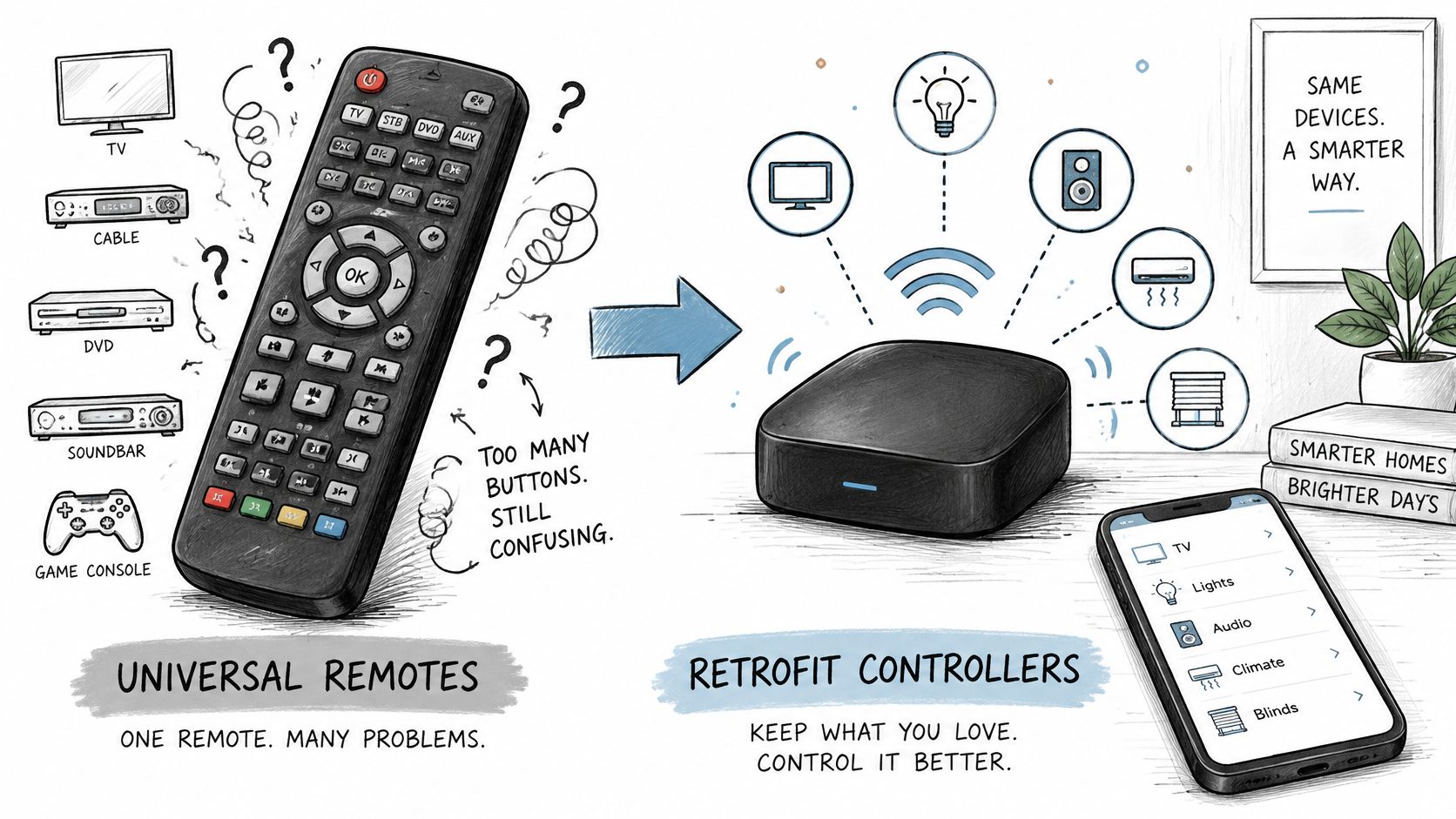
Replacement remote compared with a cellular retrofit controller
| Criterion | Replacement remote | Cellular retrofit controller |
|---|---|---|
| Works with the existing gate operator | Depends on the receiver's protocol | Wires in parallel to the operator already owned |
| Keeps existing clickers and keypads | Yes, since nothing at the receiver changes | Existing clickers, fobs and keypad codes keep working alongside the app |
| Revoking access | Often needs on-site reprogramming (check the manual) | Digital keys can be revoked remotely by property managers |
| Expiration date on a key | No, a handset carries no expiry | Property managers can set an expiration date on a key |
| Wi-Fi needed at the gate | No | No; connects over cellular LTE |
The trade-offs are real. A retrofit still depends on the operator's wiring and available power input, so confirm the details in the operator manual or with a qualified installer before committing. Cellular coverage at the gate needs checking rather than assuming, since a gate in a basement garage is a different site from a driveway. And a retrofit does nothing for entrapment protection, which stays with the operator and its sensors.
Where the property is replacing the gate itself rather than the controller, choosing the right gate for strata covers installation considerations for shared sites, which is a separate decision from how the gate gets triggered.
The retrofit path is documented in more detail in this guide to retrofitting legacy gate operators, including how the controller connects to the operator's dry-contact input.
Decision rule: one handset for one supported gate points to a universal remote. Issuing, revoking or expiring access for many users points to a controller.
Nimbio turns a gate you already own into a smartphone-controlled entry point without replacing the operator: a cellular add-on controller that wires in parallel, works with no Wi-Fi at the gate, and leaves existing clickers and keypad codes in service. Property managers can issue, expire and revoke digital keys remotely, and residents can verify a visitor with a video check before opening. If your property is running on a drawer of untraceable handsets, visit Nimbio to see how the retrofit works on your operator.