
A gate remote stops working just as a resident arrives, a property manager receives complaints about unreliable access, or a community discovers that a replacement clicker won't pair with the operator. The obvious response is to order another remote. That often misses the fault.
Gate remote replacement starts with diagnosis. The problem may be a weak battery, but it may also involve the receiver, antenna path, wiring, voltage, interference, or an obsolete code family. A careful check prevents wasted purchases and gives the property manager a clear choice between preserving the existing system and adding a modern cellular access layer.
Table of Contents
- Why Your Gate Remote Actually Stopped Working
- Diagnostic Steps Before Ordering a Replacement
- Understanding Fixed and Rolling Code Systems
- Pairing the New Remote to the Gate Operator
- Moving Beyond Clickers to Cellular Access
- Deciding Between Replacement and Modernization
Why Your Gate Remote Actually Stopped Working
A remote that works only when someone is close to the gate points to a different problem than a remote that fails for every user. The distinction matters. Replacing one transmitter won't restore reliable access if the receiver has unstable power or the antenna cable has deteriorated.
Common failure points include weak transmitter batteries, corrosion, water intrusion, metal shielding, RF interference, antenna-path problems, and receiver voltage instability. A technical guide on remote gate entry recommends checking antenna routing, coaxial and F-connectors, receiver voltage, nearby LED lights, power supplies, cameras, and frequency or code-family compatibility before replacing hardware. This troubleshooting guidance for remote gate entry systems is especially relevant when the remote works intermittently rather than failing completely.
Separate the handheld fault from the gate fault
The first useful comparison is between control methods. If a keypad, wired push button, or other authorized input opens the gate while the remote does not, the operator and motor may still be functioning. If every input fails, the fault may sit deeper in the operator, receiver power, control board, safety circuit, or gate mechanism.
A remote that works from one position but not another can also reveal an antenna or interference issue. Metal enclosures, damaged coax, poorly routed antenna wiring, nearby lighting equipment, and electrical devices can reduce the usable signal path. Water inside an outdoor receiver enclosure can create intermittent faults that appear to be a defective clicker.
Practical rule: A replacement remote should not be ordered until the property has established whether the failure follows the remote, the user, or the gate.
Why visual similarity proves very little
Two remotes can have the same button layout and similar housing while using different frequencies, receiver families, or enrollment methods. A universal cloning tool may copy a fixed-code signal, but it won't necessarily enroll a rolling-code transmitter or repair a receiver that has lost memory.
The same diagnostic mindset applies to other remote-operated equipment. Readers comparing radio-control principles across property equipment can consult this guide to resort golf cart remote use cases, where the operating context differs but the need to match transmitter and receiver remains relevant.
The right question is therefore not “Which clicker looks similar?” It is “Which part of the access chain has failed?” That chain includes the transmitter, battery, receiver, antenna, power supply, programming memory, and operator input.
Diagnostic Steps Before Ordering a Replacement
A disciplined inspection gives the replacement search a reliable starting point. Property managers should record what is known about the current equipment before anyone clears memory, opens an enclosure, or purchases a supposedly universal remote.
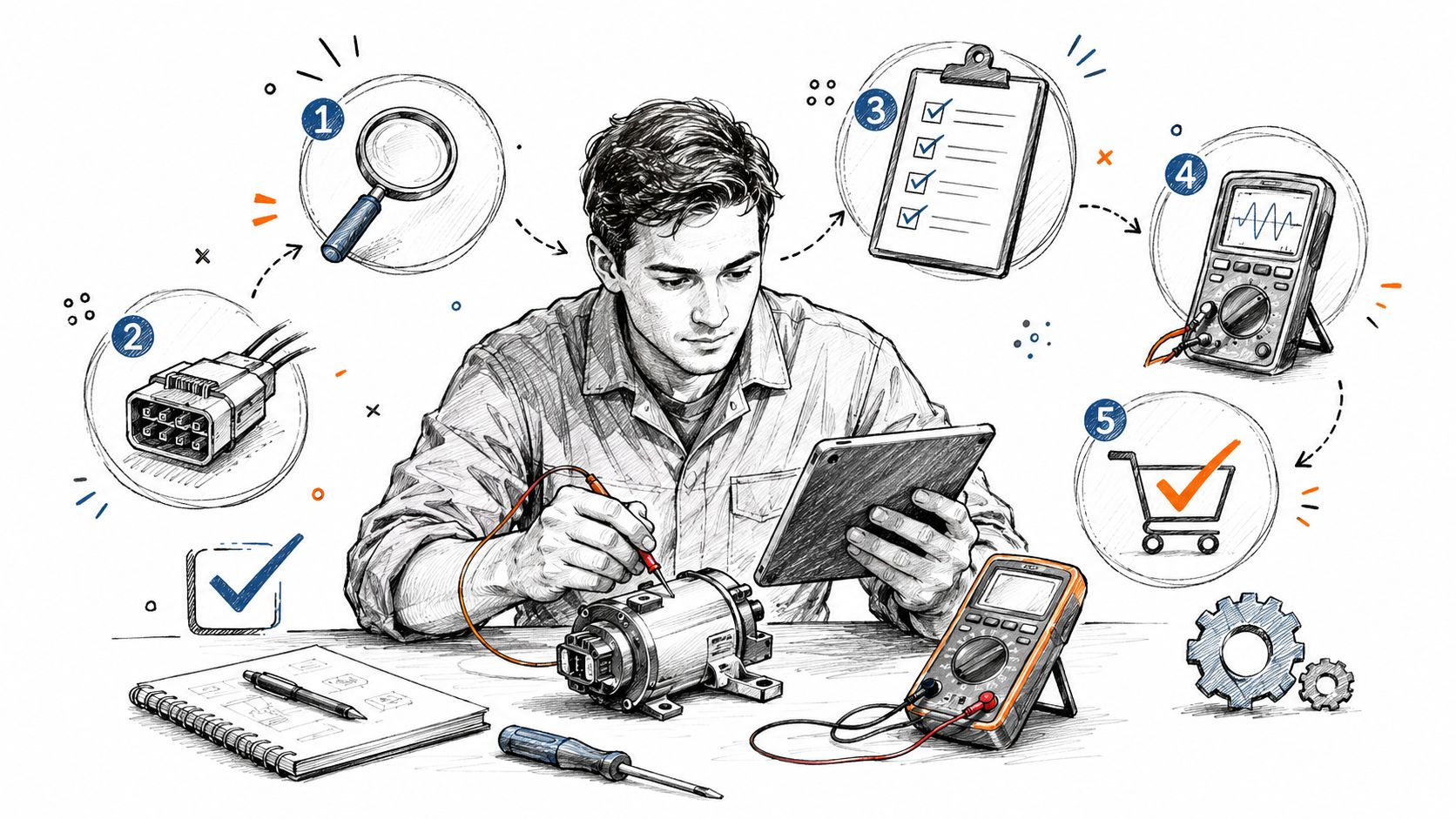
A field workflow that avoids guesswork
-
Test the battery and the housing. Install the battery specified by the remote manufacturer, inspect for corrosion, and check whether the buttons, case, or contacts show damage. A battery change is a sensible first check, but it shouldn't end the investigation when the range remains poor.
-
Compare more than one remote. If several authorized remotes fail at the same time, suspicion should move toward the receiver, antenna, power, or programming memory. If only one remote fails, the transmitter is a stronger candidate.
-
Test another authorized input. A keypad or local control can help separate a radio problem from an operator or gate problem. Any test must follow the operator's manual and must not bypass safety devices.
-
Record the old remote's identity. Capture the manufacturer, part number, FCC ID where present, frequency, button count, and any visible model marking. A photograph of the label and receiver is often more useful than a verbal description.
-
Inspect the antenna path. A technician should examine antenna placement, coaxial cable, connectors, enclosure seals, corrosion, and nearby sources of interference. Metal shielding and water intrusion can make a sound transmitter appear defective.
-
Verify the receiver and operator interface. Before a swap-in, confirm receiver access, programming method, voltage input, relay output, terminal function, channel count, antenna location, enclosure protection, and operator input logic. The exact terminal arrangement varies by equipment.
A qualified technician should measure receiver voltage with appropriate test equipment and compare the result with the manufacturer's documentation. Models differ, so indicator lights, terminal functions, and error conditions shouldn't be inferred from another operator's manual. The same caution applies to safety sensors. A gate photo eye guide can help readers understand the role of photo eyes, but the installed operator's instructions control the actual inspection and adjustment process.
Rolling-code pairing needs receiver access
On a rolling-code system, the new remote usually can't be cloned from another remote. It must be paired directly with the receiver, opener learn button, gate operator radio input, or access-control system. This explanation of cloning and rolling-code programming also highlights memory and logic compatibility as common reasons a physically similar replacement fails.
Receiver access is therefore a purchasing requirement. If the receiver is inside a locked operator cabinet, above a secured ceiling, or controlled by an installer-held programming tool, the property should arrange access before ordering hardware. Buying the transmitter first and discovering later that enrollment can't be performed creates avoidable downtime.
Understanding Fixed and Rolling Code Systems
The code family determines whether a replacement can be copied, enrolled, or used at all. Fixed-code remotes transmit the same bit pattern every time, while rolling-code remotes change the transmitted code with every press using a shared cryptographic sequence. As described in this comparison of universal gate remote technologies, an intercepted rolling-code transmission can't be replayed after it has been used.
Fixed code favors simplicity
Older systems commonly used DIP-switch settings or another fixed configuration. The transmitter and receiver were set to recognize the same repeated pattern, which made setup relatively straightforward when the frequency and switch arrangement were known.
That simplicity has a trade-off. Because the same signal is transmitted repeatedly, copying the pattern is easier than copying a changing sequence. A replacement must still match the frequency and code format, and the receiver may need to be configured to the same switch pattern. “Universal” doesn't mean universally compatible.
Rolling code favors enrollment
A rolling-code system changes the radio message after each accepted press. The receiver and transmitter share the logic needed to recognize the next valid message, so a recording of an earlier transmission generally can't be reused as a simple replay.
This is why a new transmitter may look correct and still fail. The receiver may expect a specific manufacturer family, frequency, cryptographic enrollment, or button function. A replacement with the wrong code family won't become compatible because its housing or button count matches the old unit.
Security distinction: Fixed-code compatibility is mainly a configuration question. Rolling-code compatibility is an enrollment and receiver-family question.
The radio frequency also deserves separate attention. Readers who want broader background on how remote-control frequencies affect compatibility can review this car key replacement radio guide. It doesn't replace the gate operator's documentation, but it reinforces why frequency should be recorded rather than guessed.
For property managers, the practical conclusion is clear. A fixed-code replacement may be relatively simple when the original settings are documented. A rolling-code replacement requires the correct transmitter and access to the receiver's approved enrollment process.
Pairing the New Remote to the Gate Operator
Once the replacement has been verified, enrollment takes place at the receiver or operator. The exact button sequence, indicator behavior, memory capacity, and reset procedure vary by manufacturer and model, so a generic sequence shouldn't be treated as a safe instruction.
A qualified installer should use the operator's manual to identify the learn or program control, confirm the correct channel, and enroll the transmitter without changing unrelated settings. The installer should then test the newly enrolled remote from appropriate positions, confirm that other authorized remotes still work, and document what was changed.
What the enrollment process must establish
The physical process generally has four aims:
-
Select the correct receiver function. A multi-channel receiver may control vehicle entry, pedestrian access, or another gate input. Choosing the wrong channel can create an apparent success while producing the wrong result.
-
Enroll the intended transmitter. The remote's button assignment should correspond with the required operator input. Button count alone doesn't establish that relationship.
-
Review lost credentials. If a remote was lost or retained by a former resident, the property should ask the installer whether the receiver supports removing individual credentials or whether a broader memory procedure is required. The manual determines the consequences.
-
Test the complete system. The gate should be checked for opening, closing, stopping, reversing, and safety-device behavior under the manufacturer's procedure. A remote that triggers motion isn't proof that the installation is safe.
Clearing receiver memory can have significant consequences. Depending on the equipment, it may remove every stored transmitter rather than one unwanted remote. A property manager should maintain a credential record and schedule re-enrollment with the installer if the manual doesn't provide selective deletion.
Remote access must not bypass gate safety
Remote control and entrapment protection are separate functions. In the United States, federal law 16 CFR Part 1211 directly requires residential garage-door operators to comply with UL 325 entrapment-protection provisions, and UL's guidance on UL 325 safety issues recommends installation by a qualified installer using the manufacturer's instructions. Local requirements vary, and a vehicular gate installation may also be subject to other applicable rules.
For vehicular gate operators covered by UL 325, the operator must have, or be supplied with, at least two independent entrapment-protection means for each entrapment zone. DASMA's technical document on this requirement explains that the operator isn't allowed to move until the required devices are installed and enabled.
UL 325 safety devices can include inherent reversing protection, non-contact photoelectric sensors, and contact sensors. The standard also permits an actuating device requiring continuous pressure to maintain gate motion, with the gate stopping when pressure is released, as described in UL's gate operator safety document.
No remote pairing procedure should disable, defeat, or work around those protections. If the operator behaves unexpectedly after enrollment, the gate should be taken out of service and inspected by a qualified technician.
Moving Beyond Clickers to Cellular Access
Replacing a remote is a maintenance decision when the property only needs one compatible transmitter. It becomes a security and administration decision when managers repeatedly issue credentials, recover lost clickers, manage former occupants, or deal with access that can't be traced to a specific person.
Physical remotes remain useful. They work without a smartphone, residents may already own them, and existing keypads or fobs can remain part of the access arrangement. Their limitation is administrative: a manager may know that a credential exists without having a practical way to issue, revoke, or expire it remotely.
When an access layer is worth considering
A cellular retrofit adds a second method of entry rather than requiring an immediate replacement of the gate. Nimbio makes a cellular add-on controller and smartphone app for electric gates. It connects over cellular LTE, so it doesn't need Wi-Fi at the gate, and it wires into the existing gate operator rather than requiring the gate itself to be replaced.
Existing clickers, fobs, and keypads can continue working alongside the app. Property managers can issue and revoke digital keys remotely and set an expiration date on a key, while visitors can be let in remotely, including video verification of a visitor at the gate. Property teams evaluating this approach can review how cellular gate openers work before comparing it with a receiver-only replacement.
That arrangement addresses a different problem from a new clicker. A transmitter restores a credential. A cellular access layer gives the property another way to administer entry when residents change, visitors arrive, or a physical credential is lost.
Cellular access has its own conditions
LTE coverage must be reliable at the gate. The installer should also confirm that the existing operator has a suitable control interface, that wiring is in acceptable condition, and that the property understands what happens during an outage. Local credential processing, cellular fallback, manual release, and other behaviors depend on the selected equipment and installation.
A cellular system won't repair a damaged receiver, corroded wiring, unsafe gate, or failed operator. Those faults still require diagnosis. The strongest retrofit decisions preserve working access methods while adding a manageable digital option, rather than treating a smartphone app as a substitute for repairing the gate infrastructure.
Deciding Between Replacement and Modernization
The decision becomes easier when the property separates equipment condition from credential management. A direct gate remote replacement makes sense when the receiver is supported, the code family is known, the antenna and power checks pass, and the property only needs another compatible transmitter.
Modernization deserves consideration when the receiver is discontinued, the code family is unknown, or the property repeatedly loses control of physical credentials. Guidance on discontinued gate remote replacement identifies these situations as compatibility problems rather than simple shopping decisions.
A practical decision test
- Choose a direct replacement when the operator and receiver are healthy, the programming method is available, and the need is limited to restoring a known credential.
- Repair the infrastructure first when range is poor across multiple remotes, the antenna path is damaged, receiver voltage is unstable, or the enclosure shows corrosion or water intrusion.
- Plan a broader retrofit when the receiver can't be sourced, enrollment depends on an unavailable installer, or managers need remote issuance, revocation, and expiration for digital keys.
- Review security administration when lost clickers, shared codes, and former occupants create uncertainty about who can enter. Additional guidance on secure access control tips can support that review.
A cellular add-on can be evaluated without assuming that every legacy credential must disappear. Property managers comparing options can use this guide to choose the best cellular gate opener based on operator compatibility, cellular coverage, administration needs, outage behavior, and installation requirements.
The next step is a documented site check. Record the receiver model, remote identifiers, antenna condition, power findings, safety devices, and credential-management problems. That record tells the property whether a compatible transmitter is enough or whether gate remote replacement has exposed a need to modernize access.
Nimbio adds LTE-based smartphone access to an existing electric gate while allowing current clickers, fobs, and keypads to keep working. Property managers can issue, revoke, and expire digital keys remotely and let in verified visitors, so visit Nimbio to assess whether a cellular retrofit fits the property.


