

Traditional call-box intercoms, keypad or PIN systems, hardwired video intercoms, and cellular retrofit controllers are the four practical multifamily door entry system categories, and each fits a different property profile. The right choice depends less on feature count than on whether the connectivity model can survive outages, resident turnover, and long-term infrastructure costs.
The popular advice is to choose the “most advanced” intercom. That advice is incomplete. A panel still becomes a liability if the property can't maintain its network, replace proprietary hardware, or revoke access quickly when residents and vendors change.
The stronger decision starts with three questions:
- Will the system keep critical doors usable during an internet or local network failure?
- Can the existing gate, strike, wiring, and call box be preserved?
- Can staff manage access without chasing fobs, shared codes, or an aging server?
A major 2025 multifamily industry survey found that 70% of multifamily companies had electronic access control at at least one property, while 70% had smart door locks at at least one property. The survey also found that 90% of U.S. MDU owners and operators planned to deploy, upgrade, or replace a smart building solution within the next 12 months. Those figures from the 2025 multifamily industry survey show that access modernization has moved well beyond isolated pilots.
The category has scale, too. An industry report estimated that more than 74 million door entry system units were deployed worldwide in 2024, including more than 19 million units for apartments and housing societies, as documented in this multifamily door entry market report.
Table of Contents
- Why Most Multifamily Entry Systems Are Chosen Wrong
- The Four Main System Types Explained
- Comparing Call Boxes, Keypads, Video Intercoms, and Cellular Retrofit
- Connectivity Models That Decide Long-Term Reliability
- Retrofit or Replace How to Decide
- Admin and Resident Workflows That Actually Matter
- Security Standards and Compliance Most Comparisons Skip
- Choosing and Pricing the Right System for Your Property
Why Most Multifamily Entry Systems Are Chosen Wrong
Property managers often buy on the first visible metric, usually hardware price or resident familiarity. That approach can produce a system that installs quickly but creates years of service calls, credential cleanup, proprietary replacements, and frustrated residents.
The decision is about lifecycle exposure. A door entry system sits at the intersection of building hardware, telecommunications, staffing, resident behavior, and capital planning. A low-cost keypad can become expensive when staff must rotate codes after every vendor change. A video intercom can become unreliable when its broadband connection, PoE switch, or local server receives little attention.
Connectivity comes before features
An entry system should be evaluated during failure conditions, not only during a product demonstration.
Property teams should ask what happens when:
- The internet service drops.
- Local Wi-Fi changes during an IT refresh.
- Building power fails.
- A firmware update fails.
- A resident loses a phone.
- A former resident still knows a shared PIN.
Cellular connectivity addresses a different failure path from the property's internet service. Wi-Fi and LAN systems may work well when the network is healthy, but they inherit the maintenance burden of that network.
Retrofit economics shape the result
Many communities already have usable doors, frames, gate operators, strikes, wiring, and power. Industry guidance describes multifamily retrofits as modernizing credentials and management software while preserving practical existing hardware, which is the basis of the multifamily access-control retrofit approach.
The four practical categories are:
- Traditional call-box intercoms, suited to properties where residents still accept phone-based visitor entry.
- Keypad or PIN systems, appropriate for small, stable buildings and limited-access openings.
- Hardwired video intercoms, justified when visual visitor verification and structured cabling are priorities.
- Cellular retrofit controllers, suited to existing electronic doors and gates that need remote management without depending on local Wi-Fi.
The rest of the decision should follow those forces. Brand names matter, but the property profile, connectivity backbone, and retrofit condition matter more.
The Four Main System Types Explained
Consider a 200-unit garden-style community with several vehicle gates, distributed buildings, and an existing gate operator. Its needs differ sharply from those of a six-story walk-up in an older Northeast city, where the main challenge may be a single lobby entrance and limited pathways for new cabling.
Traditional call-box intercoms
A traditional call box connects a visitor to an in-unit handset, telephone line, or resident phone. It's familiar, straightforward, and can operate without the property's internet connection.
That simplicity has limits. If the phone line is cut, decommissioned, or no longer maintained, the visitor workflow fails. The system also depends on residents answering, which creates friction for deliveries, guests, and residents who no longer use landlines.
A mid-rise walk-up with intact telephone infrastructure may keep a call box during a limited upgrade. A garden-style community with multiple perimeter openings usually needs more flexible administration than a phone-only model provides.
Keypad and PIN systems
A keypad is inexpensive to understand and easy to deploy at a side entrance, maintenance area, or small property gate. It doesn't require residents to carry a physical fob, but a shared code quickly loses accountability.
Regular turnover makes the problem worse. Former residents, contractors, delivery workers, and guests may retain the same code unless staff rotate it consistently. Individual PINs and automatic expiration improve the model, but they require a management layer rather than one permanent code.
Hardwired video intercoms
Hardwired video intercoms provide the strongest visual verification. A resident can see and speak with a visitor before releasing a door or gate, which is valuable at a primary lobby, high-rise entrance, or busy delivery point.
The installation demands are higher. Structured cabling, dedicated power, PoE equipment, and sometimes a head-end server can turn a simple replacement into a construction project. Older buildings may face pathway, drywall, and electrical constraints.
Cellular retrofit controllers
A cellular retrofit controller connects to existing electronic gate or door hardware instead of requiring a complete replacement. The Nimbio approach uses a controller connected to existing 12 to 24 volt hardware and multi-carrier LTE connectivity, allowing smartphone-based access while local internet remains unavailable.
That makes cellular attractive for communities with functional operators, strikes, or call boxes but obsolete access management. It also supports remote credentials and visitor workflows without forcing every opening into a new hardwired video architecture.
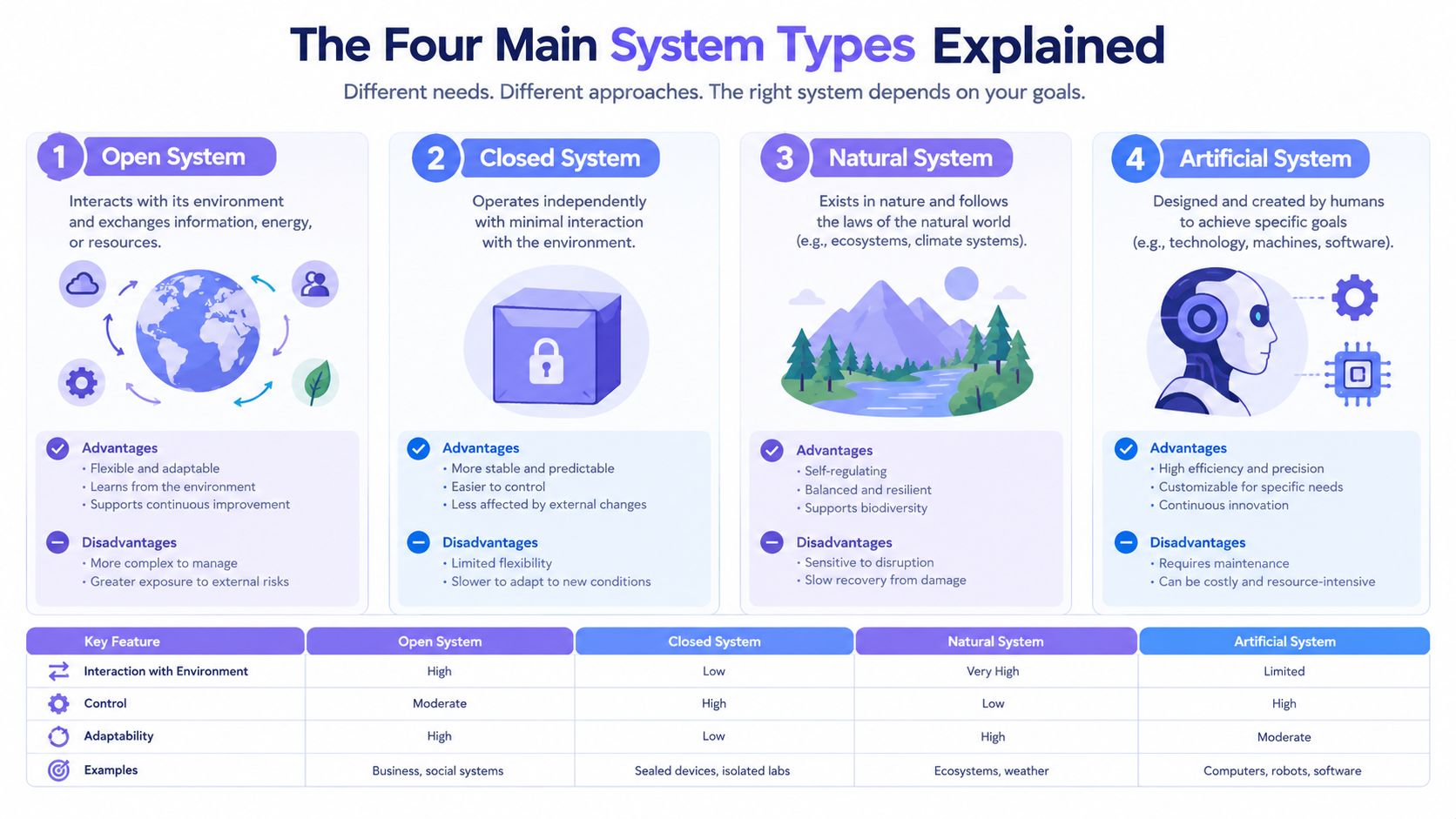
The comparison that follows should be read by operational fit, not by feature count. Visual verification favors video, small stable populations favor PINs, existing telephone infrastructure favors call boxes, and retrofit-heavy communities often favor cellular.
Comparing Call Boxes, Keypads, Video Intercoms, and Cellular Retrofit
A feature checklist hides the costs that property teams feel. The better test measures security, weekly administration, resident friction, installation disruption, and lifecycle exposure.
| System Type | Security | Admin Effort | Resident Experience | Install Disruption | 10-Year Lifecycle Cost |
|---|---|---|---|---|---|
| Traditional call-box intercom | Basic visitor communication, limited credential auditability | Moderate, especially when phone routing changes | Familiar, but residents must answer calls | Low to moderate | Can rise as phone infrastructure and legacy parts age |
| Keypad or PIN system | Weak with shared codes, stronger with individual expiring PINs | High if codes are managed manually | Fast for residents who remember the code | Low | Low initial cost, but recurring code administration adds labor |
| Hardwired video intercom | Strong visual verification and better visitor control | Moderate to high, depending on platform | Excellent for guests and deliveries when broadband is stable | High, with cabling, power, and pathway work | High hardware, service, and infrastructure exposure |
| Cellular retrofit controller | Stronger accountability with individual mobile credentials and logs | Low when credentials are managed remotely | Convenient smartphone entry and remote visitor access | Low when existing hardware and wiring are usable | Predictable subscription exposure with lower replacement disruption |
Security also depends on behavior. A keypad with one shared code is easy to abuse, while an individually assigned mobile credential can be revoked when a lease or vendor relationship ends. A video intercom improves verification, but it doesn't automatically solve tailgating or unsecured secondary doors.
For a property evaluating multifamily gate access control, the practical profiles are clear:
- Small, stable building: A keypad can work if staff issue unique codes and rotate them.
- Visitor-focused entrance: A hardwired video intercom earns its cost where residents need visual confirmation.
- Legacy phone environment: A call box remains serviceable when the telephone path is dependable.
- Existing electronic gate or door: Cellular retrofit usually minimizes construction and administration.
Practical rule: Score the system after a move-out, an internet outage, a lost phone, and an urgent visitor request. Those moments reveal more than a sales demonstration.
Connectivity Models That Decide Long-Term Reliability
The connectivity backbone determines whether a system remains useful through an ownership cycle. The intercom brand may change, but the property still has to maintain the path between the reader, controller, management platform, and door hardware.
Cellular architecture
A cellular system uses a carrier connection, often with LTE or related IoT connectivity, instead of the property's Wi-Fi or LAN. It's a strong fit where trenching is difficult, building IT changes frequently, or a gate sits away from the leasing office.
Cellular also separates access control from the property's broadband contract. Over-the-air updates can reduce site visits, and a modem replacement can be less disruptive than replacing a local server or rebuilding a network.
On-site Wi-Fi or LAN
Local networking can deliver responsive control and direct property ownership of the network path. It also introduces dependencies on access points, switches, firewall rules, local power, and IT support.
An on-premise server offers local control and low latency, but aging hardware, patching, backup responsibility, and single points of failure create long-term maintenance work. A system that works perfectly on installation day can become difficult to support when the original server or operating environment reaches end of life.
Cloud-managed hardwired video
Cloud-managed video intercoms balance remote administration with strong visitor verification. They still depend on stable broadband and healthy PoE infrastructure, so the property should document local fallback behavior before approving the design.
| Architecture | Uptime | Maintenance Burden | Upgrade Path | Best Fit |
|---|---|---|---|---|
| Cellular | Independent of property Wi-Fi and LAN, with carrier dependency | Low to moderate | Over-the-air updates and modular communications hardware | Distributed gates and retrofit projects |
| On-site Wi-Fi or LAN with local server | Strong during local network availability | High, due to server, patching, and network upkeep | Hardware replacement can be disruptive | Buildings with capable on-site IT and local-control requirements |
| Cloud-managed hardwired video | Strong when broadband and PoE remain healthy | Moderate | Good software path, but dependent on cabling and network equipment | New construction or major lobby renovations |
Property teams comparing a Wi-Fi vs LTE gate security comparison should ask one decisive question: which failure can the property repair fastest at night or on a weekend?
For most multifamily retrofits, that answer matters more than the intercom's directory design. Connectivity resilience, subscription terms, firmware support, and replacement procedures should appear in the procurement specification.
Retrofit or Replace How to Decide
The right retrofit decision has less to do with the intercom brand than with connectivity resilience and ten-year depreciation. Start with the property's infrastructure, then test which model will keep working through outages, resident turnover, and routine service calls.
A site inspection should answer four questions:
- Inspect the wiring. Confirm whether each opening has a usable low-voltage pair, Cat5, or no practical cable path.
- Check the operator or strike. Review age, service history, voltage, safety circuits, and parts availability.
- Understand resident behavior. Tech-fluent urban renters may expect mobile access, while long-term suburban owners may prefer a phone or keypad fallback.
- Match the budget cycle. Capital reserves can support a major replacement. Operating budgets may favor a smaller retrofit with predictable monthly service.
A cellular controller can connect to an existing call box, gate operator, or electronic lock when that hardware remains serviceable. The property preserves more of its investment, limits resident disruption, and avoids treating new cabling as the default answer.
When retrofit is the sensible choice
Retrofit is usually the stronger option when:
- The wiring still works: The property can reuse the existing low-voltage path and power.
- The operator remains serviceable: The gate or door hardware has a reliable repair process and parts path.
- The opening is distributed: Several remote gates or secondary doors would require extensive trenching.
- The manager needs quick deployment: Installation can proceed without reconstructing the lobby.
- The goal is better administration: Staff need individual credentials, remote revocation, visitor access, and logs.
Cellular is especially practical for scattered buildings and remote gates, where a local network may be unavailable or costly to extend. The trade-off is carrier dependency, so the specification should address signal strength, service coverage, and what staff do during a communications outage.
When replacement earns its place
Replace the system when the head-end has failed, the panel is obsolete, or legacy wiring cannot support cameras and directory displays. New construction also favors purpose-designed hardwired video because pathways, power, and network equipment can be planned before walls close.
A six-story walk-up with failed telephone equipment and no usable cabling may justify replacing the lobby stack. A garden-style property with functioning gates and scattered buildings usually has a better retrofit case.
Coverage should shape the rollout. Recent multifamily access-control coverage describes unified deployments that reach unit entry, amenity spaces, storage rooms, and secondary entrances, while QR-code or plaque-based intercoms can extend visitor access where full hardware installations are not justified. The 2026 multifamily access-control feature supports a phased strategy instead of an all-or-nothing replacement.
Admin and Resident Workflows That Actually Matter
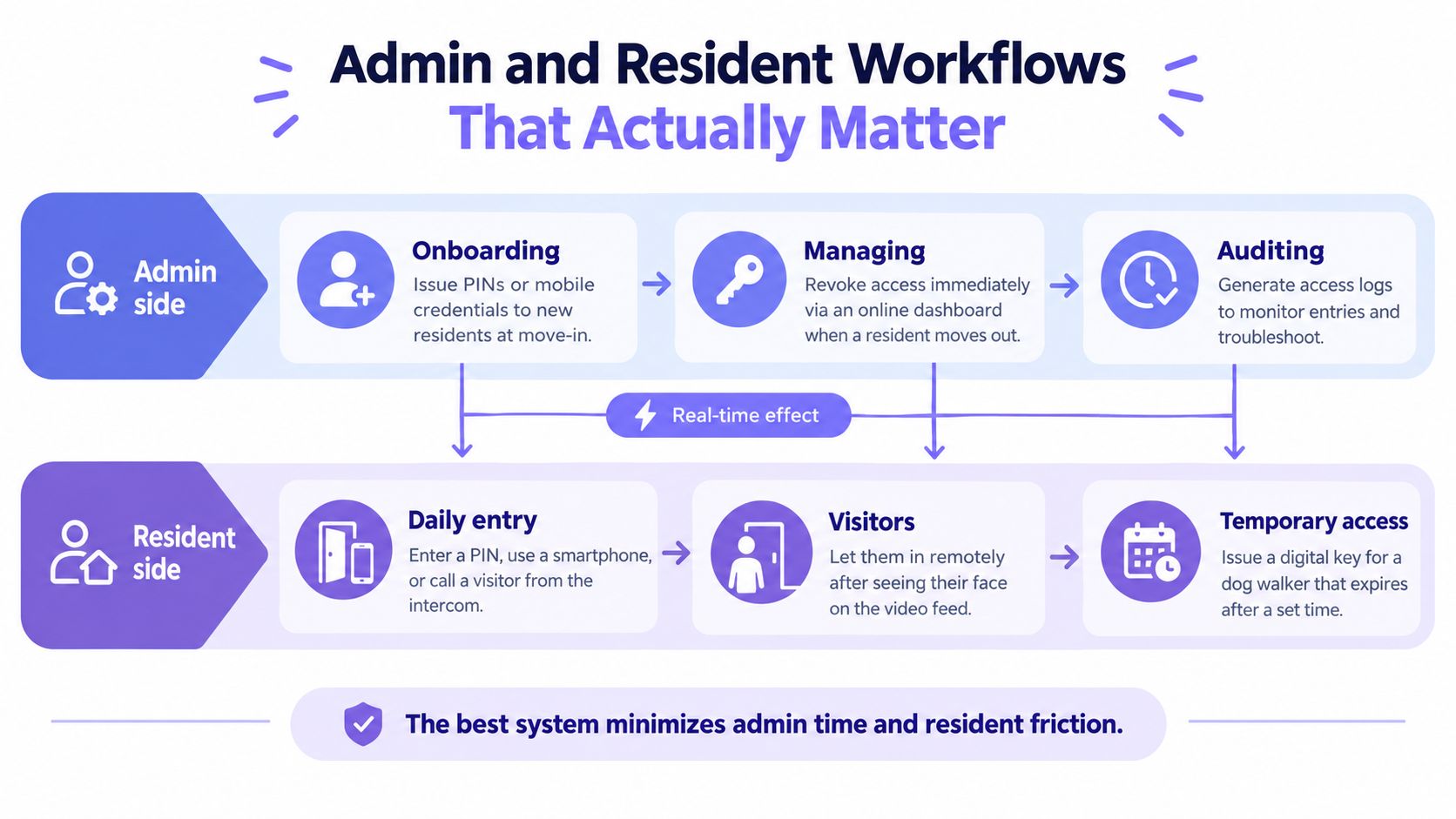
A door entry system succeeds when routine work stays routine. Staff should issue credentials at move-in, revoke them at move-out, schedule temporary access, and review events without switching among disconnected tools. Test those actions with the actual leasing and maintenance team before approving a purchase.
The administrative test
Run these checks during the evaluation:
- Onboarding: Can staff issue a PIN or mobile credential during a standard move-in?
- Revocation: Does access disappear immediately when a resident, cleaner, or contractor no longer needs it?
- Scheduling: Can staff set hold-open periods for holidays, deliveries, or service windows?
- Auditing: Can managers retrieve timestamps, credential identifiers, and access points during an incident?
- Integration: Can the system connect with property management workflows without manual re-entry?
Keypad-only systems usually create more administrative work. Staff must maintain codes, communicate changes, and investigate who may know a shared credential. Individual digital credentials reduce that uncertainty, particularly when the platform supports time-limited guest and vendor access. For a closer look at access management for multifamily properties, judge the system by how well it handles these recurring tasks.
The resident test
Residents judge the system at four moments: returning home, admitting a guest, receiving a delivery, and recovering from a lost phone. Smartphone-first access handles remote entry and visitor permissions well. A keypad fallback remains valuable for residents who prefer not to use an app or need another way through during a phone problem.
Visitor access should extend beyond “call the office.” Residents need to grant temporary entry to a dog walker, coordinate furniture delivery, or admit a family member without sharing a permanent code. Set expiration times and make the permission easy to cancel.
The best workflow gives staff control without turning residents into support tickets. That means simple prompts for common actions, clear status when access is granted, and a fallback plan when connectivity or a device fails.
Mobile access has clear demand. In Allegion's 2023 Multifamily Living Trends survey, over 59% of respondents said they'd likely choose a future residence offering mobile access control, and 72% preferred mobile devices for unit and property access. The same Allegion multifamily survey reported an 82% increase versus 2019 in respondents willing to pay more for mobile access supporting remote monitoring and guest access. These preferences support mobile credentials, but they do not justify ignoring keypad or offline fallback options. Reliability during outages and resident turnover still determines whether the system works day after day.
Security Standards and Compliance Most Comparisons Skip
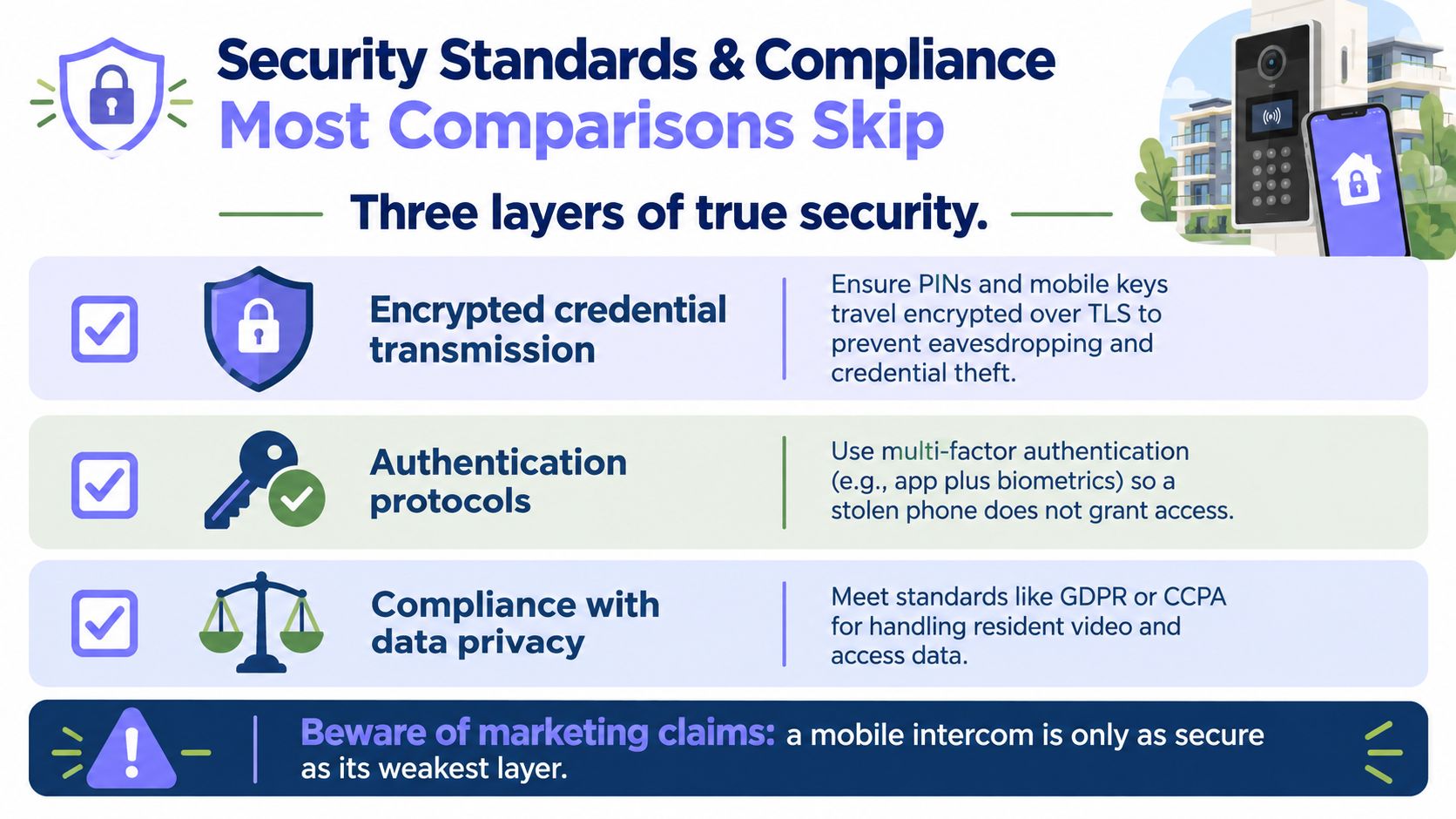
A smartphone-enabled intercom isn't automatically secure. The app is only one layer, and a polished user interface can't compensate for weak reader-to-controller communication, poor administrator authentication, or missing audit records.
A defensible specification should require:
- Encrypted credential transmission, including protection for mobile credentials and access records.
- OSDP or an equivalent secure reader protocol, rather than relying on legacy unencrypted reader-to-controller links.
- Timestamped, exportable audit logs that identify the credential, access point, and event outcome.
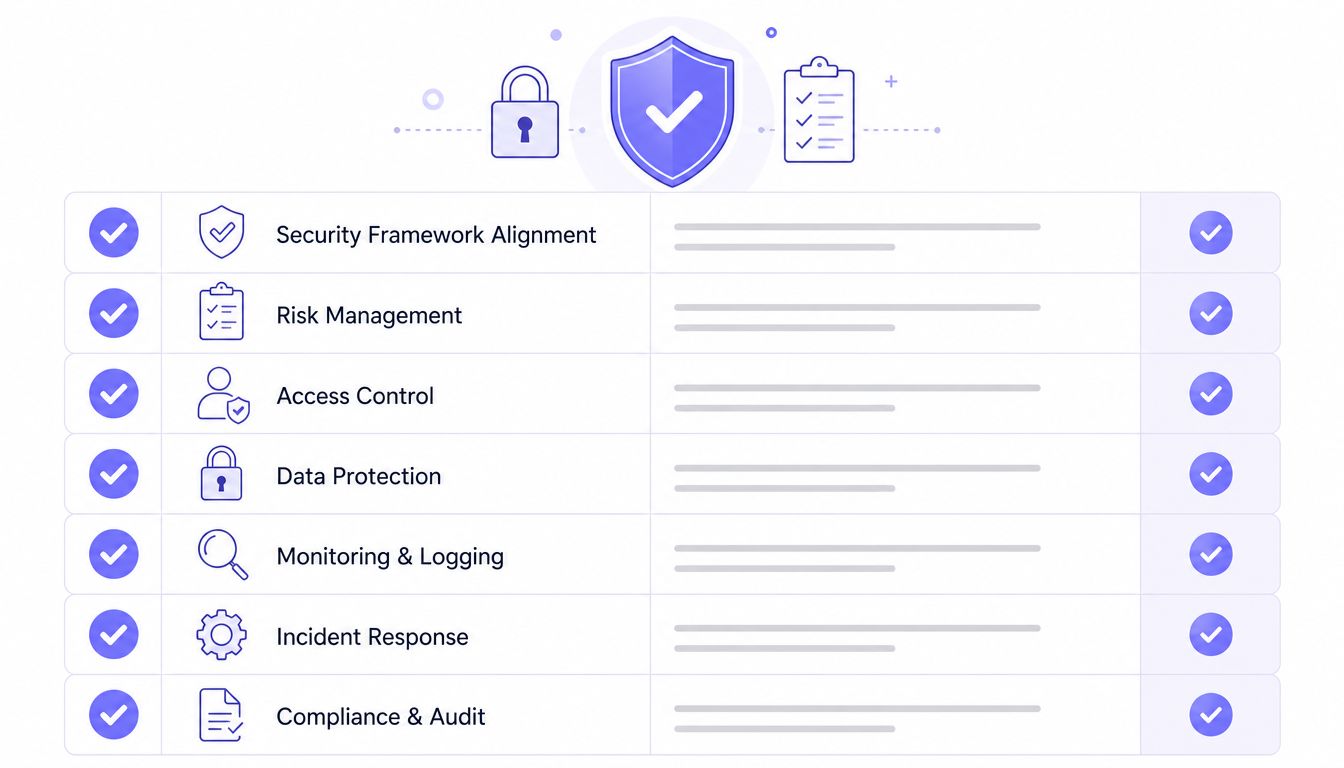
HID guidance cited in industry coverage identifies OSDP as the only protocol that is both secure and open for reader-to-controller communication, and recommends it as the baseline for new installations. The practical gain occurs at the edge, where encryption helps protect communication between the reader and controller, not just traffic to a cloud platform. The multifamily access-control security guide also emphasizes encrypted credentials and records, MFA for administrators, and detailed logs.
Administrative controls matter
Property managers should require role-based permissions so leasing staff, maintenance teams, regional managers, and installers don't receive identical authority. MFA for property staff should be standard for cloud administration, especially where remote access and credential changes are available.
Cloud providers should also document security assurance, data retention, incident response, and data residency. A property may need to align those policies with insurer requirements, internal governance, and applicable privacy obligations involving resident video or access data.
A “smart” entry system without secure provisioning and accountable administration is an expensive keypad with an app attached.
Traditional call boxes generally need add-on controls to provide modern auditability. Keypads need individual credentials and expiration rules. Hardwired video systems can meet more requirements out of the box, but their security still depends on protocol choice, administrator controls, network health, and vendor support.
Choosing and Pricing the Right System for Your Property
Price the system against the property's connectivity risk and retrofit condition, not against a feature checklist. Ask which model will keep working through internet outages, resident turnover, and years of depreciation. Require a written proposal that separates installation, hardware, connectivity, software, support, replacement terms, and integration fees. Market research can show adoption patterns, but it cannot establish one universal equipment or subscription price.
| Property Profile | Recommended System | Typical Cost | Pricing Model |
|---|---|---|---|
| Small walk-up or garden-style property | Keypad or basic call-box retrofit | Obtain a site-specific quote | One-time hardware purchase with optional service |
| Mid-sized retrofit with usable wiring | Cellular retrofit controller | Obtain a per-door and recurring-service quote | Per-door subscription bundling hardware and connectivity |
| New construction or major lobby renovation | Hardwired video intercom and cloud platform | Obtain a project-specific installed quote | Hardware purchase plus software and support, or bundled service |
Three commercial structures appear most often:
- One-time hardware purchase: The owner buys equipment and pays separately for maintenance or software.
- Per-door subscription: Hardware, connectivity, and management are bundled into a recurring charge.
- Per-user SaaS: Pricing scales with credentialed residents or users, so occupancy and staffing changes can affect the bill.
Retrofit economics deserve priority because the existing entry hardware often determines the final cost. U.S. multifamily research summarized by the industry access-control report estimated more than 26 million apartment units, including 4.3 million units in gated communities, 1.9 million in access-controlled communities, and 1 million linked to a community app or web portal controlling gates or doors. Adoption is meaningful, but coverage remains uneven. Parks Associates data cited by NMHC indicates that 17% of U.S. multifamily residents live in gated communities, 11% live in buildings with smart locks or access control, and only 19% of residents in gated communities report using an internet-based solution to control the gate, as reported earlier.
For most multifamily retrofits, cellular retrofit is the practical default when the existing electronic hardware remains sound. It preserves usable infrastructure, avoids dependence on local Wi-Fi, supports remote credentials and visitor management, and allows owners to phase work across priority openings. Choose hardwired video for new construction or a major lobby renovation, where new cabling and resident-facing communication justify the higher installed scope. Use a keypad or basic call box for smaller properties that need controlled entry without video or recurring connectivity costs.
Nimbio provides cellular keyless entry for electronic gates and building access points, with smartphone credentials, remote visitor management, access scheduling, and activity logs without requiring property Wi-Fi. Property managers, HOA boards, and installers can evaluate its retrofit approach and deployment options through Nimbio.
Managing access for a gated community or multifamily property?
See how cellular access control works for communities like yours. Explore Multifamily & Gated Communities →


