

Monday morning starts with a familiar kind of bad news. A resident says a delivery van got into the community over the weekend, the gate log shows activity, and no one can quickly say when it happened, who entered, or how the access was granted.
That gap is where real time monitoring matters in access control. For a property manager, HOA board, or installer, it turns gate activity from a after-the-fact puzzle into a live record that can support security, auditability, daily operations, and visitor access.
Table of Contents
- Why Real Time Monitoring Matters at the Gate
- What Real Time Monitoring Actually Means for Access Control
- The Technical Components and Data Flow
- Security, Auditability, and Operational Benefits
- Implementation Best Practices and Manager Checklists
- How Nimbio Features Map to Real Time Monitoring
- Common Misconceptions and What to Do Next
Why Real Time Monitoring Matters at the Gate
The worst access-control problem is not always a forced entry. More often, it's an entry nobody can explain on Monday morning, after the logs have already gone stale and the people who might know have moved on to other tasks.
That is why real time monitoring became a formal operational discipline in the first place. In modern software and industrial systems, it means continuous, immediate observation of events as they happen, with dashboards and alerts built to track live conditions instead of end-of-shift summaries, and a practical analytics benchmark is to keep automated data collection latency under 60 seconds so what appears on-screen reflects reality as closely as possible (real-time monitoring benchmark).
A simple Monday-morning test
A property manager should be able to answer four questions without digging through a stack of exports.
- Did the gate open?
- Who opened it?
- When did it happen?
- Was that access expected?
Without live visibility, the answers usually come from disconnected clues, a resident complaint, a fob log, a camera clip, or a guess. With live visibility, those clues become part of one timeline.
That timeline matters for more than security. It also affects insurance conversations, resident trust, vendor accountability, and visitor handling, because the same event record can support each of those use cases differently.
A gate log that arrives late is still useful. A gate log that arrives live can change what happens next.
What Real Time Monitoring Actually Means for Access Control
A simple working definition
In access control, real time monitoring is the continuous capture, transmission, and display of gate or door events as they occur, with the option to act on them in the same session. That action might be revoking a key, checking a visitor, or confirming that the gate is behaving normally.
A non-technical way to explain it is this, a regular camera records what happened, while a monitored access system also tells someone when it matters. That difference turns a passive record into an operational tool.
The broader discipline already exists in IT and industrial operations. Real-time systems track metrics such as MTTD, MTTR, alert precision, data freshness, system availability, and incident volume so operators can react before a problem becomes an outage or a safety issue (operational monitoring metrics).
The data flow from gate to dashboard
The easiest way to think about it is as four moving parts.
- The event at the gate. A credential is used, a gate changes state, or a visitor requests access.
- The transport layer. The event has to leave the hardware and travel to a network.
- The cloud service. The platform timestamps, stores, and organizes the event.
- The human view. A dashboard or mobile app surfaces the status so a manager can respond.
That same pattern shows up outside access control too. For a useful comparison, the live visibility problem in transportation is similar enough that real time tracking for hauliers helps illustrate the point, the value comes from seeing events as they happen, not after the route, shift, or day ends.
| Dimension | IT / Network Operations | Access Control at a Gate |
|---|---|---|
| What is monitored | Servers, applications, network traffic | Gate state, credential use, entry logs |
| Why speed matters | Fast failures create outages | Fast failures create unauthorized access or delays |
| Typical output | Alerts, dashboards, health metrics | Open, closed, in motion, log entries |
| Human response | Investigate, restart, reroute, patch | Grant, revoke, verify, lock down |
| Core question | What changed right now? | Who came through, and was it allowed? |
The Technical Components and Data Flow
The hardware at the gate is only one piece of the system. The live record becomes useful when every layer does its part, from the controller on-site to the app in the manager's hand.
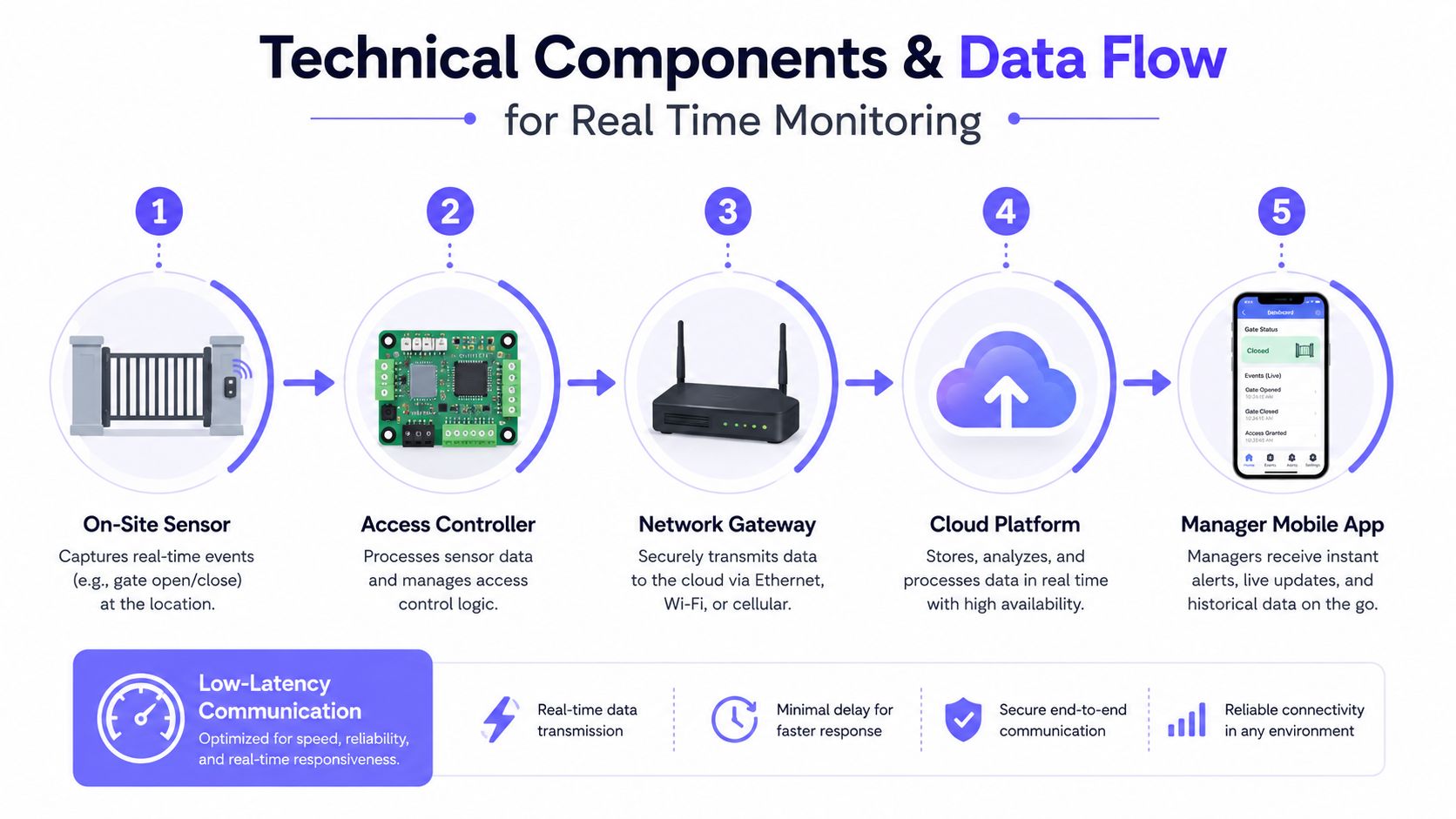
What each layer does
A gate controller handles the local decision. It reads the credential, checks whether access should be allowed, and records the event.
A cellular link moves that event off-site. That choice matters because it avoids depending on property Wi-Fi, resident routers, or a shared network that can create dead spots at the gate post. For property managers, that means the system is tied to the gate itself, not to whatever happens inside a clubhouse or office building.
The cloud layer timestamps and stores the record. In a well-designed system, the event can reach the dashboard in under a second, which keeps the live view aligned with the world event rather than turning it into a delayed report.
The dashboard and mobile app are where the operational value appears. A manager can see the gate state, verify the log, and respond without being physically on-site.
Why retrofit matters
The right controller should fit the hardware already in place. In practice, that means a hardware-agnostic approach can work with existing gate operators from LiftMaster, Viking, FAAC, Nice, DoorKing, and Mighty Mule without forcing a full replacement.
That matters for budgets, but it also matters for downtime. Replacing a working gate operator just to add visibility creates unnecessary disruption when the actual need is a live event trail.
Practical rule: if the gate works but the visibility doesn't, the monitoring layer should change first, not the operator.
A manager-friendly data path
A car arrives. The controller validates the credential. The cloud records the open, the user, and the timestamp. The dashboard updates, and the event becomes part of the live audit trail.
That sequence is the whole point. The system is not just storing history, it is creating a usable record while the site is still in motion.
How cellular gate openers work shows one implementation of that retrofit model for managers who want to see the architecture in context.
Security, Auditability, and Operational Benefits
Real-time access data serves different people in different ways, but the same live feed underpins all of them. That's what makes the discipline useful in a property setting, it isn't one feature, it's a shared source of truth.
Security posture and incident response
Security gets stronger when the manager learns about a suspicious entry while it is happening, not hours later. Live monitoring gives the site a chance to react in the moment, which is especially important when a gate is used by residents, vendors, contractors, and delivery drivers in the same day.
A system built around live status also helps identify abnormal behavior faster. If the gate stays open too long, cycles unexpectedly, or shows repeated credential use, the issue is visible immediately instead of being buried in a daily export.
Auditability for boards and insurers
Auditability is where shared PIN codes and untraceable access methods create the most frustration. If multiple people use the same code, the record may show that someone entered, but not who.
A timestamped entry log changes that dynamic. Boards can review a specific event, insurers can ask better questions, and law enforcement gets a clearer timeline when a report is needed.
For a structured review process, the master property security audit is a useful internal resource because it frames access control as evidence, not just convenience.
Daily operations and access scheduling
Operations improve when recurring traffic no longer needs manual attention. Trash pickup, maintenance windows, and vendor access can be handled with schedules instead of repeated calls.
That reduces after-hours interruptions for managers and residents. It also keeps the gate working like a system, not a set of exceptions.
Key benefits worth tracking:
- Security: live awareness of abnormal gate activity.
- Auditability: a record that shows who entered and when.
- Operations: fewer calls, fewer manual opens, better recurring access control.
- Visitor handling: less guesswork at the gate.
Implementation Best Practices and Manager Checklists
A good deployment starts before any hardware is mounted. The cleanest installs usually come from clear decisions about what should be monitored, what should be retired, and who needs access to what.
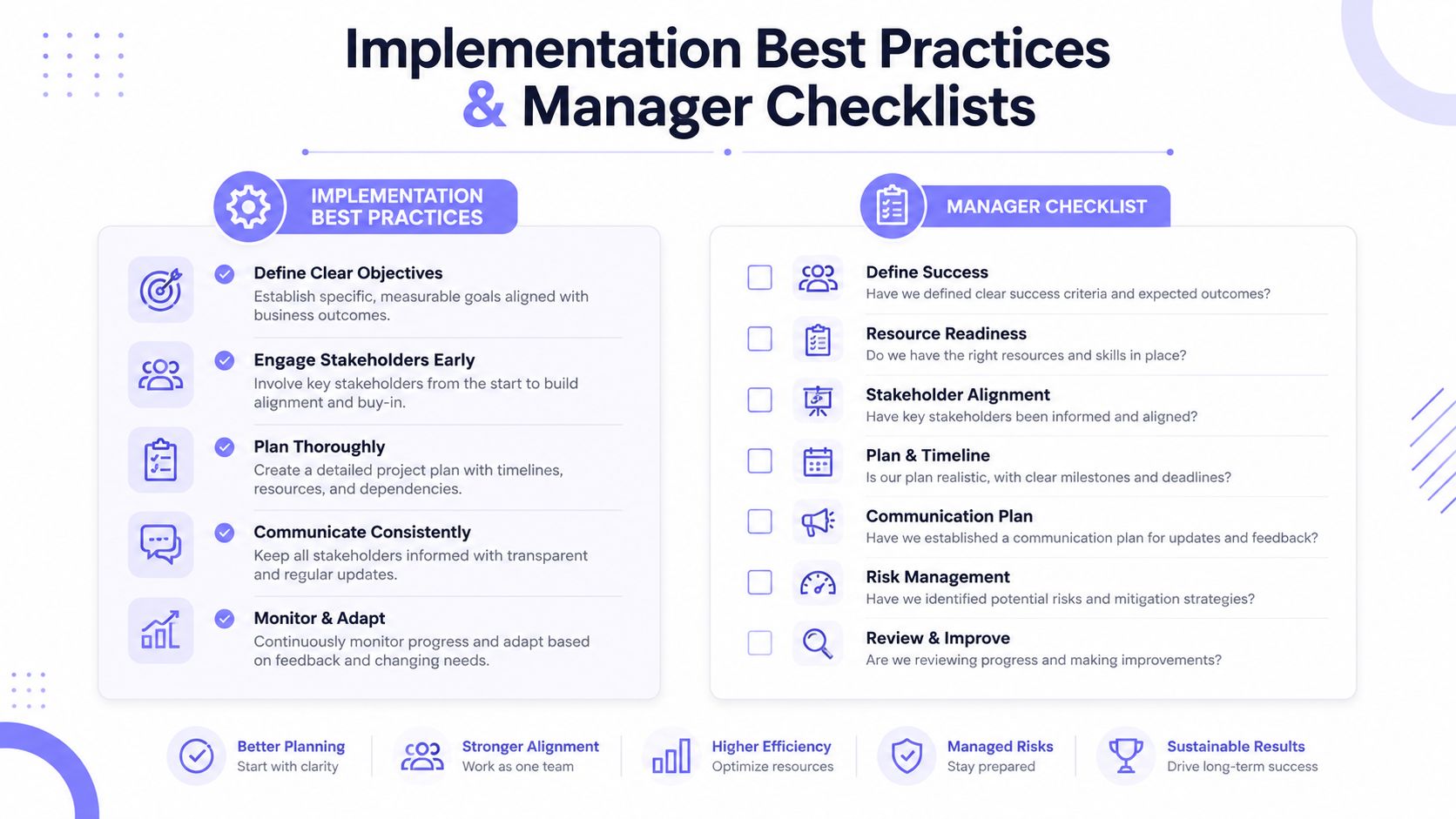
Pre-deployment planning
Start by auditing every entry point. A property manager should know which gates, doors, and call boxes are in scope before a retrofit begins.
Then decide which credentials should remain active during transition and which ones should be retired once the new system is stable. Log retention policy should be set early too, because teams often regret leaving that question until after the first incident review.
Use this checklist before installation:
- Inventory each access point: note every gate, call box, and controlled entry.
- Retire old credentials deliberately: identify which PINs, fobs, or remotes should be replaced.
- Define log retention: decide how long entry records should be kept.
- Confirm who gets visibility: board, manager, installer, and security contacts.
Go-live and review cadence
A live launch works better when credentials move in waves instead of all at once. Residents need a clear explanation of what is changing, and legacy access should stay available briefly so no one gets locked out during the transition.
After go-live, the system needs a routine. Weekly log review, monthly credential audit, and quarterly firmware check give the property a steady review cadence without turning monitoring into a full-time job.
A practical checklist for the board packet or installer job sheet:
- Verify gate operator compatibility before install day.
- Confirm cellular signal at the controller location.
- Test failover behavior and confirm the logs still update.
- Roll credentials gradually and notify residents in advance.
- Review logs weekly for unusual access patterns.
- Audit credentials monthly to remove stale access.
- Check firmware quarterly to keep the controller current.
For operators who want a data-driven example of live oversight in a specialized setting, the 2024 review of digital health equity found that adoption of remote monitoring tools remained suboptimal among Black individuals and lower-income, lower-education groups in major metropolitan areas, which is a reminder that access systems only work when people can use them (digital health equity review).
How Nimbio Features Map to Real Time Monitoring
A product only matters when it solves a concrete problem. In access control, that usually means turning a vague concern, like “who got in,” into a live answer tied to a specific event.
Matching features to pain points
Real-time status answers the first operational question, what is the gate doing right now? If the gate is open, closed, or moving, the manager sees it without waiting for someone to report a problem.
Entry logs answer the second question, who used access and when? That is the audit trail boards and insurers usually need when a resident disputes an event or a vendor visit needs verification.
OTA updates solve a different pain point, stranded hardware. If the controller can be updated remotely, managers and installers do not need to schedule a truck roll just to keep the system current.
GuestView changes the visitor experience at the decision point. A resident can verify a visitor through a one-way video call before granting access, which turns the gate into a check-in point instead of a blind trust decision.
The company publishes the operator-facing capability plainly, administrators can grant, revoke, and schedule digital keys; monitor real-time status and entry logs; and eliminate untrackable shared 4-digit PIN codes (Nimbio access control platform).
Developer and installer workflows
For teams that need to connect access data to other software, the gate access API is the natural place to look. That matters when a site wants access events to feed a broader workflow, not sit in a separate dashboard.
A useful external perspective on gate security design can also help installers compare approaches. The Costa del Sol door security ideas collection is one example of how physical access planning often starts with the same core questions, who should enter, when should access happen, and how should it be recorded.
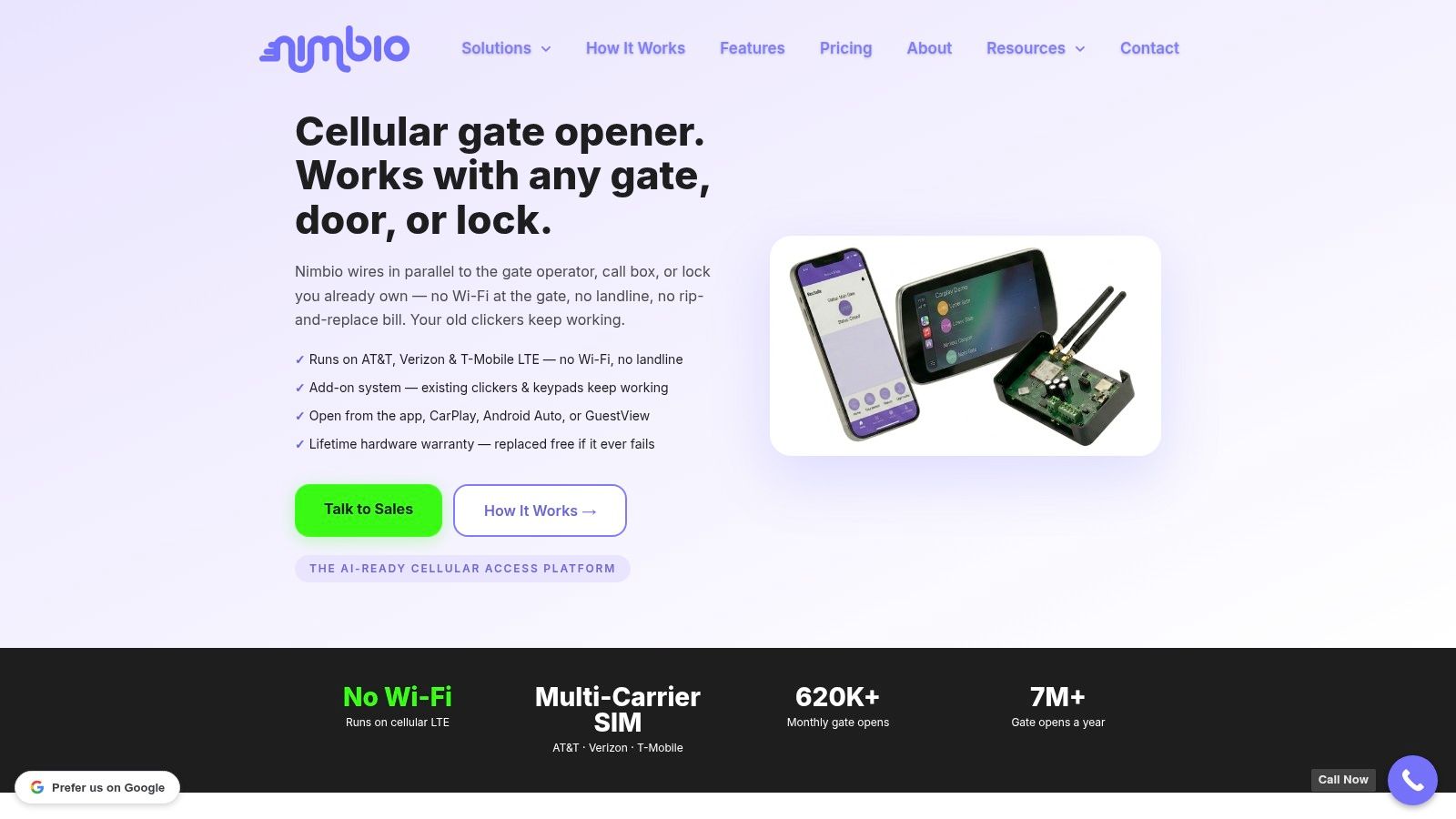
One option in this category is Nimbio, a cellular retrofit platform for gates and entry systems. It is designed to work with existing hardware while giving managers live status, logs, and remote credential control.
Common Misconceptions and What to Do Next
The most common mistake is assuming a gate system is “good enough” because it already opens and closes. A system can function mechanically and still fail operationally if no one can trust the record behind it.
Another misconception is that Wi-Fi is automatically fine for access control. Gate posts are often exactly where property Wi-Fi is weakest, so a cellular design removes a dependency that can create blank spots, dropped sessions, and support calls.
A third mistake is thinking a retrofit means replacing the whole operator. Hardware-agnostic controllers exist precisely so sites can preserve working equipment and modernize the visibility layer instead.
A fourth is treating real-time monitoring like a fancy log. A log tells a story after the fact, while live monitoring supports alerts, remote revocation, hold-open scheduling, and active visitor handling.
What to do next:
- Assess current entry points: list every gate and controlled door.
- Request a site survey: confirm signal, compatibility, and workflow needs.
- Pick one pilot location: start with a single gate or access point.
- Set a review date: measure whether logs, alerts, and resident handling improved.
Real time monitoring only becomes valuable when it fits the way a property is run. Nimbio brings cellular gate control, live status, entry logs, OTA updates, and GuestView into one access workflow, which makes it easier to see, verify, and manage gate activity without relying on a shared keypad or a local Wi-Fi network.
Visit Nimbio to review the access-control options for a single gate, compare retrofit paths, and request a conversation about live monitoring for a community or commercial site.


