

A gate protected by a shared PIN, a pile of fobs, or a permanent guard contract can look secure while creating the exact accountability gaps that property managers struggle to defend. The strongest remote access benefits aren't about making entry feel futuristic. They're about replacing untracked credentials, slow coordination, and avoidable site visits with controlled permissions, cellular connectivity, and a searchable record of who entered.
Remote gate access can also support measurable productivity gains. A Federal Reserve Bulletin review found that across 43 private-sector industries, the weighted average increase in remote-worker share from 2019 to 2021 was 14.9 percentage points, associated with an average 1.2 percentage-point increase in industry-level total factor productivity. The same review cited a study in which each 1 percentage-point rise in remote-work adoption correlated with a 0.08 to 0.09 percentage-point increase in total factor productivity. These workplace findings don't prove that every gate project produces the same result, but they reinforce a useful operating principle: removing physical bottlenecks can improve output at scale. (Federal Reserve Bulletin review of remote work and productivity)
The practical test for a smart gate is straightforward:
- Security: Can the manager revoke one person's access without disrupting everyone else?
- Operational efficiency: Can staff handle residents, vendors, deliveries, and lockouts remotely?
- Cost control: Does the system reduce recurring guard, rekeying, and travel expenses?
- User experience: Can residents enter easily while visitors receive controlled permissions?
- Auditability: Does every meaningful event produce a defensible record?
- Scalability: Can one team manage multiple entries or properties from one dashboard?
- Stakeholder value: Does the upgrade solve a real problem for residents, boards, managers, and installers?
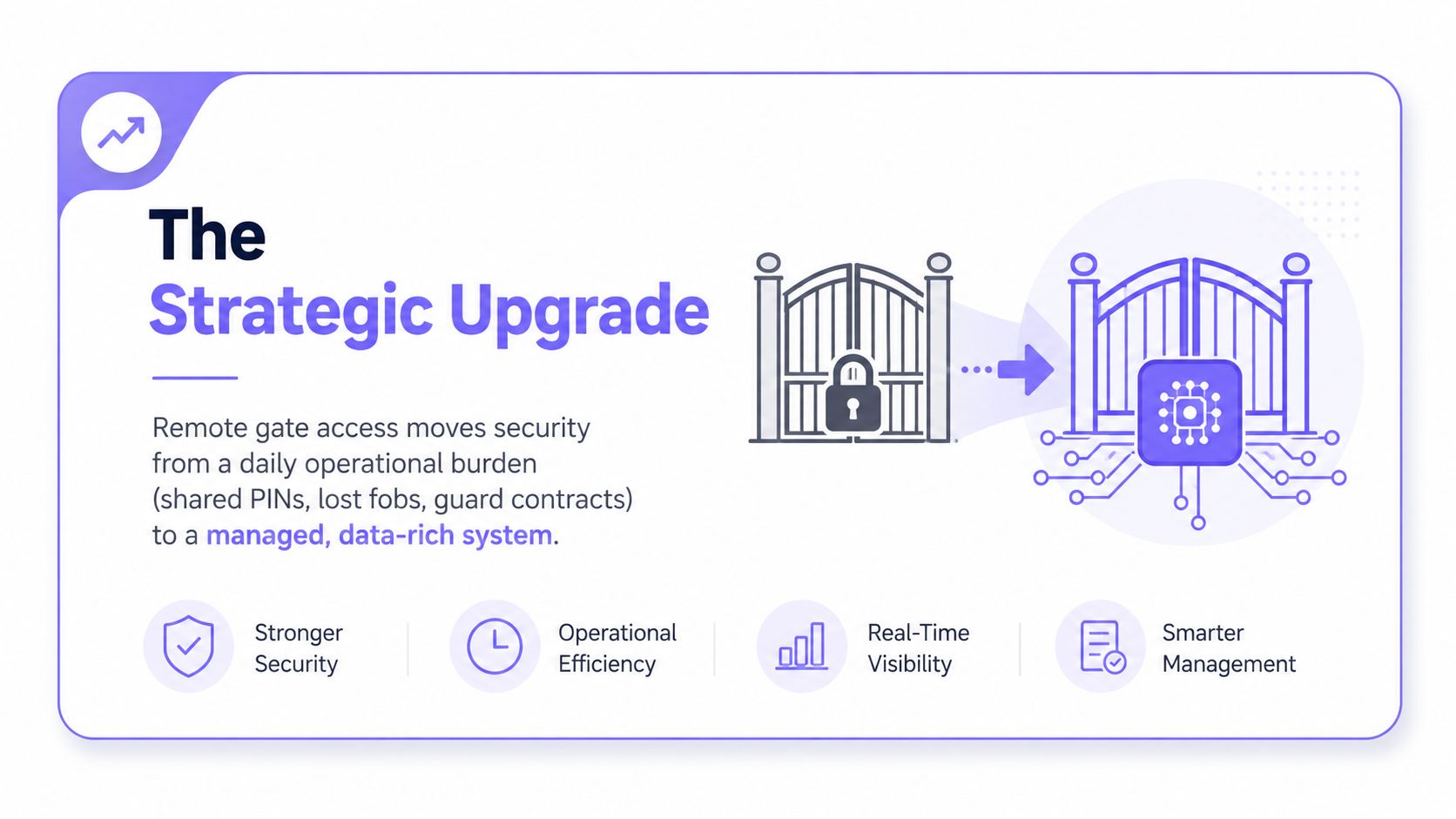
The benefits that move the needle are fewer unauthorized entries, faster onboarding, lower operating overhead, and entry logs that withstand disputes. Convenience matters, but it should be treated as the visible layer of a deeper infrastructure decision.
Table of Contents
- Why Remote Access Matters for Modern Gates
- What Remote Gate Access Actually Is
- Security and Operational Efficiency Benefits
- Cost Savings and ROI Compared to Traditional Access
- Auditability, Compliance, and Traceable Entry
- Benefits by Stakeholder and Property Type
- Common Objections and How to Address Them
- Evaluating Remote Access for Your Property
Why Remote Access Matters for Modern Gates
A gate running on a shared credential is a liability dressed up as security. One code can circulate among residents, contractors, delivery drivers, former occupants, and guests, while the property has no reliable way to know who used it or revoke access for one person.
Fobs create a different version of the same problem. A lost fob may be reported late, a cloned credential may be difficult to identify, and a move-out can leave the property relying on someone to return a physical device. A staffed entrance adds oversight, but it also creates a recurring operating dependency that can be difficult to reduce when budgets tighten.
Remote access changes the operating model. Instead of asking a person or a shared credential to carry the security burden, the property manager controls individual permissions through software. A cellular controller can connect an existing electronic gate to a cloud-managed platform without making the gate dependent on community Wi-Fi.
Advisor's rule: A gate should be judged by how quickly the property can identify, authorize, and revoke access, not by how imposing the gatehouse looks.
The strongest remote access benefits appear across seven categories:
- Security, through individual credentials and faster response to suspicious activity.
- Efficiency, through remote administration that eliminates unnecessary travel and scheduling.
- Cost savings, through lower reliance on guard hours, rekeying, and physical coordination.
- Resident experience, through smartphone-based entry and controlled guest access.
- Auditability, through searchable records tied to credentials and events.
- Scalability, through centralized management across entries and properties.
- Stakeholder outcomes, from HOA budget clarity to easier installer commissioning.
That framework gives boards and property teams a better way to evaluate proposals. The question isn't whether remote access sounds convenient. The question is whether it lowers the monthly run-rate, reduces tailgating and unauthorized-entry exposure, accelerates resident and vendor workflows, and produces records that a manager can defend.
A smart community treats access control as core infrastructure. The gate operator remains important, but the credential layer determines who can use it, when they can use it, and what the property knows afterward.
What Remote Gate Access Actually Is
Remote gate access is a system that lets an authorized person trigger an electronic gate from a smartphone app, phone-based credential, or management dashboard. The gate itself still uses a motor and controller, but the property adds a digital authorization layer that can be managed without a physical keypad, fob, or guard booth.
A cloud-managed system commonly includes:
- A controller at the gate, connected to the gate operator.
- A cellular connection, which avoids dependence on the property's Wi-Fi network.
- A credential platform, where administrators assign, schedule, and revoke access.
- A resident or visitor interface, usually a mobile app, web workflow, or managed credential.
- An event log, recording access activity for later review.
The basic transaction is simple. An authorized user presents a credential, the controller checks that credential against the current permissions, the gate triggers if access is allowed, and the event is recorded with a timestamp. That sequence gives managers a way to separate the physical gate from the question of who should be allowed through it.
Shared PINs and fobs don't provide that same precision. A shared PIN is easy to distribute but hard to attribute. A fob can identify a credential, but it still depends on physical possession and timely reporting when it is lost or no longer valid. A staffed booth provides human judgment, but it ties every access decision to personnel availability and a physical location.
Cellular-first architecture is particularly important for retrofit projects. It avoids trenching network cable to a clubhouse, reduces dependence on community Wi-Fi drops, and limits the need for property IT teams to maintain VPN tunnels or local network rules. It also gives installers a cleaner path when existing gates are functional but their access-control layer is outdated.
Property teams that want a plain-language technical overview can review how cellular gate access works. For a broader comparison of wireless access-control concepts, the Cisco Meraki access control guide offers useful background on connected entry systems.
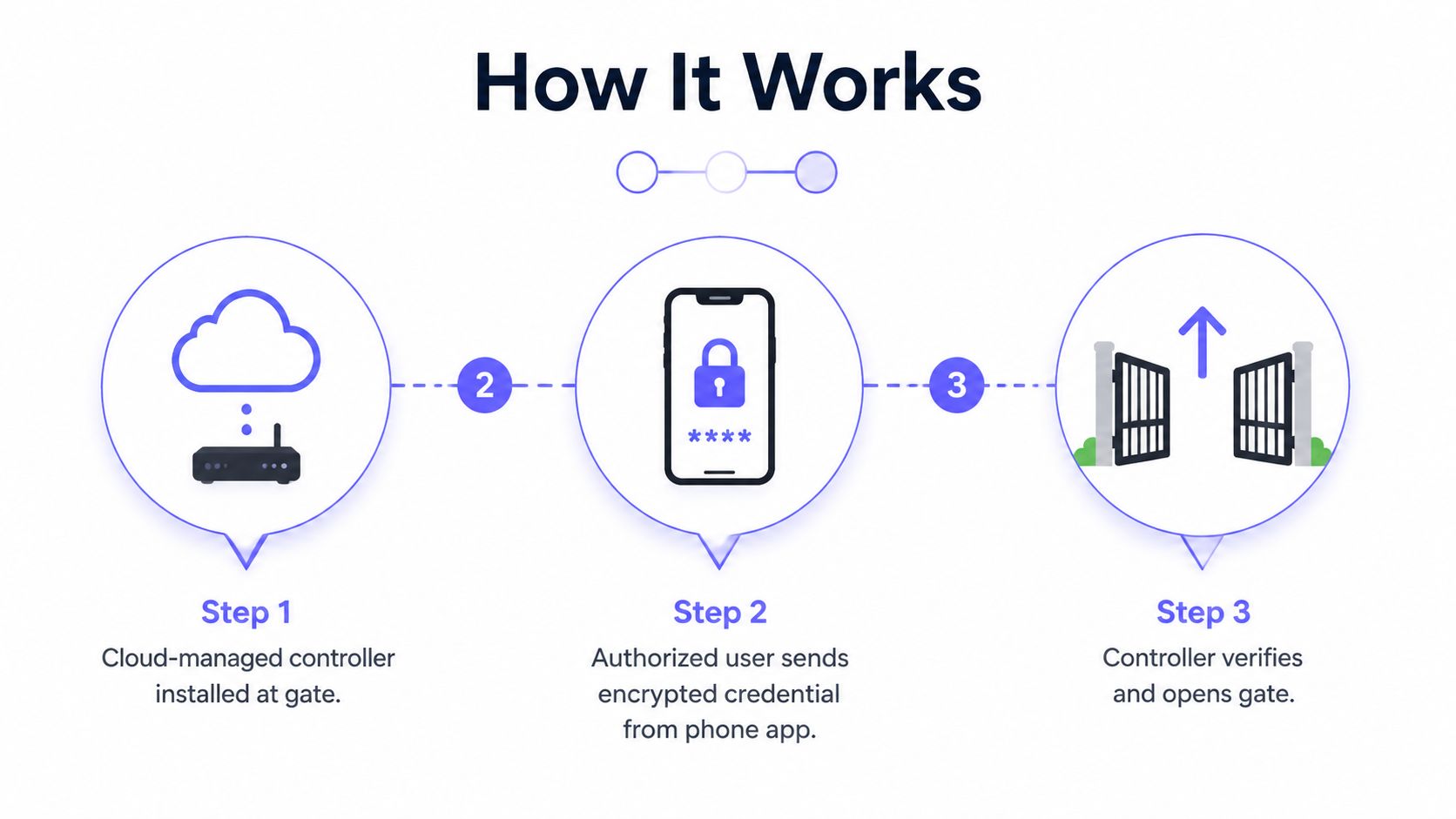
The important distinction is control. Remote access doesn't merely open a gate from farther away. It lets the property define access by person, role, time window, and event history.
Security and Operational Efficiency Benefits
The shared-PIN failure mode is easy to understand. One code may be used by hundreds of households, passed to contractors, stored in old text messages, and left active after a resident moves out. When an incident occurs, the property may know the code was used, but not which individual used it.
Remote access replaces that weak point with individual mobile credentials, role-based permissions, and faster revocation. A manager can create a resident credential, issue a temporary permission to a mover, assign a vendor a defined access window, or remove a former occupant without changing access for the entire community.
The security and efficiency gains reinforce one another because they use the same administrative controls. A vendor doesn't need a permanent code, and the manager doesn't need to drive to the property to issue or collect a key.
| Metric | Shared PIN / Fob | Remote Access |
|---|---|---|
| Credential ownership | Shared or physically held | Assigned to an individual account |
| Move-out response | Code or device may remain active | Credential can be revoked remotely |
| Vendor access | Often broad or manually coordinated | Role-based and time-bounded |
| Incident review | Limited attribution | Searchable credential and event records |
| Visitor handling | Resident may share a code | Manager or resident can issue controlled permission |
| Administrative work | Requires calls, handoffs, or site visits | Managed from a dashboard or mobile device |
The operational savings show up in ordinary tasks. A manager can onboard a new resident without arranging a fob handoff, provide a temporary credential for a moving truck without meeting the driver, and retrieve a recent entry report without searching paper notes or radio traffic.
Remote access also improves continuity during outages and incidents. Industry guidance connects remote access with faster troubleshooting, patching, access revocation, service restoration, and reduced downtime when an on-site technician isn't immediately available. (Remote access and business continuity guidance)
For gated properties, the practical outcomes are clear:
- Fewer unnecessary truck rolls: Staff and technicians can diagnose or manage eligible issues remotely.
- Faster incident response: Managers can review alerts and respond without waiting for a site visit.
- Less credential exposure: Individual permissions replace broadly circulated codes.
- Lower coordination burden: Vendors and residents receive access without repeated phone calls.
- Reduced liability exposure: A property can show what credential was used and when.
Remote management also supports real-time monitoring of entry and exit activity, with alerts that can help managers respond to suspicious activity at gated properties. (Remote access control monitoring for properties)
The right measurement is not how many app features appear in a demonstration. It's whether the property sees fewer lockout calls, faster credential changes, fewer untracked entries, and less dependence on physical coordination.
Cost Savings and ROI Compared to Traditional Access
Remote access belongs in a capital plan when it reduces the property's total operating cost, not merely when its purchase price looks attractive. The largest legacy expense is often a staffed entrance. Recurring rekeying, credential replacement, and coordination work add further cost.
A representative 24/7 staffed entrance can cost roughly $180,000 to $250,000 per year, while a cellular remote-access system typically falls in the low-thousands range per gate. Treat these figures as planning benchmarks, not universal quotes. Local labor rates, site complexity, equipment, service levels, and contract terms will determine the actual result.
Use this comparison to identify where savings can occur:
| Cost Line Item | Traditional, Guards + Rekeying | Remote Access |
|---|---|---|
| Entry coverage | Recurring guard labor | Software-managed permissions |
| Resident move-outs | Rekeying, code changes, or device recovery | Remote credential revocation |
| Vendor entry | Calls, escorts, or physical handoffs | Scheduled digital permissions |
| Site visits | Required for many changes and troubleshooting tasks | Reduced through remote administration |
| Recordkeeping | Paper logs, radio notes, or fragmented records | Searchable digital event history |
| Scaling to another entry | Additional staffing or coordination | Additional controller and managed credentials |
Count every operational input, not just the equipment invoice. Include guard contracts, rekeying, replacement credentials, site visits, administrative labor, connectivity, subscriptions, and support. That approach shows whether remote access replaces a recurring cost or adds another technology bill.
Commute and overhead research provides a useful framing device. Global Workplace Analytics estimates that employees who work remotely part-time save roughly $2,000 to $7,000 per year in commute-related costs, while other summaries report annual employer savings of around $11,000 per remote employee from lower real-estate, utility, and office-supply expenses. These figures are not a gate-access ROI study, so do not copy them into a community budget. They illustrate how travel and fixed facilities create recurring expenses that remote administration can reduce. (Remote work commute and overhead savings summary)
Remote administration can also return staff and contractor time previously spent traveling to the property. The same research summary cites roughly 55 minutes per workday reclaimed by eliminating a round-trip commute, equivalent to approximately 229 to 300 hours per year, or about five to seven weeks of returned time. Use that finding to assess workload capacity, not to claim a guaranteed labor reduction.
For board planning, use a 24-month model:
- Add guard contracts, rekeying, credential replacement, and access-related site visits.
- Add hardware, installation, connectivity, subscription, and support costs.
- Compare the difference with the property's reserve priorities.
- Validate the assumptions through a single-entry pilot before wider rollout.
A short payback period can strengthen the case, but calculate it from actual contracts and invoices. The result depends on the property's operating baseline, staffing model, gate count, and service requirements. A defensible ROI model shows which recurring expenses remote access removes, which it merely reduces, and which remain unchanged.
Auditability, Compliance, and Traceable Entry
The most defensible remote access benefit is often the audit trail. A properly configured system can record who logged in, when access occurred, which machine or credential was used, and what action followed. Technical guidance identifies these records as foundational for monitoring successful and failed remote logons, reviewing privileged access, investigating incidents, and supervising sessions. (Remote access reporting and audit logs)
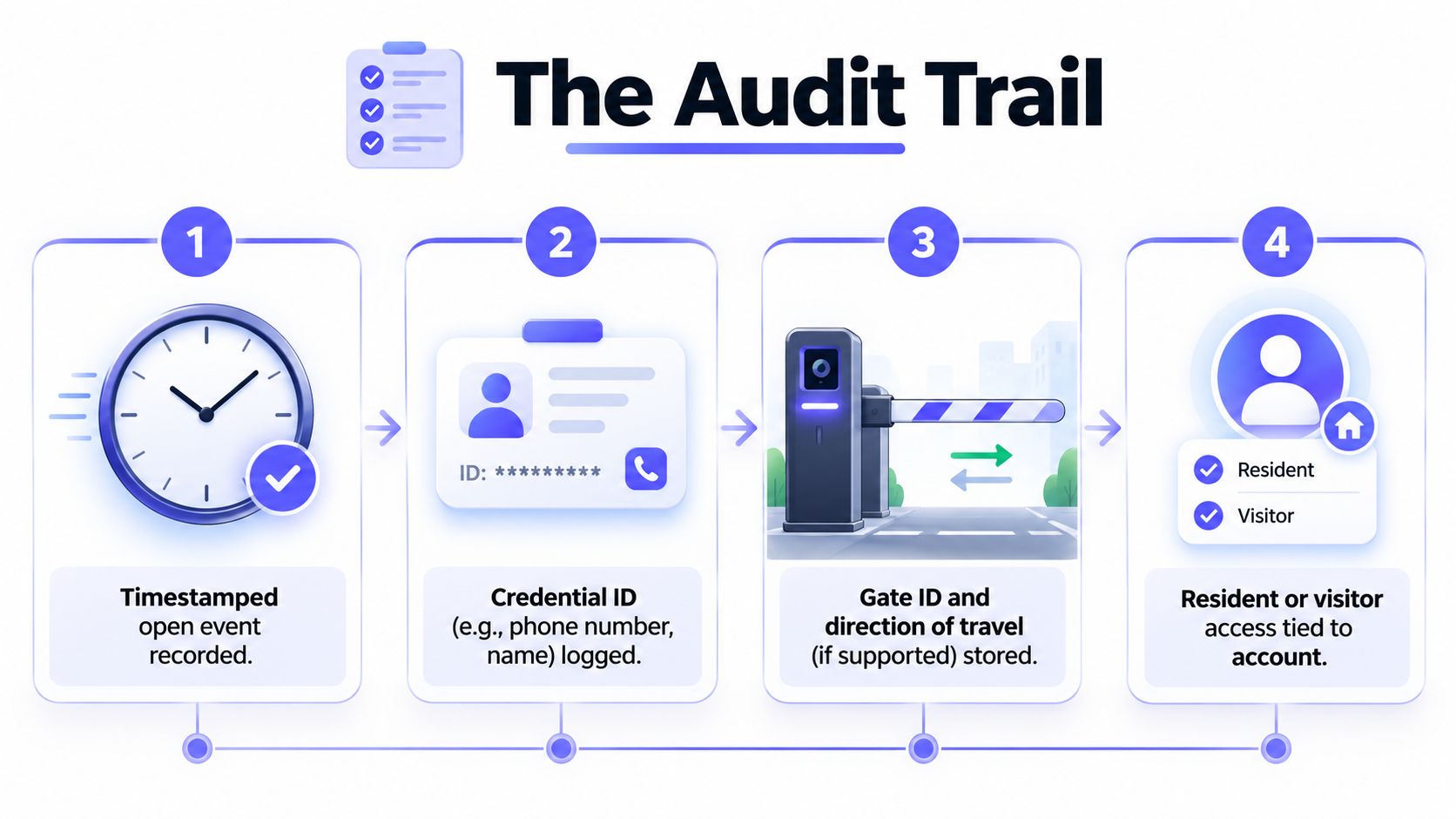
For physical access, the same logic applies to each gate cycle. Depending on the platform and installation, a property may be able to associate an event with:
- A timestamped open event
- A credential or account identifier
- A gate or entry-point identifier
- A resident, visitor, vendor, or administrator
- A direction of travel where the equipment supports it
That record becomes valuable during common disputes. A package theft claim may require a review of entry activity during a relevant window. A board may ask why a contractor entered after hours. Law enforcement may request records after an incident. Paper sign-in sheets and shared codes rarely provide the same level of attribution.
CISA guidance recommends role-based authorization, multifactor authentication, and dedicated remote-access hardware or software. Those controls show why remote access security depends on enforceable permissions and traceability, not just the ability to operate a gate from a phone. (CISA guidance on secure remote access controls)
A move-out workflow illustrates the difference between digital and mechanical systems:
- The manager confirms the resident's departure.
- The manager disables the individual credential in the dashboard.
- The system stops accepting that credential, subject to the platform's connectivity and synchronization behavior.
- The manager retains the event history for the property's records.
That process is cleaner than waiting for a physical fob, changing a shared PIN, or rekeying an entry point. It also supports fair, consistent administration because the property can apply the same credential rules across residents, vendors, and visitors.
U.S. government physical-access requirements also emphasize visitor escorting, visitor-activity monitoring, and audit logs of physical access. A searchable digital record doesn't replace the property's policies, but it gives staff a stronger foundation for documenting compliance-related workflows. (Physical-access audit and visitor logging requirements)
Practical rule: If a vendor can't explain what an entry log records, how long it remains available, and how administrators export it, the property isn't evaluating auditability. It's evaluating a demo.
Benefits by Stakeholder and Property Type
Remote access has different economic value depending on who carries the operational burden. Residents care about entry friction. HOA boards care about recurring contracts and defensible reserve spending. Property managers care about workload, turnover, and incident response. Installers care about commissioning complexity and long-term serviceability.
| Stakeholder | Primary Benefit | Secondary Benefit | Typical Property |
|---|---|---|---|
| Homeowners | Smartphone-based daily entry | Controlled visitor access | Single-family community |
| HOA boards | Clearer operating-cost strategy | Defensible access-control investment | Gated subdivision |
| Property managers | Remote credential administration | Faster move-outs and vendor coordination | Mid-rise multifamily |
| Facility managers | Centralized multi-entry oversight | Role management across sites | Industrial park |
| Installers and integrators | Faster retrofit commissioning | Ongoing managed-service opportunity | Mixed-use or commercial portfolio |
Homeowners
Residents gain a simpler way to enter without carrying a fob or clicker. They can also receive controlled visitor permissions instead of handing out a shared code that may remain in circulation.
The strongest resident-facing benefit is consistency. A smartphone credential can follow the resident across entry points managed by the property, while visitor workflows can limit access to the time and purpose intended.
HOA boards
Boards should position remote access as an operating decision, not an amenity purchase. A proposal is stronger when it compares guard contracts, rekeying, credential administration, and liability exposure against a system that provides individual permissions and entry records.
The annual meeting discussion becomes more concrete when the board can answer three questions:
- What recurring cost does the system reduce?
- What access risk does it remove?
- What evidence will management have after an incident?
Property managers
Managers gain the most from remote visitor management and access credentials. A vendor can receive a temporary permission without requiring staff to remain on-site, and a former resident's credential can be revoked without coordinating a physical return.
For multifamily operators evaluating multifamily gate access control, the key workflow is turnover. Every move-out, contractor visit, delivery exception, and after-hours lockout becomes easier to handle when the dashboard is the control point.
Facility managers
Commercial and facility managers can centralize permissions across an industrial park, logistics site, or mixed-use property. The value increases when the access platform can work alongside cameras, tenant directories, visitor processes, and other building systems.
A facility team should prioritize role separation. A maintenance supervisor, security administrator, tenant contact, and temporary contractor shouldn't automatically receive the same access scope.
Installers and integrators
Installers benefit from hardware-agnostic retrofits that preserve working gate operators rather than forcing a complete replacement. Cellular connectivity can reduce dependence on trenching, property Wi-Fi, and extended IT coordination.
For integrators, managed access also creates a longer service relationship. Commissioning, credential policy, monitoring, and system updates can become part of an ongoing access-control program instead of a one-time hardware sale.
Common Objections and How to Address Them
“Remote control creates a hacking risk”
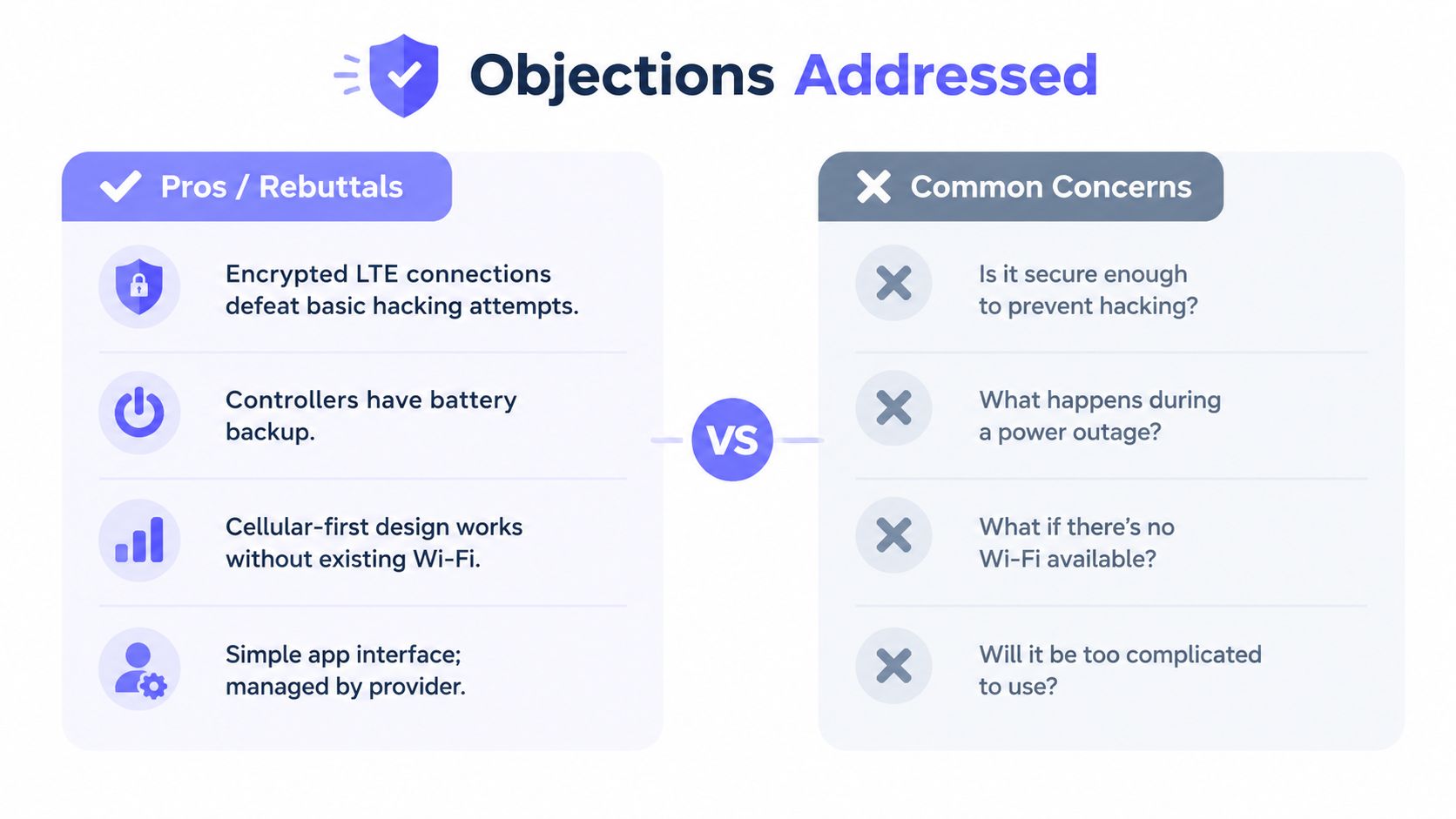
It can create a cyber risk if the system lacks strong authentication, role separation, monitoring, and update practices. That doesn't make shared PINs or unmanaged fobs safer. It means the property should compare the proposed controller's controls against the weaknesses of the credential system it replaces.
CISA recommends role-based authorization, multifactor authentication, and dedicated remote-access technology. The buyer should ask about encryption, administrator roles, credential lifecycle controls, device security, logging, and incident response rather than accepting a generic cloud-security promise.
Board-ready summary: Remote access is acceptable only when the property can enforce least privilege and review activity.
“The property can't depend on the internet”
A cellular-first controller doesn't depend on the property's Wi-Fi network. It uses carrier connectivity, which is particularly useful for retrofit sites where the gate is far from a clubhouse or network closet.
The vendor should still explain power resilience, signal coverage, local operation, and outage behavior. A buyer should never assume that every platform handles a carrier or power interruption the same way.
Board-ready summary: Cellular-first access separates gate operations from unreliable community Wi-Fi, but outage behavior must be verified before purchase.
“The retrofit will cost too much”
A guard house can cost roughly $4,000 to $8,000 per month, according to the project assumptions. That figure isn't a universal market quote, so each board should validate its own contract. Still, the comparison is useful because a retrofit must be judged against the recurring cost it can replace, not against the price of a standalone device.
Rekeying, fob replacement, staff travel, and after-hours coordination belong in the same model. A cellular retrofit that preserves the existing gate operator may avoid the cost and disruption of a full gate replacement.
Board-ready summary: The right comparison is retrofit cost against recurring access operations, not retrofit cost against zero.
“Residents won't adopt an app”
Residents generally resist added friction, not better control. A practical rollout should preserve familiar entry options where necessary, provide clear onboarding, and use visitor credentials that don't force every guest to install an app.
Property teams should also plan for residents who need assistance, phone changes, or alternative workflows. Adoption improves when the property communicates the reason for the change and keeps guest access simple.
Board-ready summary: Remote access should remove shared credentials without making legitimate visitors harder to admit.
Evaluating Remote Access for Your Property
A property team can evaluate a remote access project in one focused working session. The objective is to replace assumptions with a clear baseline.
- Inventory current credentials. List shared PINs, fobs, remotes, mechanical keys, visitor procedures, and administrator accounts. Identify which credentials are shared, untracked, or difficult to revoke.
- Calculate the current operating baseline. Review guard contracts, rekeying, fob replacement, emergency calls, service visits, and staff time over the previous operating period. A useful ROI model should include recurring labor and coordination, not only equipment invoices.
- Confirm cellular coverage. Test the signal at each planned entry, including equipment cabinets and areas affected by concrete, metal, or landscaping. Cellular-first design is valuable only when the carrier connection works reliably at the installation point.
- Prioritize workflows. Select the two or three tasks that cause the most friction, such as vendor entry, after-hours resident access, visitor approval, or move-out revocation.
- Shortlist accountable providers. Require individual credentials, role-based permissions, searchable logs, clear outage behavior, support ownership, and compatibility with the existing gate operator.
Every vendor should answer these questions in writing:
- Does the platform offer an open API or webhook?
- How quickly does credential revocation take effect?
- How long are audit logs retained?
- What are the battery and weather ratings?
- Is the controller cellular-first, or does it require on-site internet?
- Can the system retrofit the existing gate without replacing the operator?
- Can administrators create temporary visitor and vendor permissions?
- What happens when power, cellular service, or the cloud platform is unavailable?
The cellular gate access system buyer's guide can help boards and installers structure those questions before reviewing proposals.
A low-pressure pilot is the right next move. Request a 14-day pilot on one entry, compare its event log with one week of guard radio calls or manual access records, and document the changes in response time, credential administration, visitor handling, and incident visibility. If the pilot produces cleaner records and a lower coordination burden, the community has evidence for a broader deployment.
Nimbio provides cellular keyless entry for electronic gates, doors, and building access, using smartphone-controlled credentials without relying on Wi-Fi and while preserving compatible existing hardware. Property managers, HOA boards, and installers can visit Nimbio to evaluate a retrofit approach built around remote visitor management, credential control, and traceable entry activity.


