

A homeowner may still have a working gate motor, keypad, and stack of clickers, yet delivery drivers can't get in because nobody remembers the current code. An HOA may face the same problem at a larger scale, with former residents retaining access and visitors waiting at the entrance. A residential electric gate solves the physical opening problem, but a safe modern system needs more than a motor and a smartphone app. It needs suitable gate construction, independent entrapment protection, controlled credentials, and maintenance that keeps the moving equipment safe.
Table of Contents
- Understanding Residential Electric Gate Systems
- Gate Types for Different Property Layouts
- Safety Standards and Code Requirements
- Smart Gate Retrofit Options
- Maintenance and Troubleshooting
- Access Control and Cybersecurity Considerations
- Common Misconceptions About Smart Gates
- Making Your Gate System Decision
Understanding Residential Electric Gate Systems
A residential electric gate is a powered barrier that opens and closes through an operator, control board, and access device. The operator supplies the mechanical movement. Controls such as remotes, keypads, fobs, intercoms, or smartphone systems tell the operator when an authorized opening request has been made. Safety devices monitor the moving gate and help stop or reverse it when an obstruction enters a hazardous area.
The distinction between gate hardware and access control matters. A slide gate can have sound rollers and a correctly sized motor while still having poor credential management. Conversely, a well-managed app can't make a damaged hinge, exposed pinch point, or misaligned track safe.
A complete system usually includes:
- The gate structure: The panel, hinges, rollers, tracks, posts, stops, and nearby fencing determine how the gate moves and where people could become trapped.
- The operator: This motorized assembly drives a slide, swing, lift, pivot, or bifold movement. Its safety inputs must remain active regardless of how an opening command arrives.
- Protective devices: Photoelectric sensors, monitored edges, force controls, emergency release provisions, and local stop functions address different risks.
- Entry methods: Clickers, fobs, keypads, call boxes, and mobile credentials each balance convenience, traceability, and administrative effort differently.
Practical rule: A connected controller should change authorization and convenience, not bypass the gate operator's local safety logic.
For a property with aging access equipment, the sensible question isn't whether an app can open the gate. It's whether the existing gate, operator, safety devices, and control wiring can support a new access layer without weakening protection. That assessment comes before selecting a connected product.
Gate Types for Different Property Layouts
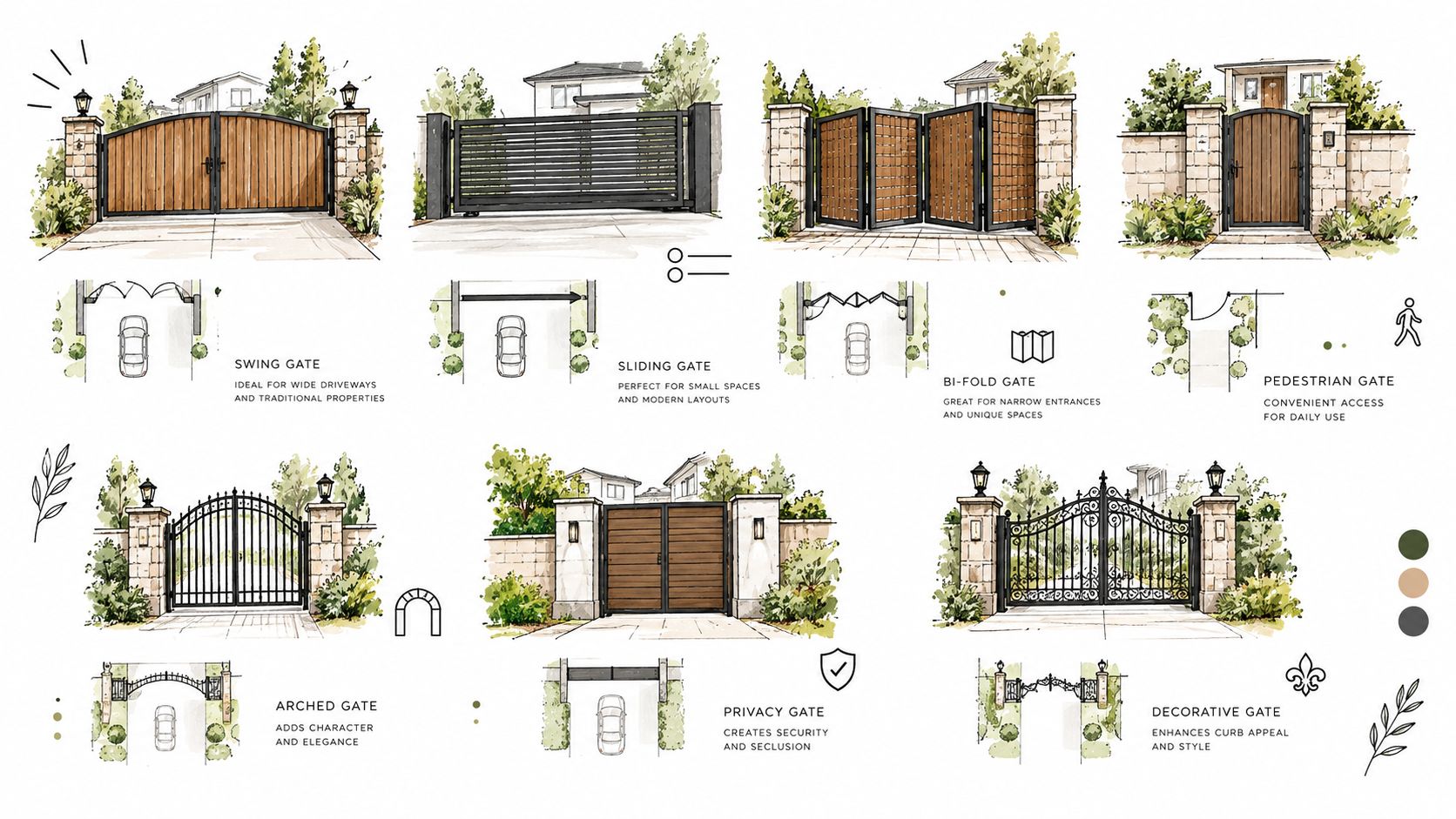
Gate geometry determines the operator, safety zones, maintenance burden, and space required for movement. In the United States, ASTM F2200 covers horizontal slide, horizontal swing, vertical lift, vertical pivot, overhead pivot, and horizontal bifold automated vehicular gates. The standard uses performance-based and prescriptive requirements, and automated vehicular gate systems must also comply with UL 325.
Matching movement to the site
Horizontal slide gates suit driveways and community entrances where the property has room beside the opening for the panel to retract. They avoid the broad swing arc of a hinged gate, which helps where a driveway is short or vehicle circulation is tight. The trade-off is a longer moving assembly with rollers, guides, a travel path, and possible pinch zones beside fencing.
Horizontal swing gates work where there's clear space for the leaves to open and close. They can fit a narrower frontage, but the swing path must remain clear of vehicles, pedestrians, landscaping, and grade changes. Hinges, stops, alignment, and closing-edge protection deserve close attention because a gate can appear to operate normally while its force or travel has changed.
Vertical lift gates can help on sites with limited ground clearance, provided the structure has suitable overhead space and the installation controls the risks associated with vertical movement. They're specialized systems, so the operator and physical gate design need to be evaluated together.
Vertical pivot, overhead pivot, and bifold configurations address unusual grades, restricted side room, or a need to reduce the space used during movement. They can be useful solutions, but unusual geometry often creates unusual entrapment zones. The installer should map the full travel envelope rather than choosing an operator from the gate's appearance alone.
Wind exposure, gate weight, slope, vehicle turnover, and pedestrian routes all affect the choice. A separate pedestrian route is especially important. ASTM F2200's pedestrian-gate provisions state that a separate pedestrian entrance must be provided or available near an automated vehicular gate, positioned so pedestrians can't contact the moving vehicle gate along its travel path. A pedestrian gate also must not be incorporated into the automated vehicular gate panel.
Safety Standards and Code Requirements
An operator can be listed for safe behavior while the gate panel remains poorly built. That's why U.S. projects need to distinguish UL 325 operator requirements from ASTM F2200 construction requirements. UL 325 addresses the operator and its entrapment-protection behavior. ASTM F2200 addresses the gate structure, physical entrapment hazards, travel path, and relationship with nearby fencing and pedestrian routes.
UL 325's technical summary from DASMA describes at least two independent entrapment-protection means for each entrapment zone in applicable installations. For a horizontal swing gate, each direction of travel with an entrapment zone requires independent protection. Common combinations include monitored photo eyes for non-contact detection and safety edges for contact detection.
The same summary gives a Type C swing-gate force limit of no more than 40 pounds at the leading edge of the shortest recommended gate length two seconds after startup. That figure belongs to testing, not guesswork. A technician needs to measure the actual installation after the gate, hinges, operator settings, and protective devices are in their working configuration.
What installers should verify
A responsible commissioning process should include:
- Gate construction: Check exposed pinch points, unsafe clearances, stops, rollers, hinges, and the relationship between the moving panel and adjacent fencing.
- Protection redundancy: Confirm that the operator recognizes and supervises both independent protective devices for each hazardous zone.
- Force behavior: Test closing and opening forces with calibrated equipment, including the leading edge and other entrapment areas.
- Pedestrian movement: Keep people outside the vehicle gate's travel envelope and provide a distinct pedestrian route.
- Manual operation: Verify emergency release and manual-release provisions according to the equipment documentation.
In residential premises, EN 12453 covers powered gates used near people and includes mechanical guarding, force limitation, control systems, manual release, balancing, leading closing edges, and presence-detection testing. Local requirements vary, and a qualified installer should confirm which standards, permits, inspections, and electrical rules apply to the property.
A remote command can authorize movement. It can't make unsafe movement acceptable.
Smart Gate Retrofit Options
Many properties don't need a new gate. They need a better way to decide who can open the gate and when. If the operator works mechanically and its safety devices are sound, a cellular add-on can provide remote access without replacing the gate or discarding existing entry methods.
The practical retrofit path starts with the physical system. A technician identifies the operator model, checks the control inputs, reviews the gate's safety devices, confirms cellular coverage at the equipment location, and chooses a protected mounting position. The controller should be wired so a communications fault can't disable obstruction detection, reversal, emergency release, or local controls.
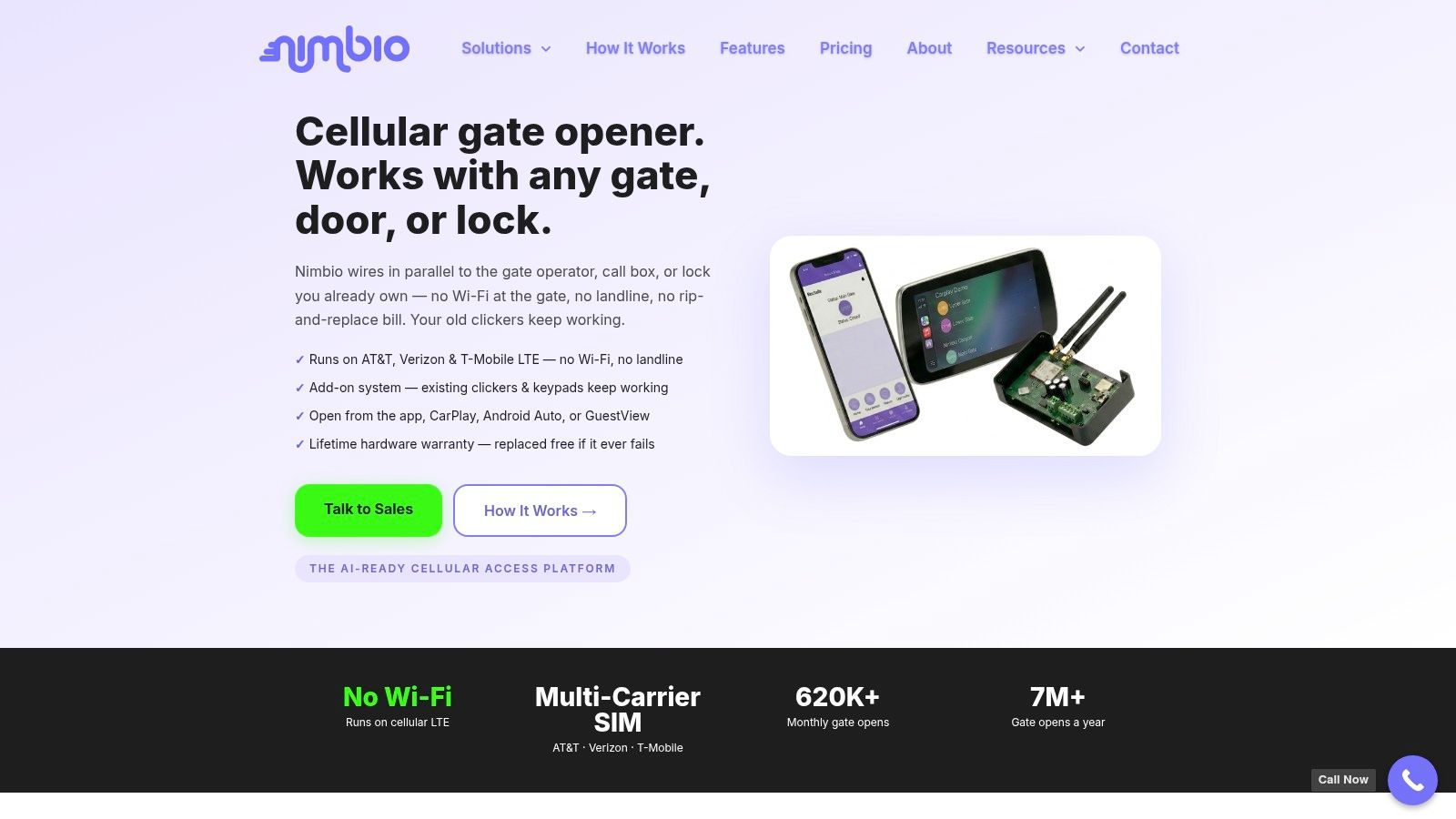
Nimbio makes a cellular add-on controller and smartphone app for electric gates. It connects over cellular LTE, so it needs no Wi-Fi at the gate, and it wires into the gate operator a property already has with no need to replace the gate. Existing clickers, fobs, and keypads can keep working alongside the app. More detail on the approach is available through retrofitting legacy gate operators.
Where mobile access helps
A property manager can issue a digital key to a resident, revoke it after move-out, and set an expiration date. A resident can request entry for a visitor while away from the property, including video verification of the person at the gate. Those functions address credential administration, but they don't replace the gate's local protective equipment.
A retrofit is a poor fit when the gate has damaged structure, unreliable safety inputs, inadequate clearances, or an operator that can't supervise the required devices. In those cases, the access layer should wait until the physical system is corrected. Compatibility must be confirmed from the operator documentation and wiring requirements rather than assumed from the presence of a familiar brand name.
Maintenance and Troubleshooting
A gate that opens on command can still be unsafe. Friction, misalignment, damaged rollers, worn hinges, a blocked photo eye, or a changed force setting may affect protection before the property manager notices an obvious failure.
Maintenance should follow the operator and gate manufacturer's manual because lubrication points, adjustment methods, indicator meanings, and service limits vary. Owners can keep the travel path clear, look for visible damage, check that sensors aren't obstructed, and report unusual noise or movement. They shouldn't defeat a sensor, increase force settings casually, or alter control wiring without the correct documentation.
A useful service review
- Mechanical movement: Inspect rollers, hinges, tracks, chains, stops, and mounting hardware for wear, looseness, corrosion, or binding.
- Safety response: Confirm that photo eyes and edges respond as intended. Testing must cover the actual hazardous zones, not only the remote-control function.
- Power and controls: Check control enclosures, wiring, backup arrangements, and manual release provisions according to the manufacturer's instructions.
- Access records: Remove former users, review active credentials, and confirm that a connected controller still operates as intended after maintenance.
Seasonal weather can expose problems that were hidden during mild conditions. Water, ice, dirt, vegetation, and ground movement can affect tracks, hinges, sensors, and posts. Frequent cycling also makes inspection more important because wear accumulates in moving parts.
A qualified technician should handle force adjustment, sensor replacement, operator rewiring, structural repairs, and any change that could alter travel or entrapment behavior. After a retrofit or repair, the installer should document the test results and identify which manual governs future service.
Access Control and Cybersecurity Considerations
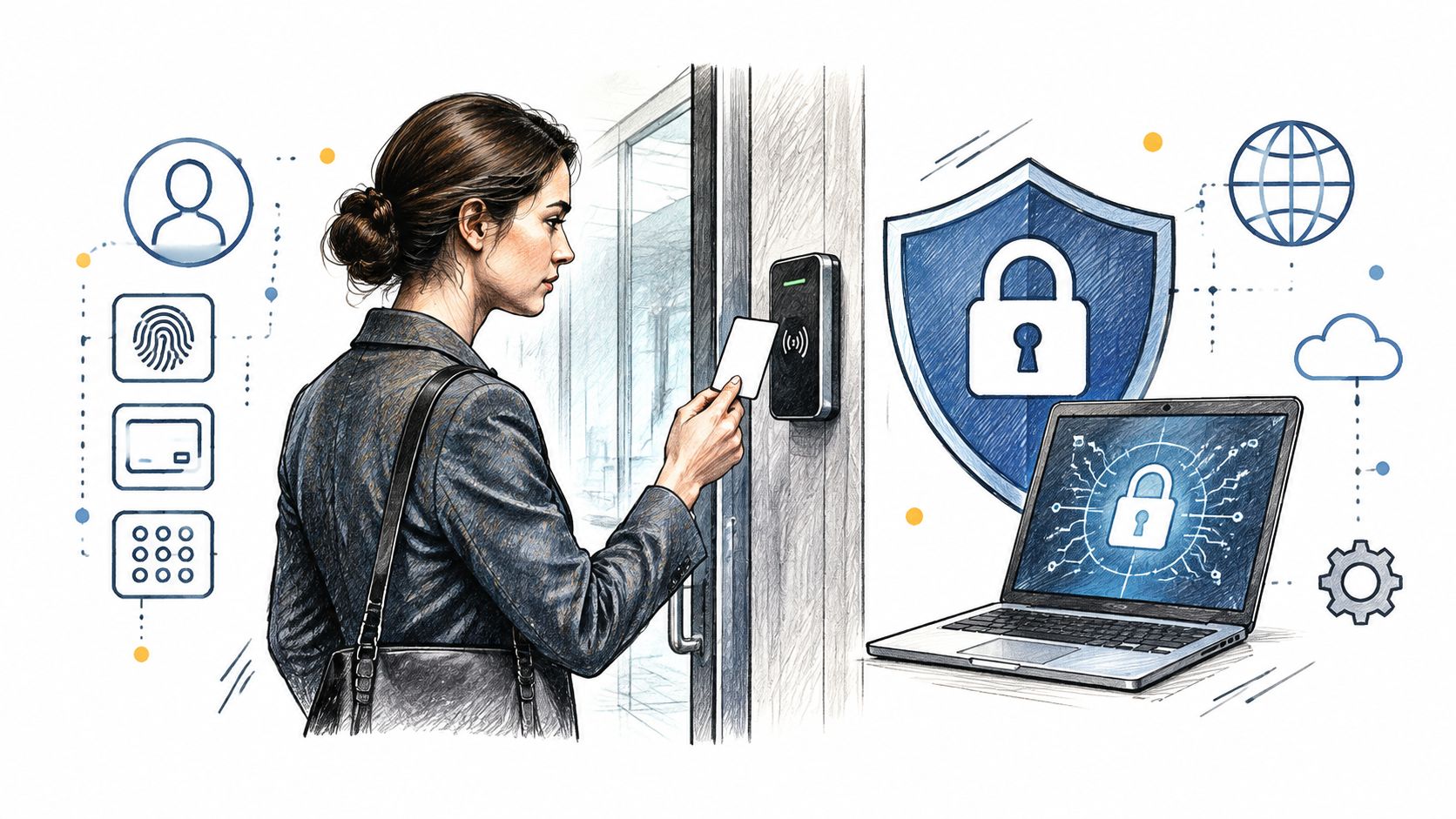
A connected gate turns access management into an ongoing administrative responsibility. Traditional remotes can be lost, and shared PINs can spread without a reliable record of who still knows them. Smartphone credentials improve accountability only when property managers assign ownership, revoke access promptly, and review the system's records.
Bitdefender and NETGEAR reported telemetry from more than 6.1 million smart homes across North America, Europe, and Australia. Their report found an average of 22 connected devices per household and nearly 29 attacks per day, almost triple the prior year's rate, as described in their connected-home security report. NIST's survey of 401 U.S. smart-home users also found continuing security and privacy concerns and uncertainty about protecting connected devices and their collected data, according to its 2025 smart-home survey.
Cellular and Wi-Fi choices
Wi-Fi can work when the gate is close to a properly managed network, but it adds dependence on local network equipment and credentials. Cellular control avoids the need for Wi-Fi at the gate, while still requiring coverage, a powered controller, account administration, and a plan for outages. Neither connection type fixes unsafe hardware.
HOAs and property managers should define:
- Account ownership: Use named administrator accounts rather than one shared login.
- Credential removal: Revoke access immediately after a resident, employee, contractor, or vendor no longer needs it.
- Log governance: Decide who may view entry records, how long records are retained, and when they're deleted.
- Update responsibility: Document who monitors firmware updates and confirms that changes don't affect normal gate operation.
- Fallback access: Test how residents, visitors, and emergency personnel enter if the connection or controller is unavailable.
For teams planning software-connected workflows, a documented gate access API may be relevant, but the integration should remain subordinate to the operator's safety inputs. For broader planning around credentials, visitor handling, and system ownership, these practical gate system tips provide a useful comparison of access-control concerns.
Common Misconceptions About Smart Gates
Smart access creates a familiar trap. People see a phone screen and assume the difficult engineering work has moved into the cloud. It hasn't. The moving gate still needs sound construction, guarded hazard zones, independent sensors, and tested force behavior.
An app replaces safety devices. It doesn't. A smartphone command only requests movement. Photoelectric sensors, contact edges, supervised inputs, force limitation, and reversal must continue working when the command comes from an app, keypad, fob, or remote.
Cellular control removes the need for local provisions. It doesn't. The gate still needs suitable control placement, visible movement where required, manual release, and a safe method for dealing with a power or communications failure. Cellular connectivity changes the communications path, not the physical risks.
A retrofit corrects an old gate. It can't. A controller doesn't repair exposed pinch points, damaged rollers, poor clearances, an unsuitable travel path, or a gate panel that was never safe to automate. ASTM F2200 applies to the physical gate system, while UL 325 addresses the operator's safety behavior, so both sides need review.
Mobile access means physical credentials must disappear. That isn't necessary. Existing clickers, fobs, and keypads can remain useful for residents who prefer them or for situations where a phone isn't available. The better policy is to manage every credential type, remove stale access, and avoid uncontrolled shared codes.
The engineering reality: Digital authorization can improve accountability, but it never substitutes for physical protection.
A proposal that discusses app features but says little about sensor supervision, force testing, pedestrian separation, manual release, or maintenance deserves closer review. The safest modernization keeps the mechanical and electronic layers working together.
Making Your Gate System Decision
The right residential electric gate depends on the site more than the app. Start with the gate's movement, available clearance, slope, wind exposure, pedestrian route, operator condition, power arrangement, and expected use. Then decide whether the property needs a new system or whether a qualified technician can safely retrofit the existing operator.
| Gate System Comparison | Best For | Maintenance Level | Smart Retrofit Feasibility |
|---|---|---|---|
| Horizontal slide | Driveways or entrances with side room for retraction | Regular attention to rollers, guides, travel path, and pinch zones | Often feasible when the operator and safety inputs are sound |
| Horizontal swing | Entrances with a clear opening arc and suitable grades | Regular hinge, stop, alignment, and closing-edge checks | Often feasible after force and entrapment testing |
| Vertical lift | Sites with limited ground clearance and suitable overhead space | Specialized inspection of vertical movement and structure | Depends heavily on operator compatibility and safety supervision |
| Vertical pivot, overhead pivot, or bifold | Restricted or unusual layouts that need specialized movement | Higher attention to geometry, hinges, pivots, and hazardous zones | Requires site-specific assessment before adding controls |
A new installation makes sense when the existing gate has unsafe geometry, structural damage, poor clearance, or an operator that can't support the required safety devices. Retrofitting makes sense when the gate structure and operator are suitable, the control interface is compatible, and the property mainly needs better credential administration or remote visitor access.
For a single-family homeowner, the priorities may be simple physical safety, dependable entry, and a manageable fallback method. An HOA board also needs documented access ownership, former-resident removal, visitor policy, pedestrian separation, and a maintenance responsibility that survives board turnover. An installer or integrator should provide the operator manual, safety-device details, test documentation, and a clear explanation of what the connected controller can and can't control.
Before approving the project, confirm:
- Safety: The gate structure, operator, sensors, force behavior, and pedestrian route have been evaluated together.
- Access: Existing remotes and keypads have a defined role, while digital credentials have owners, expiration rules, and revocation procedures.
- Resilience: Manual release, local controls, power arrangements, and communications fallback are documented.
- Maintenance: A qualified technician has identified service points, testing duties, and the manufacturer's required procedures.
- Compatibility: The proposed controller is confirmed for the installed operator rather than selected from a generic feature list.
For a more detailed evaluation of connectivity, credentials, installation conditions, and operator compatibility, use this guide on how to choose a cellular gate access system.
Nimbio provides a cellular add-on controller and smartphone app for electric gates, with remote digital-key management and visitor entry features while existing clickers, fobs, and keypads can continue working. Visit Nimbio to review the retrofit approach for a residential electric gate before changing the operator or access policy.


