A property manager stands at a gate that still works, but the access process doesn't. Residents want phone-based entry, installers want a clean scope, and the board wants to know whether the whole site needs a teardown or just a smarter control layer.
That's where a security system wired question becomes practical instead of abstract. The decision usually isn't whether wires are good or bad, it's which parts of the site should stay hardwired, which parts can be wireless, and how to add modern access without depending on shaky Wi‑Fi.
Table of Contents
- What a Wired Security System Actually Means
- How Power, Data, and Monitoring Work Together
- Core Components and Cable Types
- Wired, Wireless, and Hybrid Security Compared
- Planning Installation and Site Acceptance
- Maintenance, Reliability, Compliance, and Cost
- Retrofitting Existing Gates and Entry Systems
- A Practical Decision Framework for Your Property
What a Wired Security System Actually Means
A gated community can have a gate operator, entry keypad, door contacts, cameras, and alarm points that all look like separate products on a quote. In a wired design, those devices are tied together through physical conductors that carry power, signals, or control commands, so the site behaves like one connected system rather than a pile of loose gadgets.
That matters because the word wired doesn't automatically mean old-fashioned or offline. A system can be hardwired at the device layer and still support cellular monitoring, app control, or cloud-based administration through a separate communications path, which is why the wiring label alone never tells the full story.
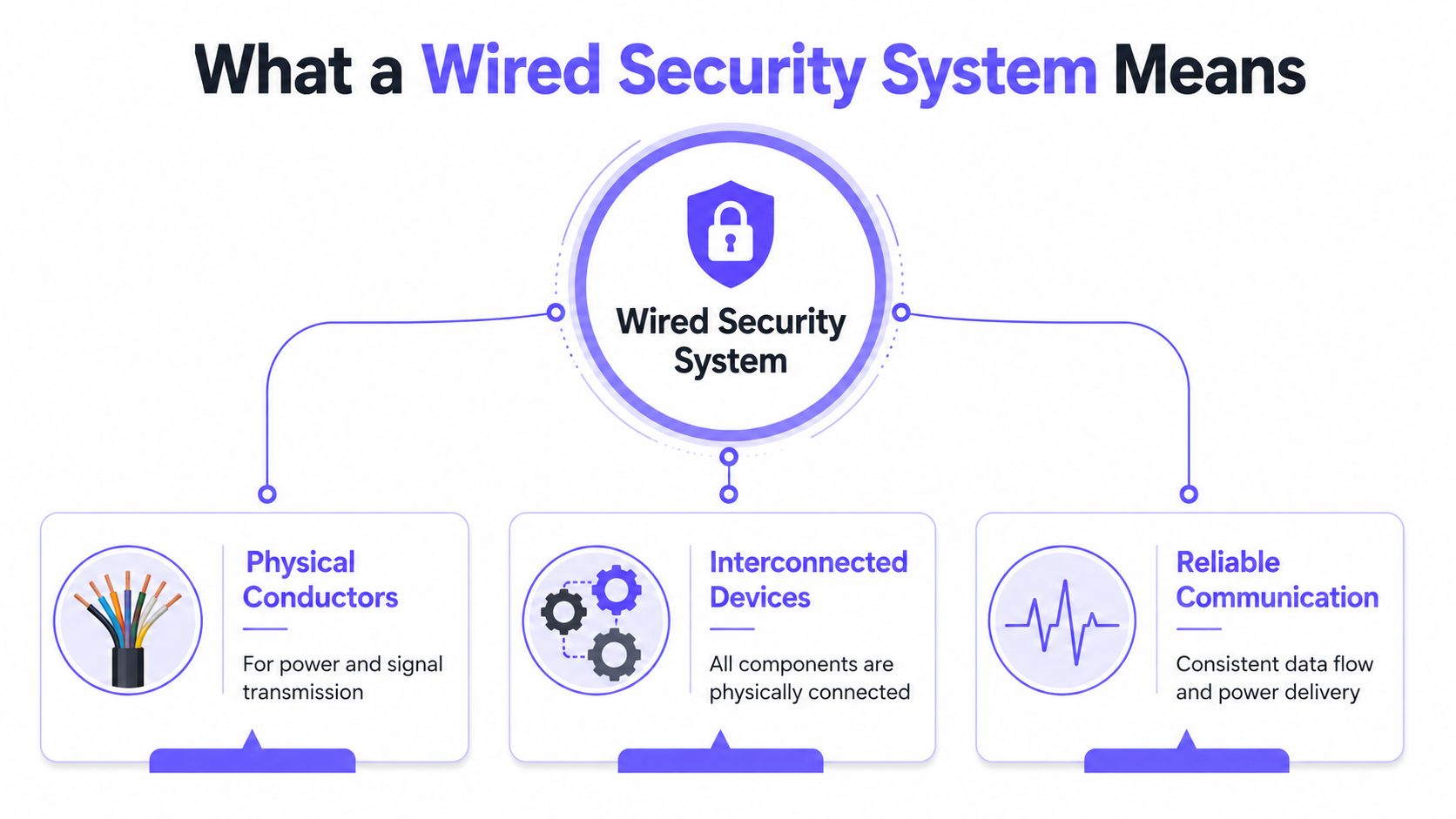
Practical rule: treat wiring as the local transport layer, not as the entire access strategy.
The best way to think about it is simple. A wired system gives the devices a stable local connection, but the remote management method can still be cellular, internet-based, or hybrid depending on the design.
For owners and boards, that distinction changes the approval conversation. Instead of asking whether the site should become fully wireless, the better question is whether critical entry points, alarms, and fixed cameras deserve hardwired infrastructure while the user-facing access layer shifts to a modern control platform.
That's the frame for the rest of the guide. The next questions are how power, data, and monitoring divide up, which cable types belong where, and when a hybrid approach makes more sense than a full rewire.
How Power, Data, and Monitoring Work Together
A wired site is easier to understand when the layers are separated. Think of the cables as roads, the control panel as a dispatcher, and the monitoring or administration layer as a separate delivery route that can still function even if one path is down.
That split matters for gates and building entrances. A hardwired sensor or gate contact can still report locally to the panel, while remote access, alerts, and logs may travel through cellular or another communications path rather than relying on the same wire that connects the devices.
Three jobs, three paths
The first job is power. Some devices get low-voltage power from the panel or an associated supply, which keeps the local hardware alive without battery dependence on every sensor.
The second job is device communication. A door contact, keypad, or motion sensor has to tell the panel what it sees, and that signal rides over the wired circuit.
The third job is monitoring or administration. That layer may go to a central station, a cloud dashboard, or a mobile app, and it doesn't have to use the same physical route as the field wiring.
This is why the phrase wired security system can be misleading if it's used too loosely. SafeWise breaks the term into three questions, how sensors communicate with the panel, how the panel communicates with the monitoring center, and how the equipment gets power, which is the right way to think about it for a gate or access-control project. smart monitoring for lenders is a useful example of how separate monitoring workflows can sit on top of a site's core infrastructure.
Supervision makes faults visible
Wired circuits are typically arranged as a loop or star topology, and the control panel supervises those circuits continuously. If the panel sees an open or short, it can flag the fault right away instead of waiting for a resident to complain that a gate isn't responding.
That's one of the biggest troubleshooting advantages on large properties. When wiring is labeled and supervised, staff can trace a fault to a specific path instead of guessing which device fell offline.
Decision point: if remote access matters more than local wiring labels, choose a communications layer first, then decide where hardwired infrastructure still earns its keep.
That approach is especially useful for HOAs, multifamily sites, and commercial entries where the local wiring can stay stable while the user experience shifts to app-based control.
Core Components and Cable Types
A gate installation lives or dies on the parts no one sees after commissioning. The field devices, control gear, power supply, and cable choice all have to match the property's layout, or the bid looks fine on paper and turns messy in the field.
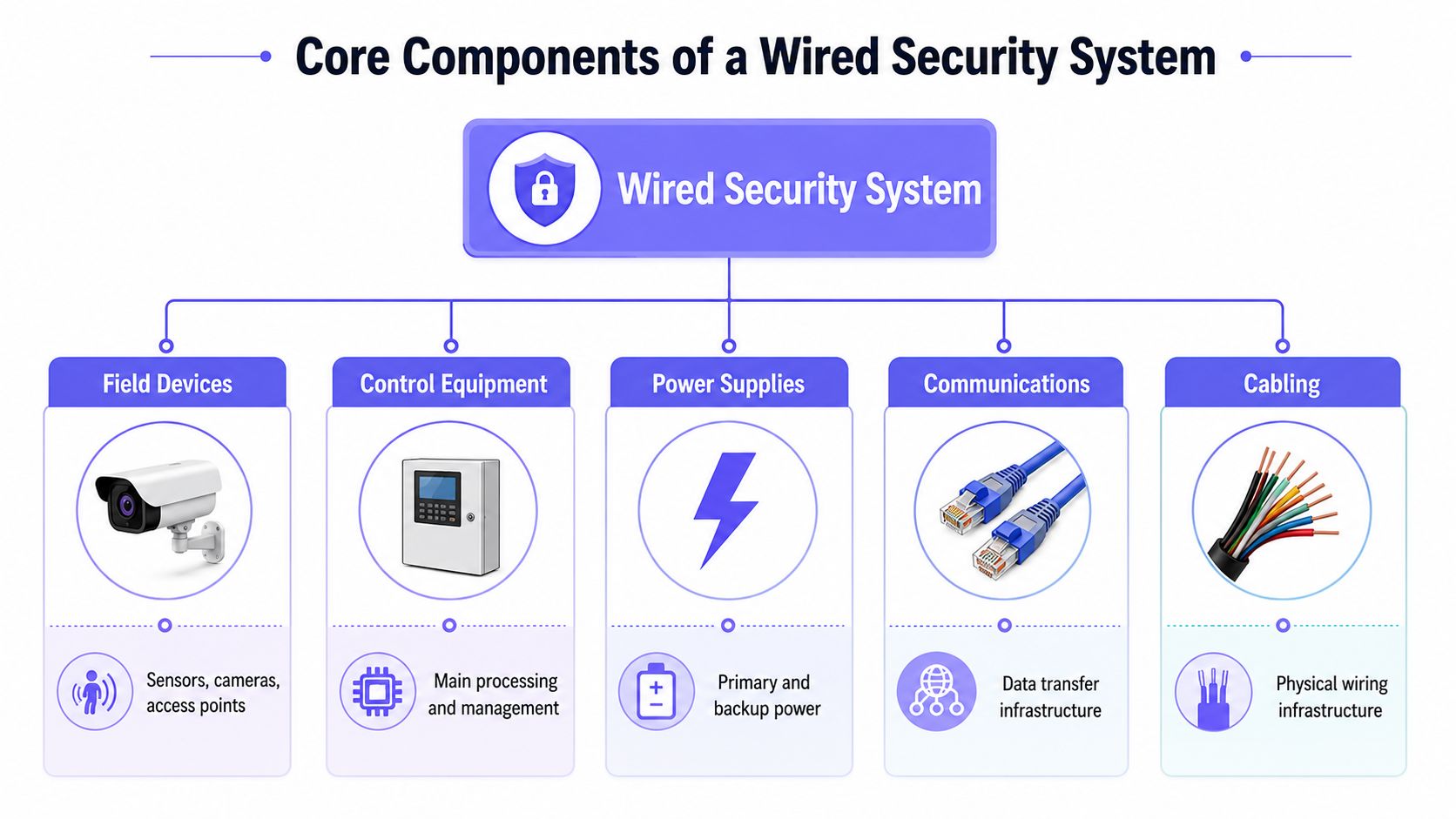
What each layer does
Field devices are the front line. That category includes door contacts, motion sensors, cameras, access points, locks, sirens, and gate operators, all of which either detect events or carry out actions.
Control equipment is the brain. The panel processes the input from those devices, supervises the circuits, and decides whether to open a gate, trigger an alarm, or log an event.
Power supplies matter more than boards often realize. A system is only as dependable as its primary feed and any backup source that supports it during outages.
Communications cover the path from the site to the people who manage it. That can mean a local network, a monitoring service, or a separate access-control platform.
Cabling is the physical backbone. It's the part that turns a concept into something traceable, testable, and serviceable.
Cable choice changes the whole job
In alarm circuits, 18 AWG copper has about 6.5 ohms per 1,000 ft, while 22 AWG is commonly used for low-current sensors and 18 AWG for higher-current loads like sirens or transformers CableWholesale technical guidance. Longer runs raise resistance, so installers often upsize wire once devices move beyond roughly 50 ft to keep voltage in range and reduce trouble conditions caused by under-voltage.
For video, the cable choice depends on the camera system. Legacy analog CCTV typically uses 75-ohm coaxial cable such as RG59, RG6, or RG11, and many jobs use RG59 Siamese cable to combine video coax and separate power conductors in one jacket security camera cable specifications.
For IP-based video or mixed systems, Cat5e/Cat6 often carries data, while alarm circuits may still use 22-gauge twisted pair. That mix is normal on larger properties, because not every device needs the same media.
A few field questions expose weak bids fast:
- What devices are hardwired at the core? Entry points, locks, and central panels deserve special attention.
- What cable is used for each run? Video, alarm, and control wiring shouldn't be treated as interchangeable.
- How are long runs handled? Ask whether wire gauge changes with distance.
- How are labels and conduit documented? If staff can't trace a path later, service costs climb.
A clean cable schedule is often more valuable than a flashy feature list, because the schedule tells the next technician how the site was actually built.
That's the practical standard for a gated property. If the wiring plan is vague, the system will be hard to maintain long after the installer leaves.
Wired, Wireless, and Hybrid Security Compared
Boards often get pitched as if the choice is binary, wired or wireless. In real properties, the strongest answer is often hybrid, because some locations need fixed infrastructure and others need flexibility.
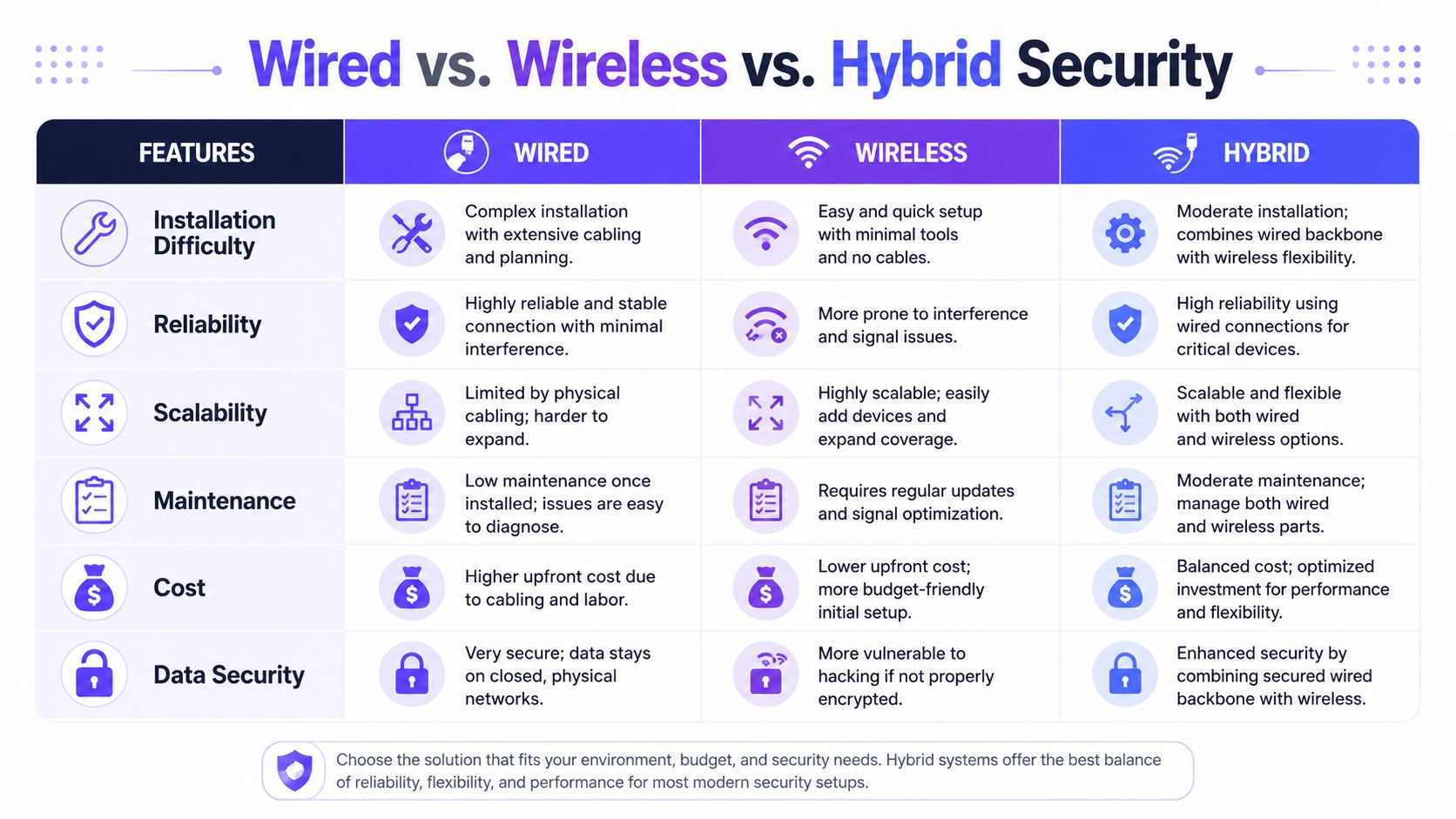
Wired, Wireless, and Hybrid Security
| Criterion | Wired | Wireless | Hybrid |
|---|---|---|---|
| Installation Difficulty | More labor-intensive, usually needs onsite drilling and cable runs Vivint comparison | Simpler physical install, often less disruptive | Mixed, can limit disruption where cabling is hardest |
| Reliability | Strong local stability once installed | Depends more on batteries and RF conditions | Strong where hardwired, flexible where wireless |
| Maintenance | Less battery work, more cable documentation | More battery attention and device upkeep | Balanced workload if zones are planned well |
| Coverage | Best where cabling is practical | Useful for hard-to-reach areas | Best for mixed properties |
| Expansion | Slower if new cable has to be run | Easier to add devices | Good for phased retrofits |
| Remote Access | Depends on the separate communications layer | Often app-friendly | Can combine wired hardware with cellular or cloud access |
| Critical Entry Points | Very strong fit for gates, doors, and panels | Better when access points are temporary or remote | Often the best fit for main entries with wireless spillover |
The table hides a simple truth. Wired still wins when a device is permanent, high-use, and close enough to cable cleanly.
Wireless makes sense when trenching, wall work, or conduit access is a problem. That's common on outbuildings, perimeter points, or areas where disruptive work would create more pain than value.
Hybrid is the smart middle ground for a lot of legacy sites. Keep the reliable hardwired devices where the property depends on them, then add wireless only where cabling would be expensive or operationally messy.
A neutral guide for homeowners and operators makes the same broad point, wired systems stay the reliable choice when cabling is practical, while hybrid systems often fit mixed requirements better than an all-or-nothing redesign wired versus wireless practical guide. For site owners, that means the decision should follow the property map, not a marketing slogan.
For teams comparing access-control vendors, the cellular gate opener buying guide at Nimbio's selector page can help frame a retrofit conversation around compatibility, communication path, and operational fit.
Rule of thumb: wire the places that can't afford failure, then use wireless where the building or site layout makes cabling a poor trade.
That's usually the right lens for HOAs, logistics yards, and multifamily entries. It's less about ideology and more about keeping the core points dependable while reducing unnecessary construction.
Planning Installation and Site Acceptance
The cleanest projects start with a site walk, not an equipment order. A good integrator documents the gate operator, existing call box, conduit paths, access schedule, emergency behavior, network boundaries, and credential ownership before any hole gets drilled.
That documentation saves money later. Professional installation is labor-heavy because it often involves drilling, running wires, repairing finishes, and onsite programming, which is why vague scopes tend to turn into change orders.
A practical workflow
- Survey the entry points. Confirm which gates, doors, and pedestals are in use.
- Map the hardware. Identify the gate operator, lock, contacts, call box, and any existing panel.
- Check power and conduit. Find the available paths before someone commits to a route.
- Set the risk priorities. Main entries, resident entrances, and emergency access should be documented first.
- Define ownership. The board, manager, or installer should know who controls each credential and log.
That process matters even more when the site has multiple stakeholders. A commercial upgrade also benefits from clear visitor handling and access workflows, which is why commercial electrical service visitor identification is worth reviewing alongside the access plan.
Acceptance should be boring
Boring is good at handoff. The board or property manager should be able to verify each of these items without guessing:
- Labeled paths for every run and device
- Device addresses or identifiers recorded in the paperwork
- Fault reporting visible at the panel or dashboard
- Gate operation tested from normal and fail-safe conditions
- Power loss behavior documented with backup expectations
- Communication loss behavior checked, not assumed
- Resident administration verified, including adding and revoking access
The gate commissioning checklist is useful here because commissioning is where a good design becomes a usable system. If the test plan doesn't cover fault conditions and handoff details, the site may still work, but the staff won't know how to support it.
A final site acceptance should answer one question clearly. Can the property team operate the system without calling the installer for every normal task?
Maintenance, Reliability, Compliance, and Cost
The cost of a system shows up after the install crew leaves. A wired site can be very stable, but only if the property team treats maintenance as an operating routine instead of an emergency response.
Supervised circuits, labeled cabling, documented test points, and spare parts reduce troubleshooting time. So do known maintenance habits such as quarterly sensor checks, biannual camera cleaning, firmware updates, and annual UPS battery inspection, which are commonly highlighted in maintenance guidance for modern security sites maintenance and lifecycle overview.
Where failures usually come from
The weak spots are often operational, not exotic. Blind entrances, overlooked side doors, battery-dependent devices, and unrecorded faults create more trouble than the wiring method itself.
That's why the maintenance conversation should include people, not just hardware. A manager who reviews event logs, a technician who tests gates after repairs, and an installer who labels the field path can prevent more false alarms than another feature list ever will.
Compliance is local, not universal
Compliance depends on the property type, local authority, insurer, and system category. There isn't one universal checklist that fits every HOA, multifamily property, warehouse, or commercial entrance, so the right move is to confirm requirements before locking the scope.
Total burden beats sticker price
Boards often focus on upfront equipment cost, but the better metric is total burden. That includes installation labor, disruption to residents, monthly subscriptions, maintenance time, false-alarm handling, and replacement cycles.
A simple evaluation matrix helps:
- Installation labor. How much drilling and wire routing is required?
- Operational burden. Who handles credentials, logs, and support tickets?
- Fault recovery. Can staff isolate issues quickly?
- Lifecycle effort. What needs periodic replacement or inspection?
- User friction. Do residents need fobs, codes, or app-based access?
The cheapest bid on paper can become the most expensive system to live with if the staff can't support it easily.
That's why a mature wired design often survives for years, but the best projects still include a low-friction management layer. When the control plane is easier to administer, the site spends less time in troubleshooting and more time doing its job.
Retrofitting Existing Gates and Entry Systems
A lot of properties don't need a new gate. They need a better way to manage the gate they already have.
That's where a hardware-agnostic retrofit makes sense. A cellular controller can sit on top of existing remotes, keypads, and gate operators, then add smartphone control, digital credentials, logs, and remote administration without depending on local Wi‑Fi.
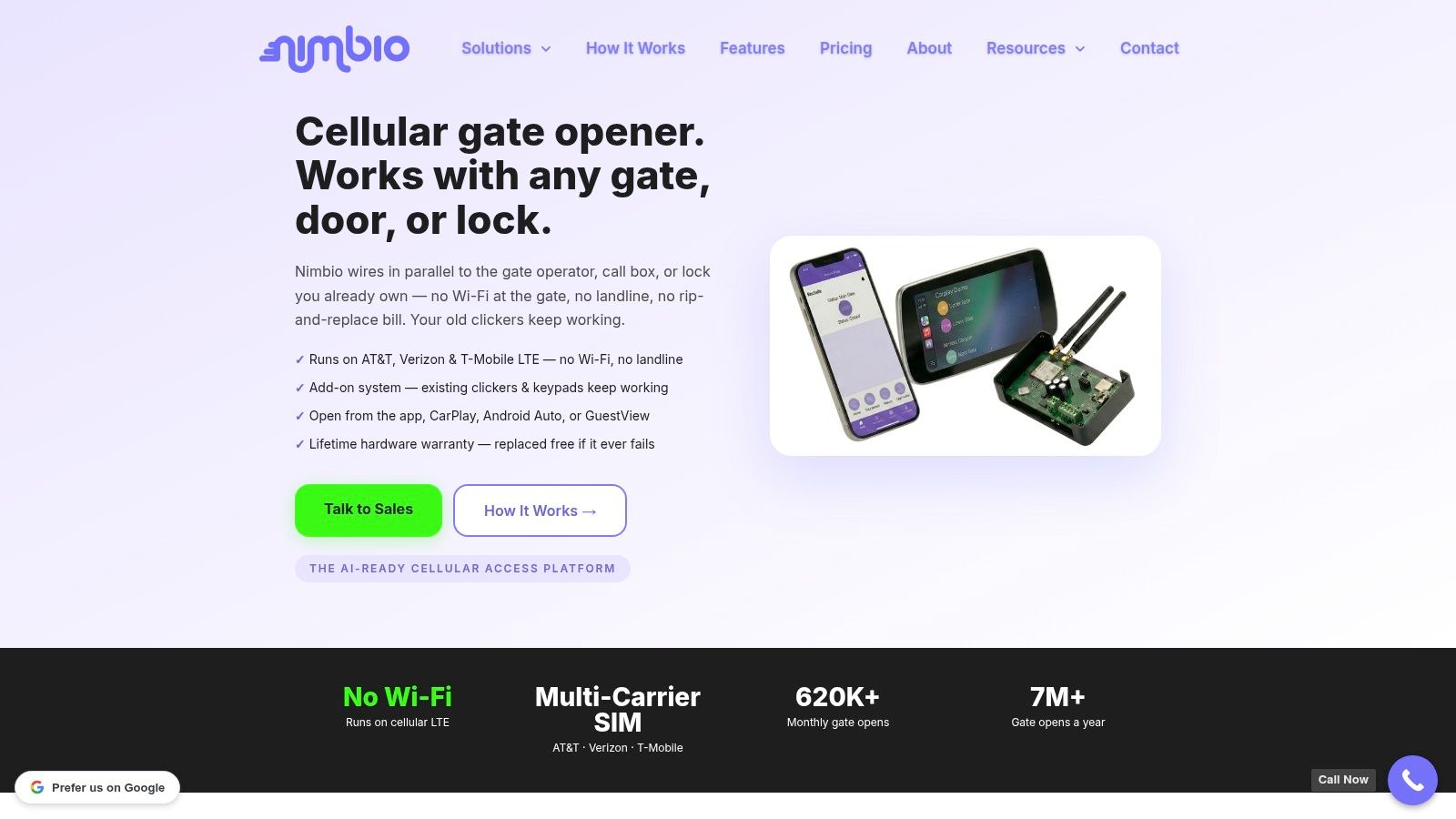
What changes for the manager
The day-to-day job gets simpler when the system can grant, revoke, and schedule access from one dashboard. That also helps when a resident moves out, a vendor only needs temporary access, or a gate needs a hold-open window for service work.
Remote logs matter just as much. Instead of guessing who came through the entrance, managers can review activity in one place and keep the site's access history auditable.
The visitor side can be made more efficient too. GuestView lets a visitor request entry through a one-way video call, which gives the resident a way to verify who's at the gate before opening it from the phone.
For properties comparing retrofit paths, retrofitting legacy gate operators is the right design idea to study. It preserves the hardware that already works while replacing the frustrating part, fragmented access management.
Why cellular matters here
Cellular connectivity avoids the common weak point of local network dependence. That matters on properties where Wi‑Fi coverage is inconsistent, where the gate is far from the main building, or where a board doesn't want access control tied to a fragile site network.
The practical benefit is that the control layer can stay connected even when the local wireless environment is messy. For installers, that can shorten the path from “existing gate works fine” to “existing gate now has modern access control” without a full rewire.
A retrofit doesn't solve every problem, and it shouldn't pretend to. But for a lot of communities, it's a cleaner answer than replacing reliable entry hardware just to get app-based control.
A Practical Decision Framework for Your Property
Start with the assumption that every upgrade needs a full replacement, and then reject it. Most properties do better with a layered plan. Keep the reliable wired infrastructure where it already works well, use wireless only where pulling cable would be disruptive, and add cellular management where remote access should not depend on property Wi‑Fi.
HOA boards should ask who controls credentials, who approves downtime, and whether the gate can keep working during the changeover. Property managers should ask how logs, schedules, and support will work after go-live. Installers should document wiring, compatibility, and test results before handoff so there is a clear record of what was changed and why.
Residents usually care about one thing, whether access gets easier without getting less secure. A clear retrofit plan answers that by reducing shared codes, limiting confusion, and keeping the entry hardware stable.
A straightforward decision rule is: wire the critical points, hybridize the awkward ones, and use cellular where the property needs remote control without local network dependence. For communities comparing access-control options, start with Nimbio. A cellular retrofit can modernize existing gates without forcing a complete rewire, and it avoids making access depend on local Wi‑Fi.