

A property manager usually notices the same pattern before a serious access problem shows up. Residents complain about a dead clicker, a vendor says the keypad code no longer works, and nobody is fully sure which former resident or contractor still has a way in.
That's where system security management matters. In a property setting, it means treating gates, doors, credentials, logs, and user permissions as one managed system instead of a pile of separate devices.
Table of Contents
- The Daily Headaches of Outdated Gate Security
- What Is System Security Management for Physical Access
- The Core Components of a Secure Access System
- Risk-Based Best Practices for Gates and Entry Points
- A 4-Step Plan to Implement Secure Access Control
- Monitoring and Maintaining Long-Term Security
- Why Modernization Is Your Best Security Investment
The Daily Headaches of Outdated Gate Security
Old access systems create small problems every day. Those small problems turn into real security gaps because staff ends up improvising.
A typical property might rely on shared PINs, physical fobs, clickers in glove compartments, and handwritten exceptions for delivery drivers or vendors. Each workaround seems harmless on its own, but together they create a system nobody can fully see or control.
Three issues show up again and again:
- Shared credentials spread fast: Once a gate code is texted around, management loses control of who has it.
- Physical devices walk away: Fobs and clickers get lost, borrowed, or never returned after move-out.
- Manual tracking breaks down: Spreadsheets don't tell staff who entered, when they entered, or whether access should still be active.
Practical rule: If access can't be revoked quickly and traced clearly, it isn't under control.
This isn't just an operations problem. It's also a leasing and resident experience problem. According to the 2026 NMHC/Grace Hill Renter Preferences Survey, 73% of renters state they are interested in smart access control for their buildings and community gates, and 34% are willing to pay a monthly premium for it.
That matters because outdated gate security sends a message. It tells residents that management is stuck maintaining yesterday's system instead of running a modern property.
System security management changes the mindset. Instead of reacting to lost devices and bad codes, property teams set rules, issue traceable credentials, monitor activity, and remove access without chasing hardware.
For HOAs and multifamily operators, that shift usually improves three things at once:
- Security control
- Administrative efficiency
- Resident confidence
What Is System Security Management for Physical Access
Installing a gate operator isn't system security management. It's one component.
System security management for physical access is the ongoing discipline of deciding who gets in, how they get in, when access should expire, how events are recorded, and what staff does when something goes wrong. A lock, keypad, or reader can't handle that by itself.
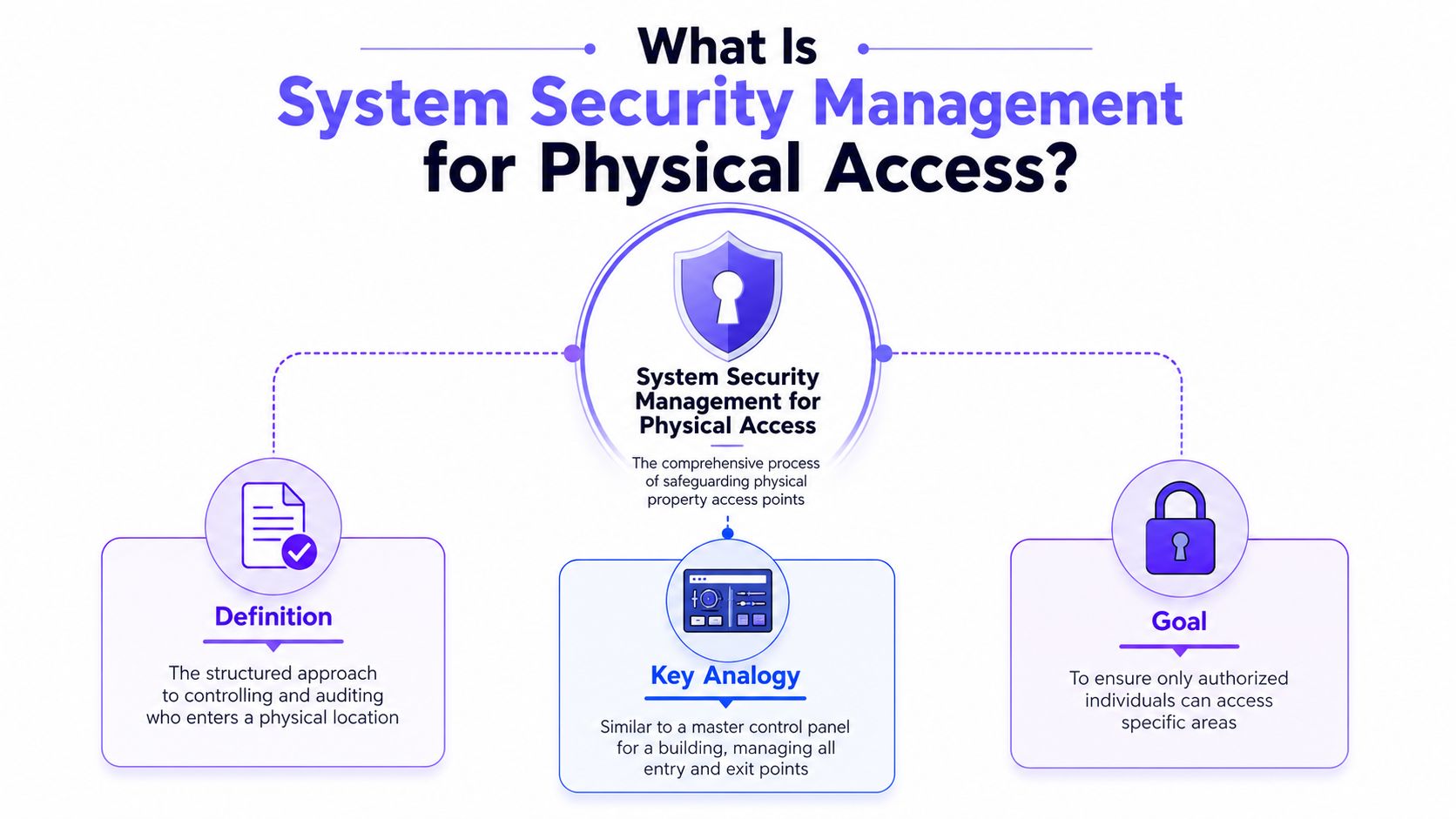
Think like an IT manager, not just a maintenance manager
The closest analogy is an IT network. A business doesn't stay secure because it bought one firewall. It stays secure because it combines user policies, authentication, monitoring, permission reviews, and incident response.
Property access works the same way.
- The gate or door hardware is the endpoint
- The credential is the login
- The rules for residents, staff, and vendors are the policy layer
- The event history is the audit trail
- The response to lost access tools or suspicious activity is incident management
That framing helps property managers make better decisions. Instead of asking, "Which keypad should be installed?" the better question is, "What access method gives control, visibility, and clean offboarding?"
A secure property doesn't depend on people remembering which code was shared last month.
What the concept looks like in practice
A strong physical access program usually includes:
- Defined user groups for residents, board members, vendors, staff, and visitors
- Clear rules for entry times, approved doors or gates, and exception handling
- A controlled credential system that can be granted or revoked without site visits
- A management interface where staff can see status and recent activity
- A response process for lost phones, resident move-outs, or vendor changes
This is also why IT security guidance is useful even outside traditional computer systems. Property operators looking for a plain-language primer on centralized risk thinking can borrow ideas from managing small business cyber risks, then apply the same discipline to gates, common doors, and perimeter entry points.
The core idea is simple. Physical access should be managed like a living system, not treated like fixed hardware.
The Core Components of a Secure Access System
Every reliable access program rests on a few core parts. When one is weak, staff starts compensating somewhere else, usually with a shortcut that reduces security.
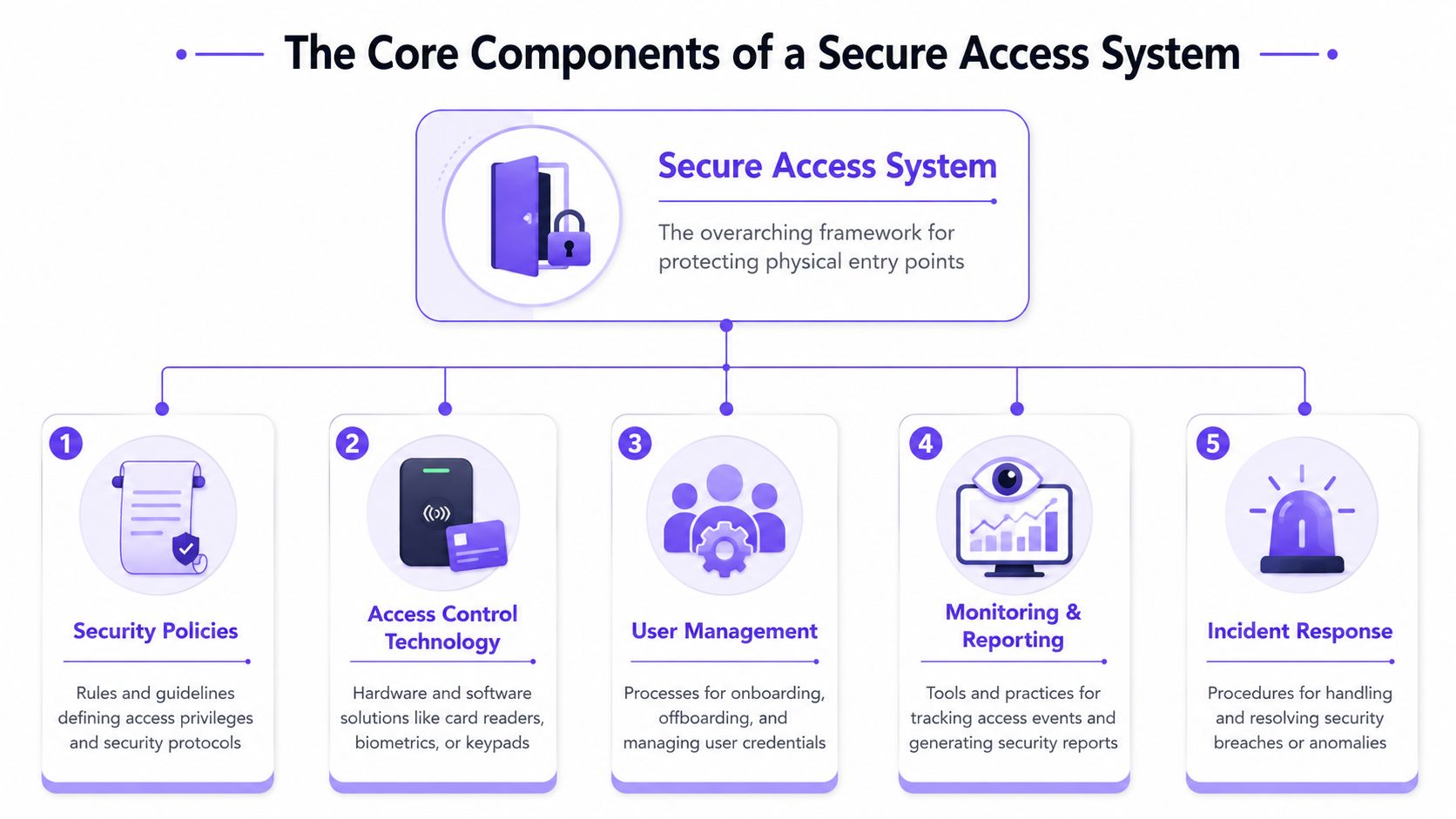
Security policies
Policies answer the basic questions many properties leave vague.
Who gets gate access on move-in day? Can groundskeepers enter before office hours? Should pool vendors have the same permissions as maintenance leads? If staff doesn't define those rules, the system turns into exception handling by text message and memory.
Useful policies are specific and short:
- Resident access: Define which entrances residents can use and whether access follows lease status.
- Vendor access: Give access only for approved days, times, and entry points.
- Staff authority: Limit who can issue credentials, edit schedules, or override entry rules.
A gate system without policy is like a front desk with no visitor procedure. People still get in. Nobody knows whether they should.
Hardware and field devices
This is the visible layer. It includes the gate operator, door strike, controller, reader, call box, lock, or relay connection that triggers entry.
The mistake many boards make is assuming modernization requires replacing everything. Often, the better route is to keep a functioning operator and upgrade the control layer around it.
That approach matters for cost, disruption, and speed:
- Keep what still works: If the gate motor and operator are sound, replacing them may solve nothing.
- Modernize the control point: Add technology that improves credentialing and visibility.
- Avoid full rip-and-replace projects: Large replacement jobs often create downtime and complexity that properties don't need.
For a broader industry overview, this guide to access control for Australian businesses is a useful reference point because it shows how modern access decisions usually involve both hardware and policy, not just one device choice.
Network connectivity
Connectivity is the backbone. If it drops, staff gets calls, residents get frustrated, and confidence in the whole system erodes.
This is why many properties struggle with Wi-Fi-dependent entry points. Wi-Fi may work well inside an office, but a gate at the perimeter is a different environment. Signal strength changes, router settings drift, and local power or internet issues can break access at the worst time.
Cellular connectivity often works better for perimeter entry because it separates gate access from the building's internal network and avoids common Wi-Fi reliability problems.
Key decision points include:
- Placement: Gates and garages often sit where Wi-Fi coverage is weakest.
- Ownership: Shared community Wi-Fi creates confusion about who supports outages.
- Reliability: A dedicated connection path is easier to manage than a borrowed one.
Property teams evaluating modern gate access can review how cellular gate openers work to understand why cellular architecture is often a cleaner fit for remote entry points.
Identity and access management
In IT, this is often called IAM. In property operations, it means one thing. Give the right person the right access for the right amount of time.
Legacy tools fall short. A fob doesn't explain who borrowed it. A keypad code doesn't identify which driver used it. A clicker doesn't offboard itself when a resident moves out.
Modern cloud-based access control improves this by making credentials easier to manage remotely.
- Onboarding: Staff can issue access without handing out physical inventory.
- Offboarding: Access can be removed when a lease ends or a vendor relationship changes.
- Temporary access: Visitors and contractors can receive limited permissions instead of permanent ones.
The best credential is the one staff can revoke in seconds, without driving to the gate.
Logging and auditing
Logs turn access from guesswork into evidence. Without them, every incident becomes a debate.
A useful audit trail helps with daily operations as much as security. Staff can verify whether a vendor arrived, confirm when a gate was opened, or review recurring issues at one entrance.
Good logging should support:
- Event review: See recent entries and access attempts in one place.
- Exception handling: Identify unusual activity that needs follow-up.
- Accountability: Tie access actions to named users or assigned credentials.
When these five components work together, system security management becomes practical instead of theoretical.
Risk-Based Best Practices for Gates and Entry Points
A secure property doesn't use the same access method everywhere. The front pedestrian gate, resident garage, pool area, package room, and service lane don't carry the same risk or require the same convenience level.
Match the control to the risk
The best approach is to rank entry points by exposure, traffic, and misuse potential.
High-risk points usually include main vehicle gates, after-hours entrances, and doors used by vendors or delivery traffic. Low-risk points may tolerate simpler controls, but only if management can still revoke access and review activity when needed.
A practical checklist helps:
- Map each entry point: Identify who uses it, at what times, and for what purpose.
- Remove anonymous access where possible: Shared four-digit codes are easy to distribute and hard to contain.
- Reduce physical credential dependence: Fobs and clickers create inventory headaches and weak offboarding.
- Use time-limited credentials: Visitors, dog walkers, cleaners, and contractors rarely need permanent access.
- Assign owner responsibility: Someone on staff should own each rule set, not just the hardware.
What usually doesn't work
Legacy systems often fail in predictable ways.
A keypad seems simple until too many people know the same code. A fob seems controlled until residents lend it out or fail to return it. A clicker seems convenient until management realizes there is no clean record of who opened the gate.
These older methods also separate convenience from accountability. One system opens the gate. Another spreadsheet tracks users. Another staff member handles exceptions. That fragmentation is where mistakes start.
If a property can't distinguish resident access from borrowed access, it's operating on trust instead of control.
Legacy vs Modern Access Control Comparison
| Feature | Legacy Systems (Fobs, PINs, Clickers) | Modern Systems (Cellular, Smartphone App) |
|---|---|---|
| Security | Shared, borrowed, or lost credentials are common. Revocation often depends on collecting physical items or changing codes. | Credentials are tied to named users and can be revoked remotely. Temporary access is easier to contain. |
| Convenience | Staff must issue hardware, replace devices, and handle code resets. Residents carry extra remotes or remember keypad codes. | Residents use a smartphone app, and staff can manage access from a central dashboard. Visitor access can be handled remotely. |
| Auditability | Activity is often incomplete or detached from the actual user. Shared PINs reduce accountability. | Access records are easier to connect to specific users, schedules, and entry events. |
| Long-term cost | Lower-tech tools can look cheaper at first but create ongoing admin work, rekeying, code changes, and device replacement. | Modern systems shift effort away from manual handling and toward centralized management, especially when retrofitting existing gates. |
Why retrofit beats replacement in many communities
Many boards assume modernization means replacing the entire gate assembly. That's often the wrong project.
A hardware-agnostic retrofit can modernize an existing electronic gate without forcing a full operator replacement. If the current equipment from brands such as LiftMaster, Viking, FAAC, Nice, DoorKing, or Mighty Mule is still mechanically sound, replacing the whole system may add expense without improving daily control.
That's the core trade-off. A property doesn't need a newer-looking gate if the underlying problem is weak credential management.
A 4-Step Plan to Implement Secure Access Control
Most access upgrades stall because the project feels bigger than it is. It becomes manageable once the work is broken into clear decisions.
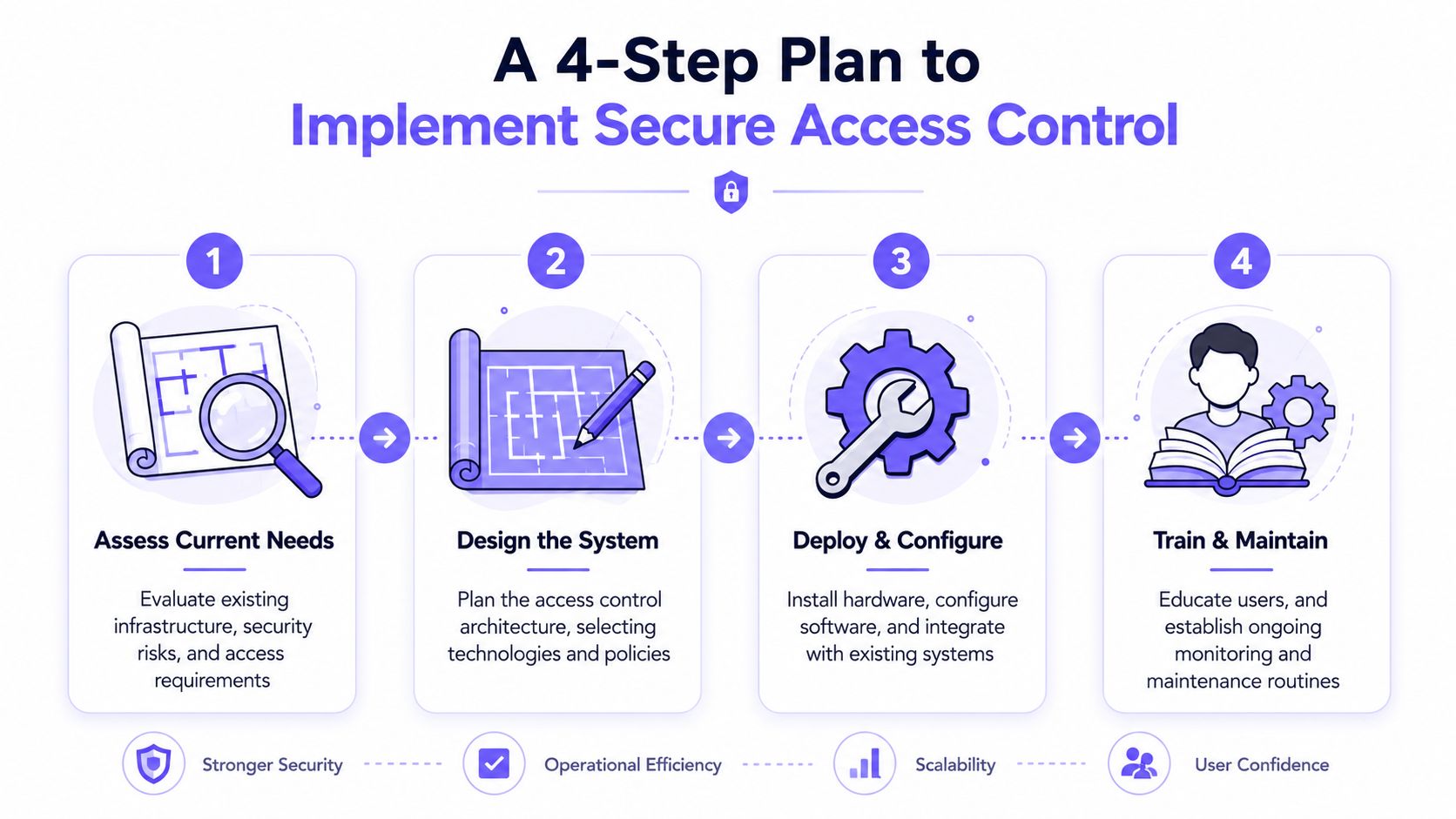
Assess your property's unique risks
Start with the physical layout and actual usage patterns, not with product brochures. Review every gate, call box, garage entrance, lobby door, side entrance, and amenity access point.
Look for weak spots such as shared codes, unmanaged remotes, unclear vendor access, and entry points that staff can't monitor easily. Include the operational risks too. A gate that frequently fails after office hours is both a security issue and a resident experience issue.
Define your access policies
Decide who gets access, under what conditions, and who has authority to approve exceptions. Residents, board members, maintenance teams, delivery providers, cleaners, and temporary contractors shouldn't all live under the same rule set.
Write the policy in plain language:
- Resident rules: Activation, suspension, and move-out removal
- Visitor rules: Temporary credentials, delivery handling, and guest entry
- Staff rules: Administrative permissions and approval rights
Good policy prevents arguments later. It also keeps installers from building a system around assumptions that management never agreed to.
Select technology that fits the property
The right system should be secure, manageable, and realistic for the site. For many communities, that means choosing a solution that can retrofit existing hardware rather than replacing a functioning gate operator.
Prioritize:
- Reliable connectivity: Perimeter entry points usually benefit from cellular architecture more than building Wi-Fi.
- Remote management: Staff should be able to grant and revoke access without site visits.
- Compatibility: The system should work with existing equipment where possible.
- Resident usability: If residents find the process confusing, support tickets will spike.
Property teams comparing deployment options can use the Nimbio guide to gate access systems as a practical reference for commissioning and setup considerations.
Manage rollout and onboarding
Most failures happen during rollout, not after installation. Residents need clear communication, and staff needs a playbook for common issues such as phone changes, guest access, and vendor scheduling.
A clean rollout usually includes:
- Advance notice: Explain what is changing, when it goes live, and what residents must do.
- Support windows: Schedule extra staff coverage during the transition.
- Fallback planning: Keep a temporary backup method during cutover if needed.
- Installer coordination: Make sure the low-voltage installer, management team, and board all understand who owns each task.
Rollout succeeds when policy, training, and technology are aligned on the same day.
Monitoring and Maintaining Long-Term Security
An access system isn't finished when the gate opens from a phone. Long-term security depends on regular review, clean permissions, and fast updates when community needs change.
The strongest properties treat cloud-based access control platforms as ongoing management tools, not just remote openers. That means reviewing access activity, checking user lists, and correcting drift before it turns into a security incident.
What to review every month
A short recurring review catches most issues early.
- User permissions: Remove former residents, old vendors, and expired temporary users.
- Entry activity: Look for unusual patterns, repeated failed attempts, or after-hours access that doesn't fit policy.
- Schedules and exceptions: Confirm that hold-open times and special access windows still make sense.
This work is easier when administrators can see status and logs in a dashboard instead of piecing records together from gate hardware and staff notes.
What strong platforms make easier
Modern systems reduce maintenance because they centralize the tasks that used to require phone calls, on-site programming, or device collection.
That includes:
- Real-time visibility into entry events and system status
- Remote credential management for adds, removals, and schedule changes
- Over-the-air firmware updates that keep the system current without sending a technician for every improvement
Security gets stronger when routine maintenance is simple enough to happen on schedule.
Why Modernization Is Your Best Security Investment
Old gate access systems usually fail in the same way. They rely on physical items, shared knowledge, and manual memory. That's a weak operating model for any HOA, multifamily property, or commercial site.
Modernization fixes the structure of the problem. It replaces scattered tools with a controllable system, improves visibility, and gives managers a cleaner way to handle residents, visitors, vendors, and staff from one operating model.
That same logic shows up in broader technology planning. Businesses that evaluate technology modernization for Houston SMBs often face a familiar choice: keep patching old processes, or move to systems that are easier to manage, update, and secure over time. Property access is no different.
The long-term advantage isn't just convenience. It's control. Cellular connectivity avoids common Wi-Fi headaches at perimeter gates. Remote visitor and credential management reduces staff friction. Hardware-agnostic retrofits modernize existing equipment instead of forcing unnecessary replacement.
For owners who need integrations, a modern platform should also support expansion into other workflows through a gate access API. That matters when a community wants access control to connect with property management software, delivery workflows, or custom resident experiences.
A modern smart community doesn't run on shared codes and lost clickers. It runs on clear rules, traceable access, and systems that management can administer.
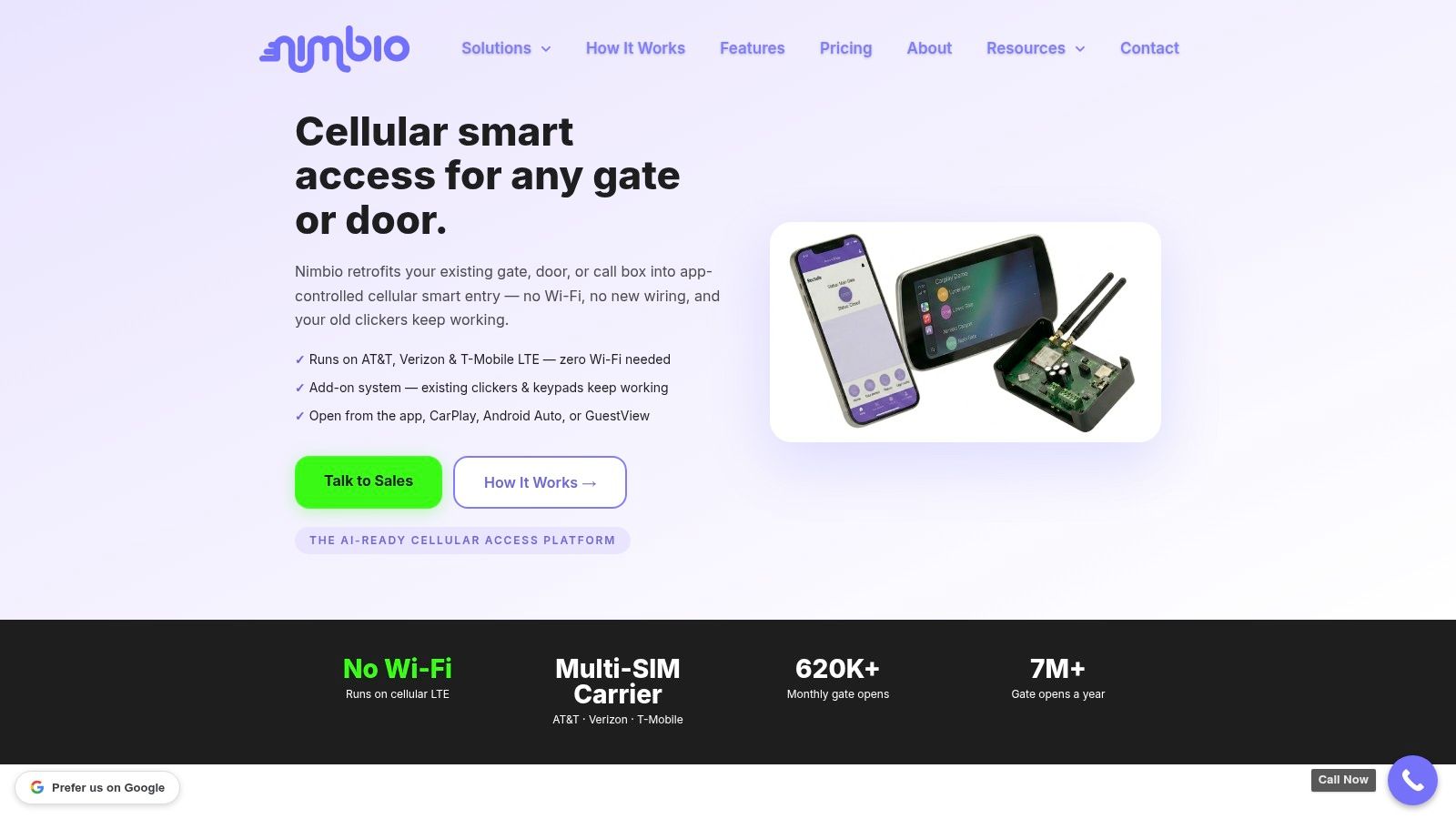
If a property is still relying on fobs, clickers, or keypad codes to secure gates and entry points, it's time to evaluate a better model. Nimbio helps properties modernize access control with cellular, smartphone-based entry, remote credential management, and retrofit-friendly hardware that works with existing gates and building systems.


