
A property manager changes vendors, a board member rotates off, a resident rents out a unit for a month, and the pool contractor needs access on Tuesday before sunrise. Most properties still handle those changes with shared gate codes, old clickers, handwritten lists, and a lot of memory.
That's where access control breaks down. Physical entry isn't just about opening a gate. It's about deciding who gets in, where, when, and for how long, then proving those decisions were made correctly.
That's why user role management matters in property access control. In software, roles usually map to job titles and applications. In a gated community or multifamily building, roles have to account for gates, doors, amenities, delivery windows, vendors, visitors, and exceptions that expire on time.
Table of Contents
- Why Traditional Access Control Is Failing Properties
- Core Principles of Secure Access Management
- The Benefits of Structured User Roles for Properties
- Practical User Role Templates for Your Property
- Implementing Modern User Role Management
- Advanced Security and Governance Best Practices
- The Future of Property Access Is Smart and Secure
Why Traditional Access Control Is Failing Properties
Traditional access control fails for a simple reason. It treats physical entry as static when property operations are anything but static.
A keypad code posted in a leasing office might work for residents, groundskeeping staff, vendors, and former vendors at the same time. A clicker issued years ago may still open the gate even after a move-out. A front entry system may have no clean way to separate resident access from amenity access.
The biggest weakness usually isn't an advanced attack. It's loose permission design. The gap between static RBAC and the dynamic needs of physical security is substantial, and 68% of access control breaches in gated properties occur because permissions are too broad and don't expire, not because of technical exploits, according to Frontegg's guide to user roles and permissions.
Practical rule: If access doesn't need an end date, someone should still justify why it doesn't.
Physical property access has constraints that most IT articles ignore:
- Place matters: A resident may need the main gate and lobby door, but not the maintenance room.
- Time matters: A cleaner may need weekday access, not nights and weekends.
- Context matters: A visitor's access should depend on host approval, not a permanent code.
- Exceptions matter: Move-ins, deliveries, contractors, and community events all need controlled overrides.
That's why user role management is more than a software concept. For HOA security, it becomes the operating system for the property.
A good role structure replaces guesswork with policy. Instead of asking whether a specific person should have a random credential, the better question is whether that person fits a defined role with a defined schedule and defined access points.
Core Principles of Secure Access Management
The strongest property access programs aren't built around devices first. They're built around clear rules for assigning and removing access.
Roles should match property reality
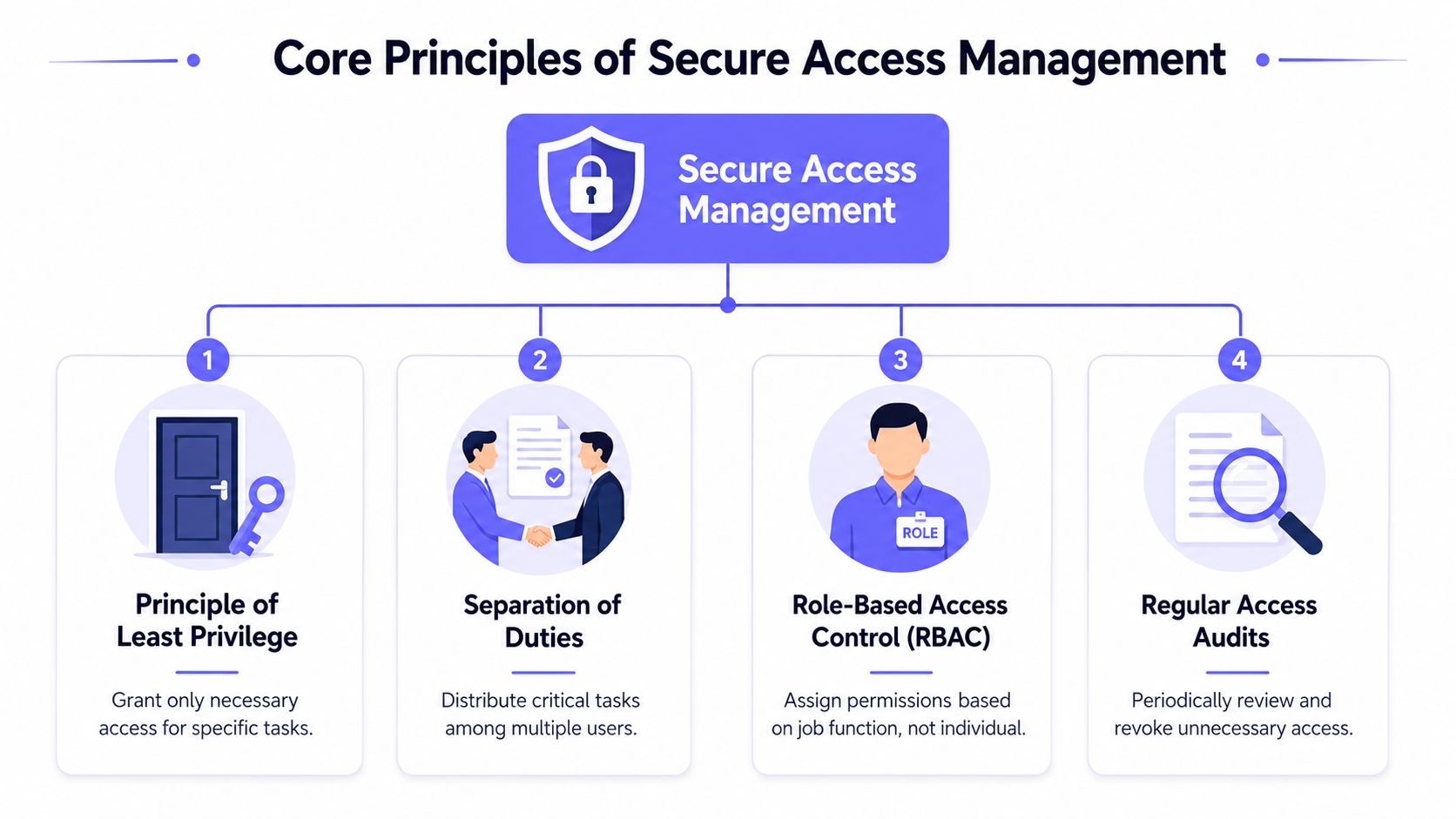
Role-Based Access Control (RBAC) means assigning permissions to roles, then assigning people to those roles. In a property setting, that's more practical than issuing one-off exceptions for every resident, vendor, or board member.
A property might define roles such as Resident, Property Manager, HOA Board Member, Maintenance Technician, Pool Vendor, Leasing Agent, and Guest. Each role gets a preset combination of gates, doors, schedules, and administrative rights.
For readers who want a plain-language overview of RBAC for enhanced security, that framework translates well to properties once roles are tied to entry points and schedules instead of only software systems.
Least privilege works in the physical world too
Least privilege means giving someone only the access needed to complete the task in front of them. Not more.
For a gated property, that often looks like this:
- Residents: Full access to the main gate and permitted common areas tied to their unit status.
- Groundskeepers: Gate access during service windows only.
- Pool cleaners: Pool gate and equipment area access on scheduled days.
- Delivery staff: Entry only through approved visitor or delivery workflows.
This principle prevents a common failure pattern. Someone gets broad access because it's convenient, then nobody comes back to narrow it later.
A role should be narrow enough to manage risk and broad enough to avoid daily admin work.
Governance prevents quiet failures
Separation of duties matters in physical access control just as much as it does in finance or IT. The person who approves a resident move-in shouldn't always be the same person who grants full admin rights. The person who manages vendors shouldn't be the only person able to create permanent credentials.
Regular access audits complete the model. Without audits, permissions accumulate. That's how old vendors stay active, former residents retain gate access, and temporary workarounds become permanent.
A secure property access model usually includes:
- Defined approvers for resident, vendor, and staff access.
- Role templates that reduce ad hoc decisions.
- Scheduled reviews of active credentials and admin rights.
- Revocation rules for move-outs, contract end dates, and board turnover.
The Benefits of Structured User Roles for Properties
User role management creates value when it removes ambiguity. That shows up in security, daily operations, and resident experience.
The broader market direction makes that clear. The RBAC market was estimated at USD 8.7 billion in 2022 and is projected to reach USD 15.5 billion by 2027, reflecting how role definition has become a core security requirement, according to MarketsandMarkets research on the RBAC market.
Security improves when access is assigned deliberately
Shared credentials are convenient until something goes wrong. Then nobody knows who used them, who shared them, or who should still have them.
Structured roles improve property security because they make access specific and reviewable:
- Individual accountability: Each credential ties to a person or role, not a community-wide code.
- Cleaner revocation: When someone moves out or a vendor contract ends, access can be removed without disrupting everyone else.
- Better audit trails: Entry events become easier to investigate because permissions were assigned intentionally.
For HOA boards, that matters during disputes and incident review. A gate operator log is far more useful when the system distinguishes resident access, visitor access, and vendor access.
Operations get faster and cleaner
Most access control headaches are administrative. Staff members spend time replacing fobs, updating gate codes, tracking down old credentials, and answering avoidable resident questions.
A structured, cloud-based access control approach reduces that friction:
- Remote changes: Access can be granted or revoked without a site visit.
- Role consistency: New residents and new vendors get the same policy-driven setup each time.
- Fewer exceptions: Standard roles reduce one-off permission requests.
That also improves convenience for residents. Smartphone-based credentials are easier to manage than remotes or printed codes, and visitors can be handled through controlled workflows instead of informal sharing. Properties looking to improve secure gate entry for residents usually get the biggest gain from replacing shared methods with named, manageable digital credentials.
Good access control doesn't create more rules for residents. It removes the messy workarounds they've learned to tolerate.
The result is a property that feels more organized. Residents notice it. Managers feel it immediately. Installers also benefit because support calls tend to involve defined roles and settings rather than mystery credentials no one documented.
Practical User Role Templates for Your Property
Most properties don't need a complicated role model. They need one that matches real operations and can be enforced consistently.
The easiest way to start is to define roles by relationship to the property, then narrow by space, time, and special permissions. That keeps the matrix practical for both residential and commercial sites.
Sample User Role Permission Matrix for a Gated Community
| Role | Access Points | Access Schedule | Special Permissions |
|---|---|---|---|
| Property Manager | Main gate, leasing office, clubhouse, pool, maintenance areas, building entries | Business hours, with emergency after-hours access if required by policy | Can issue and revoke credentials, approve vendors, review logs, schedule hold-open periods |
| HOA Board Member | Main gate, clubhouse, meeting room, board storage if applicable | Scheduled access based on board duties | Can approve policy changes, should not issue day-to-day credentials unless formally assigned |
| Resident | Main gate, assigned building entry, approved amenities | Typically ongoing while residency is active | Can manage personal visitor access within community rules |
| Maintenance Staff | Main gate, service doors, equipment rooms, assigned work areas | Shift-based or on-call schedule | Can receive task-specific access, should not have permanent amenity access without need |
| Landscaper or Pool Vendor | Main gate, designated service areas only | Scheduled service windows | No resident-area access unless specifically approved |
| Leasing Agent | Main gate, leasing office, model units, approved common areas | Business hours and showing windows | Can issue temporary prospect or showing access if policy allows |
| Short-Term Guest | Main gate or building entry only, as approved by host | Time-limited | No admin rights, no standing access after visit window ends |
| Delivery or Courier | Entry limited to approved delivery workflow | Temporary or one-time | No persistent credential |
| Security Installer | Main gate, equipment rooms, controller locations | Project schedule only | Elevated access must expire at project completion |
Properties that want stronger visitor workflows should pair role templates with tools built for secure entry for gated communities, especially when residents need to verify visitors before granting entry.
How to use the matrix without overcomplicating it
A matrix works best when the team resists edge-case sprawl. If every exception becomes a permanent new role, the system turns into the same mess it replaced.
Three rules keep it manageable:
- Start with stable roles: Resident, staff, vendor, guest, and admin roles usually cover most needs.
- Use temporary overrides: A move-in weekend or elevator reservation doesn't justify a permanent role.
- Separate access from authority: Someone may enter a space without having the right to issue credentials for it.
A useful test is whether a new administrator could understand the matrix in a few minutes. If not, it's probably too complex.
Another good practice is to separate amenity access from entry access. A resident may need gate and lobby access continuously, while pool or gym access may depend on rules, dues status, or seasonal hours. Tying everything into one credential without distinctions often creates policy conflicts later.
Commercial and mixed-use properties can use the same framework. Replace Resident with Tenant Employee, Leasing Agent with Suite Administrator, and Guest with Visitor or Courier. The core logic doesn't change. Roles should still define where people can go, when they can go there, and what they're allowed to control.
Implementing Modern User Role Management
Most upgrades fail because the property buys hardware before it defines policy. User role management should lead the technology decision, not follow it.

Start with an access audit
Before changing anything, the property should document its current reality.
That means listing:
- All entry points: Vehicle gates, pedestrian gates, lobbies, side doors, amenities, package rooms, service areas.
- All credential types: Clickers, fobs, keypad codes, app credentials, physical keys, call box workflows.
- All user groups: Residents, former residents, board members, managers, vendors, contractors, delivery personnel.
- All exceptions: Shared codes, permanent vendor access, seasonal hold-open schedules, undocumented overrides.
The audit usually reveals the same pattern. The property doesn't have one access system. It has layers of old decisions that nobody fully owns.
This stage also surfaces risky habits. Common examples include reusing the same 4-digit gate code, leaving vendor access active after the contract ends, or giving every board member broad admin rights because it's easier.
Choose technology that supports the policy
After the property defines roles, it can evaluate whether the current system can enforce them.
The technology has to support:
- Remote credential management
- Time-based access
- Named user records
- Audit logs
- Flexible admin permissions
- Retrofit compatibility with the existing gate operator and doors
Reliability matters just as much as features. Cellular-based gate access control systems operate independently of local internet connections, ensuring continued operation regardless of Wi-Fi failures, which is why many properties prefer that architecture for gates and remote sites, as noted by SpiderDoor's explanation of cellular gate access control.
For buildings and multifamily sites, decision-makers evaluating Smartphone property entry systems should pay close attention to two practical issues. First, can the system retrofit existing infrastructure without forcing a full replacement. Second, can administrators manage visitor access and resident credentials remotely without relying on local Wi-Fi uptime.
Roll out in phases
A clean rollout is usually phased, not instant.
A practical migration sequence looks like this:
- Phase one: Move staff and administrators first. That confirms role settings and approval workflows.
- Phase two: Migrate residents by building, section, or entrance group. Keep communication simple and deadline-driven.
- Phase three: Replace vendor and contractor access with scheduled, named credentials.
- Phase four: Retire shared codes and old credentials after a short overlap period.
Resident communication should focus on what changes operationally:
- What to download or activate
- When old credentials stop working
- How visitor access will work
- Who to contact for support
- What emergency backup process exists
The rollout should also include testing. Every role needs real-world validation at the actual gate, door, or amenity it's supposed to control. A permission matrix that looks correct on paper can still fail if schedules, relay settings, or entry groups were configured incorrectly.
Advanced Security and Governance Best Practices
Installing a modern system is only the start. Long-term performance depends on governance.
Audit on a schedule
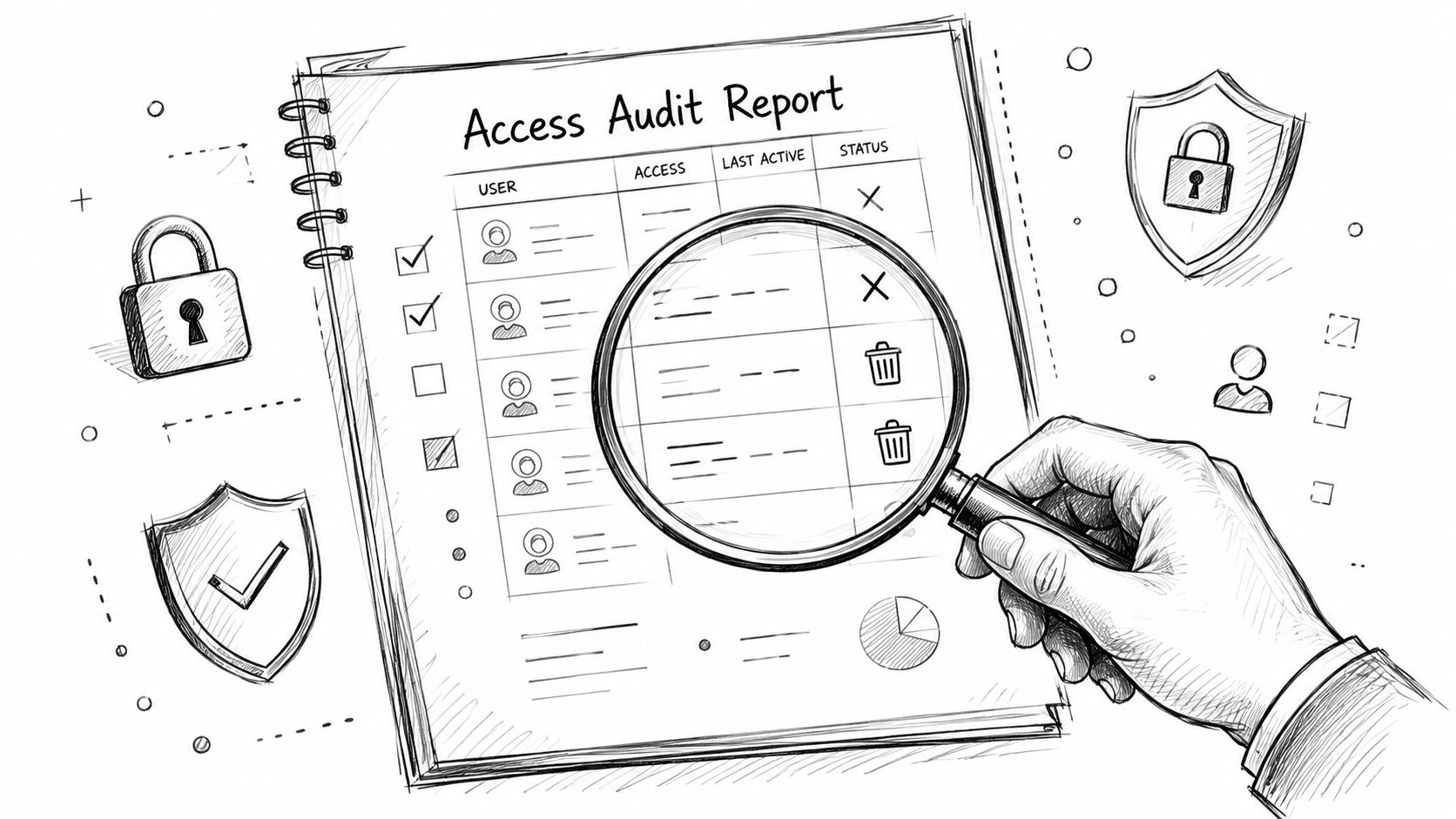
Access reviews should be routine, not reactive. The property should regularly compare active credentials against resident rosters, vendor contracts, board appointments, and staff lists.
A strong audit asks plain questions:
- Who still has access and why
- Which credentials haven't been used recently
- Which admin accounts have greater authority
- Which temporary permissions never expired
This is also where operational issues around the property matter. If a community is tightening gate governance, it should also look at adjacent controls like camera placement, signage, and essential property lighting compliance, because a secure perimeter depends on more than the credential itself.
Use temporary access as a standard rule
Contractors, event staff, cleaners, inspectors, and move-in crews rarely need permanent credentials. Temporary access should be the default.
That approach works best when the property sets clear rules:
- Contract-based expiration: Vendor access ends when the work order or service term ends.
- Schedule-based permissions: Cleaners and contractors enter only during approved windows.
- Host-based visitor approval: Guests gain access through the resident or manager responsible for them.
Board-level policy: Permanent access should require justification. Temporary access should require a start time, end time, and owner.
Harden the system over time
Physical access systems should become more secure after installation, not more brittle. That requires hardware and controllers that can adapt.
Modern access control door controllers should be programmable and support over-the-air reconfiguration so security settings and new functionality can be updated without site visits, according to Nedap's guidance on access control devices and system performance.
Security layers also matter. Modern access control systems can support multi-factor authentication using biometrics alongside mobile credentials such as Bluetooth and NFC, which raises the barrier for unauthorized entry, as described in Mammoth Security's overview of access control features.
Governance should define who can do what inside the admin layer:
- One group approves policy
- Another group handles daily credential operations
- Emergency overrides are logged and reviewed
- Role changes follow a documented process
That's how a smart community keeps user role management from drifting back into informal habits.
The Future of Property Access Is Smart and Secure
Property access is no longer a side issue that can be handled with a gate code and a box of remotes. It's an ongoing governance function tied to resident safety, staff efficiency, and community trust.
That's why user role management has become so important in physical security. It gives properties a practical way to control entry based on role, schedule, and need instead of convenience and memory. For HOA boards and property managers, that means fewer broad permissions, cleaner audits, better visitor handling, and a stronger resident experience.
The wider access control industry is moving in the same direction. The global electronic access control systems market was valued at USD 46.08 billion in 2024 and is projected to reach nearly USD 107.82 billion by 2032 at an 11.21% CAGR, according to Maximize Market Research on electronic access control systems. In parallel, the broader Identity and Access Management market is projected to grow from $25.34 billion in 2026 to $77.92 billion by 2034, with North America holding a 40.30% share in 2025, according to Fortune Business Insights on the IAM market.
The properties that benefit most won't be the ones with the most complicated systems. They'll be the ones that define roles clearly, enforce expiration dates, and choose access technology that supports reliable remote management, visitor control, and clean retrofits across existing gates and entries.
Nimbio helps properties modernize access without replacing the gate systems they already own. Its cellular, hardware-agnostic platform supports smartphone-based entry, remote visitor management, and admin control without depending on local Wi-Fi. Property managers, HOA boards, and installers who want a cleaner approach to user role management can explore Nimbio to see how a retrofit-friendly access upgrade can improve security and day-to-day operations.


