

A video gate intercom is a camera-enabled entry station with remote communication and credential management. At the property level, the useful setup ties the visitor feed to a smartphone app and the gate operator, while keeping existing remotes and keypads in service.
That matters when a resident, manager, or guard has to decide whether the person at the gate should get in right now. A camera alone doesn't solve that decision, the system has to verify the visitor, route the call, and release the gate in a controlled way.
Table of Contents
- What a Video Gate Intercom Actually Is
- Core Features to Evaluate Before Buying
- Deployment Models and How They Differ
- Privacy and Security Controls That Matter
- Real-World Use Cases by Property Type
- Common Misconceptions About Video Gate Intercoms
- How to Choose and Plan Your Video Gate Intercom
What a Video Gate Intercom Actually Is
A video gate intercom is best understood as a controlled access point, not a stand-alone camera. On a practical site, it lets someone at the gate be seen, heard, and screened before entry is granted. That workflow is what property managers are usually buying, even if the product label makes it sound like a simple call box.
Three functions people often mix together
The first function is visual identification, which lets a resident or manager see who is at the gate. The second is two-way communication, which allows a conversation before any decision is made. The third is credential-based entry, which means the system can authorize opening through an app, a relay, or another approved control path.
Those functions do different jobs. A visitor can be visible without being authorized, and a resident can be authorized without being physically present at the gate. That separation matters on properties where the gate operator, keypad, and clickers already work well enough.
Practical rule: if the existing remote or keypad still fits the site, a video upgrade should add verification and control, not replace working entry hardware for no reason.
A modern setup usually pairs the gate-side station with a mobile interface, audit logs, and remote credential administration. That's why a cellular retrofit such as Nimbio is relevant here, it keeps existing remotes, fobs, and keypads working while adding app-based visitor verification and remote entry control. For many properties, the question isn't whether to buy a camera. It's whether to turn the gate into part of an access-management workflow.
Core Features to Evaluate Before Buying
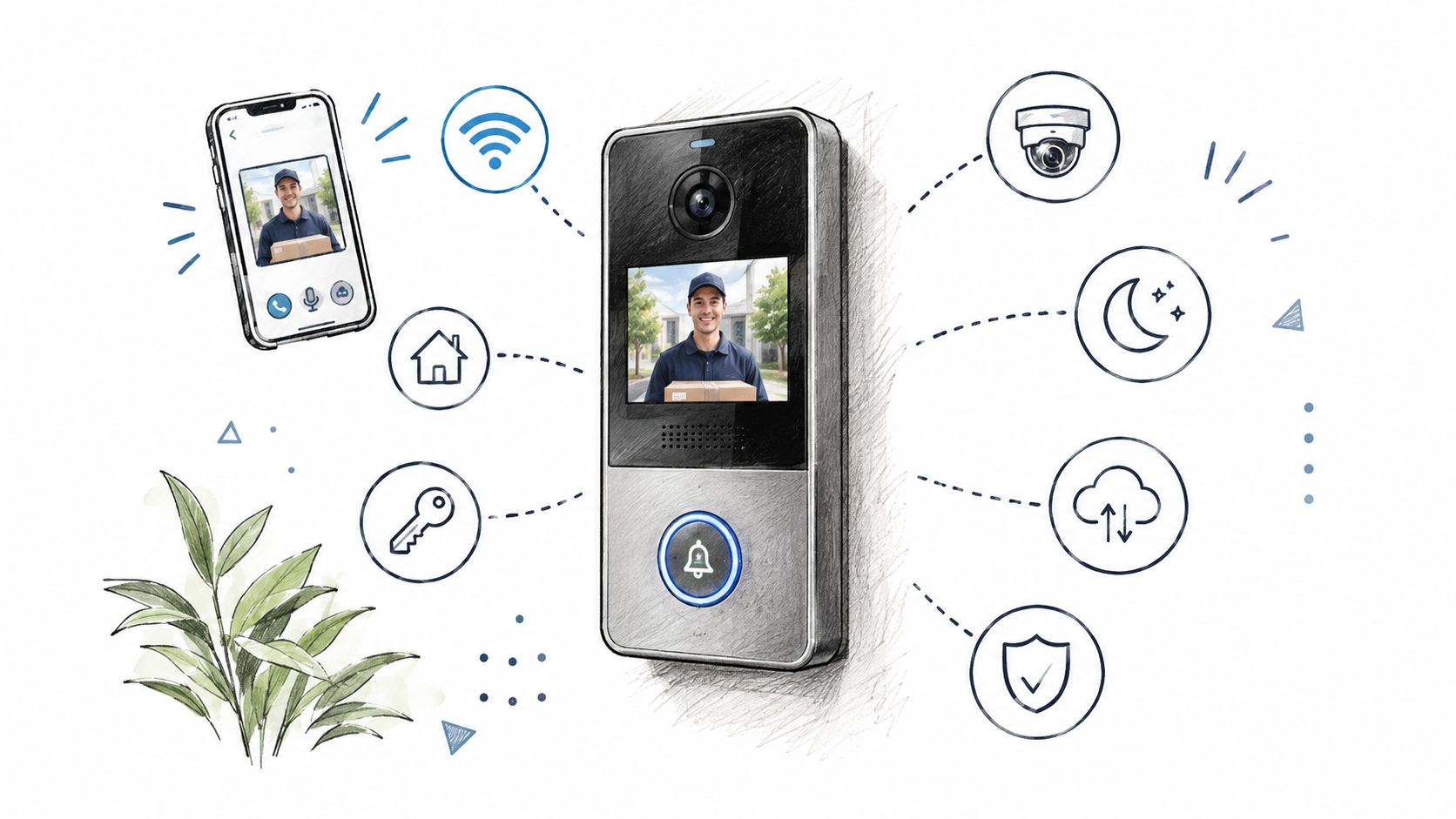
Feature comparisons are easier when the buyer separates what the system shows from what it controls. A good spec sheet should tell a manager whether the product is only sending video, or whether it also handles release commands, logs, and user permissions. If that split isn't clear, the installation usually gets more complicated than expected.
What to check in the video and calling path
Video behavior can be simple or layered. Some systems give residents a one-way view of the visitor, while others add live audio and optional two-way video. One-way video is often enough for quick screening, but two-way interaction helps when the visitor needs to explain a delivery, verify a name, or answer a follow-up question.
Directory handling matters too. A site may need a web directory, caller matching by name or unit, and routing that sends the call to the right resident or manager. If the call routing is clumsy, the system loses time at the gate, which is exactly where the delay is most visible.
What to confirm in control and interoperability
The next question is whether the unit only streams video or also supports gate release, event records, and permissions. ONVIF treats access-control interoperability as a feature-contract problem, so the buyer should verify the relevant profile support rather than assuming that video streaming means gate control will work. The profile pages from ONVIF spell out the distinction between access-control peripherals, door control and event handling, and video streaming profiles, which is why both sides of the connection need to be checked before a retrofit is approved. ONVIF profile definitions
For a property manager, the plain-language test is simple. Can the system show the visitor, route the call, release the gate, and record what happened after the fact? If one of those pieces is missing, the buyer is probably looking at a camera with access-control branding rather than a complete entry workflow.
| Feature Dimension | What to Verify | Common Gap |
|---|---|---|
| Video Behavior | One-way or two-way video, night use, call clarity | The unit shows video but doesn't help with entry decisions |
| Directory and Routing | Web directory, resident matching, call routing | Calls reach the wrong unit or stall at the panel |
| Mobile Operation | App calling, remote guest entry, phone-based approval | Remote use works in demos but is awkward in daily use |
| Credential and Logging | Digital keys, expiration, audit trail, role-based permissions | Entry happens, but no usable record remains |
Explore cellular gate opener features if the goal is to see how app-based control is typically organized around existing gate hardware.
A cellular controller such as Nimbio fits into this conversation because it adds remote management without asking the property to replace a functional operator. That's useful when the site needs visitor verification, digital key control, and preservation of older entry devices at the same time.
Deployment Models and How They Differ
The right deployment choice depends on whether the property is modernizing a whole entry system or preserving a working gate. Some projects are a clean replacement, others are a retrofit around equipment that still has life left in it. Those two jobs look similar on a proposal, but they behave very differently on site.
Integrated replacement versus cellular retrofit
A full replacement makes sense when the entry point is already due for a broader modernization. The benefit is a single stack for the call station, software, and release path. The trade-off is that the property is usually committing to more wiring, more device replacement, and more reliance on the new platform from day one.
A cellular retrofit is a different path. It connects to the gate operator a property already has, so the gate itself doesn't need to be replaced. Existing clickers, fobs, and keypads keep working, which makes this route practical when the property wants remote management without disrupting current users.
What changes in daily operations
Retrofit systems are appealing because managers can issue and revoke digital keys remotely and verify visitors through a smartphone app. That's where a cellular add-on such as Nimbio often fits best, especially on older gates or on sites where trenching new network lines would be disruptive. The key point is that the system extends control, it doesn't force a hardware reset.
The trade-off is boundary expansion. A cloud-managed or cellular setup reaches beyond the physical gate, so privacy and security controls need to be designed for a wider management surface than a purely local wired intercom. That doesn't make the retrofit worse. It just means the manager has to think in terms of remote administration, not only door hardware.
Read how cellular vs NFC gate access is usually planned when comparing remote management paths for existing gate operators.
| Deployment Model | Wiring Needs | Existing Device Use | Remote Management |
|---|---|---|---|
| Integrated replacement | Typically more invasive, often tied to a larger hardware refresh | May replace more of the current call and control hardware | Usually built into the new platform |
| Cellular retrofit | Uses the current gate operator and add-on controller | Preserves remotes, fobs, and keypads | App-based keys, visitor verification, and admin control |
The practical question for the buyer is not which model sounds more advanced. It's whether the property needs a fresh stack or a controlled add-on that respects what already works.
Privacy and Security Controls That Matter

A video gate intercom is an IoT security endpoint, so the privacy questions come first, not last. The mistake many sites make is treating the camera feed as the main risk while leaving the admin path, remote entry path, and phone access path too open. The logic is straightforward: fewer exposed paths means fewer places to authenticate, monitor, patch, and test. On the interoperability side, ONVIF has a blog post on how to use ONVIF profiles to ensure interoperability.
A practical security checklist for buyers
A property manager reviewing any proposal should ask for a small set of controls. The names of the features matter less than whether they exist and are turned on.
- Unique administrator credentials: Shared admin logins make it hard to trace changes and harder to revoke access cleanly.
- Role-based permissions: Residents, managers, installers, and vendors should not all have the same control scope.
- Encrypted management traffic: Admin and release traffic should not travel in plain text.
- Documented firmware updates: The vendor should show how updates are handled and who approves them.
- Entry event logging: Entry actions should leave a record that can be reviewed later.
- Recovery for lost phones: A revoked, lost, or compromised phone should stop being a gate credential quickly.
Separate visitor visibility from gate-control rights. A person can be allowed to see who is at the gate without being allowed to open it.
That separation is the genuine privacy gain. The visitor image helps the resident decide, but the door-release command still needs permission, and the system should treat those as different decisions. The XTREME EDEALS gate security tag collects that site's posts tagged gate security; every property still needs its own device and policy review.
Real-World Use Cases by Property Type
A good video gate intercom setup looks different depending on who uses the gate every day. A homeowner cares about remote convenience and keeping existing remotes alive. A multifamily manager cares about auditability and tenant turnover. An HOA board usually cares about consistency, visitor screening, and emergency access.
Single-family driveway gate
A homeowner with an electric driveway gate usually wants two things, remote entry and fewer trips to the gate. A video-enabled app setup fits when the owner wants to confirm a visitor before pressing any release control, but still wants the clicker to keep working for family members and regular users.
A one-way visitor workflow is often enough here. A web directory or phone-based call flow can help the homeowner decide quickly without turning the front drive into a full access-control project.
Multifamily property
A property manager has a different problem. Unit turnover, vendor access, and resident changes make static credentials messy very quickly. Expiring digital keys and an audit trail become more valuable than novelty features, because the manager needs to know who got access, when it happened, and who still should have access.
A cellular retrofit is often the cleaner choice when the current gate operator is fine. GuestView-style calling, where a resident can visually verify a visitor before granting access, fits this use case because it adds screening without requiring a new camera package on the gate itself.
HOA or gated community
An HOA board has to balance resident convenience, installer workflow, and emergency planning. That means the board shouldn't evaluate the video intercom in isolation from the gate, the emergency overrides, and the local access rules. For communities like this, the central question is whether the system helps daily operations while still leaving emergency response independent of a resident answering a phone.
A manager or board member can usually narrow the choice by asking one question. Is the site trying to modernize the whole front end, or just add remote visibility and better control to a gate that already works? The answer usually points to the deployment path.
Common Misconceptions About Video Gate Intercoms
A camera at the gate doesn't equal identity verification by itself. It only shows who is there, which is useful, but it doesn't tell the system whether that person should be admitted. The NIST Cybersecurity Framework's Protect function calls for access to physical and logical assets to be limited to authorized users, processes, and devices. NIST access control guidance
A second mistake is treating video screening as a replacement for credential authorization. The resident may recognize a visitor, yet the system still has to decide whether that resident, account, or phone is allowed to release the gate. Those are different decisions, and the system should handle them separately.
A third mistake is assuming remote entry makes emergency access simple. It doesn't. Emergency access has to work when the resident is unavailable, when the network is down, and when a normal credential isn't the right answer. One guide for gated communities describes separate emergency pathways: a Knox Box or similar lockbox at the gate, a dedicated emergency access code shared with local fire and police departments, or a radio-based override that some gate operators support. Emergency access guidance for gated communities
A fourth mistake is thinking every video intercom is equally secure. The exposure level changes with the interfaces the unit leaves open, the permissions model, and the management path. A fifth mistake is believing that a video upgrade requires abandoning remotes and keypads. That's only true on some replacement projects. On many properties, the older devices still serve a useful role.
The accessibility side matters too. The U.S. Access Board says two-way communication systems at entrances must accommodate people with hearing, speech, or visual impairments, and that security bollards and screening devices at accessible entrances cannot obstruct accessible routes or accessible means of egress. U.S. Access Board guidance on entrances, doors, and gates That means a proper gate design has to work for more than one kind of user and more than one kind of arrival.
How to Choose and Plan Your Video Gate Intercom
A workable plan starts with the property goal. If the site needs mostly convenience, the spec can stay lighter. If the site needs auditability, shared control, or remote administration, the selection has to include credentials, logs, and a clear release path.
A short decision sequence
First, choose the deployment model. Replacement works when the property is already ready for a full refresh. Retrofit works when the gate operator is fine and the owner wants to keep existing remotes and keypads while adding smartphone control.
Second, verify interoperability and security. The buyer should confirm video support, control-path support, event handling, permissions, and update procedures before any purchase order goes out. Third, review emergency access and accessibility with the gate hardware, not separately from it.
Use the best cellular gate opener guide as a planning reference when the site is trying to decide whether a cellular retrofit is the right fit for the gate.
| Decision Checkpoint | What Good Looks Like |
|---|---|
| Property goal | The system matches daily use, not just feature count |
| Deployment model | Replacement or retrofit is chosen intentionally |
| Interoperability | Video, control, and logging all work together |
| Security | Admin access, permissions, and event logs are defined |
| Emergency and accessibility | Egress and emergency entry are handled separately |
A cellular retrofit such as Nimbio fits well when the property wants app-based digital keys, remote guest entry, and video verification without replacing the existing gate hardware. That's the practical lens that keeps the project honest.
If a property needs a video gate intercom that works with the gate already in place, Nimbio is worth reviewing as one retrofit path. Visit Nimbio to see how its cellular controller and app handle remote guest entry, digital keys, and visitor verification on existing gate hardware.


