A resident pulls up to a driveway, holds a card a few inches from the post, and the gate swings open. Ask what just happened and the usual answer is that the reader opened the gate. It didn't. The reader read the card. A separate controller decided the card was allowed, and a third device, the gate operator, did the moving.
A gate access card reader is the part of that chain that reads a credential such as a card, tag or fob when a person or vehicle presents it, then passes the result to a controller. The controller checks the credential against the rules stored for that gate and, if the rules allow it, signals the gate operator or electronic lock to open.
Keeping those jobs separate explains most of what confuses people about card access. It explains why a card that works at the front gate can fail at the pool gate. It explains why a copied card can open a gate whose reader is bolted on solidly, and why a gate that tests perfectly on a Tuesday morning can strand someone during a power cut. Read, decide, open. Hold onto that chain and the rest of the system falls into place.
Table of Contents
- What a Gate Access Card Reader Does
- Parts of a Gate Access Card Reader System
- Credential Types and How Far They Read
- How Authentication and Authorization Work at the Gate
- Wiring and Communication Between Reader and Controller
- Common Uses and Where Card Readers Fall Short
- Confirm Egress, Power and Access Rules Before You Buy
What a Gate Access Card Reader Does
The common picture of card access is the one below: a driver, a card, a barrier.
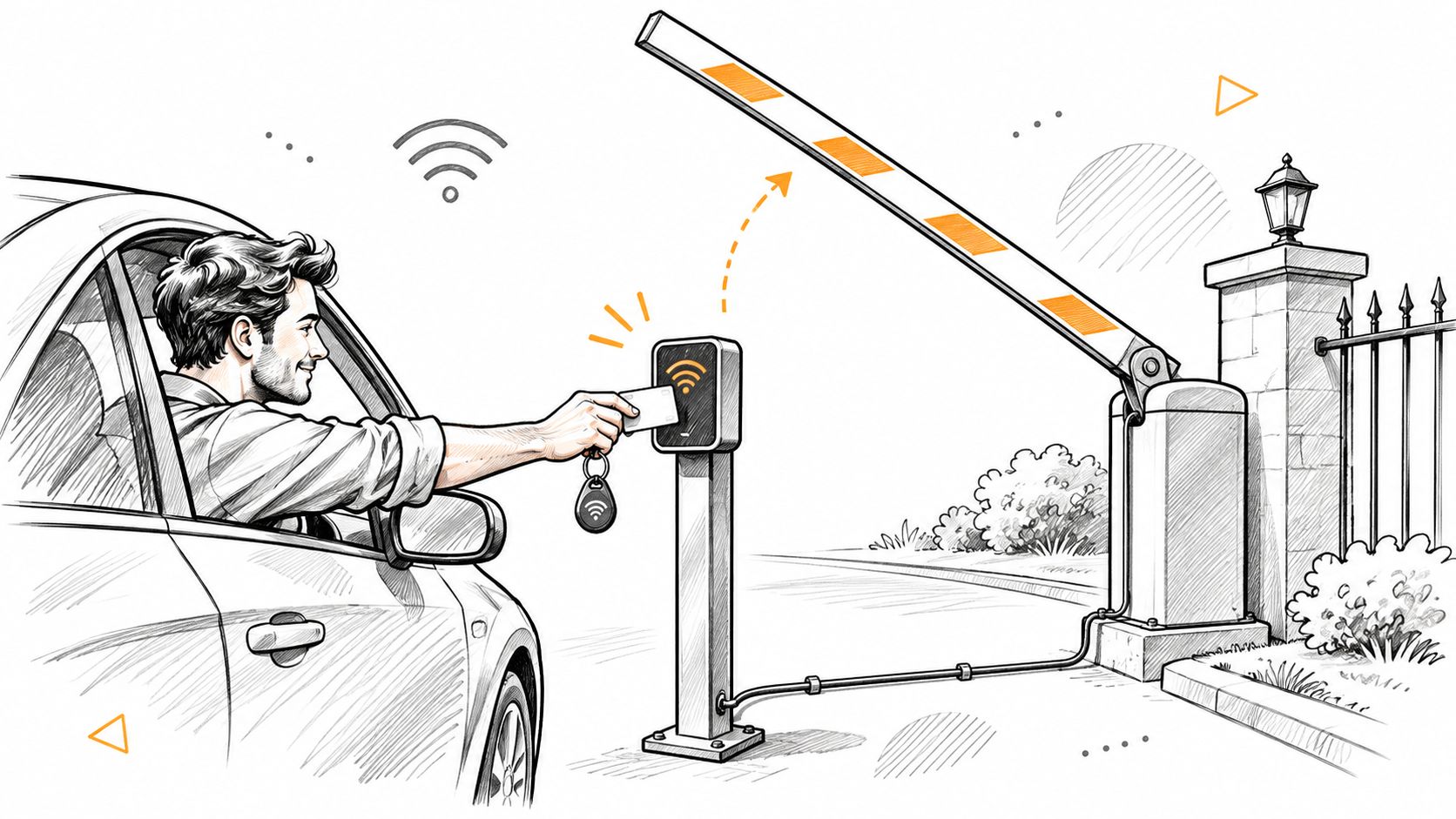
The reader's job is narrow and deliberate. It identifies, it doesn't rule. A credential can be a card, a tag, a fob or a phone, and the device that reads it may sit on a pillar, a bollard or a call box, but the function stays the same: read what was presented and hand the result onward.
The hotel door comparison is the fastest way to understand the split. Tap a card on a hotel room reader and the reader checks it, then reports to the lock logic, which decides whether the bolt retracts. The reader never moves the bolt. A gate reader behaves the same way, reporting to a controller that decides whether the gate operator gets a command.
The whole chain fits in one sentence: a credential is presented, the reader reads it, the controller compares it with stored permissions, and the gate operator or electronic lock moves. Reading a card and granting access are two separate events, often separated by a cable, a network and a set of rules stored somewhere else on the property.
Here's a hypothetical that shows why the separation matters. A resident holds a card a few centimetres from a driveway reader. The reader reads a valid credential, but the card was cancelled after a move-out, or it was never authorized for that particular gate. The controller finds no matching permission and the barrier stays down, even though every piece of hardware worked exactly as designed.
The distinction to hold on to: the reader reads, the controller decides, the operator moves.
If you need one sentence to repeat to an installer, use that one. It will save you from buying a better reader to fix a rule that lives in the controller.
Parts of a Gate Access Card Reader System
Six parts do the work at a gate, and each one carries a question worth answering before you sign anything.
| Part | Job | Example or note |
|---|---|---|
| Reader | Authenticates the presented credential before the controller acts | Contactless card reader at a pedestrian or vehicle lane |
| Credential | Identifies the person or vehicle | Contactless card or tag using ISO/IEC 14443 at 13.56 MHz |
| Controller | Checks authorization rules and signals the lock or operator | Stores permissions for each gate and schedule |
| Gate operator or electronic lock | Moves the barrier or bolt | Automatic gate operators are covered by UL 325 |
| Battery or backup power | Keeps reader and controller running during an outage | Runtime depends on the battery and the load, so ask for the tested figure |
| Management software or app | Issues, revokes and reviews credentials | Web portal or local admin tool |
The pair that causes the most confusion is the reader and the controller. They have to speak a protocol both understand, and that choice affects security and fault-finding more than the reader's housing does. Everything else on the list exists to keep those two working and to let someone change the rules.
A gate rarely carries a single device. An existing clicker, keypad or intercom can share the same operator, because the card reader is one input among several. Many add-on controllers wire in parallel to the operator's existing dry-contact input, so the gate itself doesn't need replacing to gain card access.
What to write down for each part:
- Credential type: the standard, and the frequency if the vendor states it.
- Read range: the distance the reader will accept a card from.
- Wiring protocol: what the reader uses to talk to the controller.
- Mounting location: which lane or pillar, and at what height.
- Power source: where the reader and controller draw power, and what backs it up.
- Log location: where events are stored and who can read them.
Before calling an installer, sketch your own gate as a list of those six parts. A five-minute list is the difference between a quote you can compare and a quote you have to accept.
Credential Types and How Far They Read
Two contactless standards cover most gate credentials, and the difference that shows up at a lane is range.
| Credential standard | Frequency | Typical read range | Best fit at a gate |
|---|---|---|---|
| ISO/IEC 14443 contactless card | 13.56 MHz | About 7 to 15 cm | Deliberate presentation at a pedestrian or short-range vehicle reader |
| ISO/IEC 15693 vicinity card | Ask the vendor to document it | Up to about 1 m | Driver convenience, but needs tighter lane placement and directional controls |
| Identifier-only card | Follows whatever card technology the site already uses | Matches that technology | Lowest assurance, copying risk even with a well-built reader |
Those ranges come from NIST's guidance on PIV credentials in physical access control systems, which puts ISO/IEC 14443 contactless cards at approximately 7 to 15 cm and ISO/IEC 15693 vicinity cards at up to about 1 m. The gap between those two numbers drives the entire lane design.
What Read Range Changes at a Gate
Short range suits deliberate presentation. A driver or pedestrian brings the card to the reader on purpose, which makes accidental reads rare and makes the credential easy to present through a window.
Longer range improves driver convenience and buys a different kind of risk. A reader that reaches a metre can pick up a card in a passing vehicle, in the next lane, or in a passenger's bag on the seat. The practical answer is placement: mount the reader where the driver's window is the only position that puts a card inside the zone, and pair longer-range credentials with directional controls or anti-passback so the same card can't authorize two entries in a row.
How a Credential Proves Itself
Range is only half the decision. The other half is how the credential proves it belongs to the person holding it. ISO/IEC 14443 is a four-part international standard for contactless proximity cards operating at 13.56 MHz, and the technical description of ISO/IEC 14443 makes a point worth carrying into any gate project: the standard defines the radio and card interface, while encryption, authentication and access control sit in application layers above it. Compatibility with a 13.56 MHz card proves the reader can hear the card, not that the system checks it properly.
NIST describes several electronic authentication mechanisms for physical access rather than one universal security level: CHUID, PKI, biometric authentication, biometric authentication with additional factors, and an optional CAK mechanism. Its recommendation on PIV credentials for physical access control is explicitly risk-based, so the mechanism should match the consequences of unauthorized entry. PKI authentication can provide two factors because it needs both the card and a PIN, and biometric verification adds another option for higher-risk entrances.
An identifier-only card, one that announces a number, can be copied even when the reader is well built and the enclosure is solid. Ask how the credential proves itself, not only whether the reader accepts it.
- Match the credential to the gate: a pedestrian entrance and a restricted vehicle lane may justify different technologies.
- Match the read zone to the lane: measure where a driver's window stops before choosing a range.
- Add a second factor where misuse hurts most: a PIN or biometric step belongs on the highest-risk entrances, not every one.
Phones are increasingly the credential, and tap behaviour depends on how the phone is set up as much as on the reader. Nimbio publishes a Nimbio tap-to-enter configuration guide for configuring the phone side of that decision.
Write the credential standard and the read zone on one page before comparing reader models. Those two lines eliminate most of the market on their own.
How Authentication and Authorization Work at the Gate
The barrier in the image below rises only after two separate checks have passed.
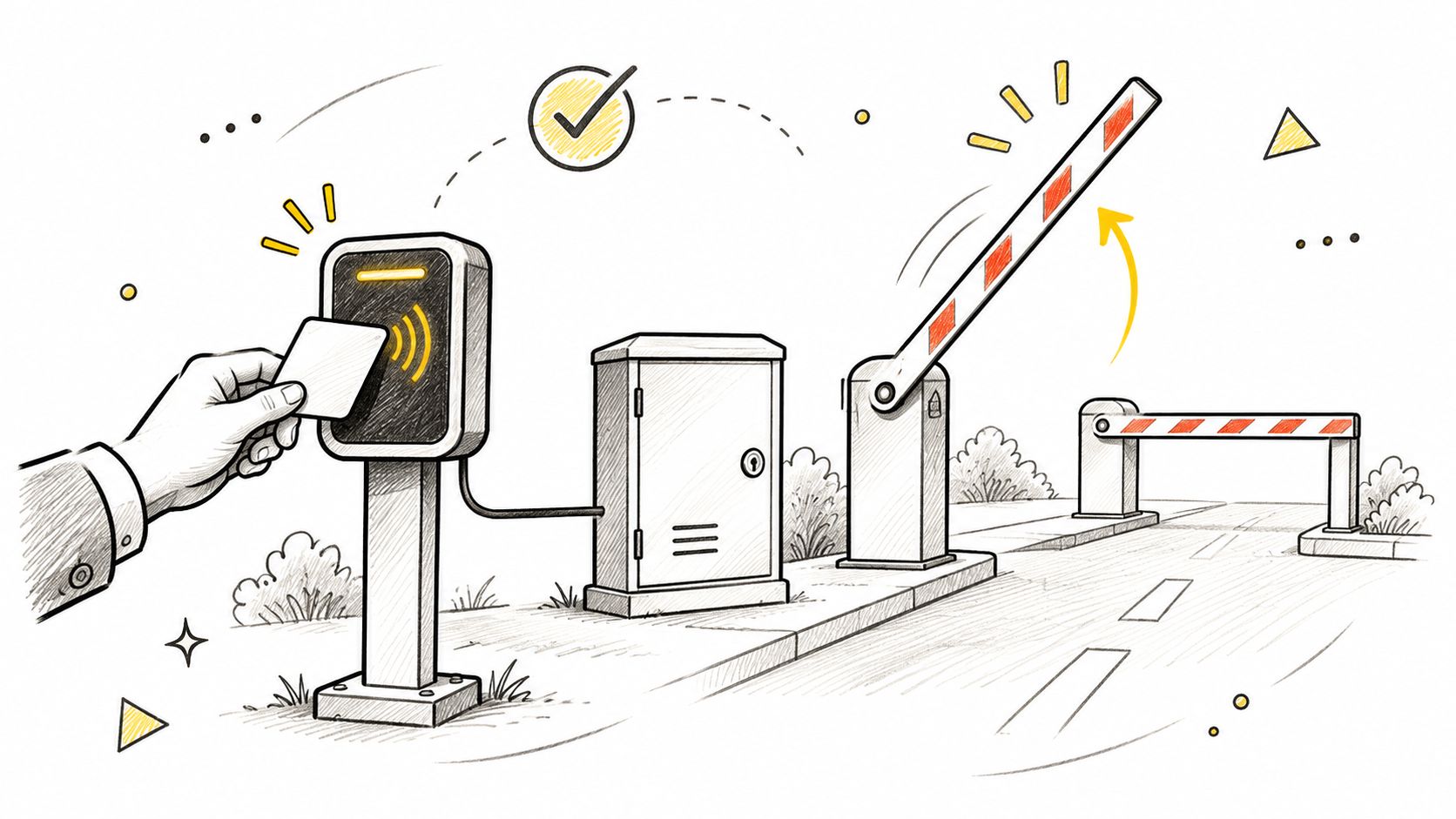
NIST defines a physical access control system as an electronic system that controls whether people or vehicles may enter a protected area, and its recommendation for using PIV credentials in physical access control systems separates two functions that buyers tend to blend together. Authentication establishes the identity linked to a credential. Authorization decides whether that identity may enter this particular protected area. Reading a card is the first decision; granting entry is the second.
The sequence at a working gate runs in five steps.
- Present. A person or vehicle presents a credential at the reader.
- Authenticate. The reader reads it and the system verifies the identity linked to that credential.
- Authorize. The controller checks the rule for this gate, this schedule and this user group.
- Act or deny. If the rule allows entry, the controller signals the operator or lock to open. If it doesn't, the request is denied and recorded.
- Log. The event is written with a timestamp, so there is a record of who tried the gate and when.
A hypothetical makes the difference concrete. A contractor's card is authenticated correctly, because the system knows exactly who is holding it. But that contractor is authorized for the service yard gate and not the resident gate, so the resident gate stays closed. The card is fine. The rule is doing its job.
Separate permissions per gate, schedule and user group are safer than one credential that opens everything. A card that opens the resident gate, the pool gate and the maintenance yard at any hour gives an intruder three ways in and leaves the property manager one blunt remedy: cancel the card entirely. Granular rules let you take away one door without stranding a resident at the gate they use.
NIST also advises matching the mechanism to the risk of the facility and the assets behind the gate. A low-risk pedestrian entrance and a vehicle gate serving a restricted area can justify different credential technologies or an extra verification step.
What to put on the plan: name the credential, the authentication method, the authorization rule and the access point as four separate parts of the project. Blur them together and you'll buy hardware to solve a policy problem.
Wiring and Communication Between Reader and Controller
The cable between a reader and its controller answers two questions buyers rarely ask. How exposed is the credential while it travels, and how quickly can a fault be found?
Traditional Wiegand wiring uses separate conductors for power, ground, Data 0, Data 1 and often an LED control line. It carries credential data without encryption, which means anyone who reaches the cable can intercept what the reader sends, and a captured value can be used to clone a credential. The reader keeps working perfectly while the weakness sits in the wall.
OSDP supports bidirectional communication, supervision of reader status and an AES-128 Secure Channel, as set out in Farpointe Data's rugged reader specification. The controller can monitor the reader and protect credential data in transit.
| Feature | Wiegand | OSDP |
|---|---|---|
| Credential data in transit | Sent without encryption | Protected with AES-128 Secure Channel |
| Communication direction | One way, reader to controller | Bidirectional |
| Status supervision | None, so the controller can't monitor reader status | Controller monitors reader status |
| Recommended use | Legacy compatibility only | Preferred where the reader and controller support it |
Changing that link changes two things at once. Exposure to cable tapping drops, and the controller gains the status information it needs to notice a failing reader before a resident calls to report one. That second benefit is the one property managers feel first, because a supervised reader reports a problem instead of going quiet.
Rules to put in a specification:
- Require OSDP Secure Channel wherever the reader and controller both support it.
- Keep Wiegand only for legacy compatibility, and write down which readers still rely on it.
- Specify weather-rated enclosures for any reader mounted outdoors, including readers under a canopy.
- Ask for the operating temperature range and the reader-to-controller output time, then compare those numbers across models rather than taking the brochure's word.
Three questions belong in writing before installation: which protocol does this reader use, is Secure Channel enabled on the controller, and how does the controller report a reader fault along with where that report appears. A vendor who can answer all three has designed the system for maintenance, not just for the day of commissioning.
Practical rule: if a specification lists a reader without naming the protocol, the protocol hasn't been decided yet.
Common Uses and Where Card Readers Fall Short
Credentials show up at a gate in different shapes and do the same job. The sketch below is a reminder that a fob, a card and a phone are all just carriers of an identity.
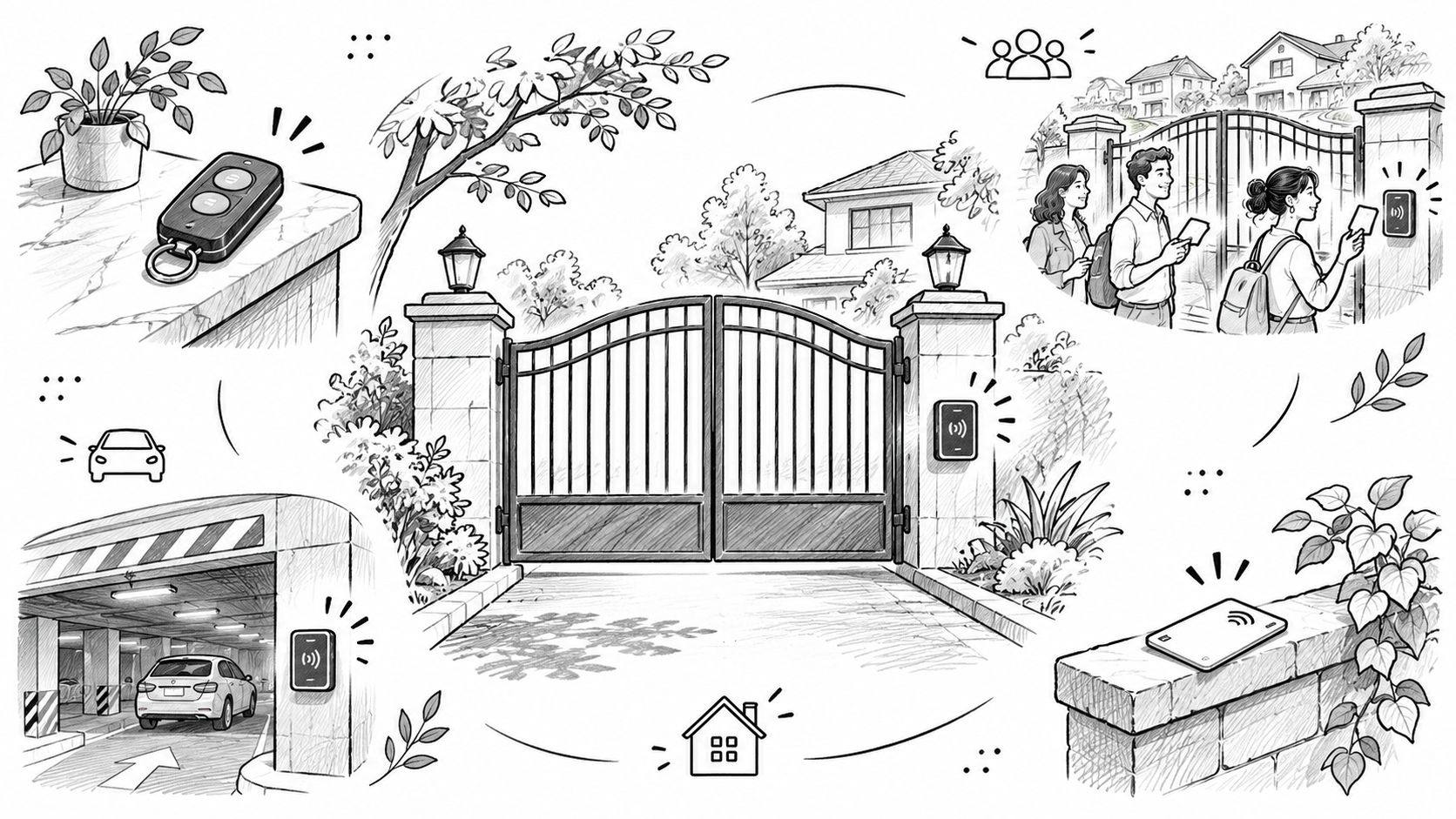
A single-family driveway uses a reader alongside a remote, so a household can hand out access without handing over the only clicker. A homeowners association gate uses individual credentials in place of a shared code, which means a lost card can be cancelled without telling every resident a new number. A multifamily entry runs residents, staff and vendors through one reader on different rules. A commercial vehicle gate handles employees, contractors and delivery drivers, each with a separate permission set.
Take a hypothetical warehouse gate that issues every delivery company its own card. When one driver leaves a carrier, that card is cancelled and the other carriers never notice. Run the same gate on a shared code and the only remedy is changing the code for everyone, including the drivers who did nothing wrong.
Readers also produce a record, and that record is a security tool in its own right. An audit of General Services Administration facilities recorded 32,179 failed access attempts during the two-year period ending February 28, 2022, across 132 GSA-managed facilities, as reported in a NIST journal article on enterprise authentication. At a gate, the equivalent event stream supports revocation, anomaly checks and after-the-fact answers about who tried the gate and when.
Remote and industrial sites combine the two worlds. A vehicle gate at a solar or utility yard often sits beside a staffed checkpoint, and heat-resistant guard cabins for solar yards show the kind of shelter that keeps a post usable through summer heat while the reader handles routine entry. Choosing between a phone-based credential and a network-based one is its own decision, and cellular vs NFC gate access lays out the difference in how each one reaches the gate.
Where the system falls short:
- Lost or shared cards. A credential that can't be cancelled in minutes is a shared key with a nicer shape.
- Copyable credentials. Assurance comes from the credential technology, not from the housing around the reader.
- Read range that reaches too far. A long-range credential can pick up a card in the next vehicle, which is a placement problem more than a hardware one.
- Weather and mounting. Outdoor readers need rated enclosures and a height that serves both drivers and pedestrians.
- Outages. A power or network failure can stop remote administration even while local reads keep working, and guidance on what cellular outages teach about IoT risk recommends multi-carrier failover, wired and wireless backup connections, network isolation and real-time uptime monitoring to reduce that exposure.
Which limit hurts first depends on the site. A community with heavy visitor traffic notices revocation, a warehouse notices outages, and a property on an exposed corner notices housings.
Confirm Egress, Power and Access Rules Before You Buy
Most reader comparisons stop at which card a model accepts. The question that protects people is what the gate does when someone needs out and the system says no.
UL draws a line between two standards that are often confused. UL 325 covers automated gate operators, while UL 294 covers access-control units, including remote smartphone features, firmware upgrades, communications security and standby power. UL 294 also expects access-control systems, meaning readers, keypads, communications links and scanners, to undergo security-vulnerability assessment.
None of that tells you what happens at your gate when the power drops. A fail-safe device releases when power is lost. A fail-secure device stays locked. Which one belongs at your gate depends on where the barrier sits in an evacuation path, and the answer should be in writing before installation rather than discovered during a fire drill.
The uncomfortable trade-off: the most locked-down configuration can be the least safe one when it was designed without local fire-code and accessibility requirements in the room.
Accessible operation belongs in the same conversation. 2025 guidance from ASIS stresses that inclusive egress plans must account for people with disabilities or limited mobility, provide accessible routes and clear signage, and ensure access points transition safely during emergencies. A reader mounted at a height that only a standing adult can reach fails that test, and so does a manual release nobody has been shown how to use.
Work through five checks before accepting a quote.
- Confirm the gate type and traffic pattern, so the credential and read zone match how the lane is used.
- Confirm the credential standard and reader protocol, and get both written down.
- Confirm fail behaviour, backup power and manual release, including who tests them and how often.
- Confirm who can revoke a credential and how far back the access log reaches, because both answers decide how quickly a problem can be investigated.
- Confirm what happens when the network fails. Ask what keeps the gate working when cellular service, cloud access or the carrier network goes down, and which fallback paths, such as a second carrier or a wired backup, the design provides.
Writing those answers down turns a vague quote into a comparable one, and what to look for in a gate access system is mostly a matter of knowing which questions to ask. One example of the cellular approach is Nimbio, whose add-on controller connects over LTE, so it needs no Wi-Fi at the gate, and existing clickers, fobs and keypads keep working alongside the app.
Send the finished checklist to the installer before accepting any quote. Local requirements vary, and the authority having jurisdiction has the final word on egress, so a vendor who answers all five items in writing has told you something about how the system will be supported long after the invoice is paid.
Nimbio makes a cellular add-on controller and a smartphone app for electric gates, wiring into the operator a property already has so the gate itself doesn't need replacing. Property managers issue and revoke digital keys remotely, set an expiration date on each key, and can let visitors in remotely with video verification at the gate. Visit Nimbio to see how the controller fits an existing gate and keeps current credentials working.